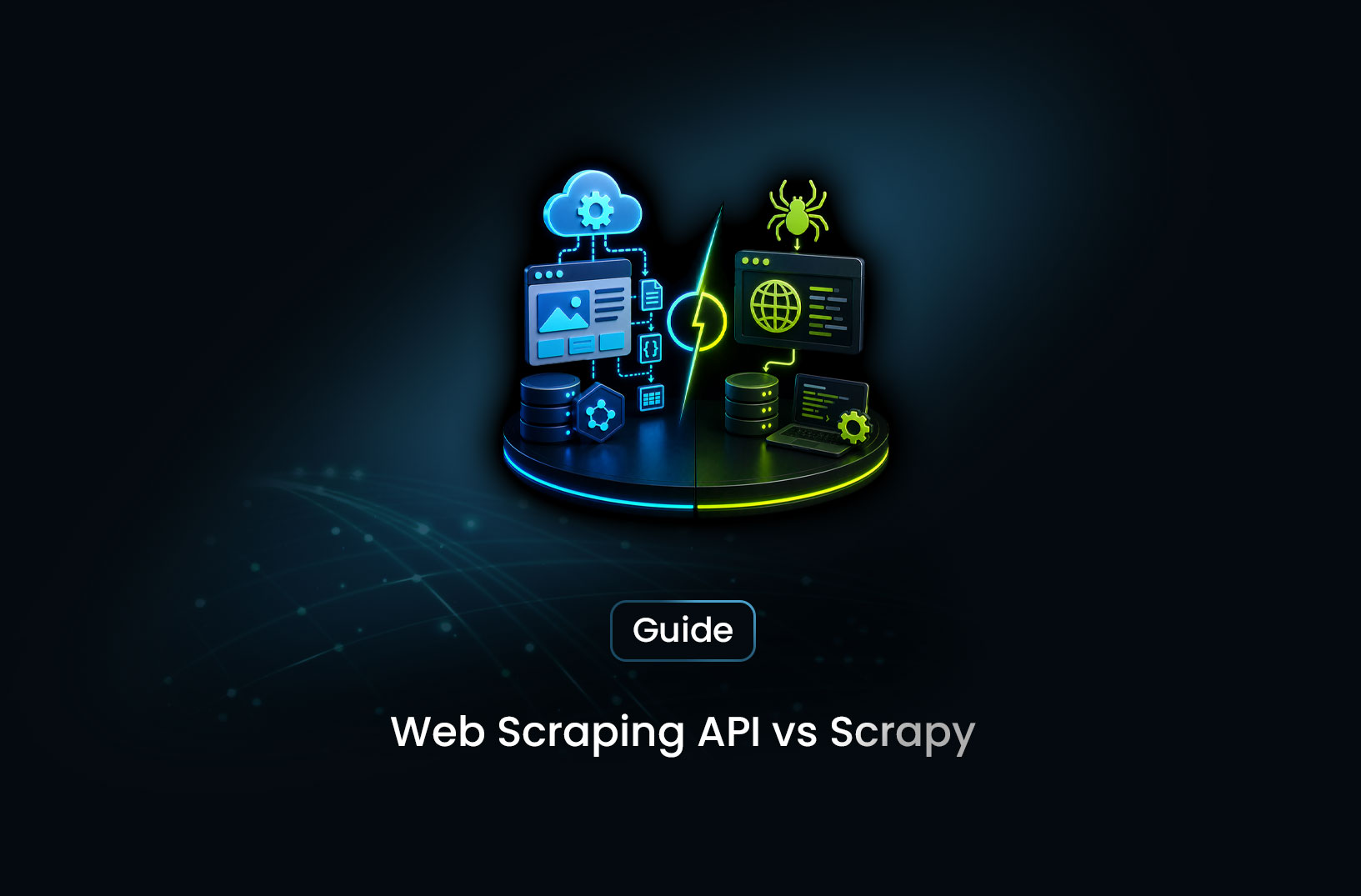
Web Scraping API vs Scrapy: Which Is Better?
Web ScrapingA concise overview of when Scrapy is the right choice for web scraping and when managed platforms like MrScraper become more practical for JavaScript-heavy, anti-bot–protected production workloads.
If you've spent any time in the Python web scraping ecosystem, you know Scrapy. It's been the go-to framework for structured, large-scale web crawling for over a decade — battle-tested, extensible, and entirely free. But "free" has a way of hiding costs, and as target sites get more sophisticated about blocking scrapers, Scrapy's open-source toolkit increasingly requires expensive additions: proxy services, CAPTCHA solvers, middleware for anti-detection. Meanwhile, modern scraping APIs like MrScraper bundle all of that into a single endpoint. So which is actually better for your project?
The direct answer: Scrapy is the right choice when you need maximum control over crawl logic, custom pipelines, and are scraping targets with no meaningful bot protection. A scraping API wins when you need to get past anti-bot systems, want structured AI-extracted data without writing parsers, or want to stop maintaining scraping infrastructure and focus on building with the data. Neither is universally better — but choosing wrong wastes weeks of engineering time.
Let's compare them on the dimensions that actually matter.
What is Scrapy?
Scrapy is an open-source Python framework for writing web spiders — structured programs that crawl websites, follow links, extract data, and store results. It's been actively maintained since 2008 and has a mature ecosystem of plugins, middleware, and integrations.
A basic Scrapy spider looks like this:
import scrapy

class ProductSpider(scrapy.Spider):
    name = "products"
    start_urls = ["https://example.com/products"]

    def parse(self, response):
        # Extract data using CSS selectors
        for product in response.css(".product-card"):
            yield {
                "name": product.css("h2::text").get(),
                "price": product.css(".price::text").get(),
                "rating": product.css(".rating::text").get(),
            }

        # Follow pagination links
        next_page = response.css("a.next-page::attr(href)").get()
        if next_page:
            yield response.follow(next_page, self.parse)
Scrapy handles concurrency, request queuing, retry logic, and output pipelines out of the box. For scraping static HTML sites at scale, it's genuinely excellent — fast, reliable, and deeply customizable.
The limitations emerge at the edges: JavaScript-rendered content requires adding Scrapy-Splash or scrapy-playwright middleware. Proxy rotation requires a separate proxy service and custom downloader middleware. Anti-bot bypass requires patching headers, fingerprints, and behaviors. CAPTCHAs require a third-party solving service and integration code. None of these are impossible — but each adds complexity and maintenance burden.
What is a Web Scraping API?
A web scraping API is a managed service that handles the full data collection stack — browser rendering, proxy rotation, CAPTCHA solving, fingerprint management, and anti-bot bypass — behind a simple API call. You send a URL (or a natural-language instruction), and you get back data.
MrScraper is a modern scraping API that goes further than basic HTML fetching. It offers:
fetch_html— returns fully rendered HTML from the stealth browser, ready for parsingcreate_scraperwith AI extraction — describe what data you want in plain English; the AI extracts it and returns structured JSON- Three agent types:
general(single pages),listing(paginated content),map(full site crawls) - Residential proxy rotation via
proxy_countryparameter — no separate proxy account needed - Bulk operations — run one scraper configuration against hundreds of URLs efficiently
The Python SDK integration looks like this:
import asyncio
import os
from mrscraper import MrScraper
from mrscraper.exceptions import AuthenticationError, APIError, NetworkError

async def extract_products():
    client = MrScraper(token=os.getenv("MRSCRAPER_API_TOKEN"))

    try:
        result = await client.create_scraper(
            url="https://example.com/products",
            message="Extract all product names, prices, and ratings",
            agent="listing",
            proxy_country="US",
        )
        scraper_id = result["data"]["data"]["id"]
        print("Scraper ID:", scraper_id)
        return scraper_id

    except AuthenticationError:
        print("Invalid API token")
    except APIError as e:
        print(f"API error {e.status_code}: {e}")
    except NetworkError as e:
        print(f"Network error: {e}")

asyncio.run(extract_products())
No spider class. No CSS selectors. No middleware stack. The infrastructure complexity lives at the API level, not in your codebase.
Head-to-Head Comparison
Setup and Time to First Data
Scrapy: Installing Scrapy takes seconds (pip install scrapy). Writing your first functional spider takes 15–30 minutes for a simple target. Writing a production-ready spider for a protected site — with proxy middleware, anti-detection headers, JavaScript rendering, and CAPTCHA handling — takes days.
# Scrapy setup
pip install scrapy scrapy-playwright
playwright install chromium

# Additional production dependencies
pip install scrapy-rotating-proxies  # Proxy rotation
# Plus: CAPTCHA solving service integration
# Plus: Custom fingerprint middleware
# Plus: Custom user-agent rotation middleware
MrScraper API: Install the SDK, set your API token, write five lines of code. Time to first data: under 10 minutes.
pip install mrscraper-sdk
export MRSCRAPER_API_TOKEN=your_token_here
Winner: MrScraper API — by a significant margin for protected sites. For unprotected static HTML, Scrapy's setup is equally fast.
Anti-Bot Bypass Capability
This is the sharpest differentiator and it matters for most production scraping targets.
Scrapy out of the box: Zero anti-bot capability. Requests look like Python's requests library with a bot-like User-Agent. Gets blocked immediately on Cloudflare, DataDome, or any modern anti-bot system.
Scrapy with middleware: You can add scrapy-playwright for JavaScript rendering, configure rotating proxies via middleware, and patch headers — but you're assembling and maintaining the stack yourself:
# settings.py — production anti-detection Scrapy config
DOWNLOAD_HANDLERS = {
    "http": "scrapy_playwright.handler.ScrapyPlaywrightDownloadHandler",
    "https": "scrapy_playwright.handler.ScrapyPlaywrightDownloadHandler",
}

PLAYWRIGHT_BROWSER_TYPE = "chromium"
PLAYWRIGHT_LAUNCH_OPTIONS = {"headless": True}

DOWNLOADER_MIDDLEWARES = {
    "scrapy_rotating_proxies.middlewares.RotatingProxyMiddleware": 610,
    "scrapy_rotating_proxies.middlewares.BanDetectionMiddleware": 620,
}

ROTATING_PROXY_LIST = [
    "http://user:pass@residential-proxy.com:8080",
    # ... hundreds more
]

# Still no fingerprint randomization
# Still no CAPTCHA solving
# Still manual maintenance when sites update anti-bot rules
Even fully configured, Scrapy's anti-detection relies on surface-level patches — it can't rotate hardware-level browser fingerprints (canvas, WebGL) the way a managed scraping browser does.
MrScraper API: Anti-bot bypass is infrastructure-level. Residential proxy rotation, fingerprint randomization, and CAPTCHA solving are automatic on every request. When Cloudflare updates its detection, MrScraper updates its bypass — no changes in your code.
Winner: MrScraper API — decisive advantage for any target using Cloudflare, DataDome, or PerimeterX.
Crawl Control and Customization
This is where Scrapy earns its place.
Scrapy: Fine-grained control over every aspect of the crawl. Custom link-following logic, depth limits, domain scoping, duplicate URL filtering, custom pipelines for data cleaning and storage, item processors, download middleware for request modification — the framework is built for complex crawl topologies.
import scrapy
from scrapy.crawler import CrawlerProcess

class DeepCrawlSpider(scrapy.Spider):
    name = "deep_crawl"
    allowed_domains = ["example.com"]
    start_urls = ["https://example.com/sitemap.xml"]

    custom_settings = {
        "DEPTH_LIMIT": 3,
        "CONCURRENT_REQUESTS": 16,
        "DOWNLOAD_DELAY": 1.5,
        "RANDOMIZE_DOWNLOAD_DELAY": True,
        "AUTOTHROTTLE_ENABLED": True,
        "AUTOTHROTTLE_TARGET_CONCURRENCY": 8,
    }

    def parse_sitemap(self, response):
        # Custom sitemap parsing logic
        for url in response.css("url > loc::text").getall():
            yield scrapy.Request(url, callback=self.parse_page)

    def parse_page(self, response):
        yield {
            "url": response.url,
            "title": response.css("h1::text").get(),
            "content": " ".join(response.css("article p::text").getall()),
            "links": response.css("a::attr(href)").getall(),
        }

    def errback(self, failure):
        self.logger.error(f"Request failed: {failure.request.url}")
Scrapy's AutoThrottle extension dynamically adjusts request rate based on server response times. Its built-in duplicate filter prevents re-crawling URLs. Its pipeline system handles data cleaning, deduplication, and storage in a structured way. For complex crawl logic, nothing matches Scrapy's expressiveness.
MrScraper API: The map agent handles multi-page site crawling with maxDepth, maxPages, and include/exclude URL patterns — sufficient for most site crawl use cases. For highly custom crawl logic (conditional link following, domain-specific rules, real-time crawl adaptation), it's less flexible than writing a Scrapy spider directly.
import asyncio
import os
from mrscraper import MrScraper

async def structured_site_crawl():
    client = MrScraper(token=os.getenv("MRSCRAPER_API_TOKEN"))

    result = await client.create_scraper(
        url="https://example.com",
        message="Extract page titles, main content, and publication dates",
        agent="map",
        proxy_country="US",
    )
    print("Crawl started:", result["data"]["data"]["id"])

asyncio.run(structured_site_crawl())
Winner: Scrapy — for complex, conditional crawl topologies and deep pipeline customization.
Data Extraction Approach
Scrapy: CSS selectors and XPath. Powerful, precise, and fragile. When a site redesigns, selectors break and need updating. For sites that redesign frequently, maintenance is ongoing.
def parse(self, response):
    # These break whenever the site updates its CSS classes
    yield {
        "title": response.css("h1.product-title::text").get(),
        "price": response.css("span.current-price::text").get(),
        "sku": response.css("meta[itemprop='sku']::attr(content)").get(),
    }
MrScraper API: Natural language instructions that work semantically — the AI understands what a "product name" or "price" is from context, not from a specific HTML position. When a site redesigns its CSS, the AI adapts.
result = await client.create_scraper(
    url="https://example.com/product/123",
    message="Extract the product name, current price, original price if discounted, SKU, and stock status",
    agent="general",
    proxy_country="US",
)
The tradeoff: Scrapy's selectors are deterministic — you know exactly what you'll get. MrScraper's AI extraction is adaptive but requires validating output quality, especially for edge cases or unusual page layouts.
Winner: MrScraper API for resilience; Scrapy for deterministic precision.
JavaScript Rendering
Scrapy: Not built in. Requires scrapy-playwright or Scrapy-Splash middleware — additional dependencies, configuration, and maintenance. Some JavaScript behaviors (complex React rendering, lazy loading, infinite scroll) require custom Playwright interaction code within the spider.
MrScraper: JavaScript rendering is built into every request — fetch_html uses a full stealth browser, and create_scraper renders JavaScript automatically before extraction. No configuration needed.
Winner: MrScraper API — zero configuration for JS rendering vs. a non-trivial middleware setup.
Cost
Scrapy: The framework is free. But production scraping with Scrapy has real costs:
| Component | Monthly Cost (100k pages, protected sites) |
|---|---|
| Scrapy (framework) | $0 |
| Residential proxies | ~$1,500–$3,000 |
| Cloud server | ~$50–$150 |
| CAPTCHA solving | ~$10–$25 |
| Engineering maintenance | ~$500–$2,000 |
| Total | ~$2,060–$5,175 |
MrScraper: A single subscription that bundles proxy bandwidth, browser infrastructure, and CAPTCHA handling. Check current pricing at mrscraper.com/pricing. For most teams scraping protected sites at meaningful volume, managed infrastructure is competitive with or cheaper than the total DIY cost.
Winner: Scrapy for unprotected, low-volume targets. MrScraper for protected sites where proxy and maintenance costs dominate.
Scalability
Scrapy: Scales horizontally through Scrapyd (distributed scraping) or Scrapy Cloud. Managing a fleet of Scrapy instances with shared job queues requires real infrastructure work.
MrScraper: Scales by calling the bulk_rerun_ai_scraper method. No server provisioning, no job queue, no fleet management.
# Scale to 1,000 URLs in one call — no infrastructure changes
result = await client.bulk_rerun_ai_scraper(
    scraper_id="your-scraper-id",
    urls=["https://example.com/product/" + str(i) for i in range(1000)],
)
Winner: MrScraper API — scales without infrastructure changes.
When to Use Each One
Choose Scrapy when:
- Your targets are static HTML with no meaningful anti-bot protection
- You need complex, conditional crawl logic that goes beyond depth/pattern controls
- You have custom data pipelines (deduplication, transformation, specific storage formats) that benefit from Scrapy's middleware architecture
- You need deterministic extraction with precise CSS/XPath selectors
- Budget is the primary constraint and engineering time is genuinely free
- You're building a scraping platform where the crawl framework is itself a core product component
Choose MrScraper API when:
- Your targets use Cloudflare, DataDome, PerimeterX, or any modern anti-bot system
- You need JavaScript rendering without managing browser middleware
- You want AI-powered extraction that adapts to site changes without selector maintenance
- You're scraping at scale (hundreds to millions of pages) without wanting to manage proxy infrastructure
- Your team's time is better spent on the product built with the data than on the scraping infrastructure
- You want both fetch-and-parse and structured AI extraction from the same service
The hybrid approach many teams use:
Write a Scrapy spider for crawl logic (link discovery, URL management, depth control), but route requests through MrScraper's fetch_html for rendering and proxy handling. You get Scrapy's crawl architecture and MrScraper's infrastructure reliability.
Common Pitfalls
Underestimating Scrapy's production stack complexity. A Scrapy spider that works in development against a simple test site bears almost no resemblance to what you need for a production scraper against a protected target. Budget for the full middleware stack before choosing Scrapy for a project with serious bot protection.
Overestimating how much control you actually need. Most scraping projects don't require custom link-following algorithms or complex pipeline middleware. If your use case fits agent="listing" or agent="map" with standard parameters, you don't need Scrapy's flexibility — you're paying for complexity you won't use.
Treating the CSS selector problem as solved. Scrapy's selectors work until the site updates its HTML. Plan for selector maintenance as a recurring cost, especially on sites that redesign quarterly. AI-based extraction eliminates this cost but requires validating output accuracy.
Not testing on actual targets before committing. Both Scrapy and MrScraper should be validated against your real target sites before building a full pipeline. Scrapy's block rate on your specific target and MrScraper's extraction accuracy on your specific page structure are both empirical questions.
Conclusion
Scrapy is a genuinely excellent framework — if your use case fits what it's designed for. Static HTML, open targets, complex crawl logic, and teams that want full ownership of every layer of the stack. For those projects, it's hard to beat.
For everything else — JavaScript-rendered sites, anti-bot protection, teams that want data quickly rather than infrastructure mastery, or anyone who's been burned by a Cloudflare block killing a production pipeline — MrScraper's API is the faster, more reliable path. The AI extraction layer means you spend time analyzing data instead of writing and maintaining CSS selectors.
The honest decision: if you're already paying for residential proxies, a CAPTCHA solving service, and spending engineering hours maintaining anti-detection middleware for your Scrapy spider — you're likely already past the break-even point where a scraping API is cheaper.
What We Learned
- Scrapy excels at complex crawl logic on unprotected targets — fine-grained concurrency control, custom pipelines, and deep middleware extensibility make it the right tool for building a scraping platform or crawling open data sources
- MrScraper's
create_scraperwith AI extraction eliminates selector maintenance — natural language instructions adapt when sites redesign, unlike CSS selectors that break silently - The full Scrapy production stack for protected sites costs $2,000–$5,000/month at 100k pages when you include residential proxies, CAPTCHA solving, and engineering maintenance — making managed APIs cost-competitive at meaningful volume
fetch_htmlandcreate_scraperserve different needs:fetch_htmlreturns raw HTML for custom parsing pipelines;create_scraperreturns pre-extracted structured JSON using AI — choose based on whether you want to own the parsing logicbulk_rerun_ai_scraperis the scaling mechanism — run one scraper configuration against thousands of URLs in a single call, with no infrastructure changes- The hybrid approach — Scrapy for crawl logic + MrScraper
fetch_htmlfor rendering and proxy handling — combines the strengths of both without the weaknesses of either
FAQ
- Can I use Scrapy and MrScraper together?
Yes — and it's a practical pattern. Use Scrapy for URL discovery, link following, and crawl orchestration, then call MrScraper's
fetch_htmlfor each page to get rendered HTML back through residential proxies and anti-bot bypass. Scrapy handles the crawl graph; MrScraper handles the infrastructure. - Is Scrapy still actively maintained in 2026? Yes — Scrapy has active maintainers and regular releases. The ecosystem around it (scrapy-playwright, scrapy-rotating-proxies) is also active. It's not going anywhere, and for its target use cases (large-scale crawling of open, static sites), it remains one of the best tools available.
- How does MrScraper handle pagination compared to Scrapy?
Use
agent="listing"with themax_pagesparameter to handle paginated content automatically. For complex pagination patterns (cursor-based, JavaScript-controlled load-more),fetch_htmlgives you the HTML to parse pagination logic yourself. Scrapy's approach — explicitresponse.follow()calls — is more deterministic but requires you to write the pagination logic. - Does MrScraper work with Python async frameworks like FastAPI or Celery?
Yes — the Python SDK is fully async, so it integrates naturally with FastAPI, asyncio-based Celery workers, or any other async Python framework. Initialize
MrScraper(token=...)once and reuse the client across requests. For Celery (synchronous workers), wrap async calls withasyncio.run(). - What if I need to maintain session state or login cookies across requests?
Scrapy has built-in cookie jar management per spider session. For authenticated scraping with MrScraper, use
fetch_htmlalongside Playwright'sstorage_statefeature for cookie persistence — initialize a local Playwright session for login, save the state, then pass cookies in subsequentfetch_htmlrequests. For complex authenticated workflows, Scrapy's session management is more native.
Summarize this post
Open it in your assistant of choice with the prompt ready to send.
Take a Taste of Easy Scraping!

Find more insights here
Score Company Websites Against Your ICP with Jev
Create a company scoring workflow using public website evidence, an explicit ICP rubric, Jev decisio…
Classify Web Data with Jev and MrScraper: A Python Tutorial
Build a Python workflow that extracts web records with MrScraper, classifies them with Jev, validate…

What Is Jev? A Practical Guide for Web Data Teams
Learn what Jev does, how Choice, Score and Noul work, and where structured web data fits into classi…