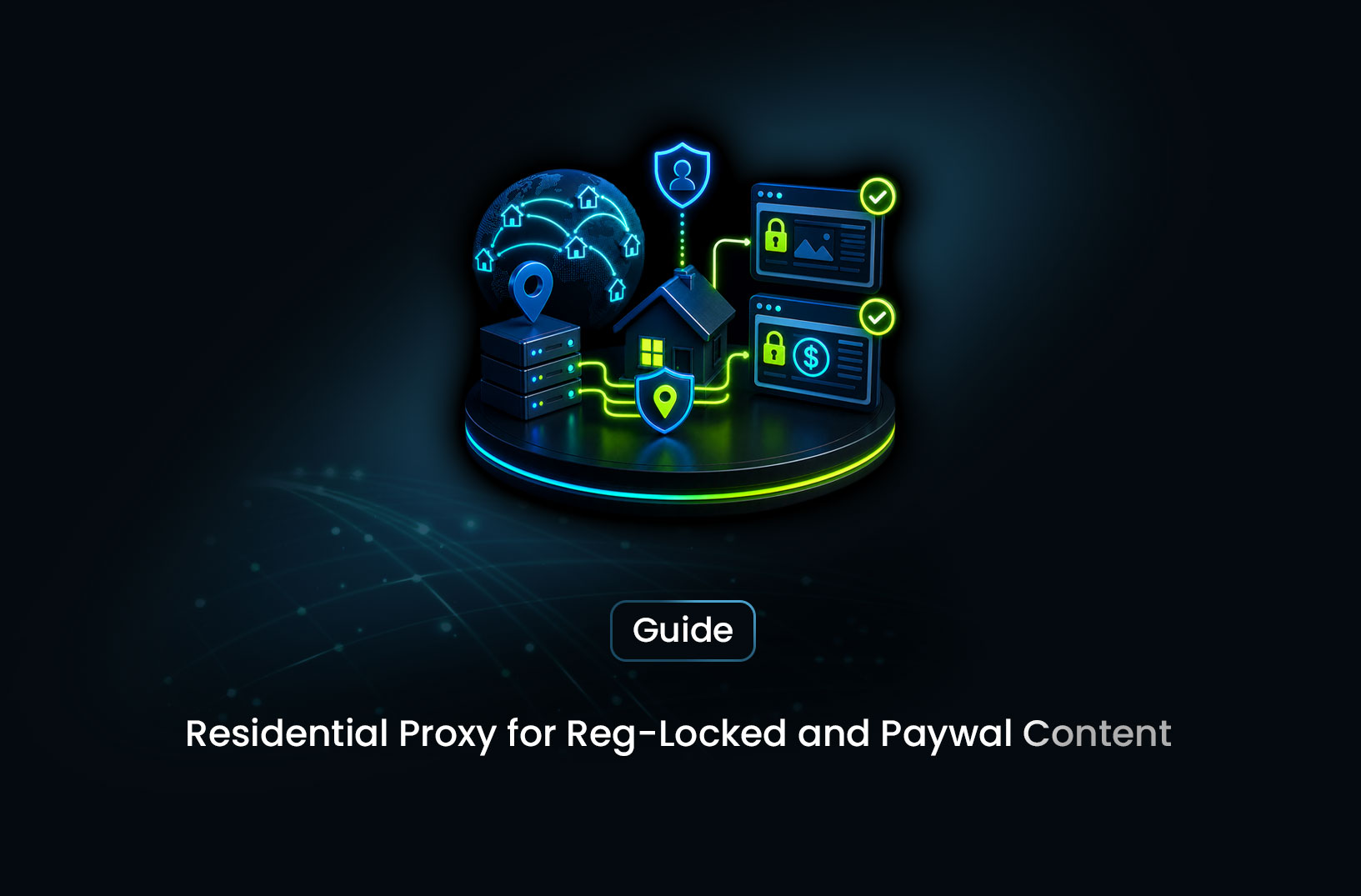
How to Scrape Region-Locked, Paywalled Content
Web ScrapingA concise overview of how region locks and paywalls require different scraping strategies, using geo-targeted residential proxies for location-based restrictions and authenticated session management for registration-protected content.
Two of the most frustrating data collection blockers aren't anti-bot systems — they're business decisions. Region locks mean a site deliberately serves different content (or blocks access entirely) based on your geographic location. Paywalls mean the content you need is gated behind an account or subscription. Neither is an anti-bot mechanism, but both stop your scraper cold.
They require different solutions. And one common misconception is treating them as the same problem.
Here's the core answer: residential proxies with precise geo-targeting solve region locks completely — you appear to browse from the target region, the geo-check passes, and the content loads normally. Paywalls are a different category altogether: a residential proxy doesn't bypass a paywall, but authenticated session management — handling login cookies, session tokens, and cookie persistence across requests — does. This guide covers both, with working code for each.
Understanding the Two Problems
Before writing any code, get clear on which problem you're actually dealing with. The solutions are fundamentally different.
Region Locks
A region-locked site checks your IP address against a geolocation database and either restricts access or serves different content based on your detected location. Common examples:
- A US news site that only serves certain articles to US IP addresses
- A streaming platform that makes different titles available by country
- A retailer that shows different prices, products, or promotions by region
- A SERP result set that differs by city or country
What causes region lock failures: Your scraper's server or local machine has an IP address in the wrong country. The fix is straightforward — route your requests through residential proxies with IPs in the correct region.
Paywalls
A paywall gates content behind authentication — either a subscription (paid access) or a free account registration. Common implementations:
- Hard paywall: Content is completely inaccessible without a paid subscription (Financial Times, WSJ)
- Metered paywall: A limited number of free articles per month, then a subscription prompt (New York Times)
- Registration wall: Free content but requires a logged-in account (LinkedIn, many news sites)
- Freemium content: Some content is public, premium content requires payment
What causes paywall failures: You're not authenticated. The fix is session management — logging in and maintaining the authenticated session state across your scraping requests.
A residential proxy doesn't bypass a paywall. A UK residential proxy gets you past a UK-only geo-check, but it won't get you past the Financial Times subscription gate. That requires valid credentials and session handling.
Part 1: Bypassing Region Locks With Residential Proxies
Step 1: Identify the Region Lock Mechanism
First, confirm you're dealing with a geo-block rather than another access restriction. Test by checking whether the page loads differently from different IP origins:
import requests

def detect_region_lock(url: str) -> dict:
    """
    Quick diagnostic: fetch a page without proxy and inspect the response
    for geographic restriction signals.
    """
    response = requests.get(
        url,
        headers={"User-Agent": "Mozilla/5.0 (Windows NT 10.0; Win64; x64) AppleWebKit/537.36"},
        timeout=15,
    )

    region_lock_signals = {
        "status_451": response.status_code == 451,  # 451 = Unavailable For Legal Reasons (geo-block)
        "status_403": response.status_code == 403,
        "redirect_detected": len(response.history) > 0,
        "redirect_url": response.url if len(response.history) > 0 else None,
    }

    # Check for common geo-restriction phrases in the response body
    geo_phrases = [
        "not available in your region",
        "not available in your country",
        "content is unavailable",
        "access is restricted",
        "geo-restricted",
        "not available where you are",
        "this content is not available",
    ]
    html_lower = response.text.lower()
    region_lock_signals["geo_phrase_detected"] = any(p in html_lower for p in geo_phrases)
    region_lock_signals["response_length"] = len(response.text)

    return region_lock_signals

result = detect_region_lock("https://example-regional-site.com/article")
print(result)
If status_451, geo_phrase_detected, or a redirect to a "not available" page appears — it's a geo-block. Residential proxies in the correct region will fix it.
Step 2: Configure Geo-Targeted Residential Proxies
Most residential proxy providers support geo-targeting through parameters in the proxy username string:
import requests
import random

class GeoTargetedProxyManager:
    """
    Manage residential proxies with geographic targeting.
    Syntax varies by provider — check your provider's documentation.
    """

    def __init__(self, host: str, port: int, username: str, password: str):
        self.host = host
        self.port = port
        self.username = username
        self.password = password

    def get_proxy(
        self,
        country: str,
        state: str = None,
        city: str = None,
        session_id: str = None,
    ) -> dict:
        """
        Build a geo-targeted proxy URL.
        Example: user-country-US-state-california-city-LosAngeles-session-abc123
        """
        geo_parts = [f"country-{country.upper()}"]
        if state:
            geo_parts.append(f"state-{state.lower().replace(' ', '_')}")
        if city:
            geo_parts.append(f"city-{city.replace(' ', '_')}")
        if session_id:
            geo_parts.append(f"session-{session_id}")

        user_string = f"{self.username}-{'-'.join(geo_parts)}"
        proxy_url = f"http://{user_string}:{self.password}@{self.host}:{self.port}"
        return {"http": proxy_url, "https": proxy_url}

    def get_rotating_proxy(self, country: str) -> dict:
        """New IP per connection — best for bulk requests."""
        session_id = f"rot-{random.randint(10000, 99999)}"
        return self.get_proxy(country=country, session_id=session_id)

proxy_manager = GeoTargetedProxyManager(
    host="residential-proxy.provider.com",
    port=8080,
    username="your_username",
    password="your_password",
)

HEADERS = {
    "User-Agent": "Mozilla/5.0 (Windows NT 10.0; Win64; x64) AppleWebKit/537.36 (KHTML, like Gecko) Chrome/124.0.0.0 Safari/537.36",
    "Accept-Language": "en-US,en;q=0.9",
    "Accept-Encoding": "gzip, deflate, br",
}

def scrape_region_locked_page(url: str, target_country: str) -> str:
    """Fetch a region-locked page using a geo-targeted residential proxy."""
    proxies = proxy_manager.get_rotating_proxy(country=target_country)
    response = requests.get(url, proxies=proxies, headers=HEADERS, timeout=20)

    if response.status_code == 200:
        return response.text
    else:
        print(f"Failed: {response.status_code} — proxy may need rotation")
        return ""

# Access US-only content from a non-US server
article_html = scrape_region_locked_page(
    "https://us-only-news-site.com/premium-article",
    target_country="US"
)
Step 3: Align All Geographic Signals
A residential proxy in the US with Accept-Language set to fr-FR creates a detectable inconsistency. Always align all geographic signals:
GEO_PROFILES = {
    "US": {
        "accept_language": "en-US,en;q=0.9",
        "timezone": "America/New_York",
        "locale": "en-US",
        "country_code": "US",
    },
    "GB": {
        "accept_language": "en-GB,en;q=0.9",
        "timezone": "Europe/London",
        "locale": "en-GB",
        "country_code": "GB",
    },
    "DE": {
        "accept_language": "de-DE,de;q=0.9,en;q=0.8",
        "timezone": "Europe/Berlin",
        "locale": "de-DE",
        "country_code": "DE",
    },
    "JP": {
        "accept_language": "ja-JP,ja;q=0.9,en;q=0.8",
        "timezone": "Asia/Tokyo",
        "locale": "ja-JP",
        "country_code": "JP",
    },
}

def build_geo_headers(country: str) -> dict:
    """Build headers that match the target country's language and locale."""
    profile = GEO_PROFILES.get(country, GEO_PROFILES["US"])
    return {
        "User-Agent": "Mozilla/5.0 (Windows NT 10.0; Win64; x64) AppleWebKit/537.36 (KHTML, like Gecko) Chrome/124.0.0.0 Safari/537.36",
        "Accept-Language": profile["accept_language"],
        "Accept-Encoding": "gzip, deflate, br",
        "Accept": "text/html,application/xhtml+xml,application/xml;q=0.9,*/*;q=0.8",
    }
For JavaScript-rendered geo-locked content, use Playwright with the timezone aligned to the proxy country:
from playwright.async_api import async_playwright
import asyncio

async def scrape_geo_locked_spa(url: str, country: str) -> str:
    """Scrape a JavaScript-rendered geo-locked page."""
    profile = GEO_PROFILES.get(country, GEO_PROFILES["US"])
    proxy_config = {
        "server": f"http://residential-proxy.provider.com:8080",
        "username": f"your_username-country-{country}",
        "password": "your_password",
    }

    async with async_playwright() as p:
        browser = await p.chromium.launch(headless=True, proxy=proxy_config)
        context = await browser.new_context(
            user_agent="Mozilla/5.0 (Windows NT 10.0; Win64; x64) AppleWebKit/537.36 (KHTML, like Gecko) Chrome/124.0.0.0 Safari/537.36",
            locale=profile["locale"],
            timezone_id=profile["timezone"],         # Must match proxy country
            extra_http_headers={
                "Accept-Language": profile["accept_language"],
            }
        )

        page = await context.new_page()
        await page.goto(url, wait_until="domcontentloaded")
        await page.wait_for_load_state("networkidle")
        content = await page.content()

        await browser.close()
        return content

asyncio.run(scrape_geo_locked_spa("https://region-locked-spa.com/content", "GB"))
Part 2: Scraping Behind Registration Walls and Soft Paywalls
A hard paywall (paid subscription required for any access) is a legal and ethical line — scraping it typically violates the site's Terms of Service and may create legal liability. This section covers registration walls (free account required) and soft paywalls (limited free access with session-based metering).
Step 1: Handle Registration Walls With Session Authentication
A registration wall requires a logged-in account. The key is performing the login once, capturing the resulting session cookies, and reusing those cookies across all subsequent requests:
import requests
from pathlib import Path
import json

def login_and_save_session(
    login_url: str,
    credentials: dict,
    session_file: str = "session_cookies.json",
    proxies: dict = None,
) -> requests.Session:
    """
    Log into a site and save session cookies for reuse.
    Uses a real account — no bypass of legitimate access controls.
    """
    session = requests.Session()
    session.headers.update({
        "User-Agent": "Mozilla/5.0 (Windows NT 10.0; Win64; x64) AppleWebKit/537.36 (KHTML, like Gecko) Chrome/124.0.0.0 Safari/537.36",
        "Accept": "text/html,application/xhtml+xml,application/xml;q=0.9,*/*;q=0.8",
        "Accept-Language": "en-US,en;q=0.9",
        "Referer": login_url,
        "Origin": login_url.rsplit("/", 1)[0],
    })

    if proxies:
        session.proxies.update(proxies)

    # Step 1: GET the login page to capture CSRF token and initial cookies
    login_page = session.get(login_url, timeout=15)

    # Step 2: Extract CSRF token if present (common on modern sites)
    from bs4 import BeautifulSoup
    soup = BeautifulSoup(login_page.text, "html.parser")

    csrf_input = soup.find("input", {"name": lambda n: n and "csrf" in n.lower()})
    if csrf_input:
        credentials["_csrf"] = csrf_input.get("value", "")
        print(f"CSRF token captured: {credentials['_csrf'][:20]}...")

    # Step 3: POST credentials
    login_response = session.post(
        login_url,
        data=credentials,
        timeout=15,
        allow_redirects=True,
    )

    if login_response.status_code in (200, 302):
        # Save cookies for later reuse
        cookies_dict = dict(session.cookies)
        with open(session_file, "w") as f:
            json.dump(cookies_dict, f)
        print(f"Login successful. {len(cookies_dict)} cookies saved.")
        return session
    else:
        raise Exception(f"Login failed: {login_response.status_code}")

def load_saved_session(
    session_file: str = "session_cookies.json",
    proxies: dict = None,
) -> requests.Session:
    """Load a previously saved session from disk."""
    session = requests.Session()
    session.headers.update({
        "User-Agent": "Mozilla/5.0 (Windows NT 10.0; Win64; x64) AppleWebKit/537.36 (KHTML, like Gecko) Chrome/124.0.0.0 Safari/537.36",
    })

    if Path(session_file).exists():
        with open(session_file) as f:
            cookies = json.load(f)
        session.cookies.update(cookies)
        print(f"Loaded {len(cookies)} cookies from saved session.")
    else:
        raise FileNotFoundError(f"No saved session found at {session_file}")

    if proxies:
        session.proxies.update(proxies)

    return session
Step 2: Detect Session Expiry and Re-Authenticate
Sessions expire. Building automatic re-authentication into your pipeline prevents silent failures where you're scraping a login page instead of content:
import time
import random

class AuthenticatedScraper:
    """
    Manages an authenticated scraping session with automatic re-login
    when the session expires or is invalidated.
    """

    def __init__(
        self,
        login_url: str,
        credentials: dict,
        auth_check_selector: str,  # CSS class or text that only appears on authenticated pages
        proxies: dict = None,
        session_max_age_hours: int = 12,
    ):
        self.login_url = login_url
        self.credentials = credentials
        self.auth_check_selector = auth_check_selector
        self.proxies = proxies
        self.session_max_age = session_max_age_hours * 3600
        self.session = None
        self.session_created_at = 0

    def ensure_authenticated(self) -> requests.Session:
        """Return a valid authenticated session, re-logging in if needed."""
        session_age = time.time() - self.session_created_at

        if self.session is None or session_age > self.session_max_age:
            print("Session expired or not yet created — logging in...")
            self.session = login_and_save_session(
                self.login_url,
                self.credentials,
                proxies=self.proxies,
            )
            self.session_created_at = time.time()

        return self.session

    def is_still_authenticated(self, response_html: str) -> bool:
        """Check if the response actually contains authenticated content."""
        # If auth check selector is absent, we've likely hit a login redirect
        return self.auth_check_selector in response_html

    def scrape_page(self, url: str, max_retries: int = 3) -> str:
        """Fetch a page with authentication, re-logging in if session is invalid."""
        for attempt in range(max_retries):
            session = self.ensure_authenticated()
            response = session.get(url, timeout=20)

            if response.status_code == 200:
                if self.is_still_authenticated(response.text):
                    return response.text
                else:
                    print(f"Session invalidated on attempt {attempt + 1} — forcing re-login")
                    self.session = None  # Force re-login on next call
                    time.sleep(random.uniform(3.0, 6.0))
            else:
                print(f"HTTP {response.status_code} on attempt {attempt + 1}")
                time.sleep(random.uniform(2.0, 5.0))

        return ""

# Usage example
scraper = AuthenticatedScraper(
    login_url="https://registration-walled-site.com/login",
    credentials={"email": "your@email.com", "password": "your_password"},
    auth_check_selector="user-dashboard",  # Element that only appears when logged in
    proxies=proxy_manager.get_rotating_proxy(country="US"),
)

# Scrape authenticated content
article_html = scraper.scrape_page("https://registration-walled-site.com/premium-article")
Step 3: Handle Paywalls in JavaScript-Heavy Sites With Playwright
Many modern paywalled sites are SPAs where the login flow involves JavaScript-heavy form interactions, OAuth redirects, or 2FA. Playwright handles these more reliably than requests-based session management:
from playwright.async_api import async_playwright
import asyncio
import json

async def playwright_login_and_scrape(
    login_url: str,
    username: str,
    password: str,
    target_url: str,
    proxy_config: dict = None,
) -> str:
    """
    Handle authentication with Playwright for JavaScript-heavy login flows.
    Saves browser state (cookies + localStorage) for session reuse.
    """
    async with async_playwright() as p:
        launch_args = {"headless": True}
        if proxy_config:
            launch_args["proxy"] = proxy_config

        browser = await p.chromium.launch(**launch_args)

        # Try to load a previously saved browser state first
        try:
            context = await browser.new_context(storage_state="auth_state.json")
            print("Loaded saved browser state")
        except FileNotFoundError:
            context = await browser.new_context()
            print("No saved state — logging in fresh")

        page = await context.new_page()

        # Check if saved state is still valid
        await page.goto(target_url, wait_until="domcontentloaded")

        # If we hit a login redirect, we need to authenticate
        if "login" in page.url or "signin" in page.url:
            print("Session expired — re-authenticating...")
            await page.goto(login_url, wait_until="domcontentloaded")

            # Fill login form
            await page.fill("input[type='email'], input[name='email'], #email", username)
            await page.fill("input[type='password'], input[name='password'], #password", password)

            # Short human-like pause before submitting
            await asyncio.sleep(1.5)

            # Click submit
            await page.click("button[type='submit'], input[type='submit'], .login-btn")

            # Wait for successful redirect
            await page.wait_for_url(lambda url: "login" not in url and "signin" not in url, timeout=15000)
            print(f"Logged in — redirected to: {page.url}")

            # Navigate to target after login
            await page.goto(target_url, wait_until="domcontentloaded")

            # Save browser state for next run (cookies + localStorage)
            await context.storage_state(path="auth_state.json")
            print("Browser state saved for session reuse")

        # Wait for gated content to load
        await page.wait_for_load_state("networkidle")
        content = await page.content()

        await browser.close()
        return content

asyncio.run(playwright_login_and_scrape(
    login_url="https://paywalled-site.com/login",
    username="your@email.com",
    password="your_password",
    target_url="https://paywalled-site.com/premium-article",
))
The storage_state feature is the key — Playwright saves the full browser state (cookies, localStorage, sessionStorage) to a JSON file, which you load on the next run instead of logging in again. On a 12-hour session, this means one login per half-day rather than one login per scraping run.
Combining Both: Region-Locked Content Behind a Registration Wall
Some targets have both problems — content is geo-restricted and requires authentication. The solution stacks the two approaches:
async def scrape_geo_locked_authenticated_site(
    login_url: str,
    credentials: dict,
    target_url: str,
    target_country: str,
) -> str:
    """
    Combines geo-targeted residential proxy with authenticated session.
    """
    profile = GEO_PROFILES.get(target_country, GEO_PROFILES["US"])
    proxy_config = {
        "server": f"http://residential-proxy.provider.com:8080",
        "username": f"your_username-country-{target_country}-session-main",
        "password": "your_password",
    }

    async with async_playwright() as p:
        browser = await p.chromium.launch(headless=True, proxy=proxy_config)

        try:
            context = await browser.new_context(
                storage_state="auth_state.json",
                locale=profile["locale"],
                timezone_id=profile["timezone"],
            )
        except FileNotFoundError:
            context = await browser.new_context(
                locale=profile["locale"],
                timezone_id=profile["timezone"],
            )

        page = await context.new_page()
        await page.goto(target_url, wait_until="domcontentloaded")

        # Re-authenticate if needed
        if "login" in page.url:
            await page.goto(login_url)
            await page.fill("input[name='email']", credentials["email"])
            await page.fill("input[name='password']", credentials["password"])
            await page.click("button[type='submit']")
            await page.wait_for_url(lambda u: "login" not in u, timeout=15000)
            await context.storage_state(path="auth_state.json")
            await page.goto(target_url, wait_until="domcontentloaded")

        await page.wait_for_load_state("networkidle")
        content = await page.content()

        await browser.close()
        return content
Using MrScraper for Region-Locked Content
For region-locked content specifically, MrScraper's proxy_country parameter handles the geo-targeting automatically — no proxy provider account or geo-targeting syntax to configure:
import asyncio
from mrscraper import MrScraperClient

async def scrape_region_locked_with_mrscraper():
    client = MrScraperClient(token="YOUR_MRSCRAPER_API_TOKEN")

    # Routes through residential IPs in the specified country automatically
    result = await client.create_scraper(
        url="https://us-only-content-site.com/article",
        message="Extract the article title, author, publication date, and full article text",
        agent="general",
        proxy_country="US",   # Geo-targeted residential proxy — auto-managed
    )

    print("Scraper ID:", result["data"]["data"]["id"])

asyncio.run(scrape_region_locked_with_mrscraper())
Or use connect_over_cdp() to keep full Playwright control for more complex flows:
from playwright.async_api import async_playwright
import asyncio

async def scrape_via_mrscraper(url: str) -> str:
    async with async_playwright() as p:
        browser = await p.chromium.connect_over_cdp(
            "wss://browser.mrscraper.com?token=YOUR_API_TOKEN"
        )
        page = await browser.new_page()
        await page.goto(url, wait_until="domcontentloaded")
        await page.wait_for_load_state("networkidle")
        content = await page.content()
        await browser.close()
        return content

asyncio.run(scrape_via_mrscraper("https://region-locked-site.com/content"))
Common Challenges and Limitations
Hard paywalls are a legal and ToS boundary. Using valid credentials through a paid subscription is above board. Using a proxy to bypass payment or circumventing the paywall mechanism without authorization likely violates the site's Terms of Service and may have legal implications under the Computer Fraud and Abuse Act (in the US) or equivalent legislation elsewhere. This guide is for registration walls and soft paywalls, not for bypassing payment requirements.
Session cookies expire or get invalidated. Most authenticated sessions have a maximum age (commonly 24–72 hours) or get invalidated when the account logs in from too many different IP addresses simultaneously. Build automatic re-authentication with session age tracking into any long-running pipeline.
CAPTCHA at login. Many registration walls add CAPTCHA to their login form specifically to prevent automated authentication. Playwright with a managed scraping browser handles CAPTCHA solving transparently during the login flow — which is one of the cases where MrScraper's infrastructure adds the most value.
IP rotation during authenticated sessions. Switching IPs mid-session can trigger security alerts or force a logout on sites that pin sessions to a specific IP. For authenticated scraping, use sticky sessions (same IP throughout) during active sessions, and only rotate between full session cycles.
Rate limiting on gated content. Authenticated users often face tighter rate limits on premium content than anonymous users — because the site knows exactly who is making the requests. Keep your request pacing conservative (10–20 seconds between articles) for authenticated pipelines.
Conclusion
Region locks and paywalls look similar from the outside — both block access to content — but they require completely different solutions. Geo-targeted residential proxies fix region locks instantly and reliably. Authenticated session management with proper cookie persistence is what gets you through registration walls.
For most region-locked content, MrScraper's proxy_country parameter handles the geo-targeting automatically without any proxy provider to configure. For registration walls, Playwright's storage_state feature combined with automatic session expiry detection gives you a production-grade authenticated scraping pipeline that survives session resets without manual intervention.
Know which problem you're solving before reaching for a tool, and both become tractable.
What We Learned
- Region locks and registration walls are different problems requiring different solutions — geo-targeted residential proxies fix IP-based geographic restrictions; session authentication with cookie persistence is what gets you through account-required content gates
- Aligning all geographic signals is essential for geo-bypass — proxy country,
Accept-Languageheader, browser timezone, and locale must all match the target region; mismatches are detectable inconsistencies that behavioral analysis systems flag requests.Session()preserves cookies across requests automatically — this is the foundation of authenticated scraping; combine it with CSRF token capture for sites that protect their login forms- Playwright's
storage_statefeature saves the entire browser state (cookies + localStorage + sessionStorage) to disk, enabling session reuse across script runs without re-logging in on every execution - Sticky proxy sessions are required for authenticated workflows — rotating IPs mid-session can trigger security alerts; use the same IP throughout an authenticated session and only rotate between complete session cycles
- Hard paywalls that require payment to access content represent a legal and ToS boundary — this guide covers registration walls and soft paywalls accessed with valid credentials, not circumventing payment mechanisms without authorization
FAQ
- Can a residential proxy bypass a paid subscription paywall? No — a residential proxy changes your apparent IP address and geographic location. A paid paywall is controlled by account authentication, not by IP address. A proxy gets you past geo-blocks; it doesn't get you past a payment gate. For paywalled content, you need valid credentials and authenticated session management.
- What is a "registration wall" and how is it different from a paywall? A registration wall requires a free account to access content. A paywall requires a paid subscription. Both use authentication, but registration walls are accessible with a free account — you can create one legitimately and use it for authenticated scraping. Hard paywalls require payment, which creates a different (and more legally sensitive) situation.
- How do I keep cookies from expiring mid-scrape on a long pipeline?
Track session creation time and refresh before expiry using the
AuthenticatedScraperpattern above. For Playwright, savestorage_stateafter each successful login and reload it on the next run. Set your session age check conservatively — refresh at 80% of the known session lifetime rather than waiting for expiry. - What happens if I rotate proxies during an authenticated session? Many sites pin sessions to the originating IP and invalidate them if requests come from a different IP. Use sticky proxy sessions (same IP throughout) for authenticated scraping. A fresh IP should only be paired with a fresh session — never switch IPs mid-session on authenticated pipelines.
- Does MrScraper handle both geo-targeting and authenticated scraping?
MrScraper's
proxy_countryparameter handles geo-targeting automatically. For authenticated scraping (login flows, session management), connect to MrScraper's Scraping Browser viaconnect_over_cdp()and use Playwright'sstorage_statefor session persistence — this gives you MrScraper's residential proxy routing and anti-bot bypass alongside your own authentication logic.
Summarize this post
Open it in your assistant of choice with the prompt ready to send.
Take a Taste of Easy Scraping!


Find more insights here

Scaling E-commerce Competitive Intelligence with Automated Data Harvesting
Scale e-commerce data harvesting with residential proxies and AI. Learn how modern data extraction s…

Scaling Data Extraction via AI-Driven Dynamic Selectors
Learn how AI-driven dynamic selectors and residential proxies reduce web scraping maintenance costs…
Why MrScraper is the Best ScraperAPI Alternative for No-Code Users
Compare ScraperAPI alternatives and discover why visual, AI-powered extraction is better for no-code…