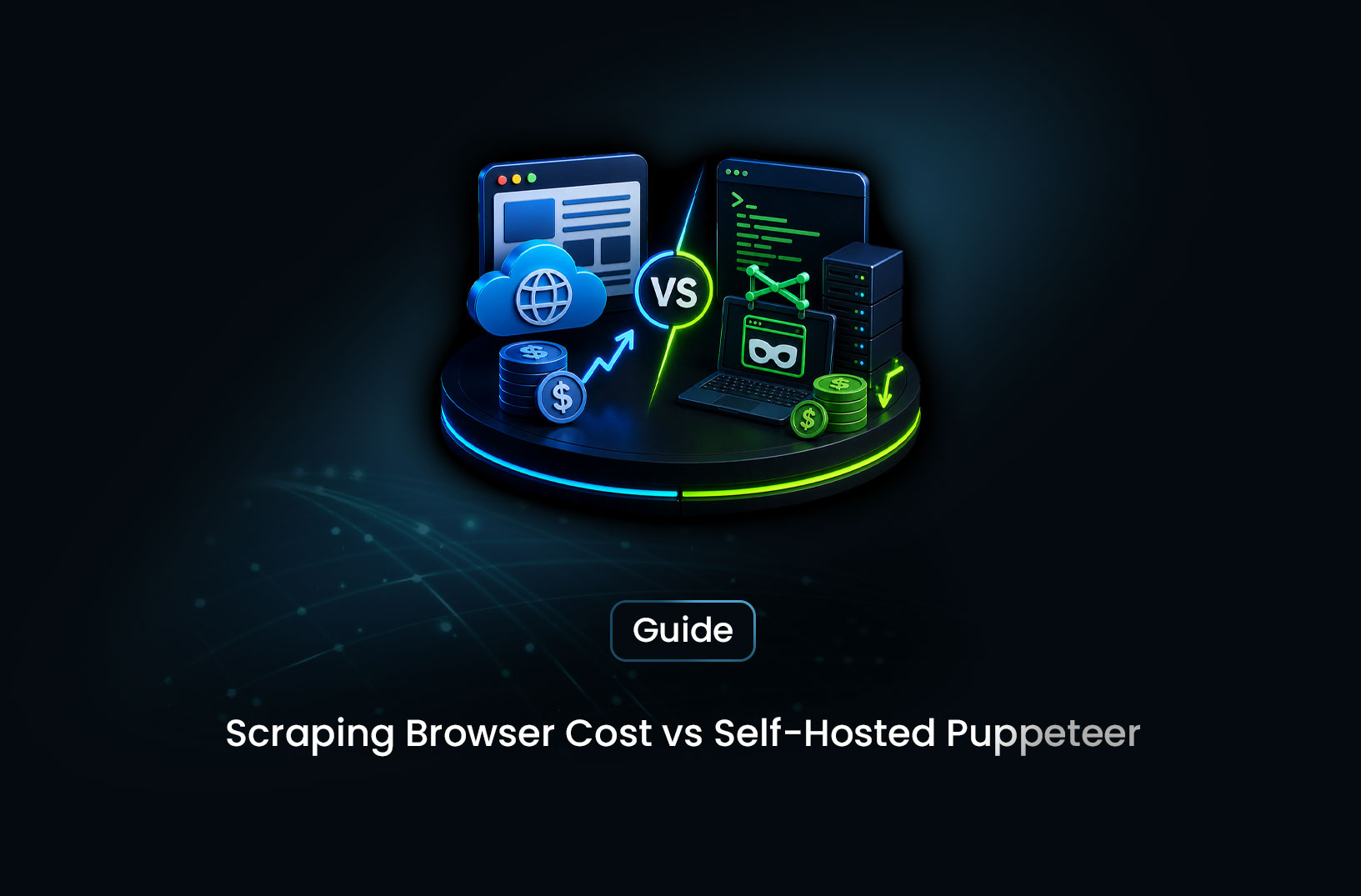
Scraping Browser vs Self-Hosted Puppeteer Costs
Web ScrapingA concise overview of the real production costs of running Puppeteer at scale, and why managed solutions like MrScraper often become the more reliable and cost-effective option for scraping protected websites.
Everyone starts with Puppeteer. It's free, it's well-documented, and it gets you up and running in an afternoon. Then you try to scale it. Suddenly you're managing browser crashes, buying proxies, integrating CAPTCHA solvers, provisioning more servers, and watching your engineering team spend entire sprints on infrastructure instead of features. "Free" starts to feel like a trick.
On the other side: managed scraping browsers like MrScraper. Monthly subscription, everything bundled, someone else's servers. Looks expensive on the surface. But is it actually?
The honest answer: self-hosted Puppeteer is cheaper only at very low volume on unprotected sites. Once you factor in proxy costs, server infrastructure, CAPTCHA solving, and engineering maintenance — managed scraping browsers win on total cost of ownership at any meaningful scale against protected targets. The break-even point is lower than most teams expect.
Let's do the real math.
What You're Actually Comparing
Before the numbers, get clear on what each option actually includes — because the comparison isn't "Puppeteer vs. a scraping browser." It's "self-hosted Puppeteer + everything you need to make it work in production" vs. "a scraping browser subscription."
Self-hosted Puppeteer stack for production scraping includes:
- Cloud server(s) to run browser processes (EC2, GCE, Hetzner, etc.)
- Residential proxy subscription (datacenter proxies won't work on protected sites)
- CAPTCHA solving service (2captcha, Anti-Captcha, or similar)
- Proxy rotation middleware (custom code or a library)
- Browser crash recovery and process management
- Monitoring and alerting for scraper health
- Engineering time to build, maintain, and update anti-detection logic
A managed scraping browser includes:
- Cloud browser infrastructure (you pay none of the server costs)
- Residential proxy rotation (built in)
- CAPTCHA solving (transparent, built in)
- Browser fingerprint randomization (built in)
- Anti-bot bypass maintenance (provider keeps it updated)
- CDP endpoint (works with your existing Puppeteer/Playwright code)
These are not equivalent products at different prices. One is a raw tool that requires building a full stack around it. The other is the complete stack, delivered as a service.
The True Cost of Self-Hosted Puppeteer at Scale
Let's build a realistic cost model for self-hosted Puppeteer running a production scraping pipeline targeting protected sites.
Scenario: 100,000 pages per month, protected e-commerce targets
Server costs:
Each Chromium instance consumes 200–400MB RAM under load. For 10 concurrent scrapers (a modest production setup), you need at minimum 4GB RAM dedicated to browsers — more realistically 8GB to handle peak load and process isolation.
A production-ready setup for 10 concurrent browser sessions with overhead:
AWS EC2 t3.xlarge (4 vCPU, 16GB RAM): ~$120/month
Or: Hetzner CX41 (8 vCPU, 16GB RAM): ~$25/month
For 100,000 pages at a modest 2 pages/minute per browser (accounting for wait times, anti-bot delays, and retry logic), you need roughly:
100,000 pages ÷ (10 browsers × 2 pages/min × 60 min × ~160 working hours/month)
= Well within one server's capacity IF success rate is high
But success rate on protected sites with datacenter IPs is typically 20–40%. To actually get 100,000 successful pages, you might need to attempt 250,000–500,000 requests. That changes the compute requirement significantly.
Conservative server estimate: $50–$150/month (Hetzner to AWS, single server)
Residential proxy costs:
Proxies are billed by bandwidth (GB). A typical rendered page with images and assets averages 1–3MB of proxy traffic. For 100,000 successful pages, at 2MB average:
100,000 pages × 2MB = 200GB proxy bandwidth
200GB × $10/GB (mid-market residential rate) = $2,000/month
This is where the DIY math gets uncomfortable. Proxy bandwidth is the dominant cost at scale, and it scales linearly with your page count.
Residential proxy estimate: $1,500–$3,000/month at 100k pages
CAPTCHA solving costs:
Even with good proxies and fingerprinting, some protected sites serve CAPTCHAs. At a 5% CAPTCHA rate on 100,000 pages:
5,000 CAPTCHAs × $1.50/1,000 solves (2captcha rate) = $7.50
Low compared to proxies, but the integration cost (building and maintaining the solving flow) is where the real expense hides.
CAPTCHA service estimate: $5–$25/month (cost is low, integration overhead is not)
Engineering time:
This is the most underestimated cost. A self-hosted Puppeteer stack for production scraping requires ongoing maintenance:
- Anti-detection patches when sites update their bot detection (monthly or more frequently)
- Proxy rotation logic and failure handling
- Browser crash recovery and process health monitoring
- Debugging when success rates drop (and they will drop)
- Updating Puppeteer and Chromium versions
A conservative estimate for a developer at $75/hour spending 10 hours/month on maintenance:
10 hours × $75/hour = $750/month
For most teams, 10 hours/month is optimistic. A site updating its Cloudflare rules can easily consume a week of debugging.
Engineering maintenance estimate: $500–$2,000/month
Total self-hosted cost at 100k pages/month (protected targets):
| Cost Item | Low Estimate | High Estimate |
|---|---|---|
| Cloud server | $50 | $150 |
| Residential proxies | $1,500 | $3,000 |
| CAPTCHA solving | $5 | $25 |
| Engineering maintenance | $500 | $2,000 |
| Total | $2,055 | $5,175 |
The proxy bandwidth cost dominates everything else. And it scales directly with volume — every additional 10,000 pages adds roughly $200 in proxy costs alone.
The True Cost of a Managed Scraping Browser
A managed scraping browser like MrScraper bundles server infrastructure, residential proxies, CAPTCHA solving, and fingerprinting into a single subscription. You pay one bill; the provider absorbs all the component costs.
What you stop paying for:
- No separate proxy provider account
- No CAPTCHA solving service to integrate or pay for
- No server provisioning or scaling
- No engineering time maintaining anti-detection logic
What you pay:
- A monthly subscription based on your usage level
Check current pricing at mrscraper.com/pricing — plans are structured to be competitive with the total-cost-of-ownership of the DIY stack, not with Puppeteer's $0 license cost.
The integration looks like this — one line change from your existing Puppeteer or Playwright code:
// Self-hosted Puppeteer (what you're paying $2,000–$5,000/month to run)
const browser = await puppeteer.launch({
  headless: true,
  args: ["--proxy-server=http://user:pass@residential-proxy.com:8080"]
});

// MrScraper Scraping Browser (swap this in — everything else stays the same)
const browser = await puppeteer.connect({
  browserWSEndpoint: "wss://browser.mrscraper.com?token=YOUR_API_TOKEN"
});
Your existing selectors, wait logic, and extraction code are unchanged. You're just connecting to a remote browser instead of launching a local one.
Or use MrScraper's AI extraction SDK to skip selector writing entirely:
import asyncio
from mrscraper import MrScraperClient

async def extract_at_scale():
    client = MrScraperClient(token="YOUR_MRSCRAPER_API_TOKEN")

    result = await client.create_scraper(
        url="https://protected-ecommerce.com/products",
        message="Extract all product names, prices, ratings, and availability",
        agent="listing",
        proxy_country="US",
    )

    print("Job ID:", result["data"]["data"]["id"])

asyncio.run(extract_at_scale())
No proxy configuration. No CAPTCHA handling. No fingerprint management. The infrastructure complexity is entirely absorbed by the service.
Head-to-Head Cost Comparison
Let's put both approaches side by side across volume levels:
Low Volume: 10,000 pages/month (unprotected sites)
| Cost Item | Self-Hosted Puppeteer | MrScraper |
|---|---|---|
| Server | $25 | Included |
| Proxies (not needed) | $0 | Included |
| CAPTCHA (not needed) | $0 | Included |
| Engineering setup | $300 (one-time) | $0 |
| Engineering maintenance | $100/month | $0 |
| Subscription | $0 | Paid plan |
| Monthly total | ~$125 | Paid plan cost |
Verdict at low volume, unprotected: Self-hosted Puppeteer wins if your target sites are genuinely unprotected and you're comfortable managing the setup.
Medium Volume: 100,000 pages/month (protected sites)
| Cost Item | Self-Hosted Puppeteer | MrScraper |
|---|---|---|
| Server | $100 | Included |
| Residential proxies | $2,000 | Included |
| CAPTCHA solving | $15 | Included |
| Engineering maintenance | $750/month | $0 |
| Subscription | $0 | Paid plan |
| Monthly total | ~$2,865 | Paid plan cost |
Verdict at medium volume, protected: MrScraper almost certainly wins on total cost. The proxy bandwidth alone typically exceeds managed scraping browser pricing at this volume.
High Volume: 1,000,000 pages/month (protected sites)
| Cost Item | Self-Hosted Puppeteer | MrScraper |
|---|---|---|
| Servers (scaled) | $500–$1,000 | Included |
| Residential proxies | $20,000 | Included |
| CAPTCHA solving | $150 | Included |
| Engineering maintenance | $2,000/month | $0 |
| Monitoring/DevOps | $500/month | $0 |
| Subscription | $0 | Enterprise plan |
| Monthly total | ~$23,150 | Enterprise plan |
Verdict at high volume, protected: The DIY proxy bandwidth cost alone ($20,000/month) makes self-hosted completely uncompetitive for protected target scraping. Enterprise scraping browser plans exist specifically for this volume tier.
When Self-Hosted Puppeteer Actually Wins
The comparison isn't always one-sided. There are legitimate scenarios where running Puppeteer yourself is the right call:
Unprotected, static targets at low volume. Government data portals, academic datasets, simple HTML sites with no bot protection — these don't need residential proxies or CAPTCHA solving. Datacenter servers + Puppeteer works fine and costs a fraction of a managed scraping browser subscription.
Highly custom browser behavior required. Network-level request interception, injecting custom browser extensions, intercepting and modifying WebSocket frames — these require deep browser access that a managed CDP endpoint may not fully expose. If your use case genuinely needs this, self-hosted is the only option.
Compliance and data residency requirements. Some regulated industries require data to be processed on infrastructure you own and control. A managed cloud service doesn't satisfy those requirements; your own servers do.
Internal tooling with no anti-bot requirements. Scraping your own staging environment, running automated tests against your own apps, or scraping internal tools where you control the site — no proxy needed, no anti-bot to fight.
# For unprotected internal or simple targets, self-hosted is perfectly fine
import asyncio
from playwright.async_api import async_playwright

async def scrape_simple_target(url: str) -> str:
    async with async_playwright() as p:
        browser = await p.chromium.launch(headless=True)
        page = await browser.new_page()
        await page.goto(url)
        content = await page.content()
        await browser.close()
        return content

# No proxies, no CAPTCHA, no fingerprinting needed for genuinely open sites
result = asyncio.run(scrape_simple_target("https://data.government-site.gov/records"))
The rule of thumb: if your target has no anti-bot protection and your volume is under 50,000 pages/month, self-hosted is probably cheaper. Add any one of these — anti-bot protection, scale above 50k pages, or a team whose time is worth more than $50/hour — and the math flips.
The Hidden Cost Nobody Talks About: Opportunity Cost
The cost comparison above only covers direct expenses. There's a second-order cost that's harder to quantify but often larger in practice: what your engineering team could have built instead of maintaining scraping infrastructure.
Every sprint spent debugging proxy failures, updating fingerprint patches after a Cloudflare update, or babysitting browser crashes is a sprint not spent on product features that differentiate your business. For a startup or a small engineering team, this opportunity cost can be measured in months of lost product development.
The question isn't just "which option costs less?" It's "what's the best use of our engineering capacity?" For most teams that aren't in the business of building scraping infrastructure, the answer is the same: outsource the infrastructure, own the data.
Common Pitfalls in the Cost Comparison
Comparing Puppeteer's license cost ($0) to a managed scraping browser's subscription. This is like comparing the cost of lumber to a finished house. Puppeteer is one component; a production scraping stack is a system. Compare total system costs, not component prices.
Underestimating proxy bandwidth. Most teams severely underestimate how much proxy traffic a rendered page consumes. Images, CSS, JavaScript — a full page load through a proxy can easily hit 3–5MB, not 0.5MB. Run a realistic traffic sample before projecting proxy costs.
Ignoring the initial engineering investment. Building a production-ready self-hosted stack — rotation logic, CAPTCHA integration, crash recovery, monitoring — takes 2–4 weeks of engineering time even for an experienced developer. At $100/hour, that's $8,000–$16,000 in initial setup cost before you scrape a single page.
Assuming success rates are 100%. Budget for real success rates on protected sites. If your scraper succeeds 60% of the time, your effective cost per successful page is 1.67× your cost per attempt. Factor this into proxy and compute estimates.
Conclusion
Puppeteer is free. Running Puppeteer in production at scale against protected sites is not. The proxy bandwidth alone — the unavoidable cost of not getting blocked — turns a $0 software license into a $2,000–$20,000/month infrastructure bill depending on volume.
A managed scraping browser like MrScraper bundles the entire stack — servers, proxies, CAPTCHA solving, fingerprinting, anti-bot maintenance — into one subscription. For any team scraping protected sites at meaningful volume, the math almost always favors managed infrastructure over DIY.
Use self-hosted Puppeteer when your targets are unprotected, your volume is low, or you genuinely need deep browser control that a managed endpoint doesn't provide. Use MrScraper when you're paying for proxies, fighting bot detection, or watching your engineering team spend more time on scraping infrastructure than on your actual product.
The question isn't which option is cheaper per request. It's which option is cheaper per working request — and for protected targets at scale, the answer is consistently the managed scraping browser.
What We Learned
- "Free" Puppeteer becomes a $2,000–$5,000/month system at 100k pages/month on protected targets — proxy bandwidth ($1,500–$3,000), server costs ($50–$150), CAPTCHA solving, and engineering maintenance ($500–$2,000) are all real line items that Puppeteer's $0 license doesn't include
- Residential proxy bandwidth is the dominant cost in self-hosted scraping — at $10/GB and 2MB per rendered page, 100k pages generates 200GB of proxy traffic costing ~$2,000; this scales linearly and overwhelms all other costs
- The break-even point favors managed scraping browsers at surprisingly low volume — once you're scraping protected sites above ~30,000–50,000 pages/month, MrScraper's bundled pricing typically beats the DIY total
puppeteer.connect({ browserWSEndpoint })is the one-line migration — switching from self-hosted Puppeteer to MrScraper's Scraping Browser requires changing exactly one line of code; all selectors, wait logic, and extraction code are unchanged- Self-hosted Puppeteer wins for unprotected, low-volume, or compliance-constrained use cases — government data, internal tooling, custom browser extension injection, or regulated industries where you must own the infrastructure
- Opportunity cost is the hidden multiplier — engineering time spent maintaining proxy rotation, fingerprinting patches, and crash recovery is time not spent on product features; for most product teams, that's the most expensive part of DIY scraping infrastructure
FAQ
- At what volume does a managed scraping browser become cheaper than self-hosted Puppeteer? The break-even point depends heavily on your target sites' protection level. For unprotected sites (no anti-bot, no proxy needed), self-hosted stays cheaper indefinitely — you're just paying for compute. For protected sites requiring residential proxies, the break-even is typically around 20,000–50,000 pages/month, where proxy bandwidth costs alone approach or exceed managed scraping browser pricing.
- Can I use my existing Puppeteer scripts with MrScraper's Scraping Browser?
Yes — this is the core value proposition of the CDP endpoint. Replace
puppeteer.launch()withpuppeteer.connect({ browserWSEndpoint: "wss://browser.mrscraper.com?token=YOUR_TOKEN" })and your existing scripts run unchanged. Selectors, wait conditions, click logic, data extraction — all identical. The browser just runs in MrScraper's cloud instead of on your server. - What if my volume fluctuates month to month? Managed scraping browser subscriptions typically offer either fixed monthly plans (predictable cost regardless of volume) or usage-based plans (pay per request). Fixed plans work better if you have consistent high volume; usage-based works better for variable or unpredictable workloads. Check MrScraper's current plan options at mrscraper.com/pricing to match your usage pattern.
- How does the comparison change if I build my scraper in-house as a competitive advantage? If web scraping infrastructure is genuinely a competitive moat for your business — you're differentiating on scraping capability, not just using scraped data — the calculus changes. Building proprietary scraping infrastructure might be worth the investment. But for most businesses that use scraped data to power products, "we have better scrapers than anyone" is rarely the actual differentiator. The data and what you do with it is the value.
- Does switching to a managed scraping browser eliminate all engineering involvement? Not entirely. You still write extraction logic, manage schedules, handle the data pipeline, and define what you're collecting. What you eliminate is the infrastructure layer: no proxy management, no CAPTCHA integration, no fingerprinting maintenance, no browser crash recovery. Engineering involvement shifts from "keeping the scrapers running" to "using the data effectively" — which is the right place for that time to go.
Summarize this post
Open it in your assistant of choice with the prompt ready to send.
Take a Taste of Easy Scraping!

Find more insights here

Score Company Websites Against Your ICP with Jev
Create a company scoring workflow using public website evidence, an explicit ICP rubric, Jev decisio…
Classify Web Data with Jev and MrScraper: A Python Tutorial
Build a Python workflow that extracts web records with MrScraper, classifies them with Jev, validate…

What Is Jev? A Practical Guide for Web Data Teams
Learn what Jev does, how Choice, Score and Noul work, and where structured web data fits into classi…