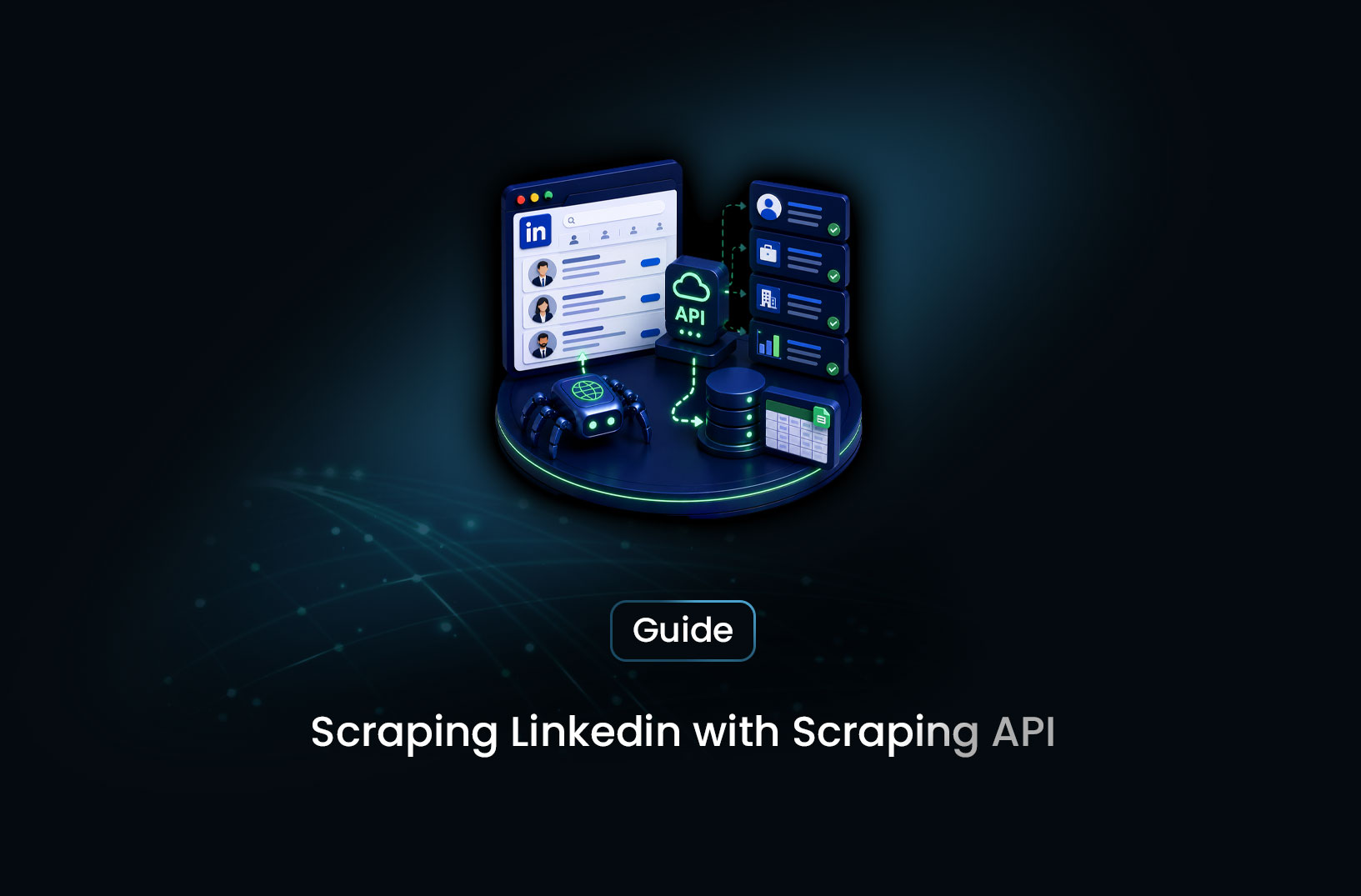
LinkedIn Sales Navigator vs scraping for lead generation
ArticleLinkedIn Sales Navigator vs scraping for lead generation compared — cost, data quality, compliance risk, and which approach actually builds a better pipeline.
Every sales and growth team eventually asks the same question: LinkedIn has the prospect data we need — job titles, company size, recent role changes, mutual connections — so why not just extract it directly rather than paying for a subscription tool? The answer matters more than it first appears, because the two paths diverge sharply in cost, reliability, legal exposure, and what actually ends up in your pipeline.
LinkedIn Sales Navigator vs scraping isn't a close call once you look past the surface-level cost comparison. Sales Navigator is LinkedIn's own paid prospecting product, built specifically to surface and filter the data sales teams need, with LinkedIn's explicit permission and within its Terms of Service. Scraping LinkedIn directly — building or buying a tool that extracts profile and company data outside LinkedIn's own interfaces — sits in direct violation of LinkedIn's ToS and has been the subject of LinkedIn's most aggressive and consistent legal enforcement against any scraping target. This guide breaks down what each approach actually delivers, what it costs in practice, and why the comparison resolves more clearly than most "build vs. buy" lead generation decisions.
Table of Contents
- What Is LinkedIn Sales Navigator?
- What Does "Scraping LinkedIn" Actually Mean?
- Head-to-Head Comparison
- Sales Navigator Features and Plans
- Free vs. Paid: What Each Path Actually Costs
- Key Factors to Weigh Before Choosing Your Approach
- When Sales Navigator Is the Right Choice
- Common Challenges and Limitations
- Conclusion
- What We Learned
- FAQ
What Is LinkedIn Sales Navigator?
LinkedIn Sales Navigator is LinkedIn's premium sales prospecting product, built to help sales teams find, research, and engage prospects directly within LinkedIn's own platform and data. It provides advanced search filters (job title, seniority, company size, industry, years in role, recent job changes), lead and account lists with saved searches, InMail credits for messaging prospects outside your network, and signals like job changes and posting activity that indicate timing for outreach.
The core value proposition is access — Sales Navigator unlocks search depth and filtering precision that LinkedIn's free interface doesn't provide, using LinkedIn's own first-party data with LinkedIn's permission. You're not extracting anything outside the platform; you're using a tool LinkedIn built specifically for this purpose, accessed through your account in compliance with LinkedIn's Terms of Service.
What Does "Scraping LinkedIn" Actually Mean?
In the lead generation context, "scraping LinkedIn" refers to using automated tools — browser extensions, scripts, or third-party scraping services — to extract profile data, contact information, or company data directly from LinkedIn's pages rather than through LinkedIn's own search and export features.
This is worth being direct about: LinkedIn's Terms of Service explicitly and unambiguously prohibit scraping the platform. LinkedIn has pursued this more aggressively and more consistently in court than almost any other platform — including the well-known LinkedIn v. hiQ Labs litigation, which spanned years of appeals specifically over automated data collection from LinkedIn profiles, as well as numerous other enforcement actions against scraping tools and services marketed for LinkedIn lead generation. Accounts used for scraping are routinely detected and permanently banned, and companies operating LinkedIn scraping services as a product have faced direct legal action from LinkedIn.
This is a meaningfully different risk profile than scraping a public business directory or a company's own pricing page. The combination of LinkedIn's explicit ToS prohibition, its demonstrated litigation history specifically targeting this activity, and the personal nature of profile data being extracted makes LinkedIn one of the highest-risk scraping targets in the B2B data landscape — regardless of the technical feasibility of any particular tool.
Head-to-Head Comparison
| Dimension | Sales Navigator | Scraping LinkedIn |
|---|---|---|
| Terms of Service compliance | Fully compliant — official LinkedIn product | Explicit ToS violation |
| Legal risk | None | Documented litigation history (LinkedIn v. hiQ Labs and others) |
| Account risk | None to your LinkedIn account | High — detected scraping leads to permanent bans |
| Data freshness | Real-time, directly from LinkedIn | Variable, dependent on tool reliability and detection evasion |
| Data accuracy | High — first-party LinkedIn data | Variable — third-party tools often have outdated or incomplete data |
| Cost structure | Predictable monthly subscription | Variable — tool cost plus account replacement cost plus legal exposure |
| Setup complexity | Low — sign up and use immediately | High — requires technical tooling or a third-party vendor relationship |
| Reliability over time | Stable — LinkedIn maintains the product | Unstable — LinkedIn actively detects and blocks scraping attempts |
The comparison isn't close on any dimension that matters for a sustainable lead generation operation. Sales Navigator wins on compliance, legal risk, account risk, and long-term reliability. Scraping doesn't have a clear advantage on any axis once total cost — including account risk and legal exposure — is accounted for.
Sales Navigator Features and Plans
LinkedIn offers Sales Navigator across multiple tiers — Core, Advanced, and Advanced Plus — each adding capability for individual reps up through full sales organization integration.
Core includes advanced lead and company search with detailed filters, saved searches with alerts, InMail messages, and lead recommendations based on your saved accounts.
Advanced adds team collaboration features, CRM integration (Salesforce, HubSpot, and others), and expanded search capabilities including TeamLink, which surfaces connections across your entire sales team rather than just your own network.
Advanced Plus is built for larger sales organizations, with deeper CRM sync, account and lead list management at scale, and integration with LinkedIn's broader sales intelligence tools.
Pricing is subscription-based per seat, with Advanced and Advanced Plus commanding higher monthly rates that reflect the added integration and team functionality. Current plan details and pricing are best confirmed directly at LinkedIn's Sales Navigator pricing page, since SaaS pricing tiers shift periodically.
Free vs. Paid: What Each Path Actually Costs
Sales Navigator is a paid subscription with no meaningful free tier beyond LinkedIn's standard free account search (which has significant search result limits and no saved lists, alerts, or InMail). The subscription cost is predictable and scales by seat count — a known, budgetable expense.
LinkedIn scraping tools and services are marketed at a range of price points, often positioned as cheaper than Sales Navigator on a per-contact basis. This comparison is misleading once the full cost is accounted for: the cost of LinkedIn accounts that get banned and need replacement, the unreliability of tools that LinkedIn actively works to detect and block, the data quality issues from third-party tools scraping outdated or incomplete profile snapshots, and the legal exposure for any company building a commercial process around a practice LinkedIn has shown it will litigate. When all of these costs are honestly priced in, "cheaper" scraping tools frequently cost more than a Sales Navigator subscription once the full risk and reliability picture is considered.
Key Factors to Weigh Before Choosing Your Approach
- Compliance posture of your organization: Companies with formal compliance, legal, or risk functions should treat the ToS violation and litigation history as disqualifying for any LinkedIn scraping approach, regardless of technical feasibility.
- Account dependency: If your sales team's LinkedIn presence and network are valuable assets, the risk of account bans from scraping detection is a real cost — rebuilding a banned account's network and reputation takes months.
- Data freshness requirements: Sales Navigator data is live and first-party; scraped data ages quickly and degrades as LinkedIn updates its interface and detection measures.
- Total cost of ownership: Compare the full cost of Sales Navigator (predictable subscription) against the full cost of a scraping approach (tool cost, account replacement risk, data quality issues, and legal exposure) — not just the headline per-contact price.
- Team scale: For larger sales organizations, Sales Navigator's CRM integration and team collaboration features deliver workflow value beyond data access alone, which most scraping tools don't replicate.
When Sales Navigator Is the Right Choice
Choose Sales Navigator when:
- You need reliable, ongoing access to LinkedIn's prospect data for active sales prospecting
- Your organization has any compliance sensitivity around data sourcing — regulated industries, public companies, or enterprise sales motions where data provenance matters
- You want predictable costs and a tool that won't degrade in reliability as LinkedIn updates its platform
- Your sales team benefits from CRM integration, team collaboration, and LinkedIn's own intent signals (job changes, posting activity) alongside contact discovery
Consider other compliant alternatives when:
- Sales Navigator's per-seat pricing doesn't fit your budget — licensed B2B data providers (Apollo, ZoomInfo, Cognism) offer alternative paths to verified contact data with their own compliance frameworks
- Your target accounts are better identified through public company signals — job postings, funding announcements, public company directories — rather than individual LinkedIn profile search
- You need data structured for a custom pipeline rather than LinkedIn's own interface — in which case, building a collection pipeline from public business directories and company websites (rather than LinkedIn specifically) is the compliant scraping path worth exploring.
Common Challenges and Limitations
Sales Navigator's search depth has practical limits. Even on higher tiers, LinkedIn limits the number of search results you can page through and the granularity of certain filters. For very large-scale account mapping across thousands of companies, Sales Navigator's interface is built for active prospecting workflows rather than bulk data export — it's a tool for working leads, not a data export pipeline.
InMail credits constrain outreach volume. Sales Navigator's messaging capability is metered by InMail credits per month, which caps how many cold outreach messages you can send directly through the platform without an existing connection. Teams running high-volume outreach campaigns often need a separate sequencing tool alongside Sales Navigator for the messaging layer.
Data scope is LinkedIn-only. Sales Navigator surfaces what's on LinkedIn — it doesn't aggregate signals from company websites, job boards, news, or other sources into a single profile the way some commercial sales intelligence platforms do. For a complete account view, many sales teams pair Sales Navigator with a separate sales intelligence platform that aggregates multi-source signals.
The "scraping is cheaper" framing often ignores hidden costs. Teams comparing tool subscription costs against per-contact scraping service pricing without factoring in account ban risk, data accuracy degradation, and legal exposure consistently underestimate the real cost of the scraping path. A fair comparison requires pricing all three risk categories, not just the sticker price.
Conclusion
The comparison between LinkedIn Sales Navigator and scraping LinkedIn for lead generation isn't a typical build-vs-buy tradeoff where reasonable teams land on different answers based on their specific situation. LinkedIn's explicit ToS prohibition, demonstrated litigation history, and the inherent fragility of any scraping approach against a platform actively investing in detection make Sales Navigator — or another compliant data path — the right choice for any sales organization that wants a durable, low-risk lead generation foundation.
For teams whose budget or use case doesn't fit Sales Navigator specifically, the right next step isn't a LinkedIn scraping workaround — it's evaluating licensed B2B data providers or building a compliant collection pipeline from public business sources that don't carry the same ToS and litigation profile. The data you need to build a pipeline exists in compliant forms; the LinkedIn-scraping shortcut isn't actually a shortcut once its real costs are accounted for.
What We Learned
- Sales Navigator is the compliant, first-party path to LinkedIn's prospect data: It uses LinkedIn's own data with LinkedIn's permission, accessed through your account within the Terms of Service.
- LinkedIn has a demonstrated, aggressive litigation history against scraping: LinkedIn v. hiQ Labs and other enforcement actions specifically target automated extraction of profile data, making this one of the highest-legal-risk scraping targets in B2B data.
- The true cost of scraping LinkedIn includes more than tool price: Account ban risk, data quality degradation, and legal exposure all factor into the real cost comparison — and consistently make scraping more expensive than the sticker price suggests.
- Sales Navigator has real limitations of its own: Search depth limits, InMail credit caps, and LinkedIn-only data scope mean even Sales Navigator users often pair it with other tools for a complete sales intelligence picture.
- Compliant alternatives exist beyond Sales Navigator: Licensed B2B data providers and public business directory scraping (not LinkedIn-specific) offer other compliant paths for teams whose budget or use case doesn't fit Sales Navigator.
- This comparison resolves more clearly than most build-vs-buy decisions: Unlike many tooling tradeoffs, the compliance and litigation risk profile here strongly favors the official product path regardless of team size or budget constraints.
FAQ
-
Is it legal to scrape LinkedIn for lead generation?
LinkedIn's Terms of Service explicitly prohibit automated scraping of the platform, and LinkedIn has pursued legal action against scraping tools and services more consistently than most other major platforms, including the multi-year LinkedIn v. hiQ Labs litigation specifically concerning automated profile data collection. While courts have addressed nuanced questions about publicly accessible data in various cases, the ToS violation itself creates real risk — including account bans and potential legal exposure for commercial scraping operations. For sales and lead generation use cases, using LinkedIn's own Sales Navigator product avoids this risk entirely.
-
What is the difference between LinkedIn Sales Navigator and scraping LinkedIn?
Sales Navigator is LinkedIn's official paid product that provides advanced search, filtering, and prospecting tools using LinkedIn's own data, accessed through your account in compliance with LinkedIn's Terms of Service. Scraping LinkedIn means using automated tools to extract profile or company data directly from LinkedIn's pages outside of LinkedIn's own interfaces — which explicitly violates LinkedIn's ToS and carries account ban risk and legal exposure based on LinkedIn's documented enforcement history.
-
Is LinkedIn Sales Navigator worth the cost compared to scraping tools?
When the full cost of each approach is considered — not just the subscription price versus a per-contact scraping fee — Sales Navigator is typically the better value. Scraping tools carry hidden costs: LinkedIn account bans that require account rebuilding, data quality degradation from tools fighting LinkedIn's detection measures, and legal exposure given LinkedIn's litigation history. Sales Navigator's predictable subscription cost, real-time first-party data, and lack of compliance risk make it the more reliable foundation for sustained lead generation.
-
What are compliant alternatives to LinkedIn scraping for B2B lead generation?
LinkedIn Sales Navigator itself is the most direct compliant alternative for LinkedIn-specific prospecting. Beyond LinkedIn, licensed B2B data providers (Apollo, ZoomInfo, Cognism) offer verified contact databases with their own compliance frameworks. Public business directories, company websites, job boards, and press releases are also legitimate sources for company-level intelligence that can be collected through compliant web scraping practices — distinct from scraping LinkedIn profiles specifically, which carries materially higher legal and ToS risk.
-
Can I use a scraping API for lead generation without targeting LinkedIn?
Yes. Web scraping APIs are commonly and legitimately used to collect publicly available business information from company directories, job boards, business registries, and company websites — sources that don't carry LinkedIn's specific ToS prohibition and litigation history. This is a meaningfully different risk profile than scraping individual LinkedIn profiles, and many B2B lead generation pipelines are built entirely on these compliant public business data sources rather than social platform scraping.


Find more insights here
AI Web Scraping: The Complete Guide to Intelligent Data Extraction
A complete guide to AI web scraping — how LLMs enable selectorless data extraction, schema-driven ou...
Browser Automation for Web Scraping: Tools and Best Practices
A complete guide to browser automation for web scraping — Playwright, Puppeteer, Selenium compared,...
How to Scrape Websites Without Getting Blocked: A Complete Guide
A complete guide to scraping websites without getting blocked — proxy rotation, browser fingerprinti...
