How to Use Webhooks With a Web Scraping API
Web ScrapingLearn how to use web scraping API webhooks to receive results automatically — how async scraping works, how to set up a webhook receiver, and common gotchas.
Polling for scraping results is like hitting refresh on a page waiting for something to load. You're burning requests, wasting time, and adding unnecessary complexity to your pipeline — all to ask "is it done yet?" on repeat until the answer is yes.
Web scraping API webhooks flip this model completely. Instead of your application asking the API whether results are ready, you tell the API where to deliver the results when they're finished, and the API calls you. That's the core of asynchronous scraping with webhooks: you submit a scrape job, go do other things, and receive the extracted data automatically when it's ready — no polling loop, no wasted requests, no waiting. In this guide, we'll cover exactly how webhook-based scraping works, how to set up a webhook receiver, and the practical gotchas that trip people up when putting this pattern into production.
What Are Web Scraping API Webhooks?
A webhook is an HTTP callback — a URL your application exposes that an external service calls when something happens. In the context of a web scraping API, the "something" is a completed scrape job.
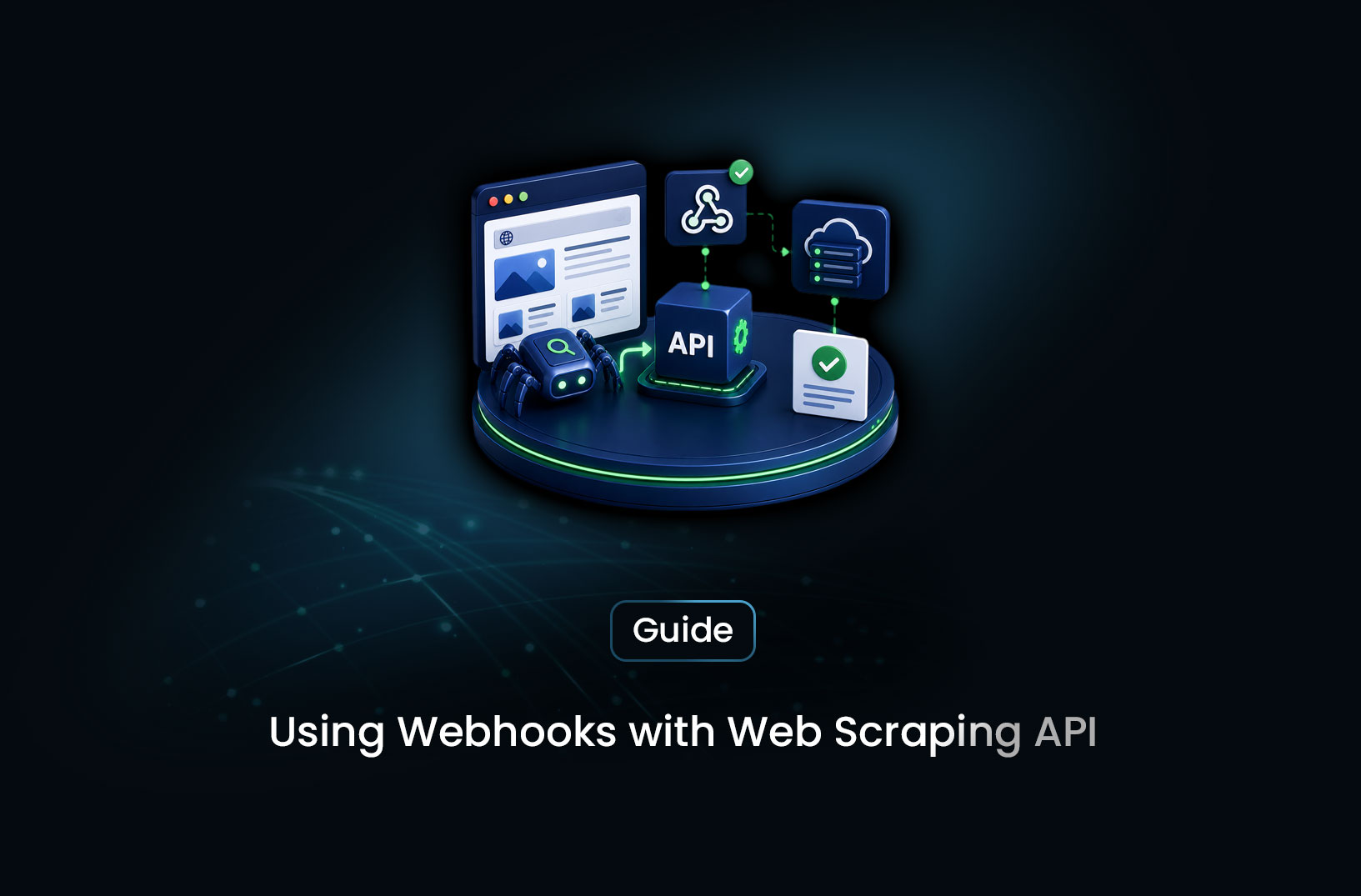
The flow works like this. You submit a scraping request to the API with a webhook_url parameter pointing to an endpoint in your application. The API acknowledges your submission, queues the job, and immediately returns a job ID — not the results themselves. Your application is free to move on. When the scraping job finishes — the page is fetched, rendered, and data extracted — the API makes an HTTP POST request to your webhook URL, delivering the results as a JSON payload in the request body.
Your webhook endpoint receives the payload, processes the scraped data, and does whatever comes next in your workflow: stores it in a database, triggers a downstream task, updates a dashboard, sends a notification. The entire handoff is automatic and event-driven, with no polling required.
This pattern is event-driven scraping — your pipeline responds to the completion event rather than actively checking for it. It's the same pattern that powers payment notification webhooks (Stripe calls your server when a payment completes), CI/CD triggers (GitHub calls your server when a push happens), and a thousand other integrations where one system needs to notify another asynchronously. Web scraping APIs that support webhooks are applying the same well-established pattern to data extraction.
How Asynchronous Scraping With Webhooks Works
The synchronous model — send a request, wait, receive data — seems simpler on the surface. But it breaks down fast in the real world. JavaScript-rendered pages can take several seconds to load fully. Anti-bot challenges add further delay. High-volume jobs that process hundreds of URLs sequentially would hold an HTTP connection open for minutes or more, which most clients and servers aren't designed to handle reliably.
Asynchronous scraping with webhooks sidesteps all of this cleanly. The API accepts your job and immediately returns control to your application. Behind the scenes, the API handles the fetch, rendering, extraction, and any retry logic on failed requests. When the job completes — however long that takes — the results are pushed to your application rather than pulled.
The webhook URL your application exposes is the bridge between the two systems. It needs to be publicly accessible (the scraping API needs to be able to reach it), it needs to respond quickly with a 2xx status code to acknowledge receipt (more on this in the gotchas section), and it needs to handle the incoming payload however your workflow requires.
For local development, where your application isn't publicly accessible, tools like ngrok (https://ngrok.com) create a temporary public tunnel to your local port — useful for testing webhook delivery against a local server before deploying.
Step-by-Step Guide: Setting Up Webhook-Based Scraping
Step 1: Expose a Webhook Endpoint in Your Application
Your application needs an HTTP endpoint that accepts POST requests and reads a JSON body. Here's a minimal example in Python with Flask:
from flask import Flask, request, jsonify
import json

app = Flask(__name__)

@app.route("/webhook/scraping-results", methods=["POST"])
def receive_scraping_results():
    payload = request.get_json()

    # Acknowledge receipt immediately — the scraping API is waiting for this
    # Do your actual processing asynchronously, not inside this handler
    job_id = payload.get("job_id")
    data = payload.get("data")

    print(f"Received results for job {job_id}: {json.dumps(data, indent=2)}")

    # Return 200 quickly — slow responses can cause delivery retries
    return jsonify({"status": "received"}), 200

if __name__ == "__main__":
    app.run(port=5000)
The same pattern in Node.js with Express:
const express = require("express");
const app = express();
app.use(express.json());

app.post("/webhook/scraping-results", (req, res) => {
  const { job_id, data } = req.body;

  console.log(`Received results for job ${job_id}:`, data);

  // Acknowledge immediately
  res.status(200).json({ status: "received" });

  // Hand off to async processing here (queue, worker, etc.)
});

app.listen(5000, () => console.log("Webhook receiver running on port 5000"));
Both examples follow the same essential pattern: receive the POST, acknowledge it with a 200 response immediately, and hand off processing separately.
Step 2: Submit a Scrape Job With Your Webhook URL
When submitting a job to a scraping API that supports webhooks, you include your webhook endpoint URL as a parameter in the request. The exact parameter name varies by provider — check your provider's documentation — but the concept is universal. Here's a generic example using Python's requests library:
import requests

response = requests.post(
    "https://api.your-scraping-provider.com/v1/scrape",
    headers={
        "Authorization": "Bearer YOUR_API_KEY",
        "Content-Type": "application/json",
    },
    json={
        "url": "https://target-site.com/products",
        "webhook_url": "https://your-app.example.com/webhook/scraping-results",
    }
)

job = response.json()
print(f"Job submitted: {job['job_id']}")
# Your application is now free — results arrive at the webhook when ready
The API returns a job ID immediately. Your application is free. Results arrive at your webhook endpoint when scraping completes.
For teams using MrScraper, the platform's documentation at https://ngrok.com covers the specific parameter format and payload structure for webhook-enabled job submission — including how the completed payload is structured so your receiver knows what to expect.
Step 3: Validate the Incoming Payload
Before trusting and processing a webhook payload, verify it actually came from your scraping API — not from a random actor who discovered your webhook URL. Most production webhook systems sign their payloads with a secret key, including a signature in a request header (commonly X-Webhook-Signature or similar). Your receiver computes the expected signature from the payload using the shared secret and rejects requests where the signature doesn't match.
import hmac
import hashlib

WEBHOOK_SECRET = "your-shared-secret"

def verify_webhook_signature(payload_body: bytes, signature_header: str) -> bool:
    expected = hmac.new(
        WEBHOOK_SECRET.encode(),
        payload_body,
        hashlib.sha256
    ).hexdigest()
    return hmac.compare_digest(expected, signature_header)
Check your scraping API provider's documentation for the exact signature scheme they use — the algorithm and header name vary by provider. Skip this step in local development; include it in production.
Step 4: Handle Processing Asynchronously
The webhook handler must return a 2xx response quickly — typically within a few seconds. If it takes too long, the scraping API will assume delivery failed and retry, which means you receive the same payload multiple times and process it multiple times. This is the most common webhook implementation bug.
The pattern: in your webhook handler, acknowledge receipt with a 200 response immediately, then hand off the actual processing to an async worker, a task queue (Celery, BullMQ, Sidekiq), or a background thread. Never do database writes, downstream API calls, or heavy computation synchronously inside the webhook handler itself.
Common Challenges and Limitations
Your webhook URL must be publicly reachable. The scraping API calls your endpoint from its own infrastructure — which means your application needs a public URL. Localhost doesn't work in production, and even in development you need a tunnel like ngrok to test end-to-end webhook delivery. Plan your deployment accordingly: serverless functions (AWS Lambda, Vercel Functions), a deployed web service, or any internet-accessible server all work.
Slow handlers cause retry storms. If your webhook endpoint takes more than a few seconds to respond, most APIs will assume delivery failed and retry. If the retry also takes too long, you get another retry — and suddenly you're processing the same job results three or four times, potentially causing duplicate database inserts or duplicate downstream actions. The fix is always to acknowledge first, process second.
Idempotency protects against duplicate delivery. Even with fast handlers, retry policies mean you may receive the same webhook payload more than once. Build your processing to be idempotent: storing a result that already exists (by job ID) should be a no-op, not an error or a duplicate. A simple check — "have I already processed this job ID?" before acting on a payload — handles the overwhelming majority of real-world duplicate delivery scenarios.
Job ID tracking links submissions to results. Because job submission and result delivery are decoupled in time, you need to track job IDs to connect the result you receive to the scraping request that generated it. Store the job ID when you submit a scraping request, and use it to look up the original context — what URL was scraped, which user triggered it, what workflow it belongs to — when the webhook delivers the results.
Conclusion
Webhooks turn asynchronous scraping from a complexity into a superpower. Instead of designing around polling loops and connection timeouts, you get a clean event-driven model: submit a job, receive results automatically, process them when they arrive. The implementation is more upfront — a public endpoint, signature verification, async processing — but the operational result is a scraping pipeline that's more reliable, more scalable, and dramatically simpler to reason about than synchronous polling alternatives.
If your web scraping API supports webhooks and you're still polling for results, switching to webhooks is worth the afternoon of setup time. The polling loop is technical debt you'll thank yourself for paying off.
What We Learned
- Webhooks replace polling with event-driven delivery: Instead of your application asking whether results are ready, the scraping API calls your application when they are — eliminating polling loops and connection timeout problems entirely.
- The webhook flow is: submit, acknowledge, receive: Submit a job with your webhook URL, get a job ID immediately, and receive results via HTTP POST when scraping completes.
- Acknowledge first, process second: Returning a 200 response quickly is critical — slow handlers trigger retries, causing duplicate delivery and duplicate processing.
- Signature verification is the difference between development and production: Validating that incoming payloads are genuinely from your scraping provider prevents unauthorized actors from injecting fake results into your pipeline.
- Idempotent processing makes duplicate delivery harmless: Designing your result processing to be safely repeatable — by checking job IDs before acting — neutralizes the most common webhook reliability issue.
- Job ID tracking is the thread connecting submission to result: Store it when you submit; use it to reconstruct context when the result arrives at your webhook endpoint.
FAQ
What is a webhook in a web scraping API?
A webhook is an HTTP callback that a web scraping API calls when a scraping job completes, delivering the extracted data to a URL your application exposes. Instead of your application polling the API repeatedly to check whether results are ready, you provide a webhook URL at job submission time, and the API calls that URL automatically with the results when scraping finishes. It's the event-driven alternative to polling.
Why use webhooks instead of polling for scraping results?
Polling requires your application to repeatedly check the API for results, which wastes requests, adds latency (you only check so often), and becomes complex to manage across many concurrent jobs. Webhooks eliminate all of this: results are delivered immediately when ready, your application doesn't need to maintain polling state, and the pattern scales naturally to high job volumes without proportional complexity. For any scraping workflow that runs asynchronously, webhooks are the cleaner architectural choice.
Does my webhook URL need to be publicly accessible?
Yes. The scraping API calls your webhook URL from its own servers — which means your application needs to be reachable from the public internet. A localhost address won't work in production. For local development and testing, tools like
ngrokhttps://ngrok.com create a temporary public tunnel to your local server so you can test webhook delivery end-to-end without deploying. In production, any publicly accessible web server, cloud function, or hosted API endpoint works.What happens if my webhook endpoint is down when results are delivered?
Most scraping APIs implement retry logic for failed webhook deliveries — if your endpoint returns a non-2xx response or doesn't respond at all, the API retries delivery after a delay, often with exponential backoff across several attempts. The specific retry policy (number of attempts, intervals) varies by provider and should be documented in their webhook documentation. This is why idempotent processing matters: if the retry delivers the same payload successfully after your endpoint recovers, you want processing the same result twice to be a safe no-op.
How do I test webhook delivery in local development?
Use
ngrokor a similar tunneling tool to expose your local server on a public URL. Runngrok http 5000(adjusting the port to match your local server), and ngrok provides a public URL likehttps://abc123.ngrok.iothat forwards to your localhost. Use this URL as yourwebhook_urlwhen submitting test scraping jobs, and webhook deliveries will arrive at your local server in real time — including inspecting them in ngrok's web interface athttp://localhost:4040.
Summarize this post
Open it in your assistant of choice with the prompt ready to send.
Take a Taste of Easy Scraping!

Find more insights here

Score Company Websites Against Your ICP with Jev
Create a company scoring workflow using public website evidence, an explicit ICP rubric, Jev decisio…
Classify Web Data with Jev and MrScraper: A Python Tutorial
Build a Python workflow that extracts web records with MrScraper, classifies them with Jev, validate…

What Is Jev? A Practical Guide for Web Data Teams
Learn what Jev does, how Choice, Score and Noul work, and where structured web data fits into classi…