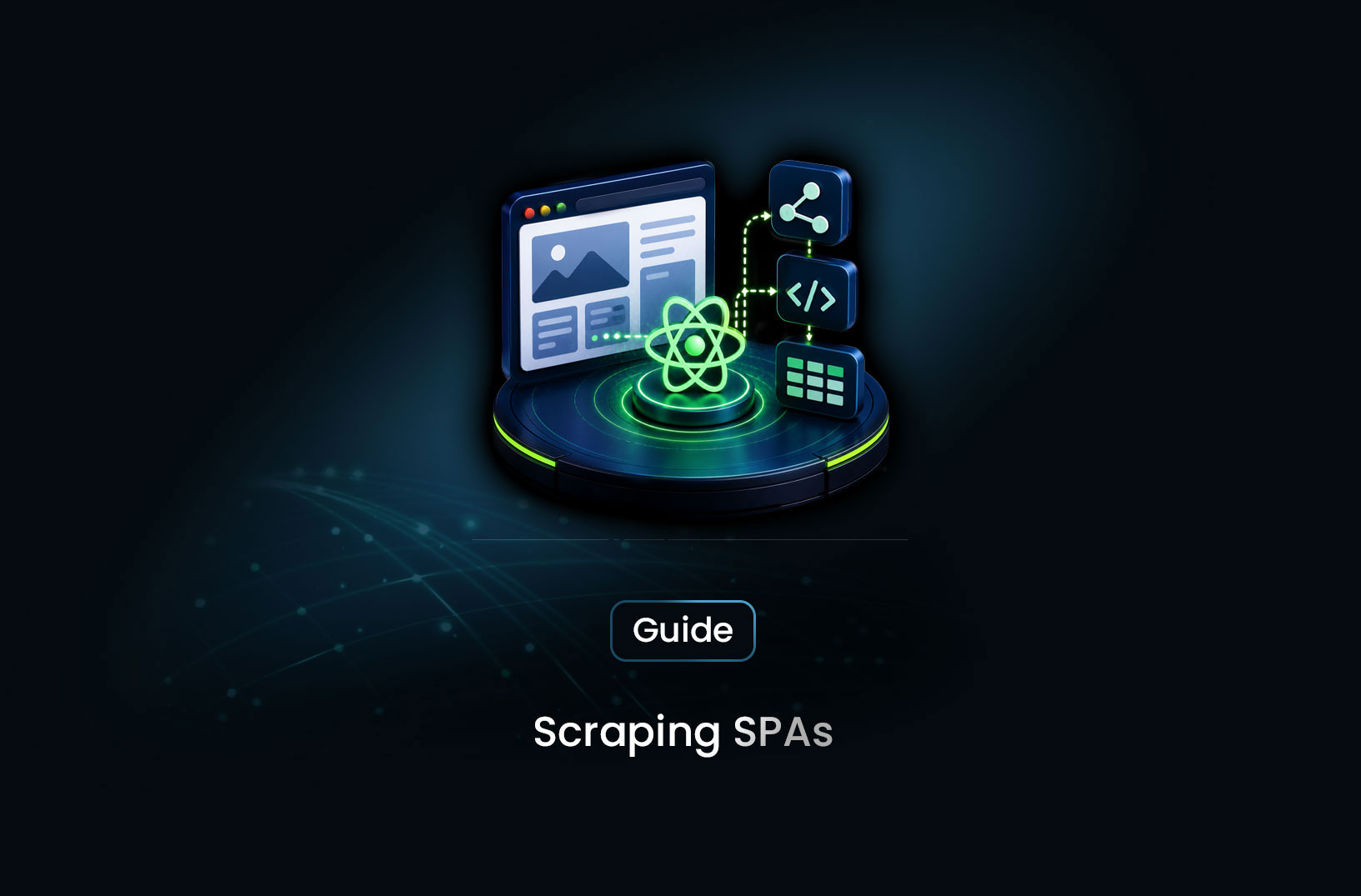
How to Scrape Single Page Applications (SPAs)
Web ScrapingA concise overview of scraping SPAs by shifting from static HTML parsing to techniques like inspecting __NEXT_DATA__, intercepting API calls, or using Playwright—and scaling reliably with MrScraper when anti-bot protection is involved.
Here's the scenario. You open a site in your browser — products everywhere, prices loading beautifully, infinite scroll doing its thing. You write a scraper, fire it at the URL, and get back... nothing. Or worse, a ghost of a page: a <div id="root"></div> and a handful of JavaScript bundle files. No products. No prices. No data.
Welcome to scraping single-page applications. It's not broken. The data is there. You just need to know how SPAs serve it — and once you do, the whole thing clicks.
The core fix: SPAs build their content client-side using JavaScript, so you need a tool that actually runs JavaScript before trying to extract anything. That means a real browser — Playwright, Puppeteer, or a cloud scraping browser. And because SPAs route data through background API calls, there's often an even cleaner approach: intercept those API calls directly and skip the DOM scraping altogether. Let's walk through both, step by step.
What is a Single Page Application?
A single-page application (SPA) is a web app that loads once and then dynamically updates its content without full page reloads. Instead of navigating to a new URL and receiving a complete HTML document from the server, the app uses JavaScript to fetch data in the background, update the DOM, and give the illusion of page navigation — all within a single browser session.
The tech stack powering most modern SPAs: React, Vue.js, Angular, Next.js (in client-side mode), Nuxt.js, and Svelte. According to the State of JavaScript survey, React alone is used by over 80% of JavaScript developers who work with frameworks — which means the majority of modern web apps your scraper will encounter are built on SPA architecture.
The data flow looks like this:
- Browser requests
https://shop.com/products - Server returns a minimal HTML shell:
<div id="root"></div>+ JavaScript bundle - JavaScript bundle executes in the browser
- The app calls its own APIs:
GET /api/products?page=1 - API returns JSON data
- JavaScript renders the JSON into DOM elements
- You see the product listing — but none of it was in the original HTML
A plain requests call captures step 2 and stops. You need something that runs through steps 3–6 before extracting.
How SPAs Break Traditional Scrapers
Let's see this failure mode in plain code:
import requests
from bs4 import BeautifulSoup

# This is what your scraper fetches from a React SPA
response = requests.get("https://react-spa-example.com/products")
soup = BeautifulSoup(response.text, "html.parser")

# The products don't exist in the initial HTML — they load via JavaScript
products = soup.select(".product-card")
print(f"Found: {len(products)} products")
# Output: Found: 0 products

# Here's what the actual HTML looks like
print(soup.find("body"))
# Output: <body><div id="root"></div><script src="/static/js/main.bundle.js"></script></body>
Empty. No error. No exception. Just silently zero results — which is the worst kind of failure because it looks like the scraper ran fine.
The body is genuinely that empty. The <div id="root"> is the mount point for the React app. Everything else — the product cards, the prices, the pagination controls — gets injected into that div after the JavaScript executes. By the time your requests call returns, that execution hasn't happened.
Step-by-Step Guide: How to Scrape SPAs
Step 1: Confirm You're Dealing With a SPA
Before reaching for a browser, confirm the page is actually JavaScript-rendered. Open Chrome DevTools → Network tab → filter by "Doc" → refresh the page → click the first HTML document → look at the "Response" tab.
If the response body is a <div id="root"> wrapper and script tags, you've got a SPA. If the response body contains the actual product data in HTML, it's server-rendered and requests will work fine.
You can do the same check in Python:
import requests

response = requests.get(
    "https://example.com/products",
    headers={"User-Agent": "Mozilla/5.0 (Windows NT 10.0; Win64; x64) AppleWebKit/537.36"}
)

# Look for content you can see in your browser
content_to_find = "product-card"   # A CSS class you know exists on the rendered page

if content_to_find in response.text:
    print("Server-rendered — requests + BeautifulSoup will work")
else:
    print("SPA detected — you need a browser to render JavaScript")
    # Check for SPA framework signals
    if any(signal in response.text for signal in ['id="root"', 'id="app"', '__NEXT_DATA__', 'ng-app']):
        print("Framework signals found: React/Vue/Angular/Next.js")
The __NEXT_DATA__ check is worth flagging separately — Next.js sometimes embeds its initial data payload in a JSON script tag in the HTML. If you find __NEXT_DATA__, you might be able to extract data without a browser at all (more on this in Step 4).
Step 2: Scrape SPAs with Playwright
Once you've confirmed a SPA, Playwright is the go-to local solution. It runs a real Chromium browser that executes JavaScript exactly as a user's browser would:
from playwright.async_api import async_playwright
import asyncio
import json

async def scrape_spa(url):
    async with async_playwright() as p:
        browser = await p.chromium.launch(headless=True)
        context = await browser.new_context(
            user_agent="Mozilla/5.0 (Windows NT 10.0; Win64; x64) AppleWebKit/537.36 (KHTML, like Gecko) Chrome/124.0.0.0 Safari/537.36",
            viewport={"width": 1920, "height": 1080},
        )
        page = await context.new_page()

        print(f"Loading SPA: {url}")
        # domcontentloaded fires fast — then we wait for specific content
        await page.goto(url, wait_until="domcontentloaded")

        # This is the critical step for SPAs:
        # Wait until the JavaScript has rendered your target elements
        # Without this, you're extracting from an empty DOM
        try:
            await page.wait_for_selector(".product-card", timeout=15000)
        except Exception:
            print("Timeout: .product-card never appeared — check your selector")
            await browser.close()
            return []

        # Now the React/Vue/Angular app has fully hydrated — extract away
        products = await page.eval_on_selector_all(
            ".product-card",
            """els => els.map(el => ({
                name: el.querySelector("h2, .name, [data-testid='product-name']")?.textContent.trim() || null,
                price: el.querySelector(".price, [data-price], [class*='price']")?.textContent.trim() || null,
                rating: el.querySelector(".rating, .stars, [aria-label*='rating']")?.textContent.trim() || null,
                url: el.querySelector("a")?.href || null,
            }))"""
        )

        print(f"Extracted {len(products)} products")
        await browser.close()
        return products

results = asyncio.run(scrape_spa("https://react-shop-example.com/products"))
print(json.dumps(results[:3], indent=2))
The flexible selectors in the extractor — "h2, .name, [data-testid='product-name']" — are intentional. SPA frameworks often use data-testid attributes for testing that are more stable than class names across redesigns. Multiple fallback selectors make your extractor more resilient.
Step 3: Handle SPA Navigation and Client-Side Routing
Here's where SPA scraping gets genuinely tricky. When you click a link inside a SPA, the browser doesn't make a new HTML request — it uses the History API to update the URL and the JavaScript router to swap out the content. From the network's perspective, nothing happened. From the DOM's perspective, everything changed.
If you use page.goto() for every page, you're fine — it always makes a fresh HTTP request. But if you need to interact with the SPA's navigation (clicking "Next Page", following internal links, using a search filter), page.goto() won't work reliably. You need to click and wait:
async def scrape_spa_with_pagination(start_url):
    async with async_playwright() as p:
        browser = await p.chromium.launch(headless=True)
        page = await browser.new_page()

        await page.goto(start_url, wait_until="domcontentloaded")
        await page.wait_for_selector(".product-card")

        all_products = []
        page_num = 1

        while True:
            # Extract current page
            batch = await page.eval_on_selector_all(
                ".product-card",
                """els => els.map(el => ({
                    name: el.querySelector("h2")?.textContent.trim(),
                    price: el.querySelector(".price")?.textContent.trim(),
                }))"""
            )
            all_products.extend(batch)
            print(f"Page {page_num}: {len(batch)} products extracted")

            # Look for a "Next" button
            next_button = await page.query_selector(
                "button[aria-label='Next page'], a[rel='next'], .pagination-next:not([disabled])"
            )

            if not next_button:
                print("No more pages — done")
                break

            # Click the Next button — this triggers client-side routing
            await next_button.click()

            # Wait for the new content to load into the DOM
            # The URL may update, but no new HTML document is loaded
            await page.wait_for_function(
                f"document.querySelectorAll('.product-card').length > 0"
            )
            await asyncio.sleep(1.5)  # Let React re-render settle

            page_num += 1

        await browser.close()
        return all_products

import asyncio
results = asyncio.run(scrape_spa_with_pagination("https://spa-shop.com/products"))
print(f"Total: {len(results)} products")
The wait_for_function() call is the key here — it polls the DOM until your target elements appear again after the route change. This is more reliable than wait_for_selector() after a click because it explicitly checks for content presence, not just element existence.
Step 4: Intercept Background API Calls (The Clean Approach)
Here's a technique that most SPA scraping guides skip — and it's often the best approach. SPAs fetch their data from JSON APIs in the background. If you can intercept those calls, you get clean, structured JSON directly — no HTML parsing, no CSS selectors, no DOM fragility.
Open Chrome DevTools → Network tab → filter by "Fetch/XHR" → reload the page → look for requests returning JSON with the data you need. Copy part of that URL as your interception pattern.
from playwright.async_api import async_playwright
import asyncio
import json

async def intercept_spa_api(url, api_pattern):
    captured_responses = []

    async with async_playwright() as p:
        browser = await p.chromium.launch(headless=True)
        page = await browser.new_page()

        # Set up the response interceptor BEFORE navigating
        async def handle_response(response):
            # Match requests that look like our data API
            if api_pattern in response.url and response.status == 200:
                content_type = response.headers.get("content-type", "")
                if "json" in content_type:
                    try:
                        data = await response.json()
                        captured_responses.append({
                            "url": response.url,
                            "data": data
                        })
                        print(f"Captured: {response.url}")
                    except Exception as e:
                        print(f"Failed to parse JSON from {response.url}: {e}")

        page.on("response", handle_response)

        # Navigate — the SPA will fire its API calls automatically
        await page.goto(url, wait_until="networkidle")

        await browser.close()

    return captured_responses

# Find your API pattern in DevTools Network tab first
results = asyncio.run(
    intercept_spa_api(
        url="https://spa-shop.com/products",
        api_pattern="/api/v2/products"  # Match the pattern you found in DevTools
    )
)

# The captured data is already structured JSON — no parsing needed
if results:
    products = results[0]["data"].get("items", [])
    print(json.dumps(products[:3], indent=2))
Why is this better than DOM scraping? Because you're consuming the same clean JSON the frontend uses. No selector fragility. No wait conditions. No re-rendering issues. When the site redesigns its UI, your scraper keeps working because the API contract rarely changes even when the frontend does.
This technique works particularly well with wait_until="networkidle" — it waits for all background API calls to complete before continuing, ensuring you've captured the full initial data load.
Step 5: Extract Next.js Pre-Rendered Data Without a Browser
If your target uses Next.js, there's often a shortcut that lets you skip the browser entirely. Next.js embeds its initial page data in a script tag called __NEXT_DATA__ — a JSON blob containing everything the page needs to render on first load:
import requests
from bs4 import BeautifulSoup
import json
import re

def extract_nextjs_data(url):
    response = requests.get(
        url,
        headers={"User-Agent": "Mozilla/5.0 (Windows NT 10.0; Win64; x64) AppleWebKit/537.36"}
    )

    soup = BeautifulSoup(response.text, "html.parser")

    # Find the __NEXT_DATA__ script tag
    next_data_script = soup.find("script", {"id": "__NEXT_DATA__"})

    if not next_data_script:
        print("No __NEXT_DATA__ found — this page may not use Next.js SSG/SSR")
        return None

    # Parse the JSON payload
    next_data = json.loads(next_data_script.string)

    # The page props are usually under pageProps
    page_props = next_data.get("props", {}).get("pageProps", {})
    print(f"Found __NEXT_DATA__ with keys: {list(page_props.keys())}")

    return page_props

# Works on Next.js sites that use SSG or SSR — no browser needed
data = extract_nextjs_data("https://nextjs-shop-example.com/products")
if data and "products" in data:
    print(f"Extracted {len(data['products'])} products without a browser")
    print(json.dumps(data["products"][:2], indent=2))
Check for this before spinning up a browser — it's dramatically faster and uses zero browser resources. Not every Next.js site uses SSG/SSR (some are fully client-rendered), but when __NEXT_DATA__ is present, it's the cleanest possible data source.
Step 6: Scale to Production with MrScraper
Local Playwright works great for development. But SPAs on production targets often have anti-bot protection layered on top of the JavaScript rendering challenge — Cloudflare challenges, IP bans after a few requests, CAPTCHA triggers from residential IP checks that fail on your datacenter server.
At this point, things get complicated fast: you're fighting both the SPA rendering problem and the bot detection problem simultaneously. This is exactly where MrScraper's Scraping Browser removes both problems in one move.
Connect your existing Playwright SPA scraper to MrScraper's cloud browser — one line change — and you get JavaScript rendering plus residential proxy rotation plus anti-bot bypass plus CAPTCHA handling, all at the infrastructure level:
from playwright.async_api import async_playwright
import asyncio
import json

async def scrape_protected_spa(url):
    async with async_playwright() as p:
        # Same code as local Playwright — just connecting to MrScraper's cloud browser
        browser = await p.chromium.connect_over_cdp(
            "wss://browser.mrscraper.com?token=YOUR_API_TOKEN"
        )

        page = await browser.new_page()
        await page.goto(url, wait_until="domcontentloaded")

        # Wait for the SPA to finish rendering its content
        await page.wait_for_selector(".product-card", timeout=20000)

        products = await page.eval_on_selector_all(
            ".product-card",
            """els => els.map(el => ({
                name: el.querySelector("h2")?.textContent.trim(),
                price: el.querySelector(".price")?.textContent.trim(),
            }))"""
        )

        await browser.close()
        return products

results = asyncio.run(scrape_protected_spa("https://cloudflare-protected-spa.com/products"))
print(json.dumps(results[:3], indent=2))
Or skip the selectors entirely with MrScraper's AI extraction SDK — describe what you want from the SPA in plain English and let the AI handle the rendering, waiting, and extraction:
import asyncio
from mrscraper import MrScraperClient

async def ai_extract_from_spa():
    client = MrScraperClient(token="YOUR_MRSCRAPER_API_TOKEN")

    result = await client.create_scraper(
        url="https://react-shop-example.com/products",
        message="Extract all product names, prices, ratings, and availability",
        agent="listing",    # Optimized for listing pages with repeated items
        proxy_country="US",
    )

    print("Extraction running. Scraper ID:", result["data"]["data"]["id"])

asyncio.run(ai_extract_from_spa())
No wait_for_selector(). No DOM battles. No routing logic. You describe what you need, and MrScraper handles the SPA rendering, waits for content, and returns structured data.
Common Challenges and Limitations
The selector is right but wait_for_selector() times out. Either the content takes longer to load than your timeout allows (increase it to 20–30 seconds for heavy SPAs), or the selector is wrong. Verify your selector in the browser console: open DevTools → Console → type document.querySelectorAll(".your-selector").length. If it returns 0 in the browser, your selector is the problem, not the timeout.
Client-side routing confuses navigation logic. After clicking an internal link in a SPA, the URL changes but no new HTML request is made. If you use page.wait_for_navigation() after a click, it may never fire. Use wait_for_selector() with a specific content element instead — that's the reliable signal that the new "page" has rendered.
Infinite scroll loads more than you expect. SPAs with infinite scroll don't have a clean "done" state. Always cap your scroll loops with a max_scrolls parameter and a stale-count check (if no new items appeared after a scroll, you've hit the end). Without these, your scraper runs indefinitely.
networkidle hangs on SPAs with continuous background requests. Some SPAs fire analytics pings, WebSocket connections, or polling requests indefinitely. wait_until="networkidle" never resolves because the network never truly goes idle. Switch to wait_until="domcontentloaded" plus wait_for_selector() on your specific content element.
React strict mode causes double renders in development. If you're testing against a development build of a React app (rare for production scraping but common in internal tools), React strict mode intentionally double-renders components. You might see your selector appear and disappear briefly. Always scrape production builds, not dev servers.
Conclusion
SPAs aren't actually hard to scrape — they just require a different mental model than traditional server-rendered sites. The data is there. It's just assembled in the browser instead of on the server.
Start with the __NEXT_DATA__ check — it's free, requires no browser, and works on a significant chunk of Next.js sites. If that fails, check whether the SPA's API calls are interceptable via the network tab — clean JSON from the source is always better than DOM scraping. When you need to go full browser, Playwright with wait_for_selector() handles most SPAs cleanly.
And when your SPA target adds Cloudflare or DataDome on top of the JavaScript rendering challenge — connect to MrScraper's Scraping Browser with one line change and let the infrastructure handle both problems simultaneously.
The data is there. You just have to wait for JavaScript to put it in the DOM.
What We Learned
- SPAs serve an empty HTML shell on first load — the content is assembled by JavaScript running client-side, making
requestsreturn zero results with no error or warning wait_for_selector()is the most important SPA scraping primitive — always wait for a specific DOM element that confirms your content has fully rendered before extracting anything- Network interception is often cleaner than DOM scraping — SPAs fetch data from JSON APIs in the background; intercepting those calls gives you structured data directly, with no selector fragility and no re-rendering issues
__NEXT_DATA__is a free shortcut for Next.js sites — many Next.js pages embed their initial data in a JSON script tag that you can extract withrequestsalone, no browser required- Client-side routing after clicks requires
wait_for_selector(), notwait_for_navigation()— internal SPA link clicks don't trigger new HTTP requests, so navigation events never fire; wait for specific content elements instead connect_over_cdp()to MrScraper's Scraping Browser solves both problems at once — JavaScript rendering and anti-bot bypass in a single connection, with your existing Playwright code unchanged
FAQ
- Why does my SPA scraper work on the first URL but fail on paginated pages?
Most likely you're using
page.goto()for the first page and clicking for subsequent pages — but your wait logic doesn't account for the re-render. After clicking pagination controls, usewait_for_function()to confirm new content has loaded before extracting. Also check that your selector is consistent across pages — some SPAs use different class names or structures on paginated results. - Can I scrape a Vue.js or Angular SPA the same way as React? Yes — from a scraping perspective, Vue, Angular, React, and Svelte are all JavaScript applications that mount into a DOM element and fetch data via APIs. The Playwright approach works identically across all of them. The main difference is the app's internal routing and API patterns, not the scraping technique.
- How do I find the API endpoint a SPA calls so I can intercept it?
Open Chrome DevTools → Network tab → select "Fetch/XHR" filter → reload the page → look through the requests for ones returning JSON that matches the data you need. Click on a matching request to see its full URL, headers, and response. That URL pattern is what you pass to the
api_patternparameter in the interception approach. - What if the SPA API requires authentication tokens in its requests?
For publicly accessible APIs, you can often call them directly with
requestsonce you've identified the endpoint and any required headers. For authenticated APIs, you'd need to handle the login flow first — visit the login page, submit credentials, capture the auth cookie or token, then include it in your API interception or direct API calls. - Does MrScraper's AI extraction work on SPAs without knowing the selectors? Yes — that's specifically what it's designed for. MrScraper's Scraping Browser renders the SPA fully (executing all JavaScript, waiting for content), then the AI extraction layer reads the rendered page content semantically and extracts the fields you described. You don't need to know any selectors, and you don't need to write any wait logic.
Summarize this post
Open it in your assistant of choice with the prompt ready to send.
Take a Taste of Easy Scraping!

Find more insights here
Score Company Websites Against Your ICP with Jev
Create a company scoring workflow using public website evidence, an explicit ICP rubric, Jev decisio…
Classify Web Data with Jev and MrScraper: A Python Tutorial
Build a Python workflow that extracts web records with MrScraper, classifies them with Jev, validate…

What Is Jev? A Practical Guide for Web Data Teams
Learn what Jev does, how Choice, Score and Noul work, and where structured web data fits into classi…