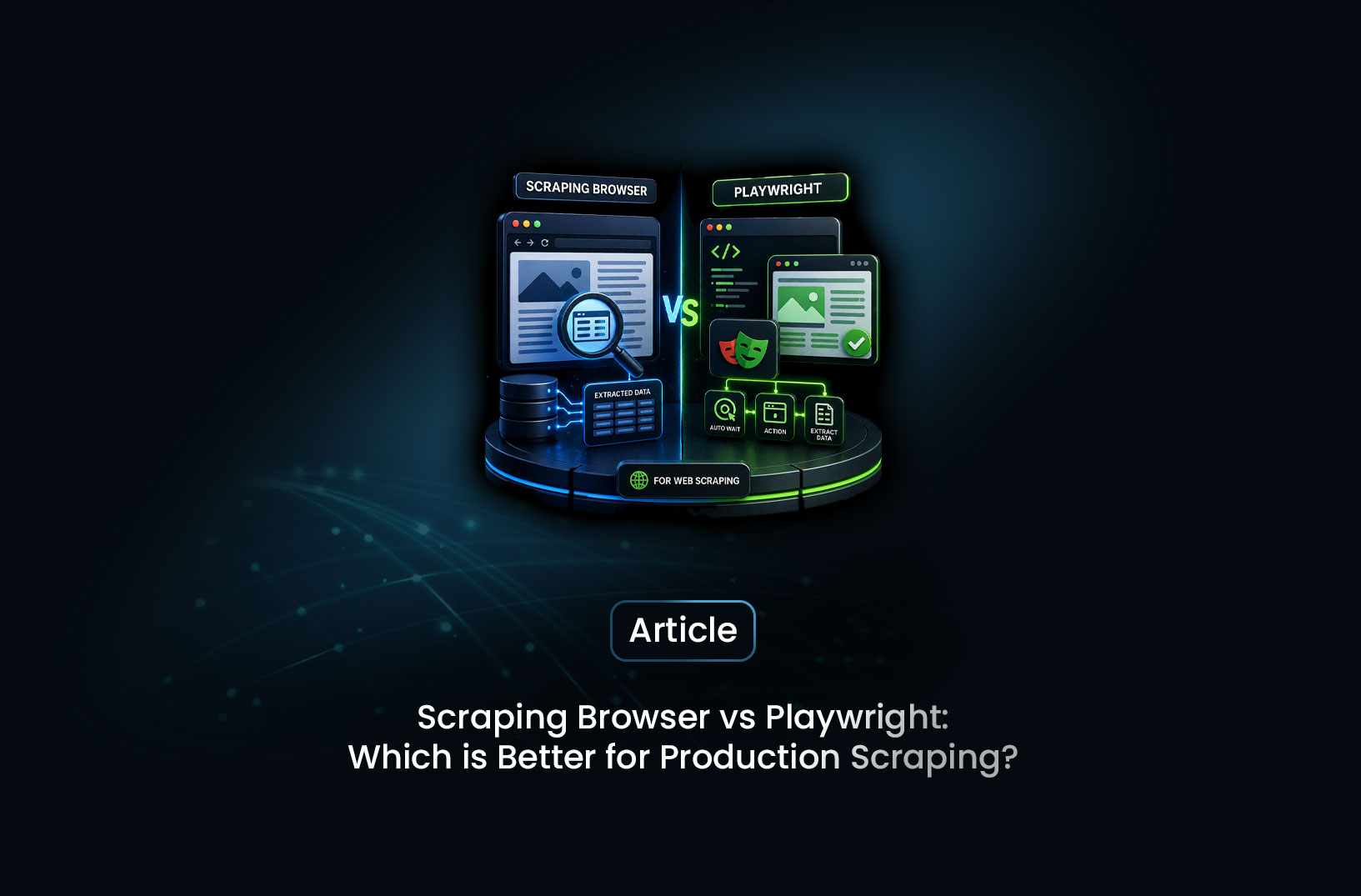
Scraping Browser vs Playwright: Which Is Better?
Web ScrapingA concise overview of when Playwright is the right choice for scraping and when it falls short against modern anti-bot systems.
Here's a scenario most scrapers know too well. You build something with Playwright — clean code, reliable selectors, works great in testing. You push it to production. A week later, you're getting Cloudflare challenges on 40% of your requests, your IP keeps getting banned, and you've spent more time debugging bot blocks than actually collecting data. Sound familiar?
The direct answer: Playwright is an excellent browser automation tool, but it's not production scraping infrastructure. A scraping browser is. Playwright gives you control over a browser. A scraping browser gives you a managed, anti-detection-hardened, proxy-rotated browser fleet that runs in the cloud — and you still control it with Playwright. The two aren't opposites. They're layers, and understanding when to use each one (or both together) is what separates scrapers that work from scrapers that break.
Let's get into it.
What is Playwright?
Playwright is an open-source browser automation library developed by Microsoft. It lets you control Chromium, Firefox, and WebKit browsers programmatically — navigating pages, clicking elements, filling forms, waiting for dynamic content, and extracting data. As Microsoft's Playwright documentation describes it, it was built for end-to-end testing, but the web scraping community quickly adopted it because of its robust API and multi-browser support.
Here's what a basic Playwright scraper looks like:
from playwright.async_api import async_playwright
import asyncio

async def scrape():
    async with async_playwright() as p:
        browser = await p.chromium.launch(headless=True)
        page = await browser.new_page()

        await page.goto("https://example.com/products")
        await page.wait_for_selector(".product-card")

        products = await page.eval_on_selector_all(
            ".product-card",
            """els => els.map(el => ({
                name: el.querySelector("h2")?.textContent.trim(),
                price: el.querySelector(".price")?.textContent.trim(),
            }))"""
        )

        print(products)
        await browser.close()

asyncio.run(scrape())
Clean, readable, powerful. For sites that don't actively fight back, this is genuinely all you need. The problem surfaces the moment your target has anti-bot protection — because Playwright, out of the box, makes no attempt to hide the fact that it's a bot.
By default, navigator.webdriver is set to true. The browser fingerprint matches a known headless profile. Requests originate from whatever IP your server sits on — almost certainly a datacenter range. To any serious bot detection system, this screams automation.
What is a Scraping Browser?
A scraping browser is a managed, cloud-hosted browser infrastructure purpose-built for production scraping. Think of it as Playwright's browser — but running in the cloud, hardened against detection, equipped with rotating residential proxies, automatic CAPTCHA solving, and fingerprint randomization baked in at the infrastructure level.
MrScraper's Scraping Browser is exactly this. You connect to it over Chrome DevTools Protocol (CDP) — the same protocol Playwright already uses internally — and control it with your normal Playwright code. The difference is what's happening under the hood: residential IPs rotating per session, realistic browser fingerprints, behavioral signals that look human to detection systems, and CAPTCHA handling that never interrupts your pipeline.
Here's the beautiful part: you don't rewrite your Playwright code. You just change where the browser lives.
from playwright.async_api import async_playwright
import asyncio

async def scrape():
    async with async_playwright() as p:
        # One line change — connect to MrScraper's cloud browser instead of launching locally
        browser = await p.chromium.connect_over_cdp(
            "wss://browser.mrscraper.com?token=YOUR_API_TOKEN"
        )

        page = await browser.new_page()
        await page.goto("https://example.com/products")
        await page.wait_for_selector(".product-card")

        products = await page.eval_on_selector_all(
            ".product-card",
            """els => els.map(el => ({
                name: el.querySelector("h2")?.textContent.trim(),
                price: el.querySelector(".price")?.textContent.trim(),
            }))"""
        )

        print(products)
        await browser.close()

asyncio.run(scrape())
Spot the difference? It's literally one line — connect_over_cdp() instead of launch(). Everything else is identical. Your selectors, your wait logic, your data extraction — unchanged. But now your browser is running through MrScraper's anti-detection infrastructure instead of a naked local Chromium instance.
That's the power of the CDP integration. You don't trade Playwright for something else. You upgrade what Playwright connects to.
Playwright vs Scraping Browser: Head-to-Head
Let's compare them where it actually matters for production scraping.
Anti-Bot Detection Resistance
Playwright with default settings fails immediately against modern anti-bot systems. Cloudflare, DataDome, PerimeterX, and Akamai all detect the navigator.webdriver flag, the headless browser fingerprint, and the datacenter IP within milliseconds of your first request.
You can patch some of this manually — playwright-extra with the stealth plugin, custom add_init_script() injections, User-Agent overrides. But as PerimeterX's research on bot detection shows, these surface-level patches are in a constant arms race with detection vendors who update their fingerprinting logic regularly. Today's stealth patch is tomorrow's known evasion signature.
A scraping browser handles this at the infrastructure level. The fingerprints are maintained continuously. The proxy pool is refreshed. The anti-bot bypass logic is updated when detection vendors push changes — without you touching your code.
Winner: Scraping Browser — especially for Cloudflare Enterprise, DataDome, and PerimeterX targets.
Setup and Maintenance Overhead
Getting Playwright running is genuinely fast — pip install playwright, playwright install chromium, and you're writing scraper code in minutes. The library is well-documented, actively maintained by Microsoft, and has a huge community.
But "running Playwright" and "running Playwright reliably in production" are two different things. Production Playwright means:
- Managing Chromium version compatibility with your OS
- Handling browser crashes and zombie processes
- Setting up and rotating proxies (and paying for them separately)
- Integrating a CAPTCHA solving service
- Building retry logic for bot blocks
- Monitoring your scraper's health and restarting when it stalls
A scraping browser collapses all of that into a single WebSocket connection. There's no Chromium to install or maintain. No proxy service to integrate. No CAPTCHA service to wire up. The cloud infrastructure handles crashes and restarts transparently.
Winner: Scraping Browser for production. Playwright for local development and prototyping.
Flexibility and Control
Here's where Playwright genuinely shines. Because you're controlling a local browser process directly, you have deep access to things that are harder with a remote browser:
- Intercepting and modifying network requests at the protocol level
- Injecting custom browser extensions
- Accessing Chrome DevTools directly for performance profiling
- Testing across Chromium, Firefox, and WebKit in the same test suite
- Full offline mode and network simulation
For web testing — which is what Playwright was actually built for — this level of control is exactly what you need. For scraping protected sites at scale, most of these features are irrelevant, and the anti-detection gap dominates every other consideration.
Winner: Playwright for fine-grained browser control and multi-engine testing. Scraping Browser for production scraping workloads.
Scalability
Running multiple concurrent Playwright instances on a single machine hits a wall fast. Each Chromium instance consumes 200–400MB of RAM under load. Ten concurrent browsers means 2–4GB of RAM just for the browser processes, before your own application logic. Scaling to 100 concurrent sessions requires serious server infrastructure.
A cloud scraping browser scales horizontally without you managing any of it. You open more concurrent connections to the CDP endpoint and pay for what you use. No server provisioning, no memory profiling, no capacity planning.
Winner: Scraping Browser — it's not close at meaningful scale.
Cost
Playwright itself is free and open source. But running it in production isn't — you're paying for servers, proxies, CAPTCHA solving, and engineering time to maintain the anti-detection stack. That total cost adds up fast for any team scraping protected sites regularly.
A scraping browser bundles all of that into one predictable bill. For solo projects or low-volume scraping of unprotected sites, Playwright's zero licensing cost wins. For production pipelines where engineer hours and proxy costs are real line items, a scraping browser is typically cheaper total-cost-of-ownership.
Winner: Playwright for zero-budget personal projects. Scraping Browser for production economics.
When to Use Each One
This is the question that actually matters. Here's the honest answer:
Use Playwright locally when:
- You're prototyping or building your first scraper
- Your target site has no meaningful anti-bot protection
- You need multi-browser testing (Chromium + Firefox + WebKit)
- You need deep browser internals access (network interception, extensions)
- Volume is low (under a few hundred pages per day)
Use a Scraping Browser when:
- Your target uses Cloudflare, DataDome, PerimeterX, or Akamai
- You're scraping at any meaningful scale (hundreds to millions of pages)
- You want to stop maintaining anti-detection logic and focus on your data pipeline
- You need consistent uptime without managing browser infrastructure
- CAPTCHA solving is a requirement, not an afterthought
Use both together (the sweet spot for most teams):
The ideal production setup is exactly what the connect_over_cdp() example above shows: write your scraper logic in Playwright, run it against MrScraper's Scraping Browser. You get Playwright's clean API and familiar patterns plus the scraping browser's anti-detection infrastructure. No tradeoff required.
Common Pitfalls to Avoid
Don't assume stealth plugins are a long-term solution. playwright-extra with stealth is a useful band-aid for mildly protected sites, but it's not maintained as aggressively as the detection vendors it's fighting. Build your architecture assuming you'll eventually need a managed scraping browser, even if you don't need it today.
Don't skip wait_for_selector() in either approach. This is the most common cause of empty scraping results regardless of what browser infrastructure you're using. Always wait for a reliable element that confirms your target content has fully rendered before running extraction logic.
Don't share browser contexts across unrelated domains. A single Playwright browser context accumulates cookies, localStorage, and session state. Mixing scraping sessions for different target sites in the same context creates unusual cross-domain signals that behavioral analysis systems flag. Create a fresh context per target domain.
Don't underestimate connection stability with remote browsers. When using connect_over_cdp() against a remote scraping browser, network interruptions can drop your connection mid-session. Wrap your sessions in retry logic and handle TargetClosedError gracefully:
from playwright.async_api import async_playwright, TargetClosedError
import asyncio

async def scrape_with_retry(url, max_retries=3):
    for attempt in range(max_retries):
        try:
            async with async_playwright() as p:
                browser = await p.chromium.connect_over_cdp(
                    "wss://browser.mrscraper.com?token=YOUR_API_TOKEN"
                )
                page = await browser.new_page()
                await page.goto(url)
                await page.wait_for_selector(".target-element")

                result = await page.text_content(".target-element")
                await browser.close()
                return result

        except TargetClosedError:
            print(f"Connection dropped on attempt {attempt + 1}, retrying...")
            await asyncio.sleep(2 ** attempt)  # Exponential backoff

    return None  # All retries exhausted
This pattern — catching TargetClosedError with exponential backoff — is what separates a scraper that runs for five minutes from one that runs for five days.
Conclusion
Playwright is one of the best browser automation tools ever built — and it's the right tool for what it was designed for: end-to-end testing, local development, and scraping sites that don't actively fight back. If that's your use case, use it and love it.
But production scraping against protected sites is a different game. Bot detection systems are sophisticated, continuously updated, and designed to make Playwright's default behavior look like exactly what it is: a bot. A scraping browser solves that problem at the infrastructure layer, so your code stays clean and your pipeline stays running.
The good news: you don't have to choose. Connect Playwright to MrScraper's Scraping Browser with one line change, and you get the best of both — Playwright's familiar API and the scraping browser's anti-detection horsepower. That's the setup most serious production scrapers end up at eventually. Might as well start there.
What We Learned
- Playwright is browser automation; a scraping browser is production scraping infrastructure — they solve different problems, and the best setups use both together via
connect_over_cdp() - The migration from local Playwright to a cloud scraping browser is literally one line —
launch()becomesconnect_over_cdp()— your selectors, wait logic, and extraction code stay completely unchanged - Anti-bot resistance is the decisive factor for protected sites — Playwright's default fingerprint fails immediately against Cloudflare Enterprise, DataDome, and PerimeterX; a scraping browser maintains bypass logic continuously at the infrastructure level
- Scalability math heavily favors cloud scraping browsers — each local Chromium instance consumes 200–400MB RAM, making concurrent scaling expensive and complex to manage yourself
- Always wrap
connect_over_cdp()sessions in retry logic withTargetClosedErrorhandling — network drops are real in remote browser setups and a single unhandled error can kill a long-running pipeline - Use Playwright locally for prototyping and unprotected sites; graduate to a scraping browser when you hit anti-bot walls, need scale, or want to stop maintaining anti-detection patches yourself
FAQ
- Do I need to learn a new API to use a scraping browser?
No — if you already know Playwright, you're ready. MrScraper's Scraping Browser exposes a standard CDP endpoint. You connect with
playwright.chromium.connect_over_cdp()and write the exact same Playwright code you already know. The only thing that changes is where the browser runs. - Is Playwright faster than a scraping browser? For a single request on an unprotected site, local Playwright can be marginally faster since there's no network hop to a remote browser. But for protected sites — where Playwright gets blocked and the scraping browser gets through — the scraping browser is infinitely faster, because zero data beats blocked data.
- Can I use a scraping browser with Puppeteer instead of Playwright?
Yes. Puppeteer also supports
connect()over CDP. The same pattern applies — point it at MrScraper's CDP endpoint and your existing Puppeteer code works unchanged. - Does the scraping browser handle JavaScript rendering automatically? Yes. It's running a full browser engine — the same Chromium that powers Chrome. React, Vue, Angular, infinite scroll, lazy-loaded images — all rendered exactly as they would be in a real browser.
- How does a scraping browser handle CAPTCHAs? Transparently. MrScraper's Scraping Browser solves CAPTCHAs as part of the browsing session — before your page interaction code runs. You never see a CAPTCHA in your pipeline. It just resolves and the page loads normally.
- When is Playwright alone genuinely the right choice? When you need multi-browser testing (Firefox, WebKit), when you need deep browser internals access for performance profiling or network interception, when your targets are unprotected, or when you're building a prototype and want zero infrastructure overhead. Playwright is excellent at what it was built for — browser automation and testing.
Summarize this post
Open it in your assistant of choice with the prompt ready to send.
Take a Taste of Easy Scraping!

Find more insights here
Build an Agent Harness for Repeatable Web Research
Build a small agent harness in Python that saves job state, enforces tool and page budgets, and chec…
Authenticate Web Data Tools for AI Agents Without Exposing Secrets
Learn when to use API keys or OAuth for AI agent tools, where credentials should live, how to separa…

Design Reliable Web Data Tools for AI Agents
Learn how to define clear inputs, structured results and honest errors for the web data tools your A…