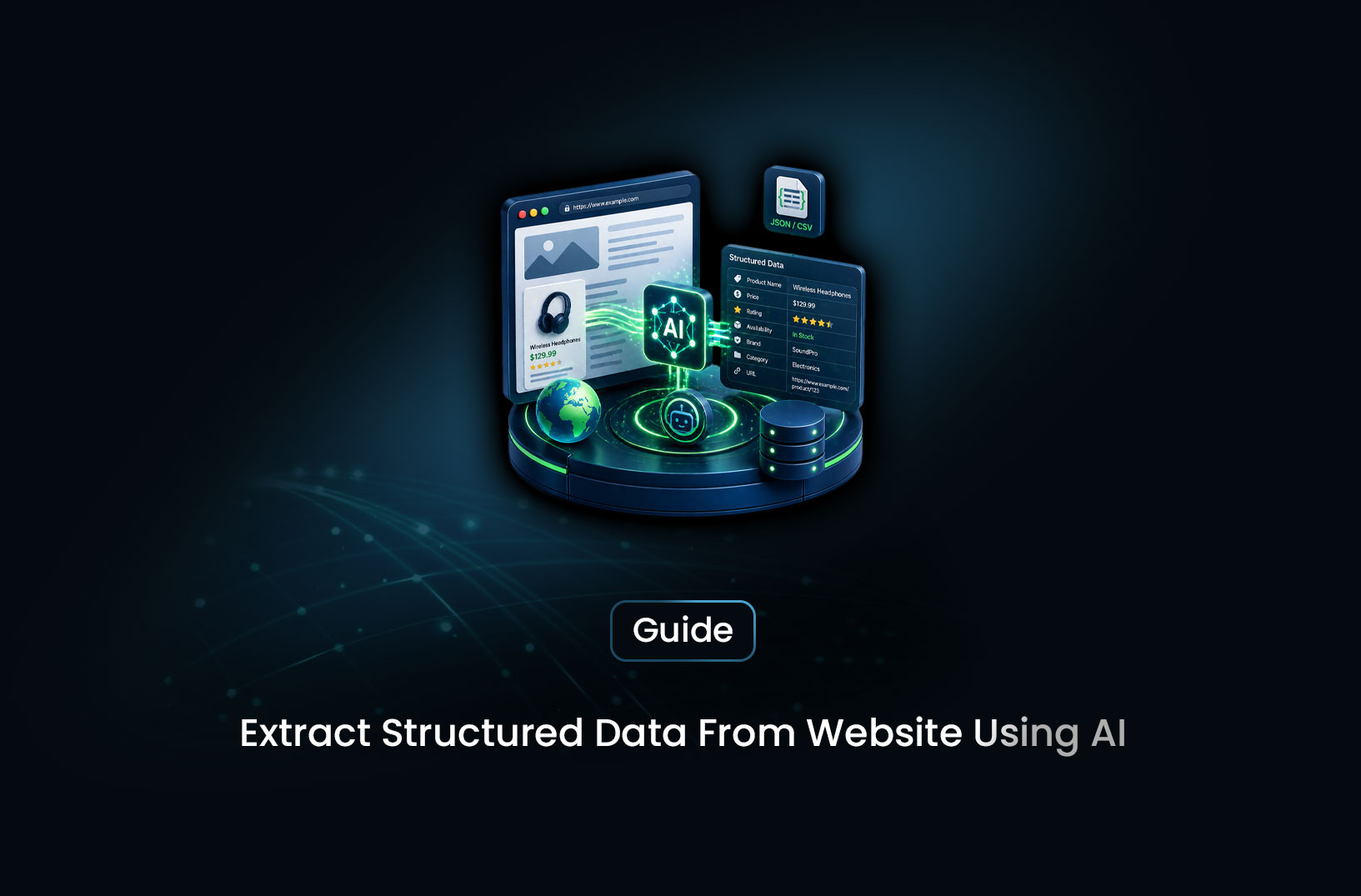
Extract Structured Data From Any Website With AI
AI & Machine LearningA concise overview of how AI-powered extraction simplifies web scraping by letting you define data needs in plain language while the system handles rendering, proxies, and parsing.
You've found the data you need. It's right there on the page — product prices, job listings, company contacts, real estate records. The problem? It's buried in a wall of HTML, scattered across dozens of pages, and formatted differently on every site you visit. Copy-pasting is out of the question. Writing a custom scraper means wrestling with CSS selectors that break the moment the site redesigns. And some sites don't even render their content without JavaScript.
Here's the good news: AI-powered data extraction has changed the game entirely. Instead of writing brittle scraping logic for every website, you describe what data you want — in plain English — and the AI figures out how to extract it, regardless of the page structure. It works on static sites, JavaScript-heavy apps, and everything in between. No CSS selectors. No XPath. No broken scrapers after a redesign.
Let's walk through exactly how it works and how you can set it up today.
What is Structured Data Extraction?
Structured data extraction is the process of pulling specific, organized information out of an unstructured web page and converting it into a usable format — like JSON, CSV, or a database record.
A raw webpage is essentially a document written for human eyes: it has headers, images, navigation menus, ads, footers, and somewhere in the middle, the actual data you care about. Structured extraction means isolating just the meaningful fields — say, product_name, price, rating, availability — and returning them in a clean, machine-readable format.
Traditional approaches use CSS selectors or XPath to target specific HTML elements. That works until the site's HTML changes — which happens all the time. AI-powered extraction is different: it understands the meaning of the content, not just its position in the DOM. It can look at a product page and know that the big bold number near a currency symbol is probably the price, without you ever specifying a selector.
How AI-Powered Data Extraction Works
Here's the mental model that makes this click:
Traditional scraping asks: "What's in the <span class='price'> tag?"
AI extraction asks: "What is the price of this product?"
The AI reads the page the same way a human would — understanding context, labels, and layout — then maps what it finds to the fields you've defined. Under the hood, most modern AI extraction tools work like this:
- Fetch the page — including rendering JavaScript if needed, so the full content is visible
- Pass the page content to an LLM — along with your natural-language instructions describing what to extract
- The LLM reads and maps the content — identifying which parts of the page correspond to which fields
- Return structured JSON — clean, labeled, ready to use
The result is an extraction pipeline that's dramatically more resilient to site changes, because it's not tied to a specific HTML structure — it's tied to the meaning of the content.
MrScraper's AI Scraper has this built in natively. You describe what you want in plain English, point it at a URL, and the AI handles the rest — including JavaScript rendering and proxy rotation so you're not blocked before you even get the data.
Step-by-Step Guide: How to Extract Structured Data From Any Website
Let's build a real extraction pipeline. We'll use an e-commerce product listing page as the example, but the same approach works for any site — job boards, real estate listings, news archives, you name it.
Step 1: Define What Data You Want
Before you write a single line of code, get clear on what you need. MrScraper uses a natural-language message parameter instead of a rigid JSON schema — so you just describe what you want extracted in plain English, like you'd explain it to a colleague.
For a product listing page, that instruction might look like:
"Extract all product names, prices, and ratings from this page."
Simple. And that's the point — you're not wrestling with field types or CSS selectors. You're just telling the AI what matters.
You'll also pick an agent type based on what you're scraping:
"listing"— for pages with multiple repeated items (product grids, job boards, search results)"general"— for single-page content extraction (article text, contact info, a single product page)"map"— for crawling an entire site across multiple pages and depth levels
Step 2: Install the MrScraper SDK
Python:
pip install mrscraper
Node.js:
npm install @mrscraper/sdk
Then grab your API token from the MrScraper dashboard — you'll pass it in during client initialization.
Step 3: Make Your First Extraction Request
Here's a working Python example that extracts product data from a listing page:
import asyncio
from mrscraper import MrScraperClient

async def extract_products():
    client = MrScraperClient(token="YOUR_MRSCRAPER_API_TOKEN")

    # Create the scraper — describe what you want in plain English
    result = await client.create_scraper(
        url="https://example-shop.com/products",
        message="Extract all product names, prices, and ratings",
        agent="listing",    # "listing" for pages with multiple repeated items
        proxy_country="US", # Route through US residential proxies
    )

    scraper_id = result["data"]["data"]["id"]
    print("Scraper created! ID:", scraper_id)

asyncio.run(extract_products())
Let's break down what's happening here:
message— This is the AI instruction. Write it like you'd explain the task to a person: "Extract all product names, prices, and ratings." The clearer and more specific, the better.agent="listing"— Tells MrScraper this is a listing-style page with multiple repeated items. It'll extract each item as a separate record in the output.proxy_country="US"— Routes requests through US-based residential proxies. Sites that block datacenter IPs rarely block residential traffic, so your extraction actually reaches the page.
The scraper_id you get back is your reference ID — use it to poll for results once the extraction job completes.
Prefer Node.js? Here's the same extraction using the JavaScript SDK:
import { createAiScraper } from "@mrscraper/sdk";

const result = await createAiScraper({
  url: "https://example-shop.com/products",
  message: "Extract all product names, prices, and ratings",
  agent: "listing",
  proxy_country: "US",
  // token: "optional_override_token"
});

console.log("Scraper ID:", result.data.data.id);
Same idea, different syntax. Pick whichever fits your stack.
Step 4: Crawl an Entire Site with the Map Agent
Single-page extraction is great for a product detail page. But what if you need to pull data from an entire site — say, every blog post, every product category, or every job listing across hundreds of pages?
That's where the map agent shines. It crawls the site up to a specified depth and page count, then extracts from everything it finds.
Node.js example — crawl a full blog:
import { createAiScraper } from "@mrscraper/sdk";

const result = await createAiScraper({
  url: "https://example.com",
  agent: "map",
  maxDepth: 2,          // How many link levels deep to crawl
  maxPages: 50,         // Maximum pages to visit
  limit: 1000,          // Maximum records to extract
  includePatterns: "/blog",  // Only crawl URLs containing "/blog"
  excludePatterns: "/admin", // Skip anything under "/admin"
});

console.log(result);
Here's what each parameter does:
maxDepth: 2— Crawl the starting URL, then follow links one level deep, then one more. Depth 2 is usually enough for most sites without going too broad.maxPages: 50— Hard cap on how many pages to visit. Useful for cost control and avoiding runaway crawls.includePatterns: "/blog"— Only visit URLs that contain/blogin the path. Keeps your crawl focused.excludePatterns: "/admin"— Skip admin pages, login pages, or anything else you don't want scraped.
Step 5: Use LangChain for AI-Native Pipelines
If you're building an AI application — an agent, a RAG pipeline, or an LLM-powered research tool — MrScraper integrates directly with LangChain. This means you can feed live web data straight into your AI workflows without any glue code.
from langchain_mrscraper import load_mrscraper_tools

# Load the MrScraper tool into your LangChain environment
create, = load_mrscraper_tools(
    token="YOUR_MRSCRAPER_API_TOKEN",
    tool_names=["mrscraper_create_scraper"],
)

# Invoke it just like any other LangChain tool
output = create.invoke(
    {
        "url": "https://example-shop.com/products",
        "message": "Extract product names, prices, and ratings.",
        "agent": "listing",
        "proxy_country": "US",
        "max_depth": 2,
        "max_pages": 50,
        "limit": 1000,
        "include_patterns": "",
        "exclude_patterns": "",
    }
)

print(output)
This is particularly powerful if you want your AI agent to autonomously gather data from the web and reason over it — no manual scraping step required. The MrScraper tool plugs directly into your agent's tool belt.
Step 6: Save and Use Your Data
Once your extraction is complete, the output is structured JSON — ready to go wherever you need it.
import json
import csv

# Assume `output` is your extracted JSON result
extracted_items = output  # List of records from a listing extraction

# Save as JSON
with open("products.json", "w") as f:
    json.dump(extracted_items, f, indent=2)

# Save as CSV
if extracted_items:
    keys = extracted_items[0].keys()
    with open("products.csv", "w", newline="") as f:
        writer = csv.DictWriter(f, fieldnames=keys)
        writer.writeheader()
        writer.writerows(extracted_items)

print(f"Saved {len(extracted_items)} records.")
From here, load it into PostgreSQL, push it to Google Sheets, stream it to Airtable, or feed it directly into your LLM pipeline. The data is yours, clean and structured.
Common Challenges and Limitations
AI extraction is powerful, but let's be honest about where it gets tricky.
JavaScript-heavy single-page apps (SPAs) — Sites built on React, Vue, or Angular often don't expose their data in the initial HTML at all. Content loads asynchronously after the page renders. MrScraper handles this with a real browser rendering layer, so dynamically loaded content is fully visible before extraction runs. No extra configuration needed.
Choosing the wrong agent type — Using "general" on a listing page will extract one record instead of many. Using "listing" on a single-item page may return oddly split data. Take a moment to match your agent type to your page structure — it makes a bigger difference than you'd expect.
Crawl scope with the map agent — Without includePatterns, a map crawl can wander into unrelated sections of a site and blow through your maxPages budget quickly. Always define your include and exclude patterns before running a broad crawl.
Login-gated or paywalled content — Standard extraction can't reach content behind a login wall. This is a gray area — always check the site's terms of service before attempting authenticated scraping.
Ambiguous extraction instructions — The message parameter is powerful, but vague instructions produce vague results. Instead of "get the product info", write "extract the product name, price in USD, star rating out of 5, and whether it is in stock." Specificity is everything.
Rate limits from the target site — Even with proxy rotation, aggressive crawling can trigger application-layer rate limits. If you're hitting consistent failures, reduce your maxPages, add delays between jobs, or spread your crawl across multiple runs.
Conclusion
Extracting structured data from websites used to mean writing and maintaining fragile scrapers that broke every time a site changed its layout. AI-powered extraction flips this on its head — you describe what you want in plain English, and the AI handles the rest.
With MrScraper, the workflow is clean: pick your agent type, write a natural-language instruction, and let the SDK handle fetching, rendering, proxy routing, and extraction in one call. Use the listing agent for paginated data, general for single pages, and map for full-site crawls. Plug it into LangChain if you're building AI-native pipelines.
The best part? You can have your first working extraction running in under 10 minutes. Start with one URL, validate the output, then scale from there.
What We Learned
- AI extraction reads page content semantically — you describe what you want in plain English via the
messageparameter, and the AI maps it to the right content regardless of HTML structure - Agent type matters — use
"listing"for pages with multiple repeated items,"general"for single-page extraction, and"map"for full-site crawls across multiple pages and depths - Specific instructions produce better results — "extract product name, price in USD, and star rating" outperforms "get product info" every time
- The
mapagent withincludePatternsis your best tool for scoped site-wide extraction — without patterns, crawls can drift into unrelated sections fast - LangChain integration lets you feed live web data directly into AI agents and RAG pipelines without any custom glue code
- Pagination, login walls, and vague instructions are the three most common failure modes — address all three before scaling to production
FAQ
Do I need to know how to code to use MrScraper? Basic Python or JavaScript helps, but MrScraper also offers a no-code dashboard where you can define extractions and run them through the UI without writing any code. The SDK examples above are beginner-friendly and easy to adapt even if you're new to Python.
How is AI extraction different from traditional web scraping? Traditional scraping targets specific HTML elements using CSS selectors or XPath. If the site's structure changes, your scraper breaks. AI extraction understands the meaning of content — it can identify a price, a product name, or a review count based on context, even if the HTML around it changes completely.
What's the difference between the
listing,general, andmapagents? Thelistingagent is optimized for pages with multiple repeated items — think product grids, job boards, search results. Thegeneralagent is for single-page extraction — a single product detail page, an article, a contact page. Themapagent crawls an entire site across multiple pages and depth levels, extracting from everything it finds within your defined scope.Can I extract data from JavaScript-heavy sites? Yes. MrScraper uses a real browser rendering layer under the hood, so React, Vue, and Angular sites are handled automatically — no extra configuration required. The content is fully rendered before extraction runs.
How accurate is AI-powered extraction? For well-structured pages — e-commerce, job boards, news sites — accuracy is typically very high. It can dip on highly inconsistent or poorly formatted pages. Always validate a sample of your output before committing to a large-scale run.
Is web scraping legal? Scraping publicly available data is generally legal in most jurisdictions, as affirmed by the hiQ Labs v. LinkedIn ruling. However, scraping personal data, bypassing authentication, or violating a site's Terms of Service can create legal exposure. When in doubt, check the site's
robots.txt, review its ToS, and consult a lawyer for anything sensitive.
Summarize this post
Open it in your assistant of choice with the prompt ready to send.
Take a Taste of Easy Scraping!

Find more insights here
Use Prompt Caching for Repeated Analysis of Web Documents
Use your LLM provider's prompt caching when you analyze many extracted web pages. Keep stable prompt…
Measure and Reduce LLM Token Use in Web Data Applications
Measure how many LLM tokens HTML, Markdown and field-only JSON use for the same pages, check answer…
Build a Knowledge Graph From Web Pages With Source Provenance
Turn permitted web pages into an evidence-backed knowledge graph. Define entities and relationships,…