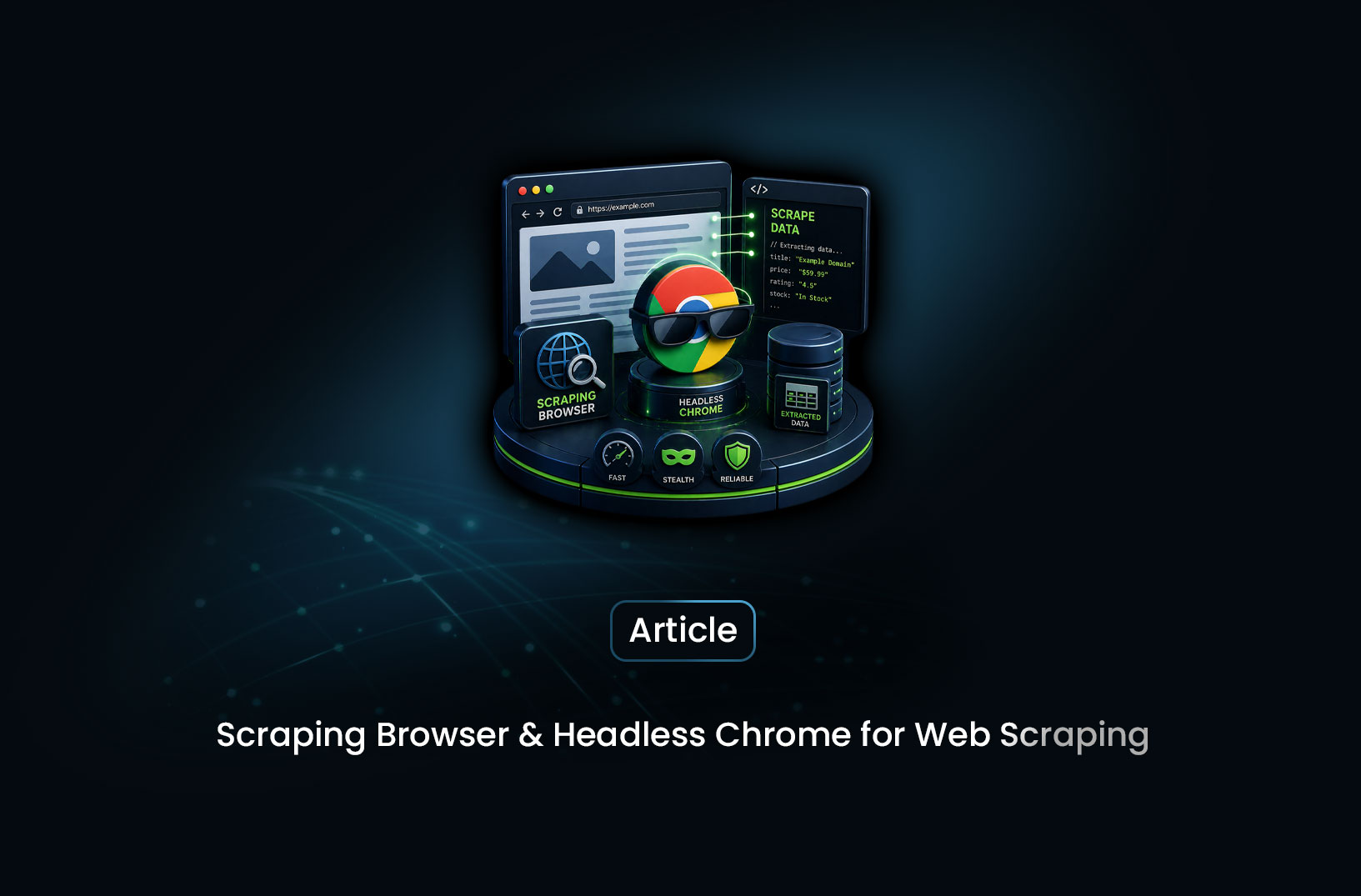
Scraping Browser vs Headless Chrome: Which Wins?
Web ScrapingA practical comparison of headless Chrome scraping and managed scraping browsers, explaining why tools like Playwright work well for simple use cases but struggle against modern anti-bot systems.
You've just sat down to build a web scraper. The target site loads fine in your browser, but your Python script keeps getting blocked. Someone tells you to use headless Chrome. You set it up, it works — for a while. Then you start hitting CAPTCHAs, bot detection walls, and inconsistent results at scale. You start wondering: is there something better than just running Chrome in headless mode?
Short answer: yes. A scraping browser is purpose-built to solve exactly the problems that headless Chrome creates. Headless Chrome is a general-purpose tool you're repurposing for scraping. A scraping browser is infrastructure designed from the ground up to handle anti-bot systems, proxy rotation, CAPTCHA solving, and browser fingerprinting — so your scraper actually works in production, not just on localhost.
Let's break down exactly what each approach offers, where they fall short, and which one you should choose.
What is Headless Chrome?
Headless Chrome is Google Chrome running without a visible UI. You control it programmatically — clicking buttons, filling forms, navigating pages — using tools like Puppeteer (Node.js) or Playwright (Python/Node.js/Java). It renders JavaScript exactly like a real browser would, which is why it became the go-to choice for scraping JavaScript-heavy sites.
Here's a basic Puppeteer example:
const puppeteer = require("puppeteer");

async function scrape() {
  const browser = await puppeteer.launch({ headless: true });
  const page = await browser.newPage();

  await page.goto("https://example.com/products");

  // Wait for the product list to render
  await page.waitForSelector(".product-card");

  // Extract product names
  const products = await page.$$eval(".product-card h2", els =>
    els.map(el => el.textContent.trim())
  );

  console.log(products);
  await browser.close();
}

scrape();
This works beautifully on sites that don't fight back. The problem is: most production scraping targets do fight back.
As the Puppeteer team notes in their documentation, headless mode has historically been easier to detect than a real browser because of subtle differences in browser APIs, timing behavior, and HTTP headers. Websites using tools like Cloudflare, PerimeterX, or DataDome are very good at spotting headless Chrome — and blocking it.
What is a Scraping Browser?
A scraping browser is a managed, cloud-hosted browser infrastructure specifically engineered to look and behave like a real human-controlled browser — while also handling all the operational complexity that comes with large-scale scraping.
Think of it as headless Chrome that's been professionally disguised, given a rotating wardrobe of residential IP addresses, taught to solve CAPTCHAs, and deployed on a fleet of cloud servers so you never have to manage a single machine.
MrScraper's Scraping Browser is a prime example. Under the hood it's a full browser engine — rendering JavaScript, executing page interactions, handling cookies and sessions — but layered on top is:
- Automatic proxy rotation through residential and datacenter IP pools
- CAPTCHA solving handled transparently, without breaking your pipeline
- Browser fingerprint randomization — canvas fingerprints, WebGL signatures, User-Agent strings — all rotated to avoid pattern detection
- Anti-bot bypass for Cloudflare, Akamai, DataDome, and similar services
- Cloud infrastructure — no local browser processes consuming your machine's RAM
The key insight: it's not just a browser. It's a browser plus an operations team, packaged into an API.
Headless Chrome vs Scraping Browser: Head-to-Head
Here's where things get interesting. Let's compare them across the dimensions that actually matter for production scraping.
Bot Detection Resistance
This is the biggest differentiator. Headless Chrome, even with plugins like puppeteer-extra-stealth, leaks telltale signals that anti-bot systems look for:
navigator.webdriverflag set totrue- Missing or inconsistent browser plugins
- Unusual timing patterns in mouse movements and keystrokes
- Canvas and WebGL fingerprints that match known headless profiles
A scraping browser rotates all of these automatically. Each session can present a different, realistic browser fingerprint that matches a real device profile. Cloudflare's Bot Management, for example, uses hundreds of browser signals to score requests — a scraping browser is built to pass that scoring system.
Winner: Scraping Browser — by a wide margin for any site with serious anti-bot protection.
JavaScript Rendering
Both handle JavaScript rendering. This is actually one area where they're roughly equal — both run a full browser engine capable of executing React, Vue, Angular, and any other JS framework.
The practical difference is consistency. With headless Chrome on your local machine, you're at the mercy of your hardware, your Chrome version, and your network. With a cloud-hosted scraping browser, rendering is consistent across a managed fleet of machines.
Winner: Tie — both render JS fully, but scraping browsers offer more consistent environments at scale.
Setup and Maintenance
Headless Chrome requires you to:
- Install and manage Chrome/Chromium versions
- Handle browser crashes and memory leaks
- Set up and rotate proxies yourself
- Implement CAPTCHA solving via a third-party service
- Monitor and fix breakages when sites update their anti-bot rules
A scraping browser offloads all of that. You connect via a WebSocket endpoint and control it like a local browser — but all the infrastructure runs remotely. Here's what connecting to MrScraper's Scraping Browser looks like with Playwright:
from playwright.async_api import async_playwright
import asyncio

async def scrape():
    async with async_playwright() as p:
        # Connect to MrScraper's cloud scraping browser
        browser = await p.chromium.connect_over_cdp(
            "wss://browser.mrscraper.com?token=YOUR_API_TOKEN"
        )

        page = await browser.new_page()
        await page.goto("https://example.com/products")

        # Wait for dynamic content to load
        await page.wait_for_selector(".product-card")

        # Extract data — same API as local Playwright
        products = await page.eval_on_selector_all(
            ".product-card h2",
            "els => els.map(el => el.textContent.trim())"
        )

        print(products)
        await browser.close()

asyncio.run(scrape())
Here's what's happening: connect_over_cdp() connects your local Playwright script to MrScraper's remote browser over Chrome DevTools Protocol. From that point on, you write exactly the same Playwright code you already know — but the actual browser is running in MrScraper's cloud, with proxy rotation and fingerprinting handled automatically. Your local machine isn't launching a browser at all.
Winner: Scraping Browser — significantly lower maintenance burden, especially at scale.
Cost
Headless Chrome is free. Playwright and Puppeteer are open source. If you're running a small number of scrapes on non-protected sites, the cost of a scraping browser subscription may not be worth it.
But the math changes fast when you factor in the hidden costs of DIY headless Chrome at scale:
- Proxy costs (residential proxies can run $10–$15/GB)
- CAPTCHA solving service fees ($0.50–$2.00 per 1,000 solves)
- Engineering time to maintain anti-detection measures
- Server infrastructure to run browsers at scale
A managed scraping browser bundles all of that into one predictable bill. For teams scraping protected sites regularly, it's usually cheaper total-cost-of-ownership than building and maintaining the DIY equivalent.
Winner: Headless Chrome for zero-cost hobby projects. Scraping Browser for production workloads.
Scalability
Running headless Chrome at scale is painful. Each browser instance consumes significant RAM (often 200–400MB per instance). Managing a fleet of browser processes, handling crashes, and distributing load requires real infrastructure engineering.
A cloud scraping browser is designed to scale horizontally — you just make more concurrent connections to the endpoint. No server provisioning. No memory management. No crash monitoring.
Winner: Scraping Browser — hands down for anything beyond a handful of concurrent sessions.
When to Use Each One
Here's the honest decision guide:
Choose headless Chrome (Puppeteer/Playwright locally) when:
- You're scraping sites with no meaningful anti-bot protection
- You're building a prototype or personal project with low volume
- You need maximum control over browser internals (custom extensions, specific Chrome flags)
- Budget is the primary constraint
Choose a scraping browser when:
- Your target site uses Cloudflare, DataDome, PerimeterX, or similar anti-bot tools
- You're scraping at scale (hundreds or thousands of pages per day)
- You can't afford engineering time to maintain anti-detection logic
- You need consistent uptime without managing browser infrastructure yourself
- You're running a production pipeline where reliability matters
The thing is, most serious scraping projects eventually hit the wall where headless Chrome just stops working reliably. That's usually the inflection point where teams switch to a managed scraping browser. Doing it earlier saves a lot of debugging headaches.
Common Pitfalls to Avoid
Don't assume stealth plugins are enough. Tools like puppeteer-extra-stealth patch many detection vectors, but they're in a constant arms race with anti-bot vendors. Cloudflare and DataDome update their detection regularly. A scraping browser provider maintains that arms race on your behalf, so you're not debugging bot blocks every time a vendor updates their fingerprinting logic.
Don't skip waitForSelector — either approach. Jumping straight to data extraction before dynamic content has loaded is the single most common cause of empty or incomplete scraping results. Always wait for a reliable element that confirms the page content is ready.
Don't reuse browser sessions indefinitely. Both headless Chrome and scraping browsers benefit from fresh sessions for each target domain. Persistent sessions accumulate cookies and behavioral signals that can flag you over time. Rotate sessions regularly.
Don't ignore rate limiting. Even with a scraping browser bypassing IP-based blocks, hammering a server with hundreds of requests per second will trigger application-layer rate limits. Respect robots.txt crawl delay hints, and add deliberate pauses between requests.
Conclusion
Headless Chrome is a fantastic tool — it's what most scraping projects start with, and for good reason. It's free, well-documented, and powerful enough for many use cases.
But here's the catch: the moment you run into serious anti-bot protection, headless Chrome becomes a frustrating game of whack-a-mole. A scraping browser like MrScraper's solves that problem at the infrastructure level — so you spend your time extracting data, not debugging bot detection.
If you're just getting started, try Playwright with headless Chrome first. If you're hitting blocks, CAPTCHAs, or Cloudflare walls — or if you're scaling beyond a handful of pages — a scraping browser is the upgrade that makes your pipeline reliable.
What We Learned
- Headless Chrome is great for simple scraping, but its
navigator.webdriverflag, browser fingerprint, and timing patterns make it detectable by modern anti-bot systems like Cloudflare and DataDome - A scraping browser layers proxy rotation, CAPTCHA solving, and fingerprint randomization on top of a real browser engine — solving the detection problem at the infrastructure level rather than with patches
- The Playwright
connect_over_cdp()method lets you control a remote cloud scraping browser with exactly the same code you'd write for a local browser — zero learning curve if you already know Playwright - Cost math favors scraping browsers for production — proxy fees, CAPTCHA service costs, and engineering time make DIY headless Chrome expensive at scale even though the software itself is free
- Session hygiene matters for both approaches — rotate sessions per domain, always wait for selectors before extracting, and respect application-layer rate limits even when IP blocks aren't a concern
- The decision is mostly about scale and target site protection — headless Chrome for low-volume, unprotected sites; scraping browser for anything production-grade or protected
FAQ
Can I use Puppeteer or Playwright with a scraping browser? Yes — and that's the beauty of it. MrScraper's Scraping Browser exposes a Chrome DevTools Protocol (CDP) endpoint, which means you connect using the exact same Playwright or Puppeteer APIs you already know. You're just pointing them at a remote cloud browser instead of a local one. Zero rewriting required.
Is headless Chrome detectable even with stealth plugins? Yes, to varying degrees. Plugins like
puppeteer-extra-stealthpatch many obvious signals (thewebdriverflag, missing plugins list, etc.), but sophisticated anti-bot systems like Cloudflare's Bot Management use hundreds of signals. A dedicated scraping browser handles far more of these vectors than any stealth plugin can.Does a scraping browser handle CAPTCHAs automatically? Yes — this is one of the core value propositions. MrScraper's Scraping Browser solves CAPTCHAs transparently as part of the browsing session, without any extra integration on your end.
How is a scraping browser different from a proxy service? A proxy service only changes your IP address — the browser and scraping logic are still on your machine. A scraping browser is a complete remote browser infrastructure: it manages IPs, browser fingerprints, CAPTCHA solving, and rendering all in one. Much more comprehensive.
When does it make sense to stick with headless Chrome? If you're scraping public, unprotected sites at low volume (a few hundred pages a day or less), headless Chrome with Playwright is perfectly fine and free. The upgrade to a scraping browser makes sense when you hit anti-bot walls, need to scale, or want to stop maintaining the anti-detection layer yourself.
Summarize this post
Open it in your assistant of choice with the prompt ready to send.
Take a Taste of Easy Scraping!

Find more insights here

The Ultimate Web Crawlers List: 15 Tools for Every Data Need
Compare the best web crawlers for 2026. Learn the difference between open-source, managed APIs, and…
Web Scraping MCP Server: Giving AI Agents Direct Access to Live Web Data
Learn how a Web Scraping MCP Server gives AI agents live web access while reducing token costs by 87…
Scaling E-commerce Competitive Intelligence with Automated Data Harvesting
Scale e-commerce data harvesting with residential proxies and AI. Learn how modern data extraction s…