Residential vs Datacenter Proxy: Key Differences
ProxiesA concise overview of the differences between datacenter and residential proxies, explaining why residential networks are essential for bypassing modern anti-bot systems and how platforms like MrScraper simplify proxy management for reliable large-scale scraping.
Your scraper keeps getting blocked. You add proxies. It still gets blocked. You switch proxy providers. Still blocked. Then someone tells you to try residential proxies instead of datacenter proxies, and suddenly things start working. But why? What's actually different about where an IP address comes from?
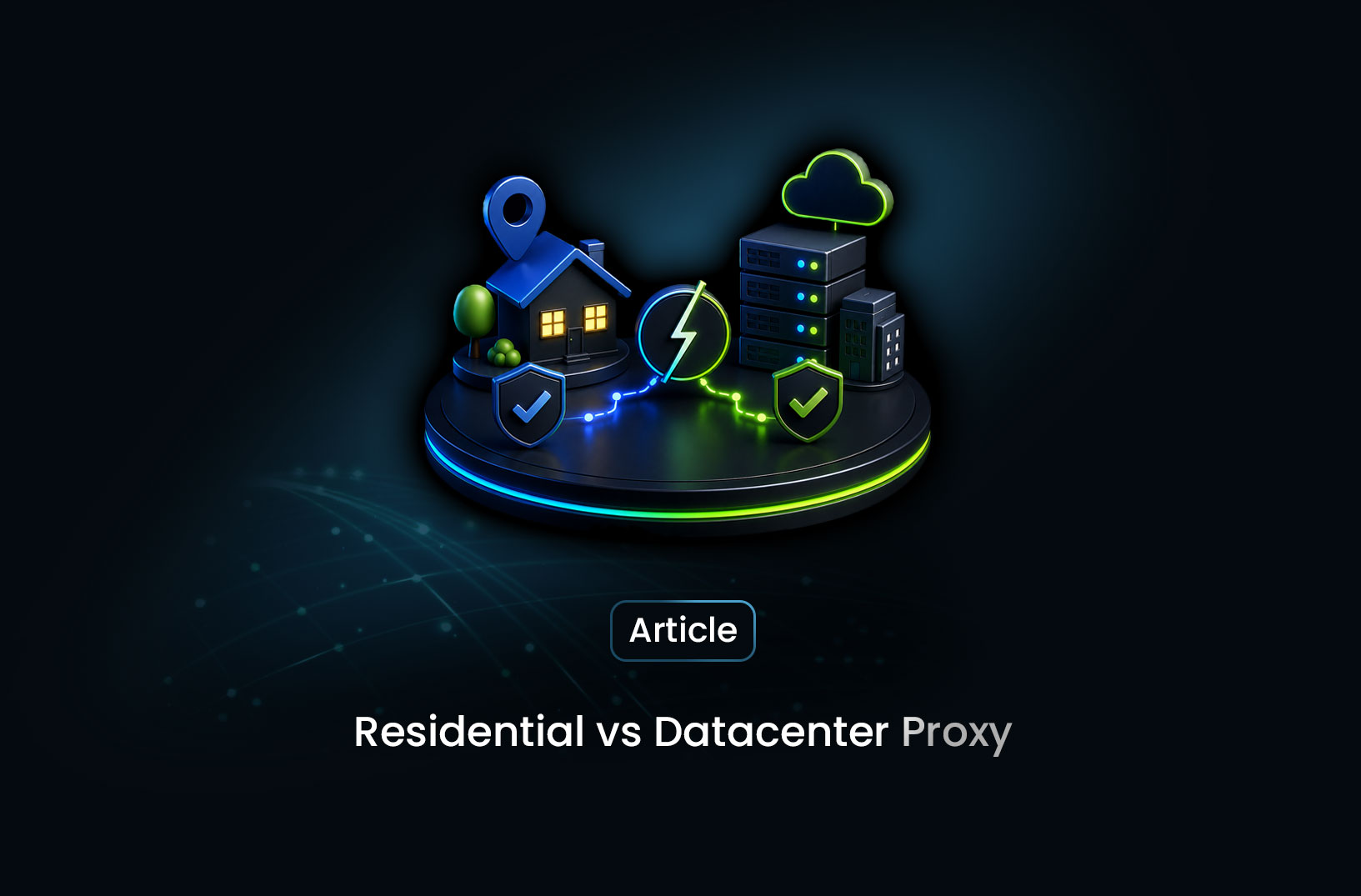
Here's the short version: a datacenter proxy routes your requests through a server in a data center — AWS, Google Cloud, DigitalOcean. A residential proxy routes them through a real device on a real home internet connection. To a website's bot detection system, those two things look completely different. Datacenter IPs are flagged constantly because scrapers and bots use them heavily. Residential IPs look like real users because, for the most part, they are.
The choice between them isn't just technical preference — it's the difference between a scraper that works and one that gets blocked before it collects a single record. Let's break it down properly.
What is a Proxy (and Why Scrapers Use Them)?
A proxy is a middleman server that sits between your scraper and the website you're trying to reach. Instead of your requests going directly from your machine to the target server — exposing your real IP address — they route through the proxy first, and the target site sees the proxy's IP instead of yours.
Scrapers use proxies for three main reasons:
IP rotation — Making hundreds of requests from the same IP is a classic bot signal. Rotating through many different IPs makes your traffic look like many different users instead of one automated process.
Geographic targeting — Some sites serve different content or prices based on your location. Proxies let you appear to be in a specific country or city.
Avoiding bans — When an IP gets flagged or banned, a proxy rotation gives you a fresh identity to continue from.
The catch: not all IP addresses are equal. And the origin of your IP — whether it comes from a data center or from a real home network — is one of the most significant signals websites use to detect and block bots.
What is a Datacenter Proxy?
A datacenter proxy routes your requests through a server hosted in a commercial data center — the same infrastructure that powers cloud computing. The IP addresses come from ASN (Autonomous System Number) ranges owned by companies like Amazon Web Services, Google Cloud Platform, DigitalOcean, Linode, or commercial proxy providers who own their own IP blocks.
Here's what makes them easy to identify: data center IP ranges are publicly documented and widely known. Services like IPinfo and MaxMind maintain databases that classify every IP address by its origin — and an IP from AS14618 (Amazon AWS) is immediately identifiable as a datacenter IP, not a home user's connection.
Anti-bot systems query these databases in real time. If your request comes from a known datacenter range, the system already knows it's not a real user before it evaluates anything else about your traffic.
Advantages of datacenter proxies:
- Fast — datacenter servers have high-bandwidth connections
- Cheap — often 10–50× cheaper than residential proxies per GB
- Available in large pools — easy to get thousands of IPs
- Consistent performance — low latency, predictable uptime
Limitations:
- Heavily flagged by bot detection systems
- IP ranges are publicly documented and easy to block en masse
- Amazon and Google Cloud ranges are on automatic block lists for many sites
- Ineffective against any serious anti-bot system (Cloudflare, DataDome, PerimeterX)
What is a Residential Proxy?
A residential proxy routes your requests through an IP address assigned by an Internet Service Provider (ISP) to a real household device — a home router, a mobile phone, a smart TV — on a real home internet connection. The IP address looks exactly like a regular consumer internet connection because, at the network level, it is one.
Residential proxy providers build their pools by partnering with apps and services that pay users (in app credits, bandwidth, or cash) to route traffic through their devices when idle. When your scraper makes a request through a residential proxy, it literally goes through someone's home internet connection before reaching the target server.
From a bot detection system's perspective:
- The IP is assigned by Comcast, AT&T, or a local ISP — indistinguishable from a regular user
- The ASN belongs to a consumer ISP, not a cloud provider
- The IP has a browsing history associated with it — it looks "aged" and legitimate
- Geographic targeting is precise — you can target a specific city or even ZIP code
Advantages of residential proxies:
- Pass ASN-based checks that instantly block datacenter IPs
- Dramatically lower block rates on protected sites
- Genuine geographic targeting at city and carrier level
- Much harder to block en masse without collateral damage to real users
Limitations:
- Significantly more expensive — typically $5–$15 per GB vs $0.50–$2 per GB for datacenter
- Slower — home internet connections have variable bandwidth and latency
- Pool quality varies by provider — some residential IP providers include flagged IPs
- Ethical considerations around how devices are recruited into the pool
Side-by-Side Comparison
| Feature | Datacenter Proxy | Residential Proxy |
|---|---|---|
| IP origin | Cloud provider / data center | Home ISP (Comcast, AT&T, etc.) |
| Bot detection resistance | Low — commonly flagged | High — looks like real users |
| Speed | Fast (low latency) | Variable (depends on home connection) |
| Cost per GB | $0.50–$2 | $5–$15 |
| Pool size | Very large (millions of IPs) | Large but varies by provider |
| Geographic targeting | Country/region level | Country, city, ZIP code, carrier |
| Best for | Low-protection sites at high volume | Protected sites, anti-bot bypass |
| Effectiveness against Cloudflare | Poor | Good (with full fingerprint stack) |
| Effectiveness against DataDome | Poor | Much better |
How Bot Detection Systems Evaluate Your IP
Understanding why residential proxies work requires knowing what detection systems actually check. It's not just "is this IP in a datacenter?" — it's a layered evaluation:
ASN classification — The first check. Is this IP registered to a consumer ISP or a cloud provider? Datacenter ASNs are instantly flagged. Residential ASNs pass.
IP reputation scoring — Tools like Scamalytics and IPQualityScore maintain fraud and abuse scores for individual IPs. Even residential IPs that have been used heavily for scraping accumulate bad scores over time. Good residential proxy providers maintain "fresh" IPs with clean reputations.
IP velocity — How many unique visitors has this IP produced recently? A residential IP that has made 10,000 requests in the past hour looks suspicious even if it's technically residential. Proper IP rotation distributes load across many IPs to keep velocity low per address.
Geolocation consistency — Does the IP's claimed location match the browser's timezone, language settings, and other geographic signals? A mismatch (residential IP in Texas, timezone set to Tokyo) raises a flag even if the IP itself is clean.
This last point is worth emphasizing: a residential proxy is one layer of a stack, not a complete solution. An IP from a real home in New York combined with a browser timezone set to Paris, a screen resolution no real device uses, and pixel-perfect robot behavior will still get flagged. The IP fixes the ASN problem; it doesn't fix the fingerprint problem or the behavioral problem.
When to Use Each Type
Use datacenter proxies when:
Your target has no meaningful bot protection — government data portals, public information directories, non-commercial sites that don't invest in anti-bot infrastructure. For these targets, datacenter proxies are fast, cheap, and perfectly adequate.
Also consider them for high-volume tasks on moderately protected sites where you can afford some failure rate. If 80% of requests succeed and your pipeline handles retries gracefully, the cost savings may outweigh the block rate.
import requests

# Simple datacenter proxy usage — works fine on unprotected targets
proxies = {
    "http": "http://username:password@datacenter-proxy.provider.com:8080",
    "https": "http://username:password@datacenter-proxy.provider.com:8080",
}

response = requests.get(
    "https://example-public-data.gov/listings",
    proxies=proxies,
    headers={"User-Agent": "Mozilla/5.0 (Windows NT 10.0; Win64; x64) AppleWebKit/537.36"},
    timeout=10
)

print(response.status_code)
print(response.text[:500])
Use residential proxies when:
Your target uses Cloudflare, DataDome, PerimeterX, or any modern anti-bot system. For e-commerce, social platforms, job boards, real estate sites, and financial data sources — anywhere the site has a business incentive to block scrapers — residential proxies are table stakes, not a premium option.
import requests

# Residential proxy with geolocation targeting
proxies = {
    "http": "http://username:password@residential-proxy.provider.com:8080",
    "https": "http://username:password@residential-proxy.provider.com:8080",
}

response = requests.get(
    "https://protected-ecommerce-site.com/products",
    proxies=proxies,
    headers={
        "User-Agent": "Mozilla/5.0 (Windows NT 10.0; Win64; x64) AppleWebKit/537.36 (KHTML, like Gecko) Chrome/124.0.0.0 Safari/537.36",
        "Accept-Language": "en-US,en;q=0.9",
        "Referer": "https://www.google.com/",
    },
    timeout=15
)

print(response.status_code)
Use a managed scraping browser (the cleanest option) when:
You don't want to manage proxy lists at all. MrScraper's Scraping Browser includes residential proxy rotation built into the infrastructure — you don't buy proxies, configure them, or rotate them manually. The proxy_country parameter in the SDK handles geo-targeting:
import asyncio
from mrscraper import MrScraperClient

async def scrape_with_managed_proxies():
    client = MrScraperClient(token="YOUR_MRSCRAPER_API_TOKEN")

    # Residential proxy rotation is automatic — no proxy management needed
    result = await client.create_scraper(
        url="https://protected-site.com/listings",
        message="Extract all listing titles, prices, and locations",
        agent="listing",
        proxy_country="US",  # Routes through US residential IPs automatically
    )

    print("Scraper started:", result["data"]["data"]["id"])

asyncio.run(scrape_with_managed_proxies())
No proxy provider account. No IP list. No rotation logic. MrScraper handles the residential proxy layer as part of its infrastructure — and pairs it with browser fingerprint randomization and CAPTCHA handling, solving the full bot detection problem rather than just the IP reputation piece.
Common Challenges and Limitations
Residential proxy quality varies wildly between providers. Not all residential IP pools are equal. Some providers include IPs that have been heavily scraped with, have bad reputation scores, or come from devices that haven't actually consented to be in the pool. Before committing to a residential proxy provider, test a sample of their IPs against your target sites and check reputation scores via IPQualityScore or Scamalytics.
Residential proxies don't guarantee bypass on their own. A residential IP with a headless Chrome fingerprint and robotic behavior will still get flagged by Cloudflare. The IP fixes one detection vector. You still need proper browser fingerprinting, session warming, and behavioral randomization on top of it — which is why a managed scraping browser that bundles all three is often more effective than residential proxies alone.
Cost scales with data volume. At $10/GB, pulling 100GB of data through residential proxies costs $1,000 just in proxy fees. For high-volume pipelines, the cost calculation matters. Start with the minimum residential proxy usage needed to achieve your target success rate, and test whether some requests can succeed with cheaper datacenter IPs before routing everything through residential.
Mobile proxies are a tier above residential. For the most aggressively protected targets, mobile proxies — IPs from mobile carrier networks (4G/5G) — have even cleaner reputation scores than residential broadband. They're more expensive ($20–$30/GB) but effective on targets that have learned to flag even residential IP pools. Worth knowing about for edge cases.
Conclusion
The difference between a datacenter proxy and a residential proxy isn't technical abstraction — it's the difference between a blocked scraper and a working one on any site that takes bot protection seriously. Datacenter proxies are cheap and fast but instantly identifiable. Residential proxies are more expensive but look like real users because, at the network level, they come from real users' devices.
The decision tree is simple: if your target site has no meaningful anti-bot protection, datacenter proxies work fine and cost a fraction of residential. If your target uses Cloudflare, DataDome, PerimeterX, or any modern bot detection — residential proxies are required, not optional. And if you don't want to manage proxy infrastructure at all, tools like MrScraper bundle residential proxy rotation into the service so you don't have to think about it.
Fix the IP first. Then fix the fingerprint. Then fix the behavior. In that order.
What We Learned
- Datacenter proxies come from cloud provider IP ranges (AWS, GCP, DigitalOcean) that are publicly documented and automatically flagged by bot detection systems — they're cheap and fast, but immediately identifiable
- Residential proxies route through real home ISP connections — Comcast, AT&T, local carriers — making them indistinguishable from real users at the ASN and IP reputation level
- Bot detection evaluates multiple IP signals simultaneously: ASN classification, IP reputation score, velocity, and geolocation consistency — all of which a residential proxy addresses better than a datacenter one
- Residential proxies are one layer, not a complete solution — pairing a residential IP with a headless browser fingerprint and robotic behavior will still get flagged; the IP fixes the ASN problem, not the fingerprint or behavioral problems
- Datacenter proxies are the right choice for unprotected targets — government data portals, public directories, non-commercial sites — where speed and cost matter more than anti-bot bypass
- Managed scraping browsers like MrScraper bundle residential proxy rotation with fingerprinting and CAPTCHA handling — solving the full bot detection stack rather than just the IP layer, with no proxy provider account or rotation logic to maintain yourself
FAQ
- Can I use free proxy lists instead of paying for residential proxies? Free proxy lists are almost entirely useless for production scraping. The IPs are shared across thousands of users, are heavily flagged, go offline frequently, and are nearly all datacenter IPs. Using them against any protected site will result in near-100% block rates. The bandwidth savings are not worth the reliability loss.
- How many requests can I make per residential IP before rotating? It depends on the site's rate limiting, but a general guideline is 5–20 requests per IP session for most protected sites. Some targets allow more, some allow far less. Rotate on every request if you're hitting aggressive blocking, or after a fixed request count if the site is more lenient. Most residential proxy providers offer "sticky" sessions (same IP for a period) or "rotating" sessions (new IP per request) — use rotating for most scraping use cases.
- Is there a way to check if an IP will be blocked before using it? Yes — services like IPQualityScore and Scamalytics score IPs for fraud, proxy usage, and bot association. Run a sample of your proxy pool through these services before using them at scale. Most good residential proxy providers pre-screen their pools, but it's worth verifying for any new provider.
- What's the difference between rotating and sticky residential proxies? Rotating proxies assign a new IP for each request (or each connection). Sticky proxies maintain the same IP for a configurable duration — typically 1 to 60 minutes. For scraping, rotating is usually better for avoiding velocity flags. Sticky sessions are useful when you need to maintain a logged-in session or complete a multi-step workflow that requires session continuity.
- Do I need residential proxies if I'm using MrScraper?
No — residential proxy rotation is built into MrScraper's infrastructure. When you set
proxy_country="US"in the SDK, you're automatically routing through US residential IPs. There's no separate proxy provider account to set up, no IP list to manage, and no rotation logic to write. The residential proxy layer is just part of how MrScraper works.
Summarize this post
Open it in your assistant of choice with the prompt ready to send.
Take a Taste of Easy Scraping!

Find more insights here

Score Company Websites Against Your ICP with Jev
Create a company scoring workflow using public website evidence, an explicit ICP rubric, Jev decisio…
Classify Web Data with Jev and MrScraper: A Python Tutorial
Build a Python workflow that extracts web records with MrScraper, classifies them with Jev, validate…

What Is Jev? A Practical Guide for Web Data Teams
Learn what Jev does, how Choice, Score and Noul work, and where structured web data fits into classi…