


Proxy Authentication Error 2606: How to Fix It in 2026
ArticleA concise overview of fixing Proxy Authentication Error 2606 by troubleshooting credentials, tokens, and network configuration issues, while highlighting how MrScraper simplifies proxy authentication and rotation for scraping workflows.
Your scraper was running perfectly. Then it stopped. You check the logs and there it is: Proxy Authentication Error 2606. No helpful context. Just a rejection and a halted pipeline.
Here's what's actually happening: your proxy server rejected your connection request because something in the authentication chain broke. Wrong credentials, expired token, misconfigured settings, or the proxy provider changed something on their end. The 2606 code itself is a generic authentication failure — the specific cause depends on your setup. But the fix is almost always one of five things, and we're going to walk through all of them.
The direct answer: Proxy Authentication Error 2606 means your proxy server can't verify your identity. Fix it by checking your credentials first, regenerating expired tokens second, verifying your proxy configuration third, and resetting your network settings if all else fails. For scraping pipelines specifically, switching to a managed scraping infrastructure eliminates this entire class of error permanently.
Let's fix it.
What is Proxy Authentication Error 2606?
Proxy Authentication Error 2606 is thrown when a proxy server receives your connection request but fails to authenticate it. In plain terms: the proxy knows you're trying to connect, but it can't verify that you're allowed to.
The error appears in two main contexts:
In web scraping pipelines — when your scraper, Playwright script, or API call tries to route through a proxy server and the authentication credentials are rejected, expired, or incorrectly formatted. This is the primary context for MrScraper users.
In Microsoft applications (OneDrive, Outlook, Teams) — when these apps try to connect through a corporate or network proxy and the authentication chain between the app and the proxy breaks. The error message reads: "Please check your proxy configuration and try again [2606]."
Both contexts share the same root causes — bad credentials, expired tokens, misconfigured settings — and most fixes apply to both.
What Causes Proxy Authentication Error 2606?
Before jumping to fixes, identify which cause applies to your situation. The most common culprits:
Incorrect credentials — The username, password, or API key you're passing to the proxy doesn't match what the provider has on record. This is the most common cause, especially after a password change or account update.
Expired authentication token — Many proxy providers use time-sensitive tokens alongside credentials. If your token has expired, every connection attempt fails with an authentication error until you regenerate it.
Wrong proxy format in your code — The proxy URL isn't constructed correctly. Missing the protocol prefix (http://), wrong port, missing username parameter for geo-targeted sessions — any formatting error causes authentication to fail even with correct credentials.
Corporate network or VPN conflict — A VPN or corporate firewall is intercepting your proxy requests and blocking or mangling the authentication headers before they reach the proxy server.
Corrupted Windows network settings — For Microsoft app errors specifically, stale Internet Explorer LAN settings (which Windows still consults even on modern systems) or corrupted IP stack settings can cause proxy authentication failures even when your credentials are correct.
IP or account suspension — Some proxy providers suspend accounts or flag specific IPs after unusual usage patterns. Your credentials are technically correct, but the account is restricted.
Step-by-Step Fix Guide
Fix 1: Verify Your Proxy Credentials
Start here. Always. Check your proxy credentials before assuming anything more complex is wrong.
Log into your proxy provider's dashboard and confirm:
- Your username hasn't changed (some providers use email, some use a generated username)
- Your password is current — especially if you've changed it recently
- Your API key or authentication token is still active and hasn't been rotated
Then verify the format in your code matches exactly what the provider expects:
import requests
# Common proxy URL formats — check which one your provider uses
# Format 1: username:password
proxies = {
"http": "http://your_username:your_password@proxy.provider.com:8080",
"https": "http://your_username:your_password@proxy.provider.com:8080",
}
# Format 2: API key as password (some providers use this)
proxies = {
"http": "http://your_username:YOUR_API_KEY@proxy.provider.com:8080",
"https": "http://your_username:YOUR_API_KEY@proxy.provider.com:8080",
}
# Format 3: With geo-targeting session parameters
proxies = {
"http": "http://your_username-country-US:your_password@proxy.provider.com:8080",
"https": "http://your_username-country-US:your_password@proxy.provider.com:8080",
}
# Test with a simple request
try:
response = requests.get(
"https://httpbin.org/ip", # Returns the IP your request came from
proxies=proxies,
timeout=15,
)
print(f"Status: {response.status_code}")
print(f"Your proxy IP: {response.json()['origin']}")
except requests.exceptions.ProxyError as e:
print(f"Proxy authentication failed: {e}")
The httpbin.org/ip test is your fastest diagnostic. If it returns your proxy IP, your credentials work. If it throws a ProxyError, the credentials or format are wrong.
Quick checklist:
- No trailing spaces in username or password (copy-paste errors are common)
- Special characters in passwords are URL-encoded (
@becomes%40,#becomes%23) - Port number matches what your provider specifies (8080, 3128, 10000 — varies by provider)
Fix 2: Regenerate Your Authentication Token
If your provider uses time-sensitive tokens alongside credentials, an expired token causes 2606 errors even when your username and password are correct.
# Example: Checking if your token is the issue by testing with a fresh one
# This pattern varies significantly by provider — check your docs
import requests
# Step 1: Generate a new token from your provider's API
def refresh_proxy_token(api_key: str) -> str:
"""
Most providers offer a token refresh endpoint.
Replace this URL and params with your provider's actual API.
"""
response = requests.post(
"https://api.your-proxy-provider.com/v1/token/refresh",
headers={"X-API-Key": api_key},
timeout=10,
)
if response.status_code == 200:
return response.json()["token"]
raise Exception(f"Token refresh failed: {response.status_code}")
# Step 2: Use the fresh token in your proxy configuration
fresh_token = refresh_proxy_token("YOUR_PROVIDER_API_KEY")
proxies = {
"http": f"http://your_username:{fresh_token}@proxy.provider.com:8080",
"https": f"http://your_username:{fresh_token}@proxy.provider.com:8080",
}
response = requests.get("https://httpbin.org/ip", proxies=proxies, timeout=15)
print(f"Status: {response.status_code}")
If generating a fresh token fixes the error, add automatic token refresh to your pipeline so it doesn't break mid-run:
import time
import requests
from dataclasses import dataclass
@dataclass
class ProxyTokenManager:
api_key: str
token_ttl_seconds: int = 3600 # Adjust to match your provider's token lifetime
def __post_init__(self):
self.token = None
self.token_expiry = 0
def get_valid_token(self) -> str:
"""Return a valid token, refreshing if expired or close to expiry."""
buffer_seconds = 60 # Refresh 60 seconds before actual expiry
if not self.token or time.time() > (self.token_expiry - buffer_seconds):
self.token = self._refresh_token()
self.token_expiry = time.time() + self.token_ttl_seconds
return self.token
def _refresh_token(self) -> str:
"""Call your provider's token refresh endpoint."""
response = requests.post(
"https://api.your-proxy-provider.com/v1/token/refresh",
headers={"X-API-Key": self.api_key},
timeout=10,
)
response.raise_for_status()
return response.json()["token"]
def get_proxy_config(self, username: str, host: str, port: int) -> dict:
token = self.get_valid_token()
proxy_url = f"http://{username}:{token}@{host}:{port}"
return {"http": proxy_url, "https": proxy_url}
# Usage
token_manager = ProxyTokenManager(api_key="YOUR_API_KEY", token_ttl_seconds=3600)
def scrape_with_fresh_token(url: str):
proxies = token_manager.get_proxy_config(
username="your_username",
host="proxy.provider.com",
port=8080,
)
return requests.get(url, proxies=proxies, timeout=15)
The 60-second buffer before actual expiry prevents race conditions where your token expires mid-request.
Fix 3: Correct Your Proxy Configuration
If credentials and tokens check out, the issue is likely your proxy configuration format. Different tools configure proxies differently:
Python Requests:
import requests
proxies = {
"http": "http://username:password@host:port",
"https": "http://username:password@host:port", # Note: still http:// not https://
}
response = requests.get(url, proxies=proxies, timeout=15)
Playwright (Python):
from playwright.async_api import async_playwright
import asyncio
async def scrape_with_proxy():
async with async_playwright() as p:
browser = await p.chromium.launch(
headless=True,
proxy={
"server": "http://host:port", # Server format: no credentials here
"username": "your_username", # Credentials separate
"password": "your_password",
}
)
page = await browser.new_page()
await page.goto("https://httpbin.org/ip")
print(await page.content())
await browser.close()
asyncio.run(scrape_with_proxy())
Playwright (Node.js):
const { chromium } = require("playwright");
(async () => {
const browser = await chromium.launch({
headless: true,
proxy: {
server: "http://host:port",
username: "your_username",
password: "your_password",
},
});
const page = await browser.newPage();
await page.goto("https://httpbin.org/ip");
console.log(await page.content());
await browser.close();
})();
Scrapy:
# In settings.py
DOWNLOADER_MIDDLEWARES = {
"scrapy.downloadermiddlewares.httpproxy.HttpProxyMiddleware": 110,
}
# Set via environment variable or in your spider
import os
os.environ["http_proxy"] = "http://username:password@host:port"
os.environ["https_proxy"] = "http://username:password@host:port"
The most common configuration mistake: putting credentials inside the server field for Playwright, or forgetting that https proxy URLs still use http:// as the scheme prefix in requests.
Fix 4: Reset Windows Network Settings (For Microsoft App Errors)
If you're seeing Proxy Authentication Error 2606 in OneDrive, Outlook, or Teams — not in a scraping script — the cause is usually stale Internet Explorer LAN settings or a corrupted IP stack. Windows still uses these settings for Microsoft app authentication, even if you never use Internet Explorer.
Reset Internet Explorer settings (most effective first step):
Press Win + R, type the following, and press Enter:
RunDll32.exe InetCpl.cpl,ResetIEtoDefaults
Confirm the reset and restart your PC. This clears the proxy LAN settings that Microsoft apps rely on for authentication and resolves the majority of 2606 errors in OneDrive and Outlook.
Reset your IP stack and DNS cache (if the above doesn't work):
Open Command Prompt as Administrator and run these commands one at a time:
netsh int ip reset
netsh winsock reset
ipconfig /flushdns
Restart your PC after running all three.
Disable VPN and proxy settings:
Go to Settings → Network & Internet → Proxy and confirm that "Use a proxy server" is toggled off. If you're on a VPN, disconnect it and test OneDrive again. Corporate VPNs often route Microsoft authentication traffic through proxy configurations that conflict with OneDrive's sync process.
Reconnect your Work or School account:
Go to Settings → Accounts → Access work or school. Click on your account and select Disconnect. Wait 30 seconds, then reconnect. If your account's policy configuration got stuck during initial setup, this forces a clean re-authentication.
Fix 5: Use MrScraper to Eliminate Proxy Authentication Errors Entirely
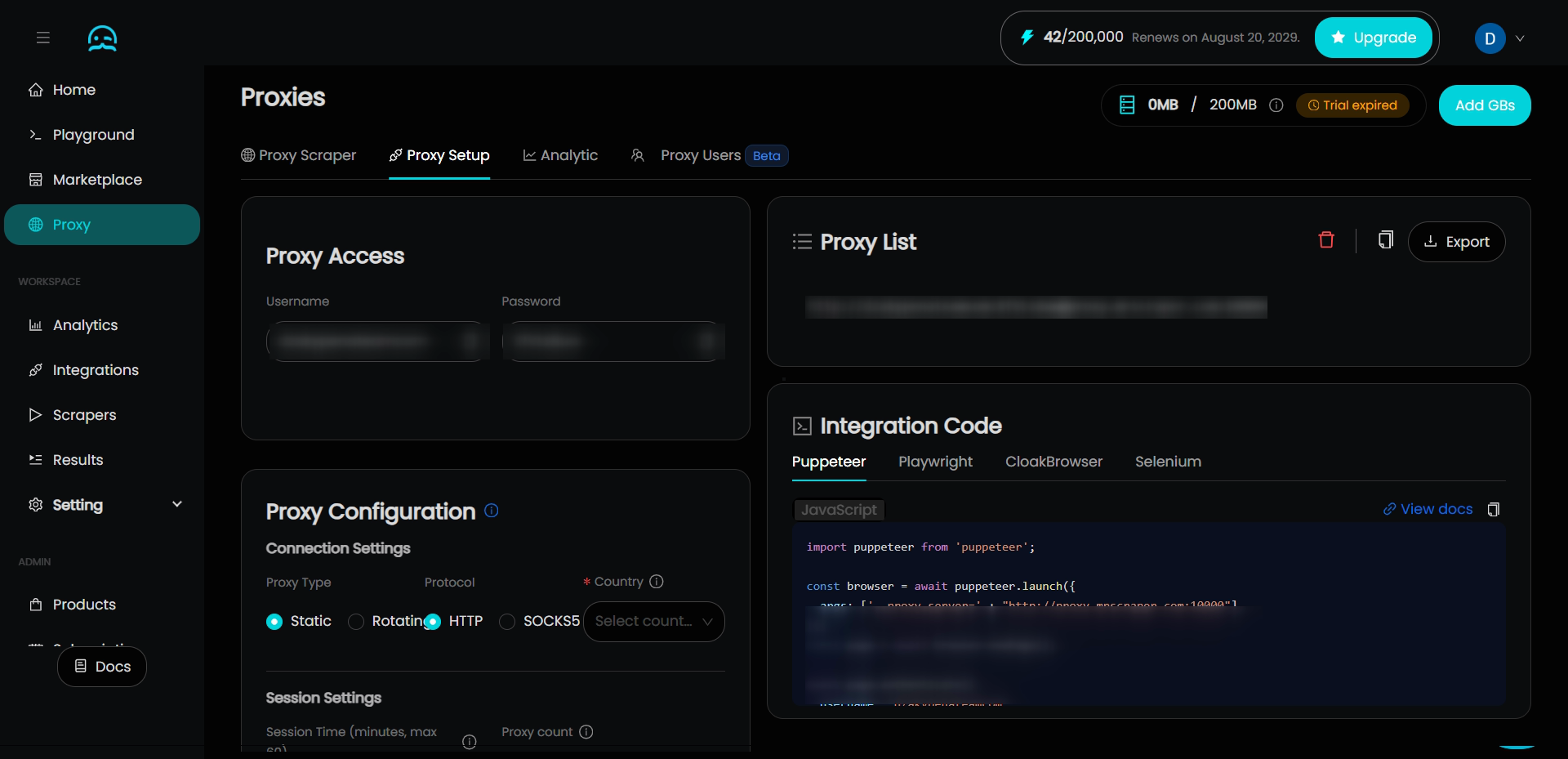
If you're hitting Proxy Authentication Error 2606 in a scraping pipeline — and you'd rather not debug proxy credential management, token expiry, and configuration syntax — MrScraper's infrastructure handles all of this for you.
Instead of managing proxy credentials in your code, you authenticate once with your MrScraper API token. The residential proxy rotation, session management, and authentication with the underlying proxy infrastructure are all handled at the service level. You never see a 2606 error because you're not managing the proxy layer yourself.
import asyncio
from mrscraper import MrScraperClient
async def scrape_without_proxy_errors():
# One authentication token — no proxy credentials to manage or expire
client = MrScraperClient(token="YOUR_MRSCRAPER_API_TOKEN")
result = await client.create_scraper(
url="https://example.com/products",
message="Extract all product names, prices, and ratings",
agent="listing",
proxy_country="US",
)
print("Scraper running. ID:", result["data"]["data"]["id"])
asyncio.run(scrape_without_proxy_errors())
Or connect your existing Playwright scraper to MrScraper's cloud browser — no proxy configuration in your code at all:
from playwright.async_api import async_playwright
import asyncio
async def scrape_via_mrscraper(url: str):
async with async_playwright() as p:
# Authentication is your MrScraper token — no proxy credentials
browser = await p.chromium.connect_over_cdp(
"wss://browser.mrscraper.com?token=YOUR_API_TOKEN"
)
page = await browser.new_page()
await page.goto(url, wait_until="domcontentloaded")
await page.wait_for_selector(".product-card", timeout=15000)
data = await page.eval_on_selector_all(
".product-card",
"els => els.map(el => el.textContent.trim())"
)
await browser.close()
return data
asyncio.run(scrape_via_mrscraper("https://protected-site.com/products"))
No ProxyError. No token expiry. No credential formatting issues. The authentication between your code and MrScraper's infrastructure is handled by your API token — everything below that is managed by the service.
Common Challenges and Additional Causes
Special characters in passwords breaking URL encoding. If your proxy password contains @, #, %, or &, these must be URL-encoded in the proxy URL string. @ becomes %40, # becomes %23, % becomes %25, & becomes %26. Alternatively, pass credentials separately (as Playwright's username and password fields do) to avoid encoding issues entirely.
Account suspension for unusual usage. If your proxy provider has usage limits or detects patterns that violate their terms, they may suspend your account while keeping your credentials technically valid. You'll get authentication errors even with correct credentials. Check your provider's dashboard for account status alerts.
NTLM proxy authentication (corporate environments). Some corporate proxies require NTLM authentication, which standard requests doesn't support natively. Add the requests-ntlm package:
from requests_ntlm import HttpNtlmAuth
import requests
response = requests.get(
"https://example.com",
auth=HttpNtlmAuth("DOMAIN\\username", "password"),
proxies={"https": "http://corporate-proxy.company.com:8080"},
timeout=15,
)
SSL inspection conflicts. Corporate proxies sometimes perform SSL inspection (MITM) that breaks HTTPS authentication. If you're on a corporate network and getting certificate errors alongside 2606, your IT team needs to configure proxy bypass rules for your scraping tool's outbound connections.
Rate limiting masquerading as authentication errors. Some proxy providers return authentication-style errors when you've hit rate limits rather than returning 429. If Fix 1 and Fix 2 both check out but the error persists, contact your provider to check whether your account has hit usage caps.
Conclusion
Proxy Authentication Error 2606 sounds alarming but the fix is almost always mechanical: wrong credentials, expired token, bad URL format, or stale Windows network settings. Work through the fixes in order — credentials first, token second, configuration third, network reset fourth.
For scraping pipelines specifically, the root cause is usually one of the first three. For Microsoft app errors (OneDrive, Outlook, Teams), the RunDll32.exe InetCpl.cpl,ResetIEtoDefaults reset fixes the majority of cases immediately.
And if you're tired of managing proxy credentials, token refresh logic, and configuration syntax in your scraping code — MrScraper's infrastructure handles the entire proxy authentication layer for you. One API token, no 2606 errors, and residential proxy rotation included.
What We Learned
- Proxy Authentication Error 2606 is a generic authentication rejection — the proxy server received your request but couldn't verify your identity due to bad credentials, an expired token, or misconfigured settings
- Always verify credentials first — test with
https://httpbin.org/ipto confirm your proxy URL format and credentials are correct before investigating anything else - Special characters in proxy passwords must be URL-encoded —
@becomes%40,#becomes%23; or pass credentials in separateusername/passwordfields (as Playwright supports) to avoid encoding issues entirely - For Microsoft app errors (OneDrive, Outlook, Teams), running
RunDll32.exe InetCpl.cpl,ResetIEtoDefaultsand the threenetsh/ipconfigreset commands resolves the majority of cases by clearing stale IE LAN settings and corrupted network configurations - Token expiry is a silent killer in long-running pipelines — build a
ProxyTokenManagerwith a 60-second refresh buffer before actual expiry to prevent mid-run authentication failures - MrScraper's infrastructure eliminates the entire proxy authentication layer from your code — one API token replaces credential management, token rotation, and proxy URL configuration, making 2606 errors impossible in your scraping pipeline
FAQ
-
Why do I get Error 2606 in OneDrive even though I'm not using a proxy? Windows still reads Internet Explorer's LAN settings for authentication decisions in Microsoft apps — even if you've never opened Internet Explorer and don't consciously use a proxy. Stale or corrupted IE settings can trigger 2606 even on a direct internet connection. Running
RunDll32.exe InetCpl.cpl,ResetIEtoDefaultsclears these hidden settings and resolves the error in most cases. -
My credentials are definitely correct but I'm still getting 2606. What next? Check three things: (1) your authentication token expiry — even with correct credentials, an expired token causes rejection; (2) your account status on the provider dashboard — some providers suspend accounts and return authentication errors rather than explicit suspension notices; (3) URL encoding of special characters in your password — a
@in your password that isn't encoded as%40breaks the URL parsing silently. -
Does Error 2606 mean my IP is banned? Not necessarily — 2606 is an authentication error, not an IP ban. IP bans typically return 403 or 407 (Proxy Authentication Required) without the 2606 code. If authentication errors started suddenly with previously working credentials, check whether your provider has suspended your account rather than assuming an IP ban.
-
Can I catch and handle Error 2606 in my scraping code automatically? Yes — catch
requests.exceptions.ProxyErrorand trigger your credential refresh and rotation logic:import requests def scrape_with_error_handling(url, proxies, max_retries=3): for attempt in range(max_retries): try: return requests.get(url, proxies=proxies, timeout=15) except requests.exceptions.ProxyError as e: if "407" in str(e) or "2606" in str(e): print(f"Proxy authentication failed on attempt {attempt + 1} — check credentials") # Trigger credential refresh here if attempt == max_retries - 1: raise return None -
How do I fix Error 2606 in Outlook specifically? For Outlook, the fix sequence is: (1) reset IE settings with
RunDll32.exe InetCpl.cpl,ResetIEtoDefaults; (2) open Credential Manager (Control Panel → Credential Manager → Windows Credentials) and remove any stored Microsoft or MicrosoftOffice credentials; (3) restart Outlook and sign in fresh. Outlook caches authentication tokens in Credential Manager, and stale cached credentials cause persistent 2606 errors even after a password change.
Find more insights here
Web Scraping API Output Formats Explained: JSON, CSV, and Google Sheets
Not sure which scraping API output format to use? This guide explains JSON, CSV, and Google Sheets o...
How to Scrape the Web From the Cloud With Zero Local Setup
Learn how cloud web scraping works, the best tools available in 2026, and how to launch scalable scr...
How to Test If Your Residential Proxy Is Working (Step-by-Step Guide)
Learn how to verify your residential proxy is actually working — check if the IP changed, confirm it...