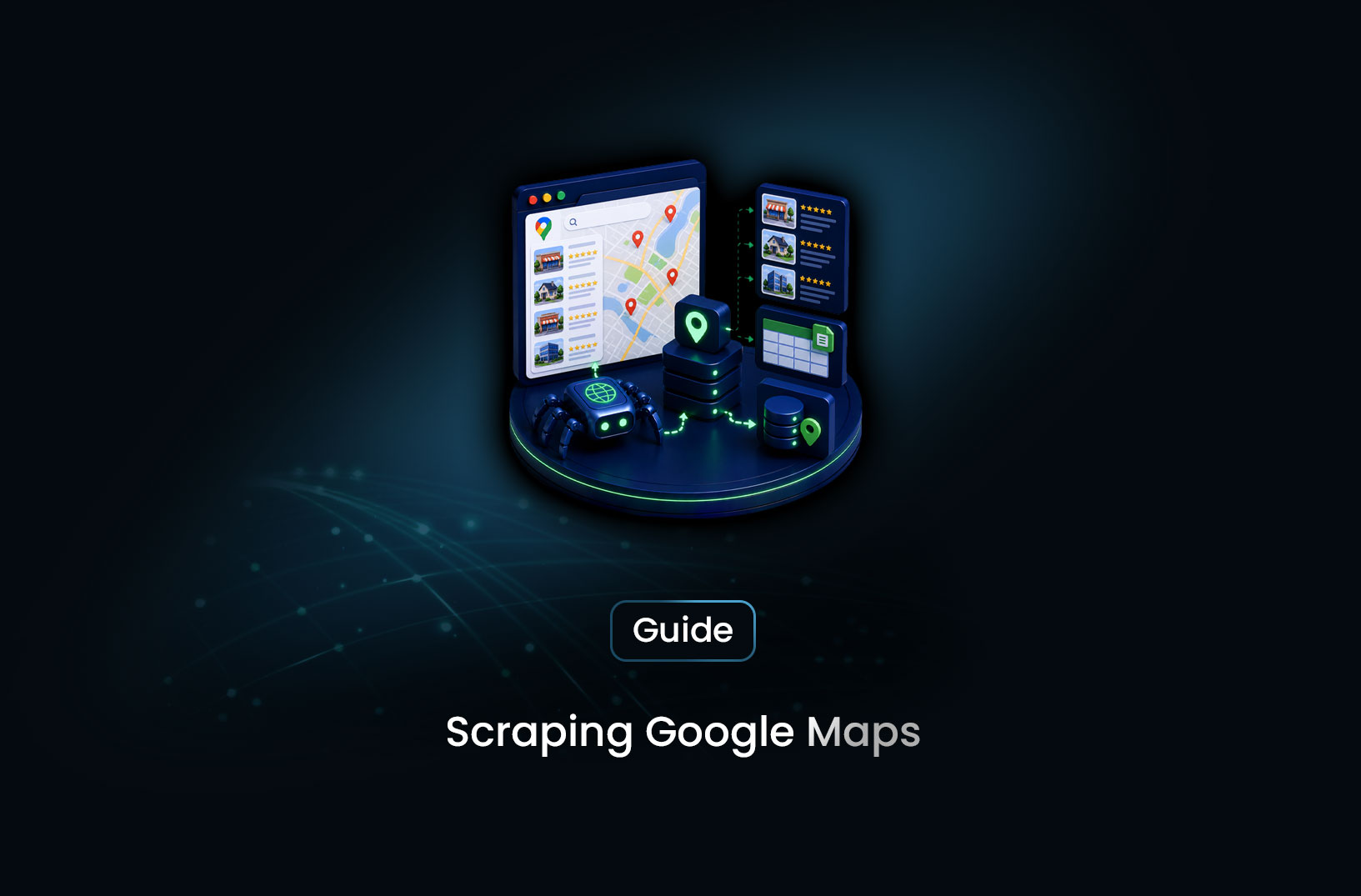
Scrape Google Maps Business Data With Automation
Web ScrapingLearn how to scrape Google Maps business data using browser automation — listings, NAP, hours, ratings, and the official API alternative to scraping.
Local business intelligence is hiding in plain sight on Google Maps — thousands of business listings for any city, category, or search query, each one carrying a name, address, phone number, rating, hours, and website URL. The challenge is that Google Maps is one of the most JavaScript-heavy, bot-aware pages on the web, and it actively resists the kind of automated access that pulls this data at scale.
Scraping Google Maps business data with browser automation means using a real browser environment — Playwright or a managed browser API — to replicate what a human user does when they search Google Maps, scroll through results, and open individual listings. Rather than a simple HTTP request, your scraper navigates a full interactive page, waits for results to load, scrolls to trigger additional listings, and extracts the structured business data the page renders. This guide covers the complete technical approach: how Google Maps delivers its data, how to build a pipeline that handles it, what tools are best suited to the job, and the compliance considerations that should inform your architecture decisions.
Table of Contents
- What Is Google Maps Business Data Scraping?
- How Google Maps Delivers and Protects Its Data
- Step-by-Step Guide: Scraping Google Maps With Playwright
- Best Tools for Google Maps Data Collection
- Free vs. Paid: What Each Approach Actually Costs
- Key Features Your Google Maps Scraping Stack Needs
- When Should You Scrape Google Maps vs. Use the Official API?
- Common Challenges and Limitations
- Conclusion
- What We Learned
- FAQ
What Is Google Maps Business Data Scraping?
Google Maps business data scraping is the automated extraction of publicly visible local business information — names, addresses, phone numbers, categories, ratings, hours, and website URLs — from Google Maps search results and individual listing pages using browser automation tools.
The data itself is straightforward: Google Maps aggregates and publicly displays structured business profiles for commercial listings. Any user who types "coffee shops in Austin" sees the same business names, star ratings, addresses, and review counts that a scraper would extract. What scraping enables is doing this systematically across many search queries, categories, and geographies — building a local business database, monitoring a market, or conducting competitive research at a scale and freshness that manual research can't match.
Common use cases for this data include local SEO competitive analysis (tracking how competitors' ratings and review counts change over time), market research for business expansion decisions (understanding the density and quality of businesses in a potential market), lead generation for local service businesses, and building local business directories or data products.
According to Google's documentation on the Places API, Google provides an official programmatic interface to this same business data — a critical point to weigh before building custom scraping infrastructure, which we'll address directly in the tools and when-to-use sections.
How Google Maps Delivers and Protects Its Data
Google Maps is a fully client-side rendered React application. When you navigate to maps.google.com and search for businesses, the initial HTML response contains essentially no business data — it's an application shell. The actual business listings, ratings, addresses, and hours are fetched from Google's internal APIs as you interact with the page: searching, scrolling, clicking individual listings.
This means plain HTTP requests to Google Maps return nothing useful. A browser that can execute JavaScript — including all the async data-fetching the Maps application triggers — is the only way to see the data as it actually appears to a user.
Google's bot-detection infrastructure on Maps is among the strongest on the web, for an obvious reason: Google runs the detection systems that most commercial websites rely on, so they have the most complete picture of what automated traffic looks like. Requests from data-center IPs are identified immediately. Automated browser behavior patterns — linear scrolling, perfectly-timed interactions, missing interaction randomness — contribute to bot scoring. CAPTCHA challenges appear when the detection score crosses a threshold. Sustained automated access against Google Maps without careful infrastructure configuration is quickly interrupted by these systems.
Terms of Service. Google's Terms of Service explicitly prohibit scraping their services, including Maps data. This is a contractual constraint separate from the legal question of whether collecting publicly visible business data is permissible — courts have addressed these questions differently in different contexts and jurisdictions, and the legal picture is genuinely unsettled. For commercial applications, the ToS constraint alone creates meaningful risk: IP blocking, account suspension, and potential legal action. The Google Places API is the compliant alternative Google provides specifically for programmatic business data access, and it should be evaluated before building custom scraping infrastructure.
Step-by-Step Guide: Scraping Google Maps With Playwright
Step 1: Set Up Playwright and Configure the Browser Context
Install Playwright and set up a browser context configured to minimize automation signals:
from playwright.sync_api import sync_playwright
import time
import random

def create_maps_browser(playwright, proxy_config: dict | None = None):
    """
    Launch a browser configured for Google Maps scraping.
    Proxy config: {"server": "http://proxy-endpoint", "username": "...", "password": "..."}
    """
    browser = playwright.chromium.launch(
        headless=True,
        args=["--disable-blink-features=AutomationControlled"]
    )
    context = browser.new_context(
        proxy=proxy_config,
        user_agent=(
            "Mozilla/5.0 (Windows NT 10.0; Win64; x64) "
            "AppleWebKit/537.36 (KHTML, like Gecko) "
            "Chrome/124.0.0.0 Safari/537.36"
        ),
        viewport={"width": 1366, "height": 768},
        locale="en-US",
        timezone_id="America/Chicago",  # Match to your proxy's geographic location
    )
    return browser, context
-disable-blink-features=AutomationControlledremoves thenavigator.webdriversignal that's one of the most basic and widely checked automation indicators. Match your timezone to your proxy's apparent location to avoid geographic inconsistency signals.
Step 2: Navigate to a Google Maps Search
Construct your search URL with a query string and optional geographic coordinates, then navigate:
from urllib.parse import quote

def build_maps_search_url(query: str, location: str) -> str:
    """Build a Google Maps search URL for a business category and location."""
    search_term = quote(f"{query} in {location}")
    return f"https://www.google.com/maps/search/{search_term}/"

def navigate_to_search(page, search_url: str) -> bool:
    """Navigate to Google Maps search and wait for results to load."""
    page.goto(search_url, wait_until="networkidle", timeout=30_000)
    # Wait for the results panel to appear
    try:
        page.wait_for_selector(
            'div[role="feed"], div[aria-label*="Results"]',
            timeout=15_000
        )
        return True
    except Exception:
        print("Results panel did not load.")
        return False
Note that Google Maps URL structures and result panel selectors change as the application is updated — verify the selectors against the current live DOM using browser DevTools before deploying to production.
Step 3: Scroll to Load All Listings
Google Maps loads listings progressively as you scroll. A single screen shows 10–20 results; scrolling triggers additional batches:
def scroll_to_load_all_results(page, max_scrolls: int = 15) -> None:
    """Scroll through the results panel to trigger loading of all listings."""
    results_panel_selector = 'div[role="feed"]'

    for i in range(max_scrolls):
        # Scroll the results panel (not the main page)
        page.evaluate(f"""
            const panel = document.querySelector('{results_panel_selector}');
            if (panel) panel.scrollTop += 800;
        """)
        # Wait for new content to load after each scroll
        time.sleep(random.uniform(1.5, 2.5))

        # Check if we've reached the end of results
        end_marker = page.query_selector('span:has-text("You\'ve reached the end")')
        if end_marker:
            print(f"Reached end of results after {i + 1} scrolls.")
            break
The human-like delay between scrolls (random.uniform(1.5, 2.5)) is important — predictable, mechanical scrolling at fixed intervals is a detectable automation pattern.
Step 4: Extract Business Listing Data
Once listings are loaded, extract the structured data from each:
from bs4 import BeautifulSoup
import re

def extract_listings_from_page(page_html: str) -> list[dict]:
    """
    Parse business listings from rendered Google Maps HTML.
    Selectors must be verified against current Google Maps DOM structure —
    Google updates Maps frequently, and selectors change accordingly.
    """
    soup = BeautifulSoup(page_html, "html.parser")
    listings = []

    # Business cards are typically within the results feed
    # Adjust this selector based on current DOM after DevTools inspection
    business_cards = soup.select('div[jsaction*="mouseover"] a[aria-label]')

    for card in business_cards:
        try:
            # Business name is typically in the aria-label or a heading element
            name = card.get("aria-label", "").strip()

            # Rating and review count are in adjacent span elements
            rating_el = card.select_one('span[aria-label*="stars"]')
            rating_text = rating_el.get("aria-label", "") if rating_el else ""
            rating_match = re.search(r"([\d.]+)", rating_text)
            rating = float(rating_match.group(1)) if rating_match else None

            if name:
                listings.append({
                    "name": name,
                    "rating": rating,
                })
        except Exception as e:
            print(f"Error extracting listing: {e}")
            continue

    return listings
Important: Google Maps' DOM structure is not publicly documented and changes frequently. The selectors in this example are illustrative. Always validate against the current live DOM before deploying, and build monitoring that detects when extraction returns zero results (the reliable signal that selectors have broken).
Step 5: Open Individual Listings for Full Detail Extraction
Search results give you name and rating; full NAP data, hours, and website require opening each listing:
def extract_listing_detail(page, listing_url: str) -> dict:
    """
    Navigate to an individual Google Maps listing and extract full details.
    Field selectors must be verified against current DOM.
    """
    page.goto(listing_url, wait_until="networkidle", timeout=30_000)
    time.sleep(random.uniform(2.0, 4.0))  # Human-like pause

    html = page.content()
    soup = BeautifulSoup(html, "html.parser")

    def safe_meta(attr: str, value: str) -> str | None:
        el = soup.find("meta", {attr: value})
        return el.get("content", "").strip() if el else None

    def safe_text(selector: str) -> str | None:
        el = soup.select_one(selector)
        return el.get_text(strip=True) if el else None

    return {
        "url": listing_url,
        "phone": safe_text('button[data-tooltip="Copy phone number"] span'),
        "address": safe_text('button[data-tooltip="Copy address"] span'),
        "website": safe_text('a[data-tooltip="Open website"]'),
        # Add more fields as needed, verified against current DOM
    }
Best Tools for Google Maps Data Collection
1. Google Places API (Official — Recommended First)
Before building any custom scraping infrastructure, evaluate the Google Places API. It provides programmatic access to the same business data you'd extract from Maps — name, address, phone, hours, ratings, and more — with structured JSON responses, no bot-detection to navigate, no browser automation required, and full ToS compliance.
The Places API has per-request pricing beyond free tier limits, and some data fields require specific API calls (Place Details is a separate, billable request from Place Search). For many standard local business data use cases, the official API is both cheaper and more reliable than scraping once all infrastructure costs are accounted for. Current documentation at https://developers.google.com/maps/documentation/places/web-service/overview.
Best for: Any use case that can be covered by the Places API's data fields and volume limits.
2. Playwright + Residential Proxies (Self-Hosted)
The approach shown in this guide's code examples. Full control over browser configuration, extraction logic, and data processing. Requires managing browser processes, proxy integration, fingerprint configuration, and ongoing selector maintenance as Google updates Maps. Engineering-intensive but maximum flexibility for custom data needs outside the Places API's scope.
Best for: Development teams with browser automation experience whose specific data need isn't covered by the Places API.
3. MrScraper
For teams that need Google Maps business data through browser automation without assembling the browser infrastructure, proxy routing, and anti-bot bypass layers independently, MrScraper's Scraping Browser handles rendering and residential proxy routing as a managed API. This addresses the two hardest parts of the Google Maps scraping problem — JavaScript rendering and bot-detection navigation — without requiring self-managed browser processes or proxy pool configuration. Documentation at https://docs.mrscraper.com.
Best for: Teams that want managed browser rendering for Maps scraping without the infrastructure overhead of self-hosted Playwright and proxy management.
4. Apify Google Maps Actors
Apify's marketplace includes pre-built Google Maps scrapers maintained as Apify Actors, providing a working starting point without building from scratch. Reliability varies as Google updates Maps and actors must be updated to match. A viable option for teams wanting quicker time-to-data without custom development, with the understanding that actor maintenance may lag Google's changes.
Best for: Teams that need Maps data quickly and are comfortable with a community-maintained solution.
Free vs. Paid: What Each Approach Actually Costs
The Google Places API has a free tier ($200/month in free usage credits) that covers meaningful volume for many use cases — a substantial number of Place Search and Place Details API calls per month at no cost, with pay-as-you-go pricing beyond that. For commercial applications at moderate volume, this often makes the official API the most cost-effective option when engineering costs are factored in.
Self-hosted Playwright scraping costs server infrastructure, residential proxy bandwidth, and engineering time to build, maintain, and update selector logic as Google changes Maps. The per-page infrastructure cost is lower than the API, but the total cost of ownership including engineering time is frequently higher once a production-grade, maintained pipeline is accounted for.
Managed scraping APIs price per request or page, bundling the infrastructure and maintenance. For teams without dedicated scraping engineering capacity, this can be more economical than building and maintaining a self-hosted stack against a target as actively defended as Google Maps.
Key Features Your Google Maps Scraping Stack Needs
- Full JavaScript rendering: Non-negotiable — Maps is a React SPA with no useful data in the initial HTML response.
- Scroll interaction for result pagination: Maps loads listings progressively; your tool must scroll the results panel to trigger subsequent batches.
- Anti-bot bypass for Google's detection systems: Google's bot management is among the most sophisticated in operation — residential proxies, fingerprint configuration, and human-like timing are all necessary for sustained access.
- Selector validation and monitoring: Google updates Maps frequently; your extraction layer needs result-count monitoring that detects when selectors break and returns zero records.
- Geographic precision: Business data is location-sensitive — confirm your apparent request origin matches your target market for accurate local results.
When Should You Scrape Google Maps vs. Use the Official API?
Reach for the Places API first when:
- Your data need (name, address, phone, hours, rating, website) is covered by the API's standard fields
- You need reliable, ongoing access without selector maintenance or bot-detection battles
- Your organization has any compliance sensitivity around data sourcing
- Your monthly volume fits within the free credit tier or the API's per-request pricing is reasonable against your use case value
Custom scraping may be appropriate when:
- You need data fields not available through the Places API — review text, photo counts, popular times, specific UI elements that the API doesn't surface
- You need real-time results for specific search queries that the API handles differently from the Maps UI
- Your volume or budget makes the API's per-request pricing impractical at your specific scale
- You've evaluated the Places API specifically for your use case and confirmed it doesn't cover your need
Build in a compliance review when:
- You're building a commercial product on Maps data — Google's ToS restrict how scraped data can be used and redistributed
- You're at significant scale — large-scale automated access to Google's properties has historically attracted attention
- Your use case could be covered by a licensing or partnership arrangement with a licensed Maps data provider
Common Challenges and Limitations
Google updates Maps frequently and without notice. The DOM structure of Google Maps changes regularly as Google iterates the application. Selectors that work today may break within weeks. In practice, a Google Maps scraper that runs in production without active maintenance starts producing empty or malformed data within months of deployment. Build selector validation — checking that each run returns a non-zero, reasonable number of results — and treat a sudden result count drop as an alert requiring human review, not just a failed run.
Bot detection is active and adaptive. Even with residential proxies and fingerprint management, sustained automated access to Google Maps at scale eventually encounters challenges. Google has more visibility into detection signals than any other operator. Realistic timing, per-request IP rotation, and browser fingerprint consistency all help — but none provide a permanent guarantee against detection. Plan for periodic challenge encounters and build graceful handling rather than assuming consistent, uninterrupted access.
The Places API covers most standard use cases better than scraping. The official API is faster, more structured, and more reliable than scraping for the data fields it covers. The most common reason teams build custom Maps scrapers is unfamiliarity with the API's scope — it's worth spending an hour with the Places API documentation before investing engineering time in a scraping pipeline. For teams who discover their specific need is outside API scope, tools like MrScraper that handle the browser and proxy complexity as managed infrastructure reduce the engineering burden significantly.
Individual listing data requires separate page loads. Getting full NAP data, hours, website URLs, and other listing details requires opening each individual business listing — not just reading the search results panel. At scale, this multiplies your page requests (and proxy bandwidth costs) by the number of listings you're collecting detail for. Design your pipeline to collect list-level data first (names, ratings) and open individual listings selectively, based on which businesses your use case actually requires full detail for.
ToS creates real commercial risk at scale. Google's Terms of Service prohibition on scraping creates contractual risk for commercial applications. IP blocks, account termination, and legal exposure are all documented consequences Google has pursued. For any application that will redistribute Maps data or build a commercial product on it, a legal review and evaluation of licensed data alternatives (the Places API, or commercial local business data providers) is appropriate before building a scraping pipeline as the production data source.
Conclusion
Google Maps business data is genuinely valuable — and genuinely difficult to collect at scale through scraping, because Google operates the detection systems that make it hardest. The right first step is always evaluating whether the Google Places API covers your specific data need, because it almost certainly offers the more reliable, compliant, and often more economical path. For data outside the API's scope, browser automation with Playwright — properly configured with residential proxy routing and fingerprint management — is the technical path, with the understanding that selector maintenance and detection management are ongoing operational costs rather than one-time setup.
If you're building a production pipeline against Google Maps and want to avoid assembling the browser infrastructure yourself, managed browser APIs that handle rendering and bot-bypass as a service are worth evaluating against the engineering cost of building it in-house.
What We Learned
- Google Maps is a fully JavaScript-rendered SPA: Plain HTTP requests return an empty shell — browser automation that executes JavaScript is the only way to see actual business data.
- The Google Places API should be evaluated before any scraping project: It covers the most common local business data fields with structured JSON responses, no bot-detection, and full ToS compliance.
- Scroll interaction is required to load all results: Maps progressively loads listings as you scroll — a scraper that doesn't scroll the results panel only sees the initial batch.
- Selector validation must be continuous, not one-time: Google updates Maps frequently; a result count monitor that alerts on zero-record runs is the earliest signal that extraction has broken.
- Residential proxies and fingerprint configuration are necessary, not optional, for sustained access: Google's bot detection is among the most sophisticated in operation — data-center IPs and default headless configurations are detected quickly.
- Individual listing details require separate page loads: Full NAP data, hours, and website URLs aren't on the search results panel — each listing requires a separate navigation, multiplying page requests and bandwidth costs at scale.
FAQ
Can you scrape Google Maps business data legally?
Collecting publicly visible business listings data through automated means occupies genuinely unsettled legal territory — courts have reached different conclusions about public web data collection in different jurisdictions and contexts. However, Google's Terms of Service explicitly prohibit scraping, creating a contractual risk that's distinct from the legal question. For commercial applications, evaluating the Google Places API as the ToS-compliant alternative is the appropriate first step, and consulting legal counsel is advisable before building a commercial product on scraped Maps data.
Why can't I scrape Google Maps with a simple HTTP request?
Google Maps is a React single-page application that delivers all business data through JavaScript execution after the initial page load — the HTML response contains an application shell with no listing data. Only a browser that executes the Maps application's JavaScript — triggering the API calls that fetch business listings, ratings, and details — produces the data you're trying to collect. Browser automation tools like Playwright are required because they control a real browser engine that handles this JavaScript execution.
Is the Google Places API better than scraping for local business data?
For most standard use cases, yes — the Places API provides the same core business data (name, address, phone, hours, rating, website) in structured JSON through a documented, stable interface without bot-detection challenges or browser automation overhead. It has a generous free tier and straightforward per-request pricing beyond that. Custom scraping is worth considering when you need data fields the API doesn't provide (review text, popular times, specific UI elements), or when API pricing at your volume is economically impractical for your specific use case.
How do I avoid getting blocked while scraping Google Maps?
The most important factors: route through residential proxies rather than data-center IPs (Google's IP reputation checks are the first and most common block trigger), configure your headless browser to remove automation signals like
navigator.webdriver, use realistic and variable timing between interactions (not fixed sleep calls), match timezone and locale to your proxy's geographic location, and avoid high-frequency requests to the same Maps search queries. Even with all of these, expect occasional CAPTCHA challenges and build graceful handling into your pipeline rather than assuming uninterrupted access.What data can I collect from Google Maps business listings?
From search results panels: business name, star rating, review count, general category, and sometimes address snippet. From individual listing pages: full address, phone number, website URL, business hours, price level indicator, popular times, photo count, and review text. The Google Places API provides most of these fields through structured API calls — Place Search covers the list-level data and Place Details covers individual listing information — which is worth comparing against your specific data requirements before building a scraping pipeline.
Summarize this post
Open it in your assistant of choice with the prompt ready to send.
Take a Taste of Easy Scraping!

Find more insights here

Build a Source-Led Deep Research Workflow With MrScraper
Build a deep research workflow that turns a question into a source plan, collects evidence from appr…
Choose an Agent Framework for a Web Data Application
Compare LangGraph, the OpenAI Agents SDK, Google ADK, CrewAI, Mastra and the Claude Agent SDK on too…

Design AI Research Loops That Stop, Recover and Produce Evidence
Learn how to build an AI research loop with clear states, firm stop conditions, safe retries after f…