Scrape Without Interruptions: How to Integrate MrScraper With IPRoyal Proxies
GuideLearn what makes IPRoyal a great option for MrScraper. Follow our step-by-step proxy integration guide to start scraping efficiently.
IPRoyal is a go-to proxy provider for developers, marketers, software engineers, and businesses of all sizes looking for ethically sourced proxies and flexible pricing. It stands out as a reliable proxy service with a large global IP network you can trust.
With the provider’s fast, ethically sourced proxies and smart rotation options, you can scrape data for market research, e-commerce, or competitor analysis with minimal risk of CAPTCHAs, geo-restrictions, or IP blocks.
The proxies are easy to set up, and the API access makes automation and integration seamless. IPRoyal’s pay-as-you-go and subscription plans are highly customizable, letting you create the perfect plan for your needs and budget.
Learn how to pair MrScraper with IPRoyal proxies to avoid detection and scrape data without interruptions.
What IPRoyal Offers
Here’s what to expect from IPRoyal as your proxy provider for MrScraper.
Proxy Types & Protocols
At IPRoyal, you can find 34M+ ethically sourced residential, datacenter, ISP, and mobile proxies in over 195 locations worldwide.
- Residential & Mobile proxies → Fully customizable rotation
- Datacenter & ISP proxies → Static (dedicated IPs)
All proxies support:
- HTTP
- HTTPS
- SOCKS5
Since MrScraper supports HTTP/HTTPS proxies only, you can easily use any type of IPRoyal proxy without additional configuration.
Speed & Uptime
IPRoyal’s high-speed proxies offer 99.99% uptime, ensuring stable scraping operations.
- Residential proxies – ~0.5s response rate, 99.4% success rate
- Datacenter proxies – ~10ms latency, 2 Gbps throughput, unlimited bandwidth
- ISP proxies – up to 100Mbps speeds, zero bandwidth limits
- Mobile proxies – 4G/5G connections with unlimited traffic
Rotation Options
IPRoyal’s residential proxies provide flexible rotation options:
- Automatic IP rotation after each request
- Sticky sessions (1 second to 7 days) at no extra cost
This flexibility helps your MrScraper traffic appear more human.
Authentication Options
IPRoyal supports:
- Username & Password authentication
- IP Whitelisting
Developer-Friendly API
IPRoyal’s API allows developers to:
- Fetch available IPs
- Configure proxy settings
- Rotate sessions
- Automate proxy management
Perfect for integrating into scraping and testing workflows.
Web Unblocker
IPRoyal also offers an AI-powered Web Unblocker that automatically handles:
- CAPTCHAs
- Rate limits
- Advanced anti-bot systems
Ideal for block-free scraping on heavily protected websites.
Pricing Plans
Residential Proxies
- Pay-as-you-go & subscription plans
- 5% subscription discount + bulk discounts
- Non-expiring traffic
- Starting from $1.75/GB
Datacenter Proxies
- Customizable subscriptions
- Unlimited bandwidth
- Choose duration, location, number of proxies
- Starting from $1.39/proxy
ISP Proxies
- Flexible subscriptions
- Unlimited bandwidth
- Daily option available
- Starting from $2/proxy
Mobile Proxies
- Customizable subscriptions
- Zero traffic limits
- Daily plan available
- Starting from $10.11/day
Overall, IPRoyal’s pricing is flexible and scalable for both small projects and enterprise use.
Strengths of IPRoyal
Ethically Sourced IPs
Each residential IP is sourced from real users and real ISPs, making them highly trustworthy and difficult to detect.
High Performance
- 99.99% uptime
- Industry-leading speeds
- Dedicated IP options
Responsive Support
IPRoyal’s support team is available anytime and is highly rated on platforms like TrustPilot.
Precise Geo-Targeting
- 195+ countries
- City & state targeting available
Non-Expiring Traffic
Unused residential data never expires and rolls over with subscriptions.
Easy to Use
The user-friendly dashboard allows you to:
- Monitor usage
- Test proxies
- Manage sub-accounts
- Configure settings easily
Potential Limitations
No Rotating ISP/Datacenter Proxies
Datacenter and ISP proxies are static. While stable, they may not be ideal for scraping sites with strict anti-bot measures.
Limited Mobile Proxy Locations
Mobile IPs are available in 15 locations, which is more limited compared to residential coverage.
Why Do You Need Proxies With MrScraper?
MrScraper is built to extract web data at scale. However, most websites block automated traffic.
Without proxies, you may face:
- IP bans
- CAPTCHAs
- Rate limiting
- Geo-restrictions
IPRoyal’s rotating residential proxies assign a new genuine residential IP to each request, making scraping traffic appear like normal user activity.
This allows you to gather data at scale with minimal interruptions.
How to Set Up IPRoyal Proxies in MrScraper
MrScraper has built-in proxies but also supports custom proxies.
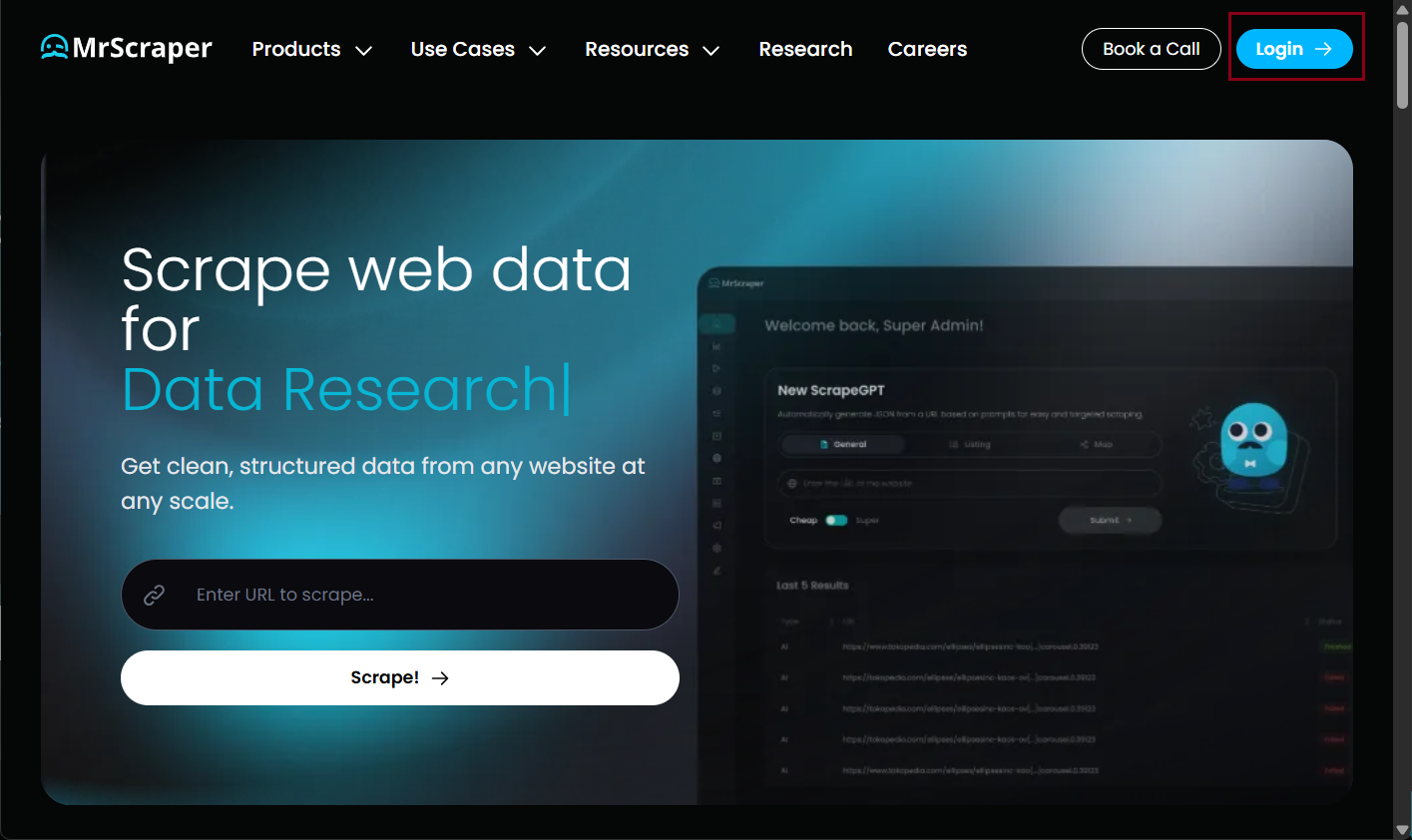
Step 1: Sign Up for MrScraper
Create an account or log in. You receive 100 free AI tokens to test the platform.
Step 2: Create a Scraper
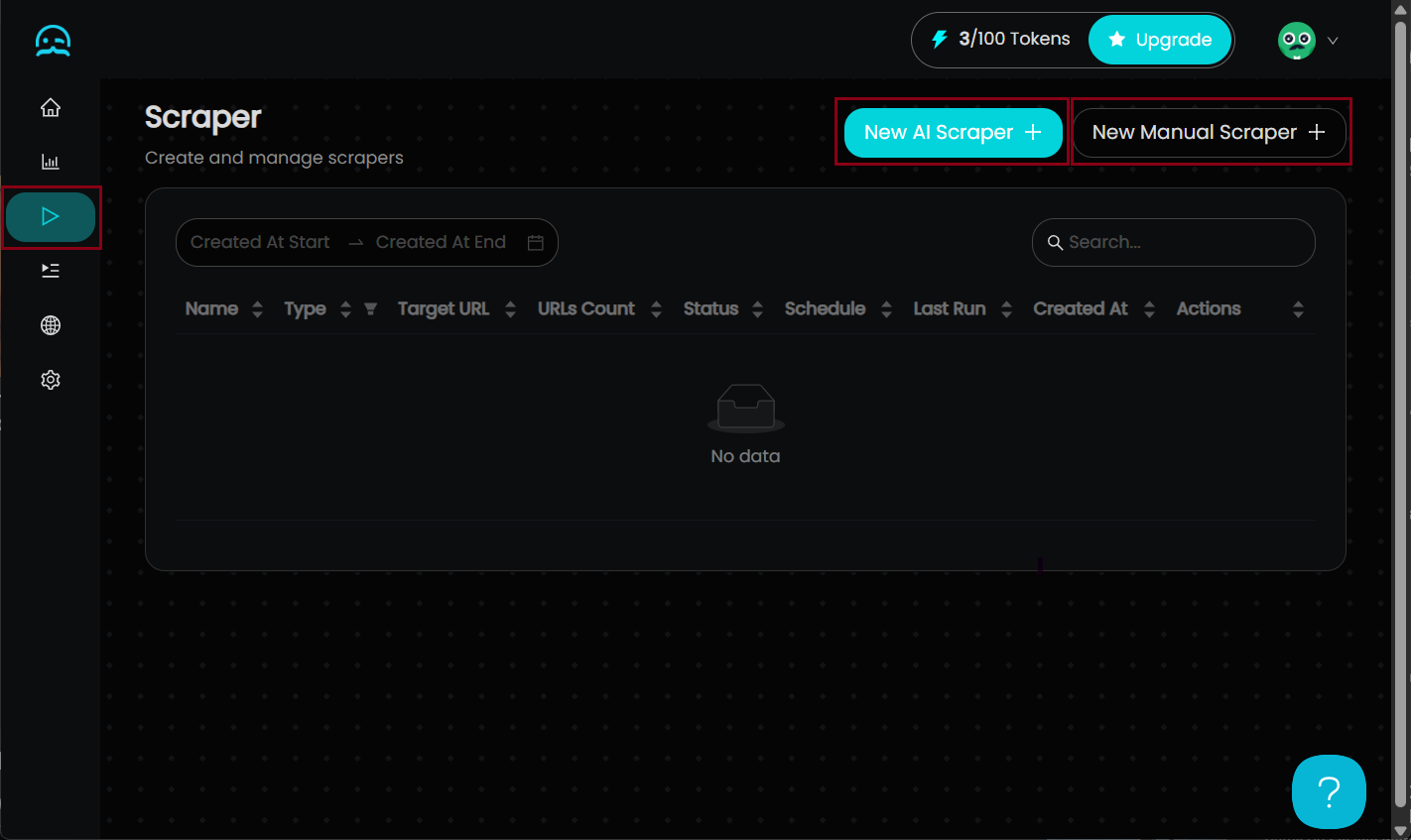
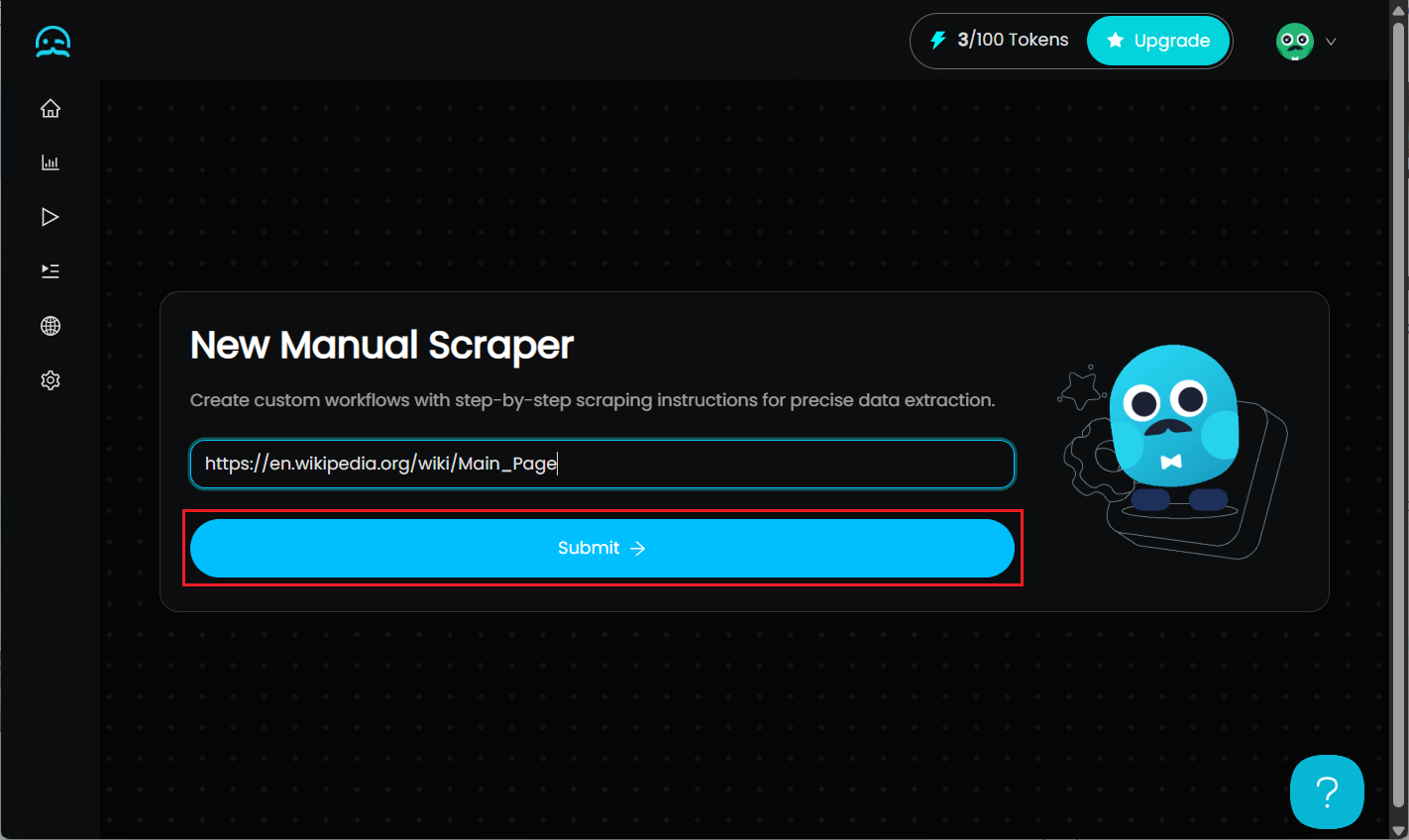
- Click Scrapers (Play icon)
- Choose New AI Scraper or New Manual Scraper
- Enter the target website URL
- Click Submit
Step 3: Configure IPRoyal Proxies
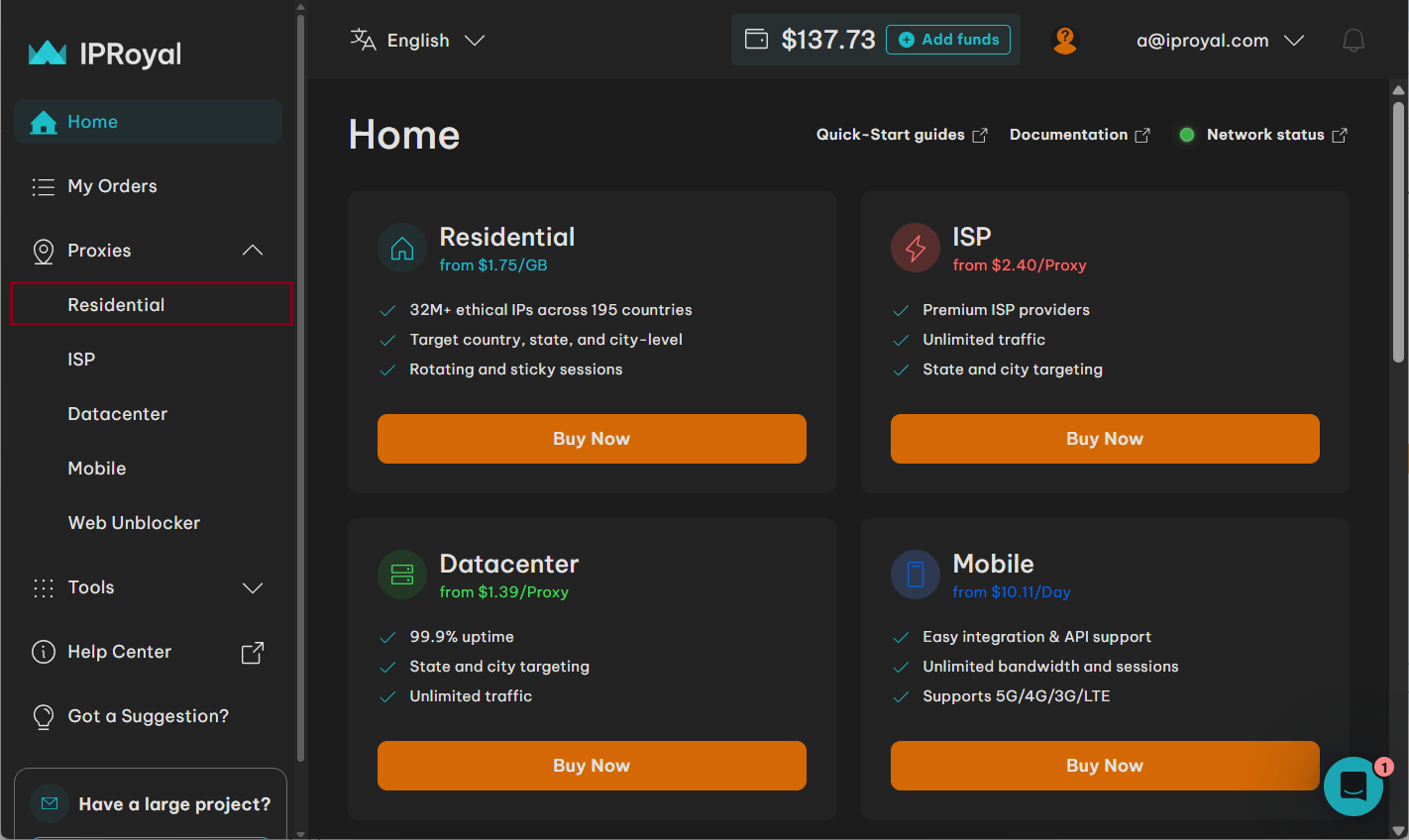
- Create an IPRoyal account
- Purchase proxies
- Select Residential Proxies
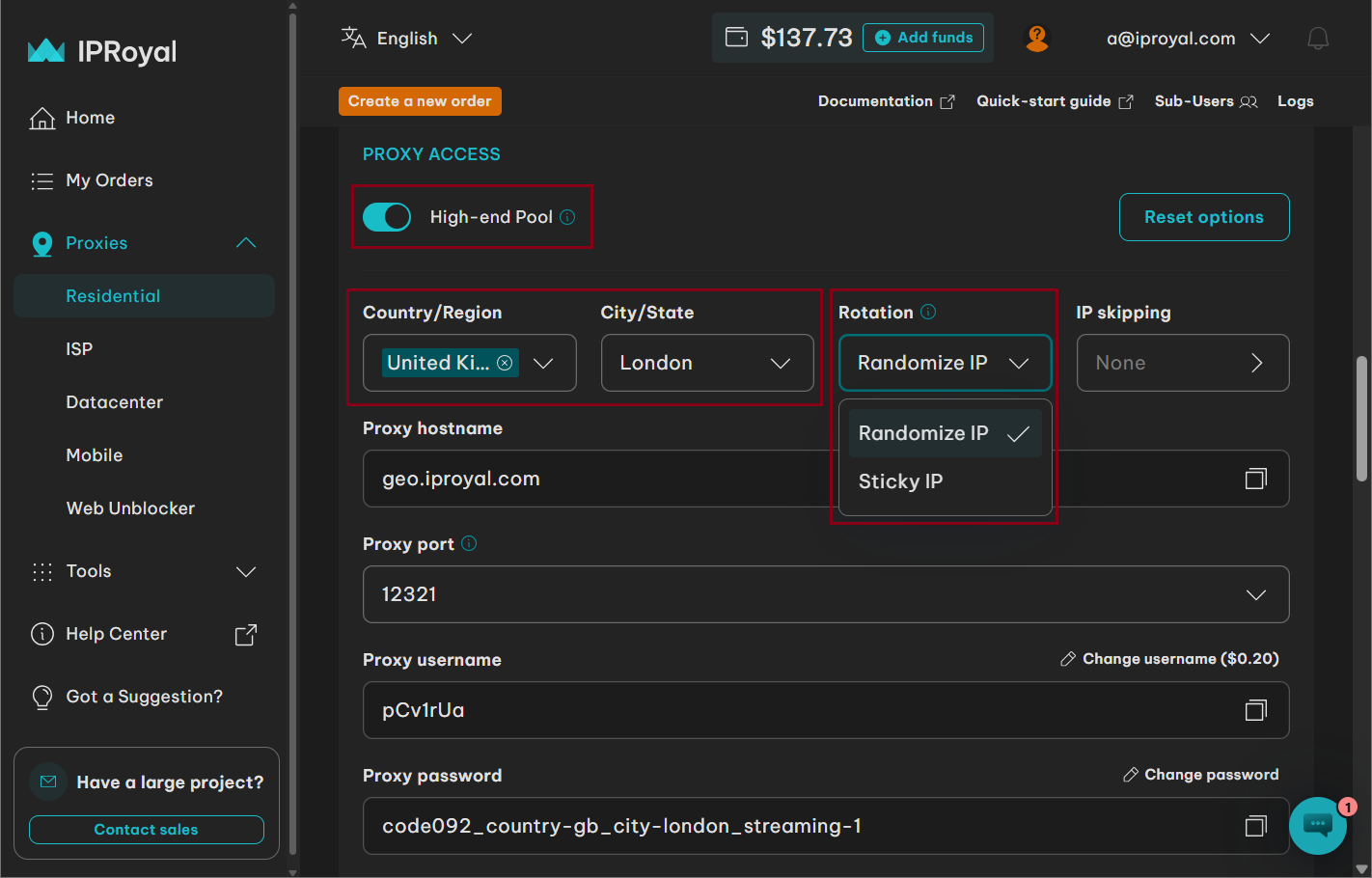
In the Proxy Access section:
- Choose pool
- Select country/state
- Configure rotation
Select:
- Randomize IP (new IP per request)
- OR
- Sticky IP (retain IP temporarily)
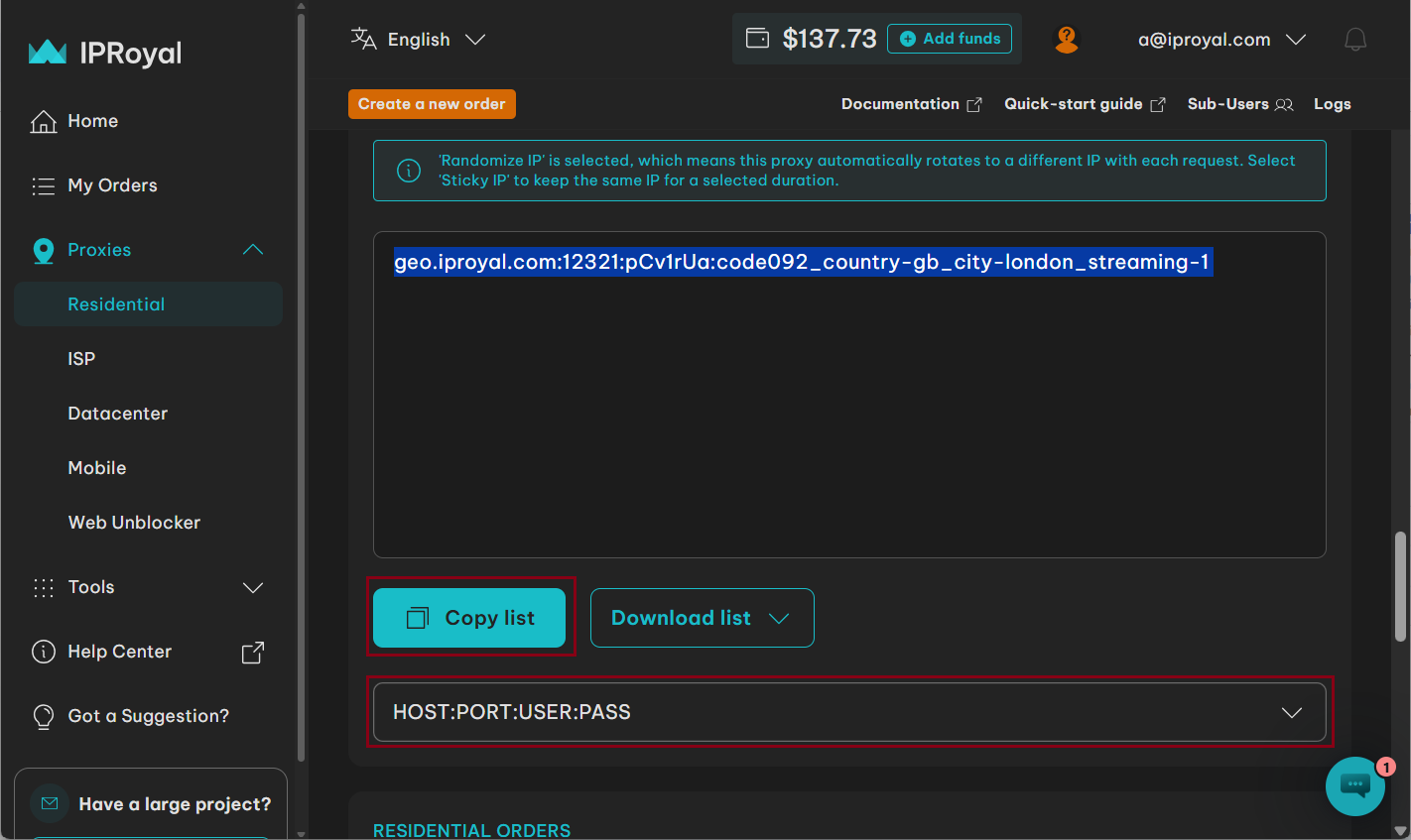
Step 4: Copy Proxy Credentials
In the Formatted Proxy List section, select:
HOST:PORT:USER:PASSORUSER:PASS@HOST:PORT
Click Copy list.
Step 5: Configure Proxy in MrScraper
- Click the three-dot menu
- Select Proxy Settings
!(IMG 7](https://mrscraper-web-v3.s3.us-west-2.amazonaws.com/uploads/1770795354102-1770795325380-IMG7.png)
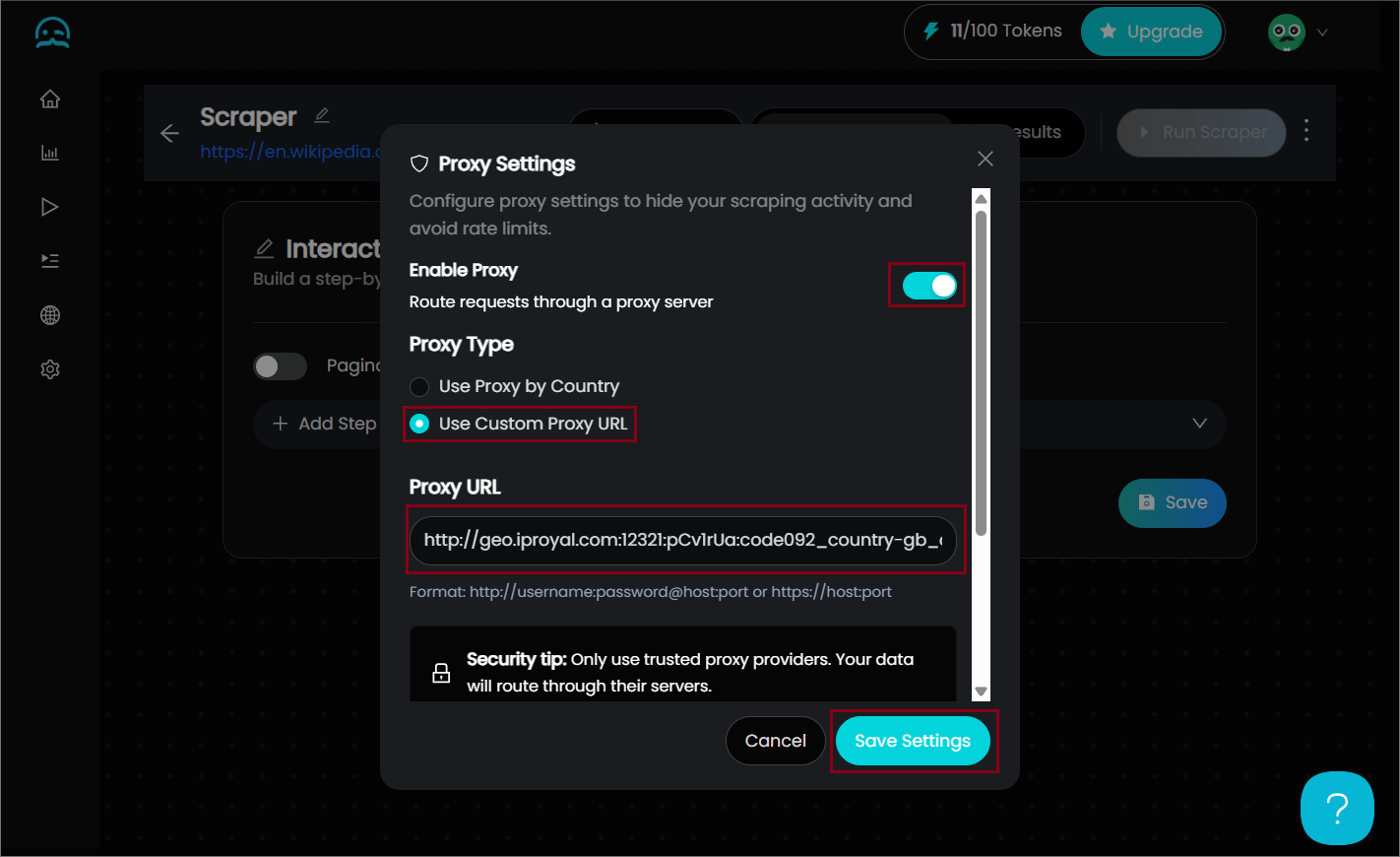
Step 6: Add Proxy Credentials
- Toggle Enable Proxy
- Select Use Custom Proxy URL
- Paste credentials
- Add
http://orhttps://at the beginning - Click Save Settings
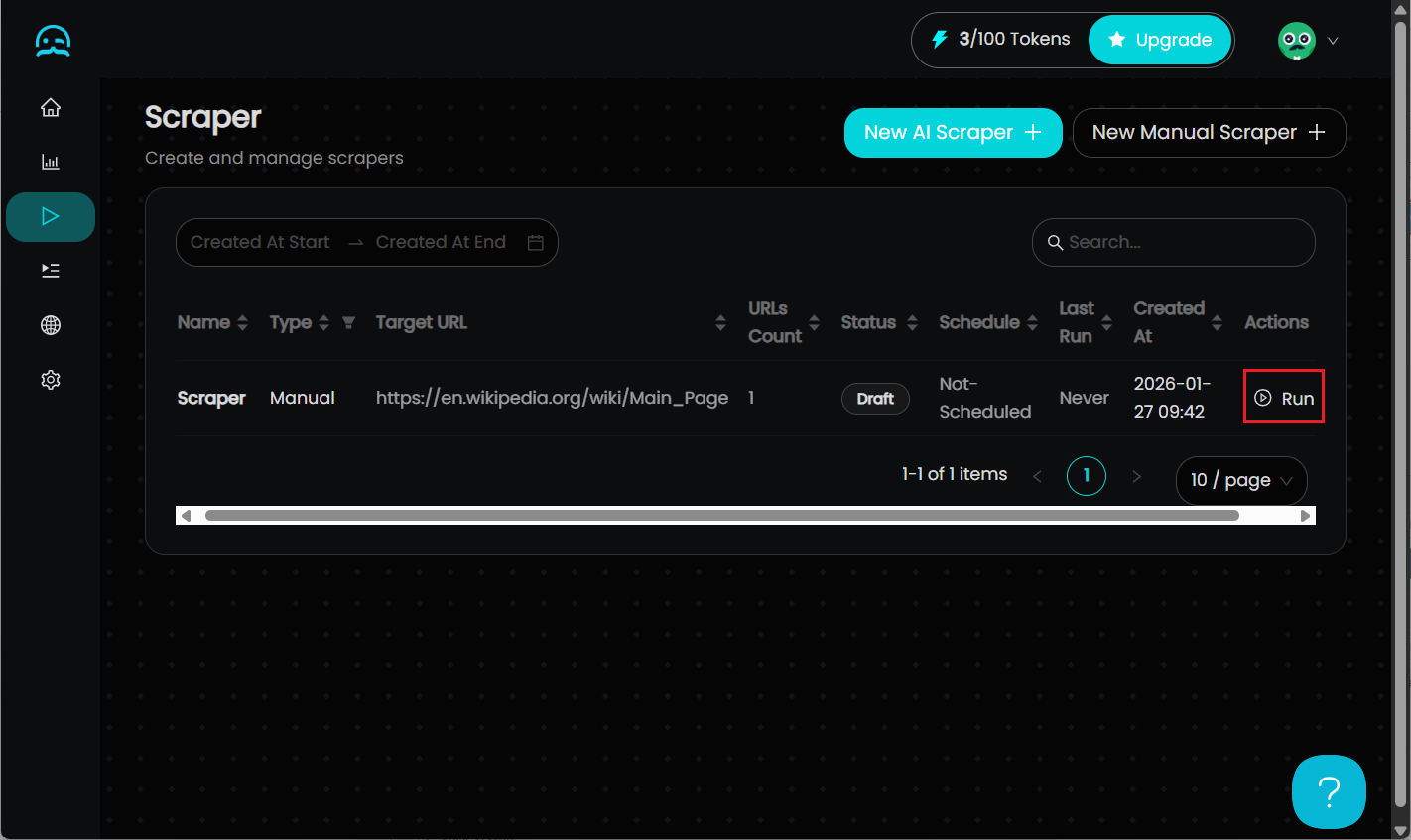
Step 7: Run the Scraper
Go back to Scrapers and click Run.
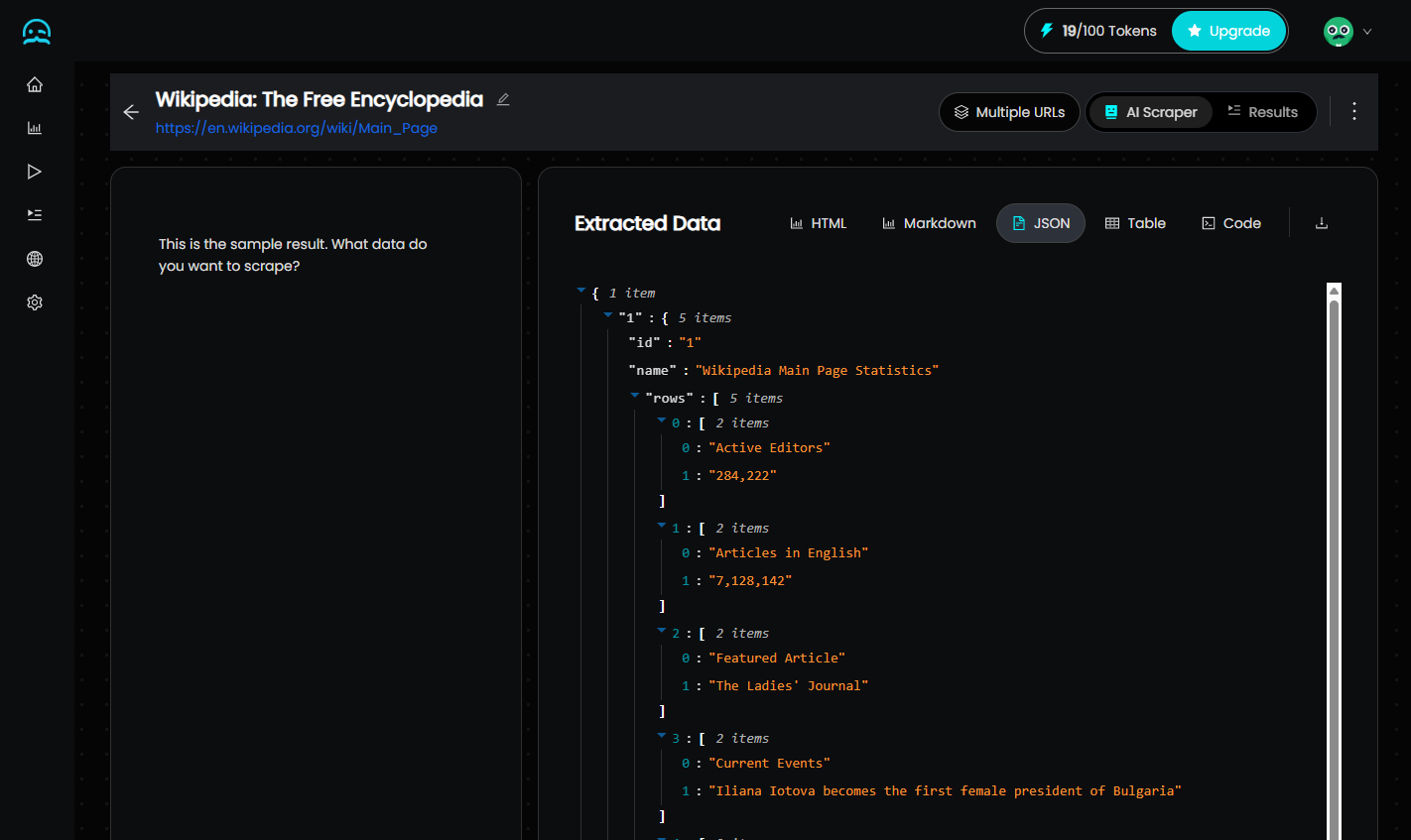
Step 8: Inspect Results
Verify that your data was extracted successfully.
Additional Tips
- Test before scaling – Start small
- Rotate IPs strategically – Match anti-bot strictness
- Track performance – Monitor response rates
- Use API automation – Automate proxy management
- Stay compliant – Only scrape public data
Conclusion
If you want to scrape data with MrScraper without getting blocked, reliable proxies are essential.
IPRoyal’s residential proxies are:
- Fast
- Ethically sourced
- Highly trustworthy
- Fully compatible with HTTP/HTTPS
With flexible rotation and non-expiring traffic, they’re a strong companion for large-scale web scraping.
Start small — test with 1 GB of traffic or a single proxy — and scale confidently once you see improved success rates.


Find more insights here
How to Monitor Website Changes Automatically With a Web Scraping API
Learn how to monitor website changes automatically using a web scraping API — content diffing, chang...
How to Scrape Google Maps Business Data With Browser Automation (Step-by-Step Guide)
Learn how to scrape Google Maps business data using browser automation — listings, NAP, hours, ratin...
How to Avoid Triggering CAPTCHA Challenges
Learn how to avoid triggering CAPTCHA challenges in web scraping — the detection signals that cause...
