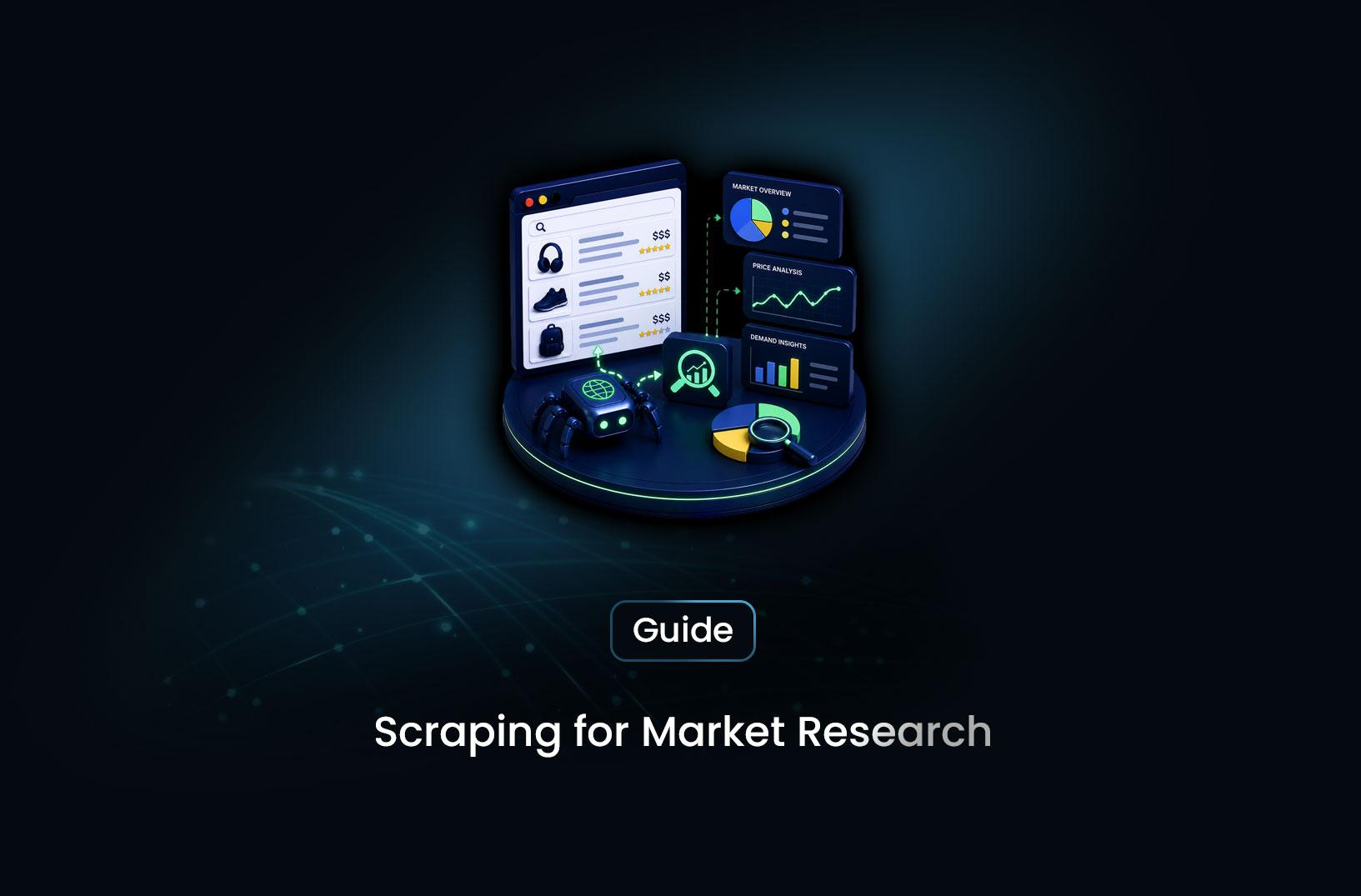
Use a Web Scraping API for Market Research
Web ScrapingLearn how to use a web scraping API for market research — collecting competitor data, pricing intelligence, reviews, and industry signals automatically.
Most market research is bottlenecked by the same problem: the data you need is publicly available on dozens of websites, but collecting it manually at the depth and frequency you'd actually find useful takes more time than the analysis itself. A competitor's pricing page, a software review site's sentiment distribution, a job board's hiring velocity signals, a news feed's coverage of your industry — all publicly visible, all potentially valuable, none of it structured or collected systematically.
A web scraping API for market research changes that by automating the collection layer: you define what to collect and where, and the API handles the fetching, rendering, and structured output at whatever frequency your research cadence requires. The result is market intelligence that updates continuously rather than sitting stale from the last manual research sprint. This guide covers exactly how to build that capability — which sources to collect from, how to structure the pipeline, and what to do with the data once you have it.
What Is Market Research Web Scraping?
Market research web scraping is the automated collection of publicly available business data — competitor pricing, product catalogs, customer reviews, job postings, press releases, and industry content — from websites at scale and on a recurring schedule, to support ongoing market intelligence programs.
The distinction from one-off research is continuity. A single manual competitor analysis produces a snapshot. A scraping pipeline that collects competitor pricing and review counts weekly produces a time series — and time series reveal the trends that snapshots miss: a competitor that's raised prices twice in 90 days, a product category where review sentiment is deteriorating across multiple brands, a company that's been aggressively hiring engineers for six months before any product announcement.
The web is rich with these signals. Most businesses leave more public information than they intend to: pricing pages that reveal positioning strategy, job boards that reveal team composition and growth priorities, review platforms that aggregate customer sentiment at scale, press release sections that reveal partnership and product news before it's covered by industry media. Systematic collection of these signals — automated rather than manual, continuous rather than periodic — is what transforms web data from research material into market intelligence infrastructure.
How a Market Research Scraping Pipeline Works
A market research scraping pipeline operates across four source categories, each yielding different intelligence types:
Competitor websites yield pricing intelligence, product catalog changes, feature updates, messaging shifts, and positioning evolution. A competitor's pricing page this week compared to last month reveals whether they've raised prices, added tiers, or restructured their offer. Their blog and resource section reveals what topics they're competing on for organic search visibility.
Review platforms (G2, Capterra, Trustpilot, Yelp, app stores) yield customer sentiment at scale. Systematic collection of reviews for your product category — categorized by recency, rating, and mentioned features — reveals what customers across the market value, what frustrations are most common, and where competitive gaps exist. This is primary market research conducted at a scale that qualitative interviews can't match.
Job boards yield company growth and strategy signals. A competitor consistently posting for ML engineers signals a product direction. A flurry of sales hires in a new geographic market signals expansion. A sudden wave of security and compliance postings signals a regulatory push. Hiring patterns are one of the most reliable public signals of where a company is investing before that investment becomes visible in products.
News and press releases yield market events — funding announcements, product launches, partnerships, executive changes, acquisition news. A monitoring pipeline that watches industry news sources and competitor press release pages surfaces these events as they happen rather than days later when they're picked up by newsletters you subscribe to.
Step-by-Step Guide: Building a Market Research Data Pipeline
Step 1: Define Your Intelligence Requirements
Before writing any scraping code, define the specific questions your market research program needs to answer. Vague collection produces vague intelligence. Precise questions produce actionable data:
- What are each of my top five competitors charging for their entry-level plan, and has that changed in the last 90 days?
- What are the most commonly mentioned pain points in customer reviews for products in my category across G2 and Capterra?
- Which geographic markets are my competitors hiring in, and is that accelerating?
- How frequently is my brand mentioned in industry news compared to competitors?
Each question maps to a specific source type, a specific set of URLs to monitor, and specific data fields to extract. Defining the questions first prevents building a large data collection operation that nobody knows how to use.
Step 2: Map Questions to Sources and URLs
For each intelligence question, identify the sources that contain the answer and the specific URL patterns that need to be scraped:
# Market research source configuration
# Maps intelligence categories to source URLs and extraction targets

MARKET_RESEARCH_SOURCES = {
    "competitor_pricing": [
        {"url": "https://competitor-a.com/pricing", "fields": ["plan_name", "price", "features"]},
        {"url": "https://competitor-b.com/pricing", "fields": ["plan_name", "price", "features"]},
    ],
    "review_sentiment": [
        {"url": "https://www.g2.com/products/competitor-a/reviews", "fields": ["rating", "review_date", "pros", "cons"]},
        {"url": "https://www.capterra.com/p/competitor-a/", "fields": ["rating", "review_date", "summary"]},
    ],
    "hiring_signals": [
        {"url": "https://competitor-a.com/careers", "fields": ["role_title", "department", "location"]},
        {"url": "https://www.linkedin.com/company/competitor-a/jobs/", "fields": ["role_title", "location", "posted_date"]},
    ],
    "press_coverage": [
        {"url": "https://competitor-a.com/blog/press", "fields": ["headline", "date", "source"]},
    ],
}
This configuration-first approach makes the pipeline easy to extend (add a new competitor URL in one place), easy to audit (every source is documented), and easy to hand off (another analyst can understand what's being collected without reading code).
Step 3: Collect Data Via Scraping API
With sources defined, run collection against each URL using a scraping API that handles JavaScript rendering — most modern competitor websites, review platforms, and job boards are dynamically rendered:
import requests
from datetime import datetime

API_KEY = "your-api-key"
SCRAPING_ENDPOINT = "https://your-scraping-provider.com/v1/scrape"

def collect_page(url: str) -> str | None:
    """Fetch a rendered page via scraping API. Returns HTML or None on failure."""
    response = requests.post(
        SCRAPING_ENDPOINT,
        headers={"Authorization": f"Bearer {API_KEY}"},
        json={"url": url, "render_js": True},
        timeout=30
    )
    if response.status_code == 200:
        return response.json().get("html")
    print(f"Failed to collect {url}: {response.status_code}")
    return None

def run_market_research_collection(sources: dict) -> dict[str, list]:
    """Collect all configured sources and return raw HTML per source."""
    collected = {}
    for category, source_list in sources.items():
        collected[category] = []
        for source in source_list:
            html = collect_page(source["url"])
            if html:
                collected[category].append({
                    "url": source["url"],
                    "html": html,
                    "collected_at": datetime.utcnow().isoformat(),
                    "target_fields": source.get("fields", []),
                })
    return collected
Step 4: Extract and Structure the Intelligence
Raw HTML needs to be parsed into structured records. For market research, this typically means extracting specific fields from known page types — pricing plan names and costs, review ratings and text, job titles and locations:
from bs4 import BeautifulSoup
import re

def extract_pricing_data(html: str) -> list[dict]:
    """Extract pricing plan information from a competitor pricing page."""
    soup = BeautifulSoup(html, "html.parser")
    plans = []

    # Generic extraction — adjust selectors to match specific competitor page structure
    pricing_sections = soup.select(
        ".pricing-plan, [class*='price'], [data-testid*='plan']"
    )

    for section in pricing_sections:
        plan_name = section.select_one("h2, h3, .plan-name")
        price_el = section.select_one("[class*='price'], .amount")

        if plan_name and price_el:
            price_text = price_el.get_text(strip=True)
            price_match = re.search(r"\$?([\d,]+(?:\.\d+)?)", price_text)
            plans.append({
                "plan_name": plan_name.get_text(strip=True),
                "price_text": price_text,
                "price_numeric": float(price_match.group(1).replace(",", "")) if price_match else None,
            })
    return plans

def extract_job_postings(html: str) -> list[dict]:
    """Extract job posting titles and locations from a careers page."""
    soup = BeautifulSoup(html, "html.parser")
    jobs = []

    job_listings = soup.select(
        ".job-listing, [class*='position'], [class*='opening'], li[class*='job']"
    )

    for listing in job_listings:
        title = listing.select_one("h2, h3, h4, .job-title, [class*='title']")
        location = listing.select_one("[class*='location'], [class*='place']")

        if title:
            jobs.append({
                "title": title.get_text(strip=True),
                "location": location.get_text(strip=True) if location else None,
            })
    return jobs
Step 5: Store, Schedule, and Analyze
Store results with timestamps to build the time series that reveals trends:
import sqlite3

def init_market_db(db_path: str = "market_research.db") -> sqlite3.Connection:
    conn = sqlite3.connect(db_path)
    conn.execute("""
        CREATE TABLE IF NOT EXISTS competitor_pricing (
            id            INTEGER PRIMARY KEY AUTOINCREMENT,
            competitor    TEXT NOT NULL,
            plan_name     TEXT,
            price_text    TEXT,
            price_numeric REAL,
            collected_at  TIMESTAMP DEFAULT CURRENT_TIMESTAMP
        )
    """)
    conn.execute("""
        CREATE TABLE IF NOT EXISTS job_postings (
            id           INTEGER PRIMARY KEY AUTOINCREMENT,
            competitor   TEXT NOT NULL,
            title        TEXT,
            location     TEXT,
            collected_at TIMESTAMP DEFAULT CURRENT_TIMESTAMP
        )
    """)
    conn.commit()
    return conn
Schedule the full collection pipeline to run weekly — or more frequently for fast-moving intelligence signals like pricing. Use the same APScheduler or cloud scheduler pattern covered in other pipeline articles. Export results to CSV or Google Sheets for analysis, or connect your database directly to a BI tool for ongoing dashboard reporting.
Best Tools for Market Research Data Collection
MrScraper — for market research scraping that touches JavaScript-heavy pages (most competitor sites, review platforms, job boards), MrScraper's Scraping Browser handles rendering and anti-bot bypass under one API. AI-powered extraction can identify and pull structured fields from diverse page types without per-site selector maintenance — useful for competitor monitoring across many domains with different page structures. Documentation at https://docs.mrscraper.com.
Apify Marketplace — pre-built actors for common market research sources: Google Maps reviews, LinkedIn company data, news aggregation, app store reviews. For standard market research sources with existing actors, deploying a pre-built solution is faster than building from scratch.
Python + BeautifulSoup/requests — for static pages and simpler sources, the open-source Python stack remains the most flexible and cost-effective for teams with development capability. Combine with a scraping API for JavaScript-rendered sources.
Semrush, Ahrefs — for market research that's primarily search and content intelligence rather than custom data collection, established SEO tools provide competitor search visibility, traffic estimates, and content gap analysis without custom scraping infrastructure.
Free vs. Paid: What the Investment Looks Like
For small-scale market research — monitoring a handful of competitors monthly — Python with a free-tier scraping API trial covers the collection layer at minimal cost. The real investment is engineering time to build extraction logic for specific source types.
For continuous, production-grade market intelligence — weekly collection across dozens of competitors and sources, structured storage, and automated reporting — a managed scraping API plan at the appropriate volume tier is the practical choice. The per-page cost is real but typically modest relative to the analyst time it replaces.
For teams without engineering capacity, Apify's pre-built actors or Semrush/Ahrefs subscriptions cover the most common market research use cases without custom development. The trade-off is less flexibility for custom source types or unusual intelligence requirements.
Key Features to Look For in a Market Research Scraping API
- JavaScript rendering for dynamic pages: Most competitor sites, review platforms, and job boards render their content dynamically. A scraping API that renders JavaScript is required for accurate collection.
- AI or semantic extraction: Market research spans many different page types — a competitor pricing page in one company looks nothing like another's. Semantic extraction that identifies fields by meaning rather than by specific selectors reduces per-source configuration overhead.
- Scheduling support: Continuous market intelligence requires recurring collection. Either built-in scheduling or webhook support for integration with external schedulers.
- Structured output format: JSON or CSV output that maps directly to your database schema reduces the post-collection transformation work.
- Rate and volume capacity: Market research often involves many URLs but at lower frequency than ecommerce monitoring. Confirm the API's volume tier matches your pattern.
- Bot-bypass for review and competitor platforms: Review sites and competitive analysis targets often have Cloudflare or similar protection. Confirm the API handles your specific target sources.
When Should You Use Web Scraping for Market Research?
Scraping is the right choice when:
- Your market research questions require data that isn't available through licensed data products or industry reports
- You need intelligence that updates continuously rather than in annual or quarterly research cycles
- Competitor and market signals exist across many public sources that would take prohibitive analyst time to monitor manually
- You want to build proprietary datasets that give your analysis an information advantage over competitors using the same public research sources
Consider alternatives when:
- The data you need is available through a licensed API or report at reasonable cost — don't scrape what you can license reliably
- Your research questions are answered by a single, accessible source that manual collection serves adequately
- The target sources have explicit ToS restrictions on automated access and your use case doesn't justify the risk
Common Challenges and Limitations
Source structure changes break extraction logic. A competitor that redesigns their pricing page, renames their plan tiers, or restructures their job listings page will break selectors that worked perfectly before. Market research pipelines need monitoring that detects when expected fields aren't being returned — not just that requests are succeeding.
Review platform bot detection is aggressive. G2, Capterra, and Trustpilot have significant anti-bot investment, and consistent automated access requires residential proxy routing and browser-level rendering. Even with these, rate limiting requires slow, polite collection rather than aggressive crawling.
Interpretation context is required for the data. A competitor posting 30 engineering jobs in a month could mean rapid growth, high attrition, or a backfill campaign. The raw hiring signal needs business context to interpret correctly. Scraping collects the data; market research judgment determines what it means.
Legal and ethical boundaries apply. Market research scraping is generally accepted for publicly visible business information — pricing, job listings, press releases, public reviews. Collecting personal data (individual reviewer contact details, employee profiles at scale) enters GDPR/CCPA territory. Accessing data behind authentication you're not authorized to use creates legal exposure. Design your collection scope with these boundaries in mind from the start.
Conclusion
A web scraping API turns market research from a periodic project into a continuous program. The signals that matter — competitor pricing, customer sentiment, hiring velocity, product announcements — exist on public websites and update constantly. Systematic collection transforms that signal stream into the structured, historical dataset that reveals trends rather than just states.
The pipeline is well-defined: define your intelligence questions, map them to sources, collect via a rendering-capable scraping API, extract structured fields, store with timestamps, and analyze the time series. The ongoing challenge is keeping the collection layer functioning as sources change — but that maintenance pays off in market intelligence that no manually-conducted research sprint can match for depth, recency, or continuity.
What We Learned
- Market research scraping is about intelligence continuity, not one-time collection: The value comes from time series that reveal trends — competitor pricing that's moved, review sentiment that's shifted, hiring patterns that signal strategy changes.
- Four source categories cover most market intelligence needs: Competitor websites for positioning, review platforms for sentiment, job boards for strategy signals, and news/press releases for market events.
- Configuration-first design makes pipelines maintainable: Defining sources and target fields in a data structure rather than hard-coding them into scraping logic makes the pipeline easier to extend, audit, and hand off.
- JavaScript rendering is non-negotiable for most commercial sources: Review platforms, competitor sites, and job boards almost universally render their content dynamically — a rendering-capable scraping API is required.
- Source structure changes are the primary ongoing maintenance challenge: Build result validation that detects when expected fields aren't returned, before stale or empty data reaches your analysis layer.
- Interpretation context is as important as the data itself: Raw market signals — a competitor's job count, a review score change — require business context and judgment to convert into actionable market intelligence.
FAQ
What is web scraping for market research?
Web scraping for market research is the automated collection of publicly available business data — competitor pricing, customer reviews, job postings, industry news, and product information — from websites at scale and on a recurring schedule, to support ongoing competitive and market intelligence programs. Rather than manual research conducted periodically, a scraping pipeline produces structured, time-stamped data that enables trend analysis and continuous monitoring.
What market research data can I collect with a scraping API?
Publicly visible data across competitor websites (pricing pages, product catalogs, blog content), review platforms (G2, Capterra, Trustpilot, app stores), job boards (role titles, locations, hiring velocity), news sources (press releases, industry coverage, company announcements), and social platforms where content is publicly accessible. The scope is any structured information a business has made publicly visible — not private data, authenticated account data, or content behind paywalls.
How often should I collect market research data?
Frequency depends on the volatility of the intelligence signal. Competitor pricing and product updates: weekly to monthly. Customer review sentiment: weekly. Job posting changes: weekly. Industry news: daily. High-frequency collection produces more granular trend data but costs more in API usage and storage. Match collection frequency to how quickly the signal actually changes in your market and how quickly your team can act on changes when they occur.
Do I need JavaScript rendering to scrape market research data?
For most commercially relevant sources, yes. Competitor pricing pages, review platforms (G2, Capterra, Trustpilot), job boards, and most modern company websites render their content via JavaScript frameworks. A plain HTTP request returns page skeletons without the actual content. A scraping API with browser rendering — or self-managed Playwright — is required for accurate collection from these sources.
Is it legal to scrape competitor websites for market research?
Scraping publicly accessible business information — pricing, job listings, press releases, and public-facing content — is generally legal in most jurisdictions, consistent with case law around publicly available data. However, website Terms of Service often restrict automated access, and collecting personal data triggers GDPR/CCPA obligations. Design your market research scope around publicly visible business information rather than personal data, review the ToS of specific high-value sources, and consult legal counsel for commercial applications at scale.
Summarize this post
Open it in your assistant of choice with the prompt ready to send.
Take a Taste of Easy Scraping!

Find more insights here
HTML to Markdown: Converting Scraped Web Pages for LLM Training
Learn how to convert html to markdown for LLM training. Reduce token usage by 90% and improve RAG ac…
What is Scraping? A Complete Beginner's Guide for 2026
Learn what a web scraper is in 2026 and how AI-powered tools are replacing brittle CSS scripts for r…

The Ultimate Web Crawlers List: 15 Tools for Every Data Need
Compare the best web crawlers for 2026. Learn the difference between open-source, managed APIs, and…