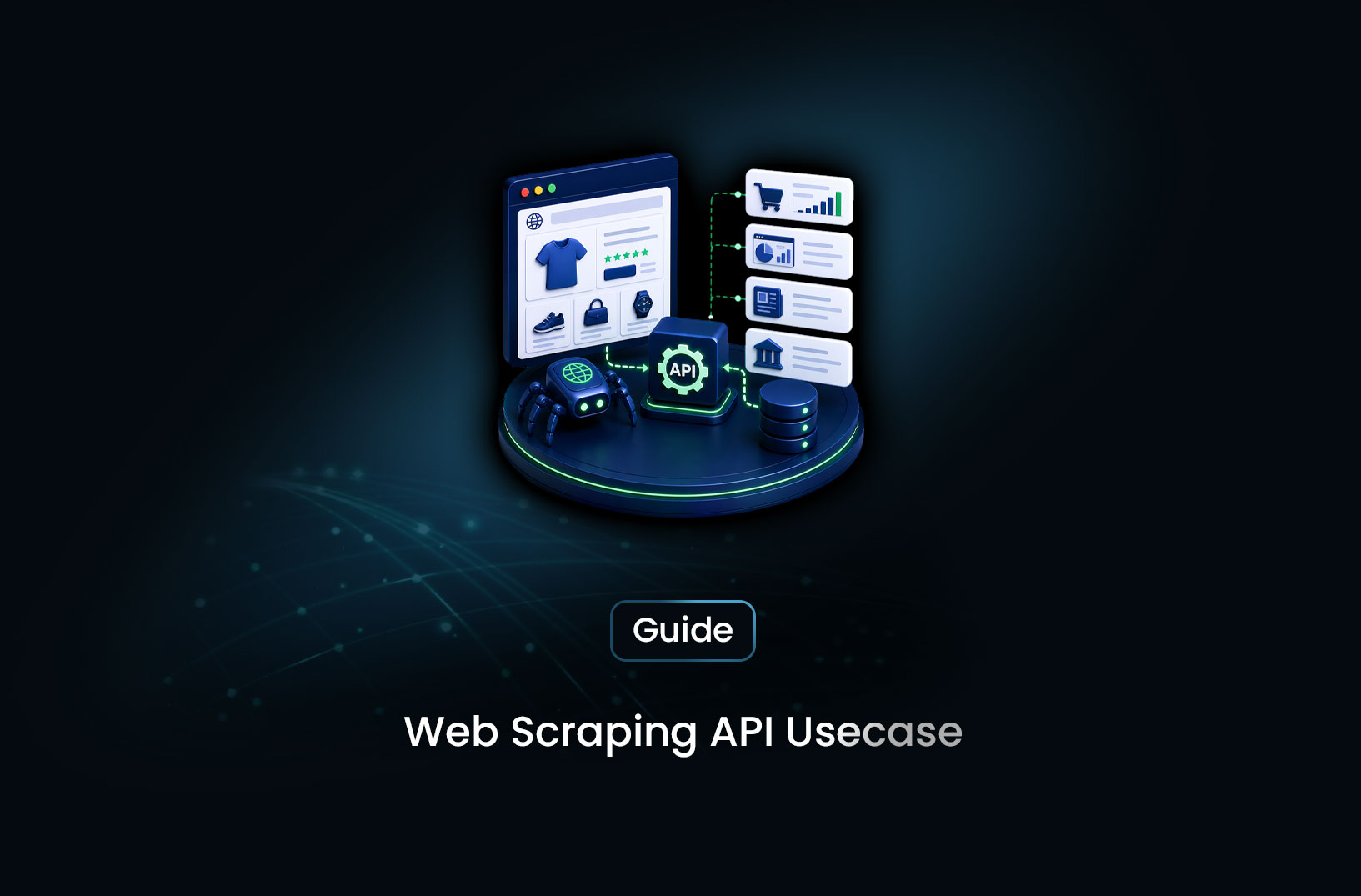
How to Use a Web Scraping API for Lead Generation at Scale
Web ScrapingLearn how to use a web scraping API for lead generation — building B2B prospect lists from public directories, company data, and business intelligence sources.
Your sales team is working from a list that's three months old. The accounts are stale, the contact info is outdated, and the industry and company size signals that should inform your outreach approach are either missing or wrong. Building a better list manually — researching one company at a time — doesn't scale. And licensing a large B2B database costs more than most growth budgets allow.
A web scraping API for lead generation is the middle path: automated, scalable collection of publicly available business information — company names, industries, sizes, websites, technology signals, and contact information — from the directories, job boards, and business registries where that data is publicly published. Rather than licensing data from an aggregator who collected it months ago, you pull it yourself, fresh, from primary sources, at the frequency your program requires. This guide covers how to build that system: what to scrape, how to structure the pipeline, which tools to use, and how to handle the legal and operational realities responsibly.
What Is Web Scraping for Lead Generation?
Web scraping for lead generation is the automated extraction of publicly available business information — company profiles, industry classifications, employee counts, technologies used, website URLs, and contact details — from public directories, business registries, job boards, and company websites to build targeted prospect lists.
The key word is public. Effective B2B lead generation scraping draws from data that's intentionally published for business visibility: company directories like Crunchbase and AngelList, local business listings like Google Maps and Yelp, job boards that reveal company hiring patterns and growth signals, government business registries, trade association member directories, and company websites themselves. These sources publish structured business information specifically to make those businesses discoverable — scraping that information at scale accelerates what a researcher would otherwise do manually.
The distinction from personal data collection matters both ethically and legally. B2B lead generation focuses on organizational information and professional contact details in a business context — the kind of information a company intentionally publishes to make itself reachable to vendors, partners, and customers. Data protection regulations like GDPR and CCPA treat this category differently from personal consumer data, and responsible lead generation programs are designed around those frameworks. We'll cover the compliance dimension in detail in the Common Challenges section.
What makes a scraping API the right tool for this rather than manual research or a licensed database: speed, freshness, and specificity. Manual research is too slow to build lists at meaningful scale. Licensed databases are comprehensive but expensive and often outdated. A scraping pipeline built around your specific targeting criteria — the exact industries, company sizes, technologies, and geographies your ideal customer profile matches — produces fresher, more targeted lead data than any general-purpose database, at a cost that scales with your usage.
How a Lead Generation Scraping Pipeline Works
A B2B lead generation scraping pipeline has four sequential stages, each transforming the data into something more useful than what came before.
Stage 1 — Source identification and URL discovery. You identify which sources contain the business data that matches your ideal customer profile (ICP), and collect the specific URLs that need to be scraped. A SaaS company targeting e-commerce businesses might pull company URLs from Shopify app review pages, e-commerce job boards, and industry-specific directories. A services firm targeting manufacturing companies might pull from Thomas Net, government supplier registries, and regional Chamber of Commerce directories. The URL discovery step defines the scope — what you'll scrape and where you'll find it.
Stage 2 — Structured data extraction. A scraping API fetches each URL, renders JavaScript if necessary, and extracts the target fields: company name, industry, website, employee range, founding date, location, technologies detected, and any available contact signals. For JavaScript-rendered directory pages, a browser-level scraping API is necessary — many modern business directories (Crunchbase, AngelList, most SaaS review sites) render their content dynamically after page load.
Stage 3 — Enrichment and contact lookup. Raw directory data often gives you the company without the contact. Enrichment adds the contact layer: finding the website, identifying relevant decision-makers from the company's team or LinkedIn page, and matching contact formats (typical email patterns for the domain, verified LinkedIn profiles) to the company record. This stage may combine scraped data with contact enrichment services.
Stage 4 — Deduplication and CRM export. Companies appear in multiple directories. Before any list enters your CRM or outreach tool, deduplication removes duplicate company records and normalizes field formats. Clean, deduplicated records export to your CRM (Salesforce, HubSpot, Pipedrive) or outreach tool (Outreach, Apollo, Salesloft) via API or CSV.
Step-by-Step Guide: Building a B2B Lead Scraping Pipeline
Step 1: Define Your Ideal Customer Profile and Match It to Sources
Before writing any scraping code, define precisely what a qualified lead looks like: industry vertical, company size, geographic market, technologies used, growth signals (hiring, funding, product launches). Each element of your ICP should map to a data source where companies matching that criteria have a public presence.
A practical ICP-to-source mapping:
| ICP Signal | Source |
|---|---|
| Industry and company size | Crunchbase, AngelList, G2 categories |
| Technology stack | BuiltWith categories, job description tech mentions |
| Hiring/growth | Job boards (LinkedIn, Indeed, Greenhouse public postings) |
| Local/regional businesses | Google Maps, Yelp, local business registries |
| E-commerce businesses | Shopify App Store reviews, ecommerce directories |
| Industry association members | Trade association public member directories |
Start with one or two high-quality sources for your specific ICP rather than trying to scrape everything. A focused, high-quality list from one relevant source outperforms a large but poorly targeted list from many sources.
Step 2: Build the URL Discovery Layer
Many B2B directories paginate their listings — the company you want is on page 47 of a category directory that has 200 pages. The URL discovery layer systematically collects the company profile URLs from those paginated category or search result pages before the main extraction runs.
import requests
from bs4 import BeautifulSoup
from urllib.parse import urljoin
import time
import random

def discover_company_urls(category_base_url: str,
                          profile_link_selector: str,
                          max_pages: int = 50,
                          base_domain: str = "") -> list[str]:
    """
    Collect company profile URLs from a paginated business directory.
    Adjust the pagination pattern and selector for your specific source.
    """
    discovered_urls = set()

    for page_num in range(1, max_pages + 1):
        # Common pagination patterns: ?page=N, /page/N, ?offset=N
        page_url = f"{category_base_url}?page={page_num}"
        try:
            response = requests.get(
                page_url,
                headers={"User-Agent": "Mozilla/5.0 (compatible; research-bot/1.0)"},
                timeout=15
            )
            if response.status_code != 200:
                break

            soup = BeautifulSoup(response.text, "html.parser")
            links = soup.select(profile_link_selector)

            if not links:
                break  # No more results

            for link in links:
                href = link.get("href", "")
                full_url = urljoin(base_domain, href) if href else ""
                if full_url:
                    discovered_urls.add(full_url)

        except Exception as e:
            print(f"Error on page {page_num}: {e}")
            break

        # Respectful delay between page requests
        time.sleep(random.uniform(1.5, 3.0))

    return list(discovered_urls)
Step 3: Extract Company Data From Profile Pages
With a list of company profile URLs, extract the structured data fields that match your ICP signals:
def extract_company_data(profile_url: str,
                          scraping_api_endpoint: str,
                          api_key: str) -> dict | None:
    """
    Extract company data from a profile page via scraping API.
    Uses a managed API for JavaScript-rendered directories.
    """
    response = requests.post(
        scraping_api_endpoint,
        headers={"Authorization": f"Bearer {api_key}"},
        json={"url": profile_url, "render_js": True},
        timeout=30
    )
    if response.status_code != 200:
        return None

    html = response.json().get("html", "")
    soup = BeautifulSoup(html, "html.parser")

    # Extract fields — adjust selectors to match your specific source
    def safe_text(selector: str) -> str | None:
        el = soup.select_one(selector)
        return el.get_text(strip=True) if el else None

    return {
        "company_name": safe_text("h1.company-name, [data-field='name']"),
        "website": safe_text("a.company-website, [data-field='website']"),
        "industry": safe_text(".industry-tag, [data-field='industry']"),
        "employee_count": safe_text(".employee-range, [data-field='size']"),
        "location": safe_text(".company-location, [data-field='location']"),
        "description": safe_text(".company-description, [data-field='description']"),
        "source_url": profile_url,
    }
Step 4: Deduplicate and Structure for Export
Company records from multiple sources need deduplication before entering your CRM. Use the company website domain as the primary deduplication key — it's more stable than company name variations:
from urllib.parse import urlparse
import sqlite3

def normalize_domain(website: str | None) -> str | None:
    """Extract the root domain from a website URL for deduplication."""
    if not website:
        return None
    if not website.startswith("http"):
        website = "https://" + website
    try:
        parsed = urlparse(website)
        return parsed.netloc.replace("www.", "").lower()
    except Exception:
        return None

def deduplicate_and_store(companies: list[dict],
                           db_path: str = "leads.db") -> int:
    """Store company records, deduplicating by domain."""
    conn = sqlite3.connect(db_path)
    conn.execute("""
        CREATE TABLE IF NOT EXISTS leads (
            id            INTEGER PRIMARY KEY AUTOINCREMENT,
            company_name  TEXT,
            domain        TEXT UNIQUE,
            website       TEXT,
            industry      TEXT,
            employee_count TEXT,
            location      TEXT,
            description   TEXT,
            source_url    TEXT,
            added_at      TIMESTAMP DEFAULT CURRENT_TIMESTAMP
        )
    """)
    new_records = 0
    for company in companies:
        domain = normalize_domain(company.get("website"))
        try:
            conn.execute("""
                INSERT OR IGNORE INTO leads
                    (company_name, domain, website, industry,
                     employee_count, location, description, source_url)
                VALUES (?, ?, ?, ?, ?, ?, ?, ?)
            """, (
                company.get("company_name"), domain,
                company.get("website"), company.get("industry"),
                company.get("employee_count"), company.get("location"),
                company.get("description"), company.get("source_url")
            ))
            if conn.execute("SELECT changes()").fetchone()[0] > 0:
                new_records += 1
        except Exception as e:
            print(f"Storage error: {e}")
    conn.commit()
    conn.close()
    return new_records
Step 5: Export to Your CRM or Outreach Tool
Export the deduplicated lead database to a CSV for CRM import, or push directly via API to your CRM:
import csv
from datetime import datetime

def export_leads_to_csv(db_path: str = "leads.db",
                         output_path: str = None) -> str:
    """Export lead database to CSV for CRM import."""
    output_path = output_path or f"leads_{datetime.now().strftime('%Y%m%d')}.csv"
    conn = sqlite3.connect(db_path)
    rows = conn.execute("""
        SELECT company_name, domain, website, industry,
               employee_count, location, added_at
        FROM leads ORDER BY added_at DESC
    """).fetchall()
    conn.close()

    with open(output_path, "w", newline="", encoding="utf-8") as f:
        writer = csv.writer(f)
        writer.writerow(["Company", "Domain", "Website", "Industry",
                         "Size", "Location", "Collected"])
        writer.writerows(rows)

    print(f"Exported {len(rows)} leads to {output_path}")
    return output_path
Best Tools for Lead Generation Scraping
1. MrScraper
MrScraper's Scraping Browser handles the JavaScript rendering and anti-bot bypass that modern business directories require. When company directories like Crunchbase, G2, or AngelList load their listings dynamically through React or Vue, MrScraper renders the full page content before extraction — so your pipeline receives the same data a human researcher would see rather than an empty template. The AI-powered extraction layer can identify company data fields semantically, reducing the per-source selector maintenance that traditional scrapers require. Documentation and SDKs at https://docs.mrscraper.com.
Best for: Teams scraping JavaScript-rendered business directories at scale who want managed browser rendering and anti-bot bypass under one API.
2. Apify
Apify's marketplace includes pre-built actors for specific lead generation sources — Google Maps business listings, Yellow Pages, Yelp, and others — that non-technical growth teams can run without building custom scrapers. For standard local business and directory sources, a pre-built actor removes the development work entirely. Documentation at https://apify.com.
Best for: Growth teams that need data from popular directories quickly and prefer pre-built solutions over custom development.
3. Python + Requests + BeautifulSoup
For static or server-rendered business directories, the standard Python HTTP + HTML parsing stack remains the most cost-effective approach. No paid API needed for sources that return their data in standard HTML without JavaScript rendering. The code examples in this guide use this stack for the URL discovery layer and static content extraction.
Best for: Developers targeting static directory sources who want zero tool cost and maximum control over extraction logic.
4. Hunter.io / Apollo.io (Contact Enrichment Layer)
After extracting company records, contact enrichment services fill the gap between "company we know exists" and "person at that company we can reach." Hunter.io provides email format lookup and verification by domain; Apollo.io provides contact discovery with verified email and phone. Both have APIs suitable for enrichment as part of an automated pipeline. These are licensed data services, not scrapers — but they integrate naturally as the contact layer on top of your scraped company data.
Free vs. Paid: What the Investment Looks Like
For static, unprotected directory sources, the open-source Python stack has no tool cost beyond server time and bandwidth. A basic lead pipeline scraping a few hundred company profiles per week from static sources can run essentially free.
The cost enters when your target sources require JavaScript rendering (most major B2B directories in 2026), anti-bot bypass (premium directories with Cloudflare or similar protection), or contact enrichment (turning company records into actionable contacts). Managed scraping APIs address the rendering and anti-bot layers; contact enrichment services like Hunter.io or Apollo.io address the contact discovery layer.
A realistic cost model for a mid-market B2B lead pipeline producing a few thousand new company records per week: managed scraping API plan at the appropriate tier plus contact enrichment API credits per verified contact. This is significantly cheaper than licensing a comparable B2B database at enterprise pricing, and the data is fresher and more specifically targeted to your ICP.
The build-vs-buy inflection point: if your lead generation requirements are narrow and stable (one or two fixed sources, stable selectors, infrequent scraping), building and maintaining a custom pipeline is cost-effective. If sources vary, volume is high, or JavaScript rendering and bot bypass are required, a managed scraping API shifts the infrastructure cost from engineering time to service fees — which is typically the better trade-off for sales and marketing teams that aren't primarily engineering organizations.
Key Features to Look For in a Lead Scraping API
- JavaScript rendering: Essential for any modern B2B directory — without it, you receive empty page skeletons instead of company data.
- Structured field extraction or AI extraction: Does the API return raw HTML you parse yourself, or does it identify and extract named fields? AI-powered extraction reduces per-source selector maintenance.
- Geographic targeting: For local business lead generation, the IP location your requests originate from affects search results in directories that serve location-sensitive listings.
- Rate limiting and polite crawling controls: Configurable request delays and concurrency limits that respect target server capacity — both ethically appropriate and pragmatically important for avoiding blocks.
- Output format compatibility: CSV, JSON, or direct API push to your CRM — confirm the output format works with your downstream workflow without additional transformation.
- Webhook delivery for async jobs: For large URL lists, synchronous scraping blocks your pipeline. Webhook delivery lets large jobs run asynchronously and notify your system when complete.
When Should You Use Web Scraping for Lead Generation?
Web scraping is the right approach when:
- Your ICP is specific enough that general-purpose B2B databases don't cover it well — niche industries, geographic markets, or technology combinations that licensed databases include only sparsely
- You need fresher data than licensed databases provide — recent funding announcements, new job postings as growth signals, or current technology stack signals
- Your lead volume requirements are high enough that per-contact licensing costs from data providers exceed the operational cost of building your own pipeline
- You want to pull from primary sources specific to your industry that no general-purpose database indexes — industry association directories, trade show exhibitor lists, government supplier registries
Consider licensed B2B data or other approaches when:
- Your ICP is broad and well-served by major B2B databases (ZoomInfo, Apollo, Clearbit) whose coverage meets your needs
- Contact verification and enrichment are the primary bottleneck — licensed data providers include verified contact information that scraped company records require enrichment to match
- Compliance requirements in your market make collecting and processing contact data through your own pipeline more complex than using a licensed provider with established data governance practices
Common Challenges and Limitations
Legal and compliance framework varies by geography and data type. The GDPR in Europe, CCPA in California, and similar regulations impose obligations on anyone collecting, storing, and using personal data — including professional contact data. Business email addresses and professional profiles can be personal data under these frameworks, depending on whether they're associated with a specific individual rather than a generic company contact. Responsible lead generation programs establish a documented legal basis for data collection and processing, limit retention to what's necessary, provide opt-out mechanisms in outreach, and are designed by or in consultation with privacy counsel familiar with the relevant jurisdictions. The technical capability to scrape public business data doesn't resolve the compliance question; the compliance question must be addressed alongside the technical build.
Contact discovery is a separate problem from company discovery. Web scraping from business directories gives you companies — the company name, website, industry, size, and location. It doesn't give you the person at that company you should reach out to, or a verified email address for them. Bridging from company to contact requires either enrichment services (Hunter.io, Apollo's API, Clearbit), scraping of additional sources that surface individual professional information, or list-building services that combine both. Building a pipeline that produces company records without a contact discovery layer produces lists that aren't directly actionable.
JavaScript-rendered directories require browser-level scraping. Most major B2B directories — Crunchbase, AngelList, G2, Capterra, and similar platforms — render their content through JavaScript after initial page load. A simple HTTP request returns an empty page structure; only a rendering-capable scraper produces the actual company data. For pipelines targeting multiple modern directories, a managed scraping API with built-in rendering is significantly more practical than maintaining Playwright instances for each target.
Directory ToS vary and warrant review. Most business directories publish data for human browsing, and their Terms of Service address automated access with varying specificity. Some directories like Crunchbase offer their own export or API products specifically for business intelligence use cases. Before building a high-volume scraping pipeline against a specific directory, reviewing its ToS and evaluating whether an official data product serves your needs is appropriate due diligence — both for legal protection and because official APIs often provide more reliable data access than scraping against active anti-bot protections.
Data staleness accumulates without a refresh strategy. A company list scraped today starts becoming stale tomorrow — companies change size, pivot industry focus, get acquired, or go out of business. A lead database without a regular refresh schedule becomes progressively less accurate over months. Design your pipeline with a re-scrape cadence that matches your sales cycle length and ICP stability — quarterly for stable B2B markets, more frequently for high-velocity startup and tech markets where company situations change quickly.
Conclusion
A web scraping API for lead generation solves the freshness and specificity problem that licensed B2B databases and manual research both fail to address: it pulls current, targeted business information from the exact sources where your ideal customers have a public presence, at the scale and frequency your sales program requires.
The pipeline is well-defined: ICP-matched source identification, URL discovery across paginated directories, structured field extraction via a rendering-capable scraping API, deduplication by domain, contact enrichment for the human layer, and CRM export. The compliance framework is a requirement, not an optional step — design it in from the beginning rather than retrofitting it after the technical build is complete.
The result is a lead generation capability that's faster than manual research, fresher than licensed databases, and more specifically targeted to your ICP than any general-purpose data product. That combination is what makes building it worth the effort.
What We Learned
- Lead generation scraping draws from public business data, not personal consumer data: Responsible B2B lead generation focuses on organizational information intentionally published for business visibility — company profiles, professional directories, and business registries.
- JavaScript rendering is required for most modern B2B directories: Static HTTP requests return empty skeletons from Crunchbase, AngelList, G2, and most modern directory platforms — a browser-level scraping API is necessary for these sources.
- Company discovery and contact discovery are separate pipeline stages: Scraping produces company records; contact enrichment converts those into the specific people and verified contact information that make outreach possible.
- Domain-based deduplication is more reliable than name-based: Company names have variants and abbreviations; their website domain is a more stable unique identifier for removing duplicates across multiple directory sources.
- Legal compliance is a design requirement, not an afterthought: Data protection regulations apply to scraped professional contact data in many jurisdictions — document your legal basis, limit retention, and design opt-out mechanisms before you scrape.
- Licensed data products may be worth evaluating alongside custom builds: Directories like Crunchbase offer official data access products; for common B2B sources, official APIs provide more reliable access than fighting active anti-bot protections through scraping.
FAQ
Is using a web scraping API for lead generation legal?
Scraping publicly available business information from directories and company websites is generally legal in most jurisdictions when the data is publicly accessible and used for legitimate business purposes. However, data protection regulations (GDPR, CCPA) impose compliance obligations on collecting, storing, and using professional contact data — establishing a legal basis, limiting retention, and providing opt-out mechanisms in outreach. The legality of scraping also depends on the specific source's Terms of Service. Consult privacy counsel for your specific jurisdiction and use case before building a high-volume pipeline.
What data can I extract for B2B lead generation?
Publicly available organizational information — company name, industry, employee count, headquarters location, founding date, website, technology signals from job postings, and company descriptions — from directories, business registries, job boards, and company websites. Contact information for specific individuals requires enrichment from separate sources or services. The practical scope is the information companies intentionally publish to make themselves discoverable to vendors, partners, and customers.
Why use a web scraping API instead of a licensed B2B database?
Scraping produces fresher data (current listings rather than database snapshots that may be months old), more specific targeting (the exact sources where your ICP has a public presence), and lower cost at scale for specific niche segments that major databases cover sparsely. Licensed databases are better when you need broad contact coverage at speed, verified email delivery rates, or established data governance compliance for regulated industries.
How do I handle JavaScript-rendered business directories?
Use a scraping API or browser automation tool with JavaScript rendering capability. Most major business directories (Crunchbase, AngelList, G2, review sites) build their listings with JavaScript frameworks that require browser-level execution to produce the actual company data. A plain HTTP request to these pages returns an empty page skeleton. A managed scraping API with a built-in rendering engine — like MrScraper — handles this automatically without requiring you to maintain browser infrastructure yourself.
How do I deduplicate leads from multiple directory sources?
Use the company's root website domain as the primary deduplication key — it's more stable than company name variations ("Acme Corp," "Acme Corporation," "Acme") across different sources. Normalize domains by stripping the
www.prefix and lowercasing before comparison. AUNIQUEconstraint on the domain column in your database withINSERT OR IGNOREhandles deduplication automatically as records from multiple sources are added.
Summarize this post
Open it in your assistant of choice with the prompt ready to send.
Take a Taste of Easy Scraping!

Find more insights here
Use Prompt Caching for Repeated Analysis of Web Documents
Use your LLM provider's prompt caching when you analyze many extracted web pages. Keep stable prompt…
Measure and Reduce LLM Token Use in Web Data Applications
Measure how many LLM tokens HTML, Markdown and field-only JSON use for the same pages, check answer…
Build a Knowledge Graph From Web Pages With Source Provenance
Turn permitted web pages into an evidence-backed knowledge graph. Define entities and relationships,…