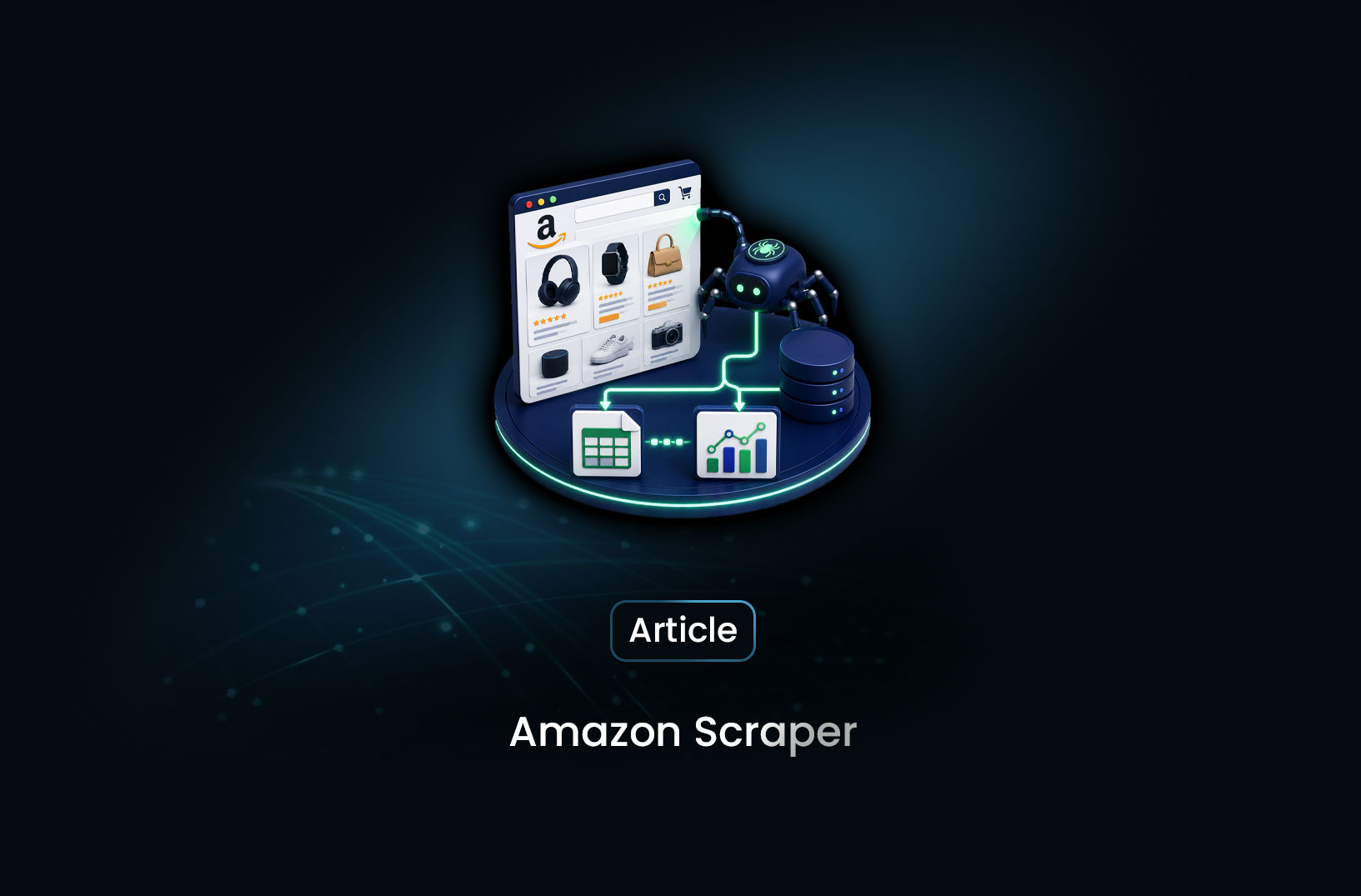
Amazon Scraper: Scrape Product Data With Python
Web ScrapingBuild an Amazon scraper in Python with the MrScraper SDK. Step-by-step code to extract product titles, prices, ratings, and reviews at scale.
Amazon is the most-scraped site on the internet and one of the least cooperative. Not because of a single hard wall, but because it changes shape constantly: the same product page ships in half a dozen DOM variants depending on your region, whether the item is Prime-eligible, whether a deal is running, and which A/B bucket your session landed in.
A CSS selector that works today returns None next Tuesday. That is the real cost of an Amazon scraper — not writing it, maintaining it.
This guide builds one three ways, from raw Python up to a scheduled pipeline:
What you'll build:
- A
requests+BeautifulSoupparser, and an honest look at why it degrades - A resilient AI-parser version that survives layout changes
- A full category crawler that discovers and paginates product listings
- A daily price tracker that writes to CSV, pandas and SQL
- Scheduling and alerting, with no orchestration code of your own
Prerequisites
python -m venv venv && source venv/bin/activate
pip install requests beautifulsoup4 lxml pandas curl_cffi python-dotenv
Python 3.10+. Section 1 requires no account. Sections 3–6 use a free MrScraper token (1,000 tokens, no card).
A note on legality and etiquette
Product listings, prices and public reviews are publicly accessible data, and scraping them is broadly established practice. What you should not do: scrape behind a login, collect personal data about reviewers, republish copyrighted content wholesale, or hammer the origin. Respect a sane request rate, cache aggressively, and re-read Amazon's Conditions of Use for your jurisdiction. If your use case is commercial and high-volume, get legal sign-off — that is not scraping advice, that is just business.
1. The straightforward approach: requests + BeautifulSoup
Start with the ASIN. Every Amazon product has one, and it gives you a clean canonical URL:
# https://www.amazon.com/dp/B0GLPSLS14  ->  ASIN = B0GLPSLS14
def product_url(asin: str, domain: str = "com") -> str:
    return f"https://www.amazon.{domain}/dp/{asin}"
Now fetch and parse:
from curl_cffi import requests as cffi_requests
from bs4 import BeautifulSoup

HEADERS = {
    "User-Agent": (
        "Mozilla/5.0 (Windows NT 10.0; Win64; x64) AppleWebKit/537.36 "
        "(KHTML, like Gecko) Chrome/126.0.0.0 Safari/537.36"
    ),
    "Accept-Language": "en-US,en;q=0.9",
    "Accept": "text/html,application/xhtml+xml,application/xml;q=0.9,*/*;q=0.8",
}

def fetch_html(url: str) -> str:
    resp = cffi_requests.get(
        url,
        headers=HEADERS,
        impersonate="chrome126",   # matches Chrome's TLS fingerprint
        timeout=30,
    )
    resp.raise_for_status()
    return resp.text


def parse_product(html: str) -> dict:
    soup = BeautifulSoup(html, "lxml")

    title_el = soup.select_one("#productTitle")
    title = title_el.get_text(strip=True) if title_el else None

    # Amazon renders price in at least five different structures
    price = None
    for selector in [
        "span.a-price span.a-offscreen",
        "#corePrice_feature_div span.a-offscreen",
        "#priceblock_ourprice",
        "#priceblock_dealprice",
        ".apexPriceToPay span.a-offscreen",
    ]:
        el = soup.select_one(selector)
        if el and el.get_text(strip=True):
            price = el.get_text(strip=True)
            break

    rating_el = soup.select_one("span.a-icon-alt")
    rating = rating_el.get_text(strip=True).split()[0] if rating_el else None

    reviews_el = soup.select_one("#acrCustomerReviewText")
    reviews = (
        reviews_el.get_text(strip=True).split()[0].replace(",", "")
        if reviews_el else None
    )

    avail_el = soup.select_one("#availability span")
    availability = avail_el.get_text(strip=True) if avail_el else None

    return {
        "title": title,
        "price": price,
        "rating": rating,
        "reviews": reviews,
        "availability": availability,
    }


html = fetch_html(product_url("B0GLPSLS14"))
print(parse_product(html))
Note impersonate="chrome126" — plain requests uses OpenSSL and produces a TLS fingerprint no browser has ever emitted, which gets you blocked before your headers are read. curl_cffi mimics Chrome's handshake. (Full detail in our Cloudflare bypass guide.)
Why this degrades
Run it against 200 ASINs across a few categories and the failure pattern shows up fast:
| Failure | Cause | Frequency |
|---|---|---|
price is None |
A sixth price variant (subscribe & save, coupon, used-offer block) | Constant |
title is None |
Different template for books, apparel, digital goods | Per category |
Everything None |
CAPTCHA page: "Enter the characters you see below" | Rises with volume |
| Price present but wrong | Grabbed the strikethrough list price, not the current one | Silent, worst case |
| Works in US, breaks in DE/JP | Localized DOM and currency formats | Per marketplace |
That last one is the killer, because it does not raise. It writes a wrong number into your database and you find out when someone repricing against it loses margin.
You can chase this. The chase looks like: add a selector, discover a variant, add another selector, add a CAPTCHA detector, add proxy rotation, add retries, add a canary test per category. Teams maintain files of 40+ fallback selectors per marketplace. It works, and it never stops needing attention.
2. The resilient approach: describe the data, not the DOM
Look at what section 1 actually spends its code on. Roughly six lines fetch the page. Everything else — the five-selector price fallback, the if el else None guards, the header set — exists to describe where data sits in Amazon's HTML. That is the part with a shelf life.
So invert it: stop encoding Amazon's structure in your code at all. Send the URL plus a description of the fields you want, and let an AI parser read the rendered page and return JSON. The page can be restructured tomorrow; "the current price the customer pays" means the same thing either way.
That is the model MrScraper is built on, and there is an official Python SDK so this stays Python rather than becoming a pile of hand-rolled HTTP calls:
pip install mrscraper-sdk
Grab a token from the dashboard (Profile → API Tokens → New Token) and put it in your .env as MRSCRAPER_API_TOKEN. The free tier gives you 1,000 tokens, which is plenty to follow this section.
One structural note before the code: SDK methods are async, so everything below runs inside asyncio.
Your first scrape
import asyncio
import os

from dotenv import load_dotenv
from mrscraper import MrScraper

load_dotenv()
client = MrScraper(token=os.getenv("MRSCRAPER_API_TOKEN"))

PROMPT = """
Extract the following information in JSON format:
- product_name
- brand
- price (numeric, current price the customer pays, NOT the strikethrough list price)
- list_price (numeric, the strikethrough price if a discount is shown, else null)
- currency (ISO code)
- rating (numeric out of 5)
- number_of_reviews (integer)
- availability (one of: in_stock, out_of_stock, limited)
- asin
- main_image_url
Return null for any field not present on the page.
"""

async def main():
    run = await client.create_scraper(
        url="https://www.amazon.com/dp/B0GLPSLS14",
        message=PROMPT,
        agent="general",        # "general" | "listing" | "map"
        proxy_country="US",     # match the marketplace you are scraping
    )

    print(run["status"], run["runtime"], run["tokenUsage"])
    print(run["data"])
    return run["scraperId"]     # save this — you will reuse it

PRODUCT_SCRAPER_ID = asyncio.run(main())
{
  "id": "497f6eca-6276-4993-bfeb-53cbbbba6f08",
  "scraperId": "6695bf87-aaa6-46b0-b1ee-88586b222b0b",
  "type": "AI",
  "status": "Finished",
  "runtime": "8.678",
  "tokenUsage": 3,
  "data": {
    "product_name": "MMWOWARTS Noise Cancelling Bluetooth Headphones, Wireless Over-Ear",
    "brand": "MMWOWARTS",
    "price": 39.99,
    "list_price": 59.99,
    "currency": "USD",
    "rating": 4.3,
    "number_of_reviews": 1284,
    "availability": "in_stock",
    "asin": "B0GLPSLS14",
    "main_image_url": "https://m.media-amazon.com/images/I/71...jpg"
  }
}
create_scraper() both creates and runs the scraper (POST /api/v1/scrapers-ai), so your first call already returns data. Compare it to the section 1 version: no selectors, no fallback chain, no CAPTCHA detector — and proxy_country quietly solves the "works in US, breaks in DE/JP" row from the failure table, since the exit IP now matches the marketplace.
Writing the prompt is the new skill
The prompt replaced your selectors, so it is where extraction is now won or lost. Three rules earn their keep on Amazon specifically:
- Disambiguate explicitly.
price (current price the customer pays, NOT the strikethrough list price)eliminates the single most common silent error in Amazon scraping. Capture both fields and you get discount depth for free. - Pin the types. "numeric", "integer", "ISO code" keep
"$39.99"out of a column you want to do arithmetic on. - Constrain enums.
one of: in_stock, out_of_stock, limitedcollapses twelve phrasings of availability ("Only 3 left in stock — order soon") into one clean field.
Check status, not the HTTP code
if run["status"] != "Finished":        # Finished | Processing | Failed
    raise RuntimeError(run.get("error") or f"status={run['status']}")

print(run["screenshotPath"])   # what the page actually looked like
print(run["htmlPath"])         # raw HTML, re-parseable offline
A Failed run still comes back as a successful HTTP response with a populated envelope, so status is the field that tells you the truth (full response schema). And when a price looks plausible but wrong, screenshotPath answers "real page, regional variant, or CAPTCHA?" in seconds — much faster than reproducing it locally.
The SDK raises typed exceptions for transport-level problems, which are worth separating from scrape-level ones:
from mrscraper.exceptions import AuthenticationError, APIError, NetworkError

try:
    run = await client.create_scraper(url=url, message=PROMPT, agent="general")
except AuthenticationError:
    print("Check MRSCRAPER_API_TOKEN")
except APIError as e:
    print(f"API error {e.status_code}")
except NetworkError as e:
    print(f"Network issue: {e}")
Reusing the scraper for other ASINs
Describing the schema is a one-time act. Every ASIN after the first reruns the saved scraper:
async def scrape_asin(scraper_id: str, asin: str, domain: str = "com") -> dict:
    return await client.rerun_scraper(
        scraper_id=scraper_id,
        url=f"https://www.amazon.{domain}/dp/{asin}",
    )

run = await scrape_asin(PRODUCT_SCRAPER_ID, "B08N5WRWNW")
print(run["data"])
That split matters for cost as much as clarity — the prompt is not re-sent on every product.
Do not loop — submit in bulk
A for loop over 500 ASINs is 500 sequential round trips, each waiting on a full page render. Submit them as one job instead:
async def scrape_asins(scraper_id: str, asins: list[str], domain: str = "com") -> dict:
    return await client.bulk_rerun_ai_scraper(
        scraper_id=scraper_id,
        urls=[f"https://www.amazon.{domain}/dp/{a}" for a in asins],
    )

job = await scrape_asins(PRODUCT_SCRAPER_ID, ["B0GLPSLS14", "B08N5WRWNW", "B09B8V1LZ3"])
print(job["id"], job["status"], job["type"])            # ... Processing  Bulk-AI
print(job["data"]["summary"]["estimatedFinishAt"])
Bulk is asynchronous. The response returns before the work finishes, carrying a result id and a summary with estimatedFinishAt. Poll that id with get_result_by_id() until it settles:
async def wait_for_bulk(bulk_id: str, poll_every: int = 15, timeout: int = 1800) -> dict:
    deadline = asyncio.get_event_loop().time() + timeout
    while asyncio.get_event_loop().time() < deadline:
        job = await client.get_result_by_id(bulk_id)
        summary = job["data"]["summary"]
        print(f"{summary['scrapedCount']}/{summary['totalUrls']} done, "
              f"{summary['failedUrls']} failed")
        if job["status"] in ("Finished", "Failed"):
            return job
        await asyncio.sleep(poll_every)
    raise TimeoutError(f"bulk job {bulk_id} still running after {timeout}s")
Pace the polling off estimatedFinishAt — 500 rendered product pages is minutes of work, and a tight loop buys you nothing.
The finished payload is built for the monitoring you actually need:
job = await wait_for_bulk(job["id"])

summary = job["data"]["summary"]
print(f"{summary['successfulUrls']}/{summary['totalUrls']} succeeded, "
      f"{summary['totalTokenUsage']} tokens")

# Retry only what actually failed
failed = [d["url"] for d in job["data"]["urlDetails"] if d["status"] != "Finished"]
for d in job["data"]["urlDetails"]:
    if d["status"] != "Finished":
        print(f"  {d['url']} -> {d['status']}: {d.get('error')}")

products = job["data"]["mergedData"]   # all extracted rows, already flattened
Three things this gives you that a loop does not:
mergedDataarrives pre-flattened — one row per URL, ready forpd.DataFrame(...)with no stitching.urlDetailsis per-URL status plus an error string, so a partial failure is a short retry list rather than a job you rerun from zero. On Amazon a handful of failures out of 500 is normal — dead ASINs, regional delistings — and you want them isolated, not fatal.summary.totalTokenUsagegives you real cost per batch, which is what makes a daily job forecastable.
Endpoint reference: bulk rerun · single rerun · SDK methods
When Amazon reshuffles its DOM next week, none of this changes. There is no selector to break — and unblocking, residential rotation and CAPTCHA handling run server-side on every request, which is what keeps the CAPTCHA row in that failure table from ever appearing.
3. Scraping a whole category, not one product
Single products are the easy case. What you usually want is every item in a category or search result — which means discovering product URLs, following pagination, then extracting each detail page.
Done by hand that is three problems: parse the listing grid, construct &page=N URLs until they run out, then fan out across detail pages while managing concurrency and blocks.
The AI listing crawl collapses it into one scraper. Create it with agent: "listing" instead of "general" — same endpoint, different behaviour: it walks the result grid rather than parsing a single page.
LISTING_PROMPT = """
For every product in the search results, extract in JSON format:
- product_name
- price (numeric, the current price shown, NOT the strikethrough list price)
- currency (ISO code)
- rating (numeric out of 5)
- number_of_reviews (integer)
- asin
- product_link
- sponsored (true if the result is marked Sponsored)
Return one object per product.
"""

listing_run = await client.create_scraper(
    url="https://www.amazon.com/s?k=noise+cancelling+headphones",
    message=LISTING_PROMPT,
    agent="listing",
    proxy_country="US",
)

LISTING_SCRAPER_ID = listing_run["scraperId"]
print(listing_run["status"], listing_run["runtime"])
Capturing sponsored is worth the extra field — roughly the first four results on any Amazon search page are ads, and leaving them in silently skews any "average category price" you compute.
To run that same extraction over other categories, rerun it with crawl bounds:
async def crawl_category(category_url: str, max_pages: int = 200) -> dict:
    return await client.rerun_scraper(
        scraper_id=LISTING_SCRAPER_ID,
        url=category_url,
        max_depth=2,              # listing page -> product page
        max_pages=max_pages,      # default is 50
        limit=1000,
        include_patterns=r"/dp/[A-Z0-9]{10}",   # only real product pages
        exclude_patterns=r"/(product-reviews|customer-reviews|ask)/",
    )


result = await crawl_category("https://www.amazon.com/s?k=wireless+earbuds")
print(result["status"], result["runtime"])
The two regex parameters do most of the work:
includePatterns: /dp/[A-Z0-9]{10}— Amazon ASINs are exactly ten alphanumeric characters. This restricts the crawl to canonical product pages and skips sponsored interstitials, brand stores and "similar items" carousels.excludePatterns— review and Q&A subpages are the classic budget sink. A 200-product category can hide 4,000 review pages behind it.
max_depth=2 means: listing page (depth 1) → product page (depth 2). Setting it to 3 lets the crawler follow "customers also bought" links off product pages, and your 200-page crawl quietly becomes a 5,000-page crawl. Keep it tight. (These bounds map directly onto the rerun endpoint's maxDepth, maxPages, includePatterns and excludePatterns fields if you prefer calling the REST API directly.)
Tip: audit the URL set before you spend tokens on it
If you are not sure what a category actually contains, run a map agent against it first. It returns discovered URLs and nothing else:
urls_run = await client.create_scraper(
    url="https://www.amazon.com/s?k=noise+cancelling+headphones",
    message="Find all product detail page URLs.",
    agent="map",
)

print(urls_run["data"]["count"])        # 581
print(urls_run["data"]["urls"][:5])
Cheap way to sanity-check your includePatterns regex against real URLs before committing a 200-page crawl to it.
4. Storing the results
Extraction is half the job. Here is a straight path from JSON to something queryable:
import pandas as pd
from datetime import datetime, timezone

def to_dataframe(items: list[dict]) -> pd.DataFrame:
    df = pd.DataFrame(items)
    df["scraped_at"] = datetime.now(timezone.utc)
    df["price"] = pd.to_numeric(df["price"], errors="coerce")
    df["list_price"] = pd.to_numeric(df["list_price"], errors="coerce")
    df["rating"] = pd.to_numeric(df["rating"], errors="coerce")
    df["discount_pct"] = (
        (df["list_price"] - df["price"]) / df["list_price"] * 100
    ).round(1)
    return df

def listing_items(run: dict) -> list[dict]:
    """Flatten a listing run: data.data.response is one object per page."""
    rows = []
    for page in run["data"].get("response", []):
        page_payload = page.get("data", {})
        # the inner key follows your prompt — "products" here
        for key in ("products", "items", "results"):
            if key in page_payload:
                rows.extend(page_payload[key])
                break
    return rows


df = to_dataframe(listing_items(result))
df.to_csv("amazon_headphones.csv", index=False)
The extra nesting is not noise — it is the pagination record. Each page object carries page_num, total_items and next_found, which is how you verify a crawl actually walked the result set instead of stopping at page 1:
for page in result["data"]["response"]:
    print(f"page {page['page_num']}: {page['total_items']} items, "
          f"next page found: {page['next_found']}")
page 0: 20 items, next page found: True
page 1: 20 items, next page found: True
page 2: 16 items, next page found: False
A run that returns next_found: False on page 0 with a suspiciously round item count is the classic sign that Amazon served you a truncated grid — worth alerting on, because the run still reports Finished.
For price history you want an append-only table, not an overwrite — the whole point is the time series:
from sqlalchemy import create_engine

engine = create_engine("postgresql://user:pass@localhost:5432/pricing")
df.to_sql("amazon_prices", engine, if_exists="append", index=False)
-- Biggest 24h price drops
SELECT asin, product_name,
       first_value(price) OVER w  AS latest_price,
       lag(price) OVER w          AS previous_price
FROM amazon_prices
WINDOW w AS (PARTITION BY asin ORDER BY scraped_at DESC)
ORDER BY (lag(price) OVER w) - price DESC
LIMIT 20;
MrScraper can also write results directly to SQL, S3, a webhook, Zapier or n8n, which removes the ingestion script entirely — useful when the pipeline runs unattended.
5. Turning it into a daily price tracker
A price scraper that runs when you remember to run it is not a price tracker. You need a schedule, retries, and somewhere for the data to land.
You can build that: a cron job, a queue, retry logic, dead-letter handling, alerting when a run silently returns zero rows. Reasonable, and roughly a week of work plus a box to keep alive.
Or attach a Scheduler to the scraper — daily at 06:00, results pushed to your Postgres table or a webhook — and the orchestration layer is simply not your code. The pipeline becomes:
Scheduler (daily 06:00)
  -> AI Listing Crawl over N category URLs
  -> AI Parser extracts the same schema per product
  -> Delivery to Postgres / S3 / webhook
  -> Your alerting queries the table
For targets that need interaction before the data is visible — set a delivery ZIP so regional pricing resolves, dismiss the location interstitial, apply a filter, then paginate — the Workflow builder chains those steps and feeds each step's output into the next, without you scripting a browser.
A minimal alerting query on top:
THRESHOLD = 15.0  # percent

drops = pd.read_sql("""
    SELECT asin, product_name, price, previous_price,
           ROUND((previous_price - price) / previous_price * 100, 1) AS drop_pct
    FROM v_amazon_price_changes
    WHERE previous_price > 0
      AND (previous_price - price) / previous_price * 100 >= %(threshold)s
""", engine, params={"threshold": THRESHOLD})

for row in drops.itertuples():
    print(f"⬇ {row.drop_pct}%  {row.product_name[:60]}  ${row.previous_price} → ${row.price}")
6. Which approach should you pick?
| requests + BeautifulSoup | AI parser (managed) | |
|---|---|---|
| Time to first result | 30 minutes | 5 minutes |
| Survives a DOM redesign | No — selectors break | Yes — no selectors involved |
| Handles CAPTCHA / blocks | You build it | Included |
| Multi-marketplace (US/DE/JP) | A selector set per locale | Same prompt, any locale |
| Listing + pagination | You build it | One call with depth/pattern limits |
| Scheduling & delivery | Cron + ingestion code | Built in |
| Cost at 1,000 products/day | Proxy bandwidth + your time | Token-based, proxies included |
| Best for | Learning, one-off pulls, full control | Production pipelines that must not silently break |
If you are scraping fifty ASINs once for a market study, write the BeautifulSoup version — it is genuinely fine and you will learn more. If prices feed a repricing engine, a dashboard, or anything a colleague depends on, the maintenance profile is what decides it, not the initial build.
7. Troubleshooting reference
| Symptom | Cause | Fix |
|---|---|---|
| "Enter the characters you see below" | CAPTCHA triggered by request rate or IP | Residential rotation + slower cadence, or super: true |
price is None on ~10% of pages |
An unhandled price variant | Add a selector, or switch to prompt extraction |
| Prices are wrong but plausible | Captured the strikethrough list price | Disambiguate current vs. list price explicitly |
| Different results per run, same ASIN | A/B test bucketing | Pin locale + delivery ZIP via a Workflow step |
| Empty results from a category crawl | Listing rendered client-side | Ensure browser rendering; verify includePatterns |
| Crawl burns budget fast | Depth too high or reviews included | maxDepth: 2 + excludePatterns for review URLs |
Works for .com, fails for .de |
Localized DOM and number formats | Same prompt; specify currency and decimal handling |
| 503s under concurrency | Too many parallel requests per IP | Lower concurrency, widen the pool, back off |
Frequently Asked Questions
Is scraping Amazon legal?
Scraping publicly accessible product data — titles, prices, ratings, availability — is broadly established practice and has been the subject of favorable US case law regarding public data. It is still governed by Amazon's Conditions of Use, and separate rules apply to personal data (reviewer identities), copyrighted content (images, review text) and anything behind a login. Get legal sign-off for commercial, high-volume use.
Does Amazon have an official API instead?
Yes — the Product Advertising API, but it requires an approved Associates account with qualifying sales, is rate-limited by your revenue, and exposes a narrower field set than the page itself. For competitive intelligence across sellers you do not have an affiliate relationship with, it does not cover the use case.
How do I scrape Amazon without getting blocked?
Three things in order of impact: use residential IPs rather than datacenter ranges, match your TLS fingerprint to a real browser (curl_cffi with impersonate), and keep your request rate human. Volume is what triggers the CAPTCHA, not any single request.
How many products can I scrape per day?
With a naive script from one datacenter IP, expect CAPTCHAs within a few hundred requests. With rotating residential IPs and sane pacing, tens of thousands per day is routine. The constraint is proxy bandwidth and concurrency, not any hard Amazon ceiling.
Can I scrape Amazon reviews too?
Yes — reviews live on /product-reviews/{ASIN} and paginate. Point a separate scraper there with a prompt for reviewer_rating, review_title, review_body, review_date, verified_purchase. Keep it separate from the product crawl so review pagination does not consume your product budget. Avoid collecting reviewer identities.
How do I track prices over time?
Append every run to a timestamped table rather than overwriting rows, then compute deltas with a window function (the SQL in section 4). Schedule the scrape daily and let the history accumulate — a price tracker is a scheduling problem far more than a scraping one.
Wrapping up
An Amazon scraper is easy to write and hard to keep alive. The DOM is a moving target, the price field alone has half a dozen variants, and volume brings CAPTCHAs on a curve.
- Start with
curl_cffi+ BeautifulSoup to understand the page structure - Move to prompt-based extraction once selector maintenance starts costing real time
- Use
includePatterns/excludePatternsto keep category crawls from exploding - Append to a timestamped table so you get a price history, not a price snapshot
- Put it on a schedule — an unscheduled scraper is a script, not a pipeline
Ready to start scraping Amazon at scale? Try MrScraper free — 1,000 tokens, no credit card required.
Related reading
- How to Bypass Cloudflare When Web Scraping — Amazon uses Cloudflare on many storefronts. Learn how each detection layer works and how to get past them.
- Python Web Scraping: The Complete Guide — Foundational Python scraping patterns that apply to Amazon and every other target.
- How to Scrape Websites Without Getting Blocked — Rate limiting, header rotation and proxy strategies to keep your Amazon pipeline running.
- Residential Proxy Rotation for Scraping — Why residential IPs matter when scraping at volume, and how MrScraper rotates them automatically.
- E-Commerce Data Scraping API: Collect Data at Scale — Broader e-commerce scraping strategies beyond Amazon — Walmart, eBay, Shopify stores.
- Build a Price Monitor with Scraping Browser — Turn your Amazon scraper into a full price-monitoring dashboard.
- MrScraper Documentation — Full API reference for the AI scraper, bulk endpoints, scheduling and integrations.
Summarize this post
Open it in your assistant of choice with the prompt ready to send.
Take a Taste of Easy Scraping!

Find more insights here

Return Verbatim Evidence Highlights in Web Research Answers
Build an evidence step that picks supporting passages, checks every quote against the source page, a…

Build an AI Agent That Finds Contradictions Across Website Pages
Build a workflow that pulls pricing, plan and policy claims from your own website, flags pages that…
Benchmark Heading-Aware and Semantic Chunking for Web Documentation
Run a fair test of heading-aware and semantic chunking on the same documentation pages, with a retri…