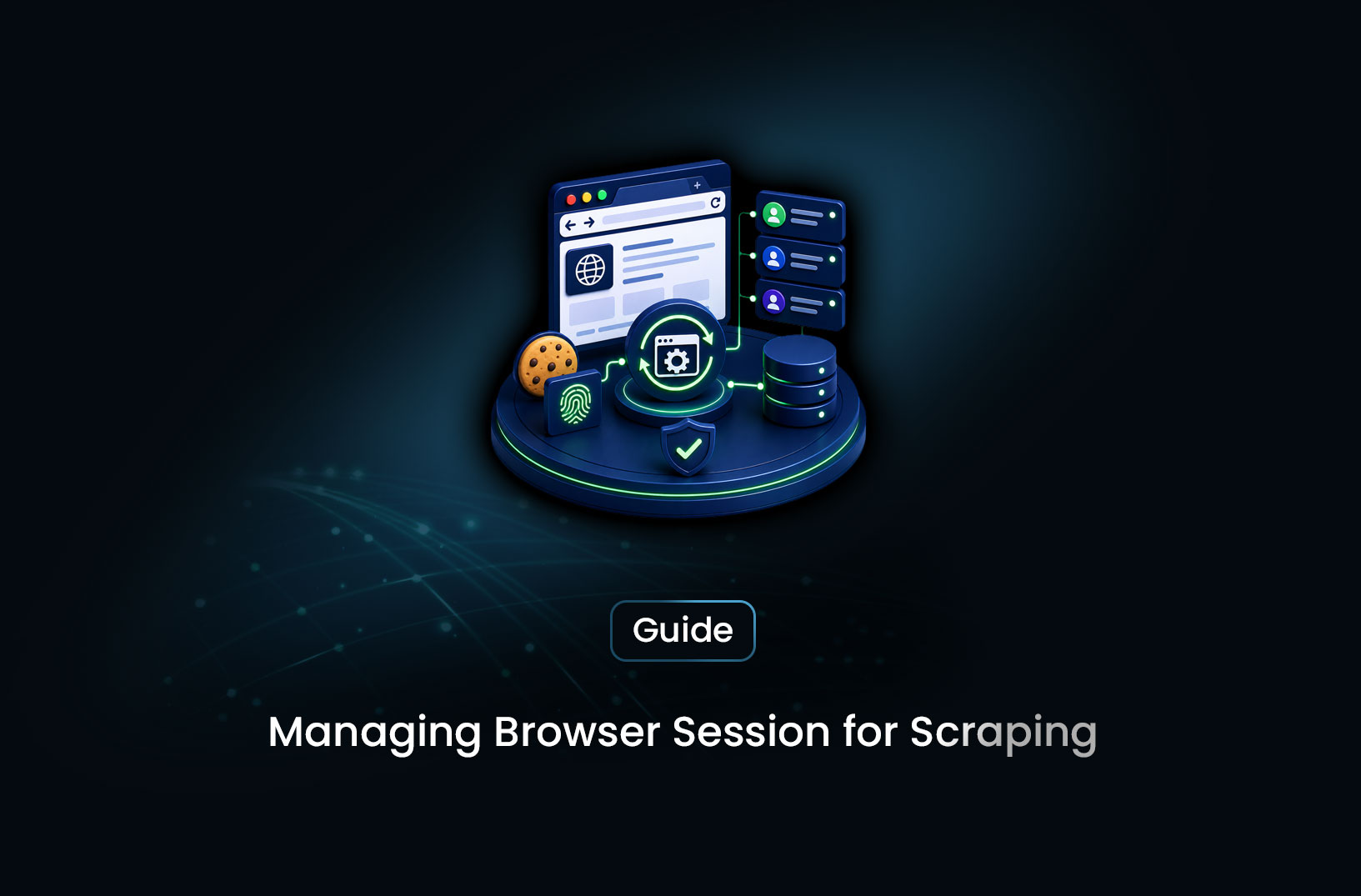
Manage Browser Sessions for Login-Required Sites
Web ScrapingLearn how to manage browser sessions when scraping login-required websites — saving cookies, reusing sessions, handling expiry, and avoiding re-login loops.
Scraping public pages is straightforward. Scraping content that requires a login is an entirely different engineering problem — and the most common mistake developers make is treating the login step as a one-time setup rather than a persistent state-management challenge.
Authenticated web scraping is more than "log in and then scrape." To scrape login-required websites reliably, you need to understand how browsers maintain authenticated state, how to capture and reuse that state across scraping sessions, how to detect when a session has expired and re-authenticate without human intervention, and how to handle the variety of login mechanisms — CSRF tokens, MFA prompts, OAuth flows — that complicate the initial login step. This guide covers each of these problems concretely, with working Playwright-based patterns for the most common authenticated scraping scenarios.
Table of Contents
- What Is Browser Session Management in Web Scraping?
- How Authentication State Works in a Browser
- Step-by-Step Guide: Scraping Login-Required Websites
- Common Challenges and Limitations
- Conclusion
- What We Learned
- FAQ
What Is Browser Session Management in Web Scraping?
Browser session management in the context of web scraping refers to the practice of capturing, storing, and reusing the authentication state a browser accumulates after a successful login — so your scraper can access protected pages without performing a full login on every run.
When a user logs into a website, the server establishes a session: it issues authentication tokens, sets session cookies, and may write state to the browser's local storage or session storage. These tokens are what prove to the server, on subsequent requests, that the requester has already authenticated. A browser session is live as long as those tokens are valid — which may be hours, days, or weeks depending on the site's session configuration.
For a web scraper, managing this session state correctly is what makes authenticated scraping work. A scraper that logs in on every run is slower, more detectable (login events are heavily monitored for bot activity), and more likely to trigger account lockouts from excessive authentication requests. A scraper that captures session state after a successful login, stores it, and reuses it on subsequent runs behaves much more like a normal user who stays logged in across browser restarts.
The technical challenge is that session state isn't just a single cookie — it's a combination of cookies, local storage entries, session storage entries, and sometimes in-memory tokens that a full headless browser needs to restore accurately. Getting this right is the core of authenticated web scraping.
How Authentication State Works in a Browser
Before the implementation, understanding what you're actually capturing and replaying clarifies why session management is more than just storing cookies.
Session cookies are the most common authentication mechanism. After a successful login, the server sends a Set-Cookie header containing a session identifier — a token that the server maps to your authenticated session in its own storage. Your browser includes this cookie in every subsequent request to that domain. The server reads the cookie, looks up the session, confirms you're authenticated, and serves protected content. Session cookies are usually marked HttpOnly (not readable by JavaScript) and Secure (only sent over HTTPS), and expire either when the browser closes (session cookies) or after a defined duration (Max-Age or Expires).
Local storage and session storage are JavaScript-accessible browser storage mechanisms that many modern single-page applications use to store JWTs (JSON Web Tokens), OAuth access tokens, user preferences, and CSRF state alongside or instead of cookies. A scraper that captures cookies but ignores local storage will be missing the tokens that the frontend JavaScript reads and includes in API calls — which is why simple cookie extraction fails for modern SPAs.
Bearer tokens in API calls are common on React and Angular frontends: the frontend JavaScript reads an access token from storage and adds it as an Authorization: Bearer <token> header to XHR/fetch requests that load protected data. Replaying this requires either restoring the full browser state (so the JavaScript re-reads and uses the token) or extracting the token and including it in your own API calls directly.
According to Mozilla's documentation on browser storage, cookies set with HttpOnly are intentionally inaccessible to JavaScript — which means approaches that only capture JavaScript-accessible cookies will miss the most important session identifiers on security-conscious sites. A full browser session capture using Playwright's storage state mechanism captures both.
Step-by-Step Guide: Scraping Login-Required Websites
Step 1: Set Up a Persistent Browser Context
Playwright's browser context is the right abstraction for session management — it's a sandboxed browser environment with its own cookies, storage, and authentication state. Use a persistent context that writes state to disk rather than an in-memory context that disappears when the script ends:
from playwright.sync_api import sync_playwright
import json
import os

SESSION_FILE = "session_state.json"

def get_browser_context(playwright):
    """Return an authenticated browser context, creating session if needed."""
    browser = playwright.chromium.launch(headless=True)

    if os.path.exists(SESSION_FILE):
        # Restore saved session state
        context = browser.new_context(storage_state=SESSION_FILE)
        print("Loaded existing session from disk.")
    else:
        # No saved session — start fresh and will log in
        context = browser.new_context()

    return browser, context
The storage_state parameter on new_context() accepts either a file path or a dictionary containing cookies and localStorage entries. When provided, Playwright initializes the context with that state — making the browser appear already logged in from the server's perspective.
Step 2: Perform the Login Flow and Save Session State
When no saved session exists, navigate to the login page and complete authentication programmatically. The specifics depend on the login form — most standard username/password flows follow the same pattern:
def login_and_save_session(context, login_url: str, username: str, password: str):
    """Perform login flow and save session state to disk."""
    page = context.new_page()
    page.goto(login_url)

    # Fill in credentials — adjust selectors to match the actual login form
    page.fill('input[type="email"], input[name="username"], input[name="email"]', username)
    page.fill('input[type="password"]', password)

    # Click submit and wait for navigation to confirm login success
    page.click('button[type="submit"], input[type="submit"]')
    page.wait_for_load_state("networkidle")

    # Verify login succeeded before saving state
    if "login" in page.url.lower() or "signin" in page.url.lower():
        raise RuntimeError(f"Login may have failed — still on login URL: {page.url}")

    # Save full session state: cookies + localStorage + sessionStorage
    context.storage_state(path=SESSION_FILE)
    print(f"Session saved to {SESSION_FILE}")
    page.close()
The storage_state(path=...) call serializes the entire browser context state — cookies, local storage, and session storage for all domains the context has visited — to a JSON file. This is the complete authenticated state you'll restore on the next run.
Step 3: Detect Session Expiry and Re-authenticate
Saved sessions expire. The server-side session times out, tokens reach their Max-Age, or the site rotates session identifiers on a schedule. A scraper that doesn't detect expiry will silently scrape login redirect pages instead of protected content — collecting garbage data without any obvious error.
Build session validation into every scraping run before collecting data:
def session_is_valid(context, protected_url: str, expiry_signal: str = "login") -> bool:
    """Check if the current session can access a protected page."""
    page = context.new_page()
    try:
        page.goto(protected_url, wait_until="domcontentloaded")
        # If we're redirected to login, the session has expired
        is_valid = expiry_signal.lower() not in page.url.lower()
        return is_valid
    finally:
        page.close()

def get_authenticated_context(playwright, login_url: str,
                               protected_url: str, username: str, password: str):
    """Return a validated authenticated context, re-logging in if needed."""
    browser, context = get_browser_context(playwright)

    if not session_is_valid(context, protected_url):
        print("Session expired or invalid. Re-authenticating...")
        # Clear the stale session file
        if os.path.exists(SESSION_FILE):
            os.remove(SESSION_FILE)
        # Re-create context and log in
        context.close()
        context = browser.new_context()
        login_and_save_session(context, login_url, username, password)

    return browser, context
Step 4: Scrape Protected Pages Within the Authenticated Context
With a validated session context, open pages as normal — the session state means every request includes the authentication cookies and storage state automatically:
def scrape_protected_page(context, target_url: str) -> str:
    """Scrape a page that requires authentication."""
    page = context.new_page()
    try:
        page.goto(target_url, wait_until="networkidle")
        # Verify we got protected content, not a login redirect
        if "login" in page.url.lower():
            raise RuntimeError(f"Session expired mid-scrape for URL: {target_url}")
        content = page.content()
        return content
    finally:
        page.close()
Creating a new page within the same context (rather than a new context) preserves the shared authentication state. All pages in the same context share cookies and storage — which is correct behavior for a logged-in browser session.
Step 5: Handle Multiple Accounts and Concurrent Sessions
For high-volume authenticated scraping, a single account session is a bottleneck and a risk — login accounts can get flagged for unusual activity if used at high frequency. Distribute scraping across multiple accounts with separate session files:
ACCOUNTS = [
    {"username": "user1@example.com", "password": "pass1", "session": "session_1.json"},
    {"username": "user2@example.com", "password": "pass2", "session": "session_2.json"},
]

def scrape_with_account_rotation(urls: list[str]):
    """Distribute scraping URLs across multiple authenticated accounts."""
    with sync_playwright() as playwright:
        for i, url in enumerate(urls):
            account = ACCOUNTS[i % len(ACCOUNTS)]
            SESSION_FILE = account["session"]
            browser, context = get_authenticated_context(
                playwright,
                LOGIN_URL,
                PROTECTED_URL,
                account["username"],
                account["password"]
            )
            content = scrape_protected_page(context, url)
            # Process content...
            context.close()
            browser.close()
Account rotation distributes request frequency across multiple sessions, reducing the per-account detection signal and providing resilience if any single account is flagged.
Common Challenges and Limitations
CSRF tokens complicate form submission. Many login forms include a hidden CSRF (Cross-Site Request Forgery) token that must be extracted from the login page HTML and submitted along with credentials. Playwright handles this transparently when you interact with the form by clicking — the CSRF token is part of the form's DOM and gets submitted with it. If you're bypassing the form UI and making direct POST requests instead, you need to explicitly extract the CSRF token from the page before submitting. Using Playwright's form interaction (fill + click) rather than direct HTTP POST avoids this entirely.
Multi-factor authentication requires human intervention or workarounds. Sites with TOTP MFA (Google Authenticator, Authy) or email/SMS verification code requirements can't be fully automated without access to the MFA secret or the receiving inbox. For TOTP, Python's pyotp library generates valid TOTP codes from the base32 secret — but this requires storing the MFA secret in your scraping configuration, which has security implications. For email/SMS codes, you need either an automatable inbox (a testing email account whose API you can query) or a human-in-the-loop first-login step that produces a long-lived session you then persist and reuse.
Login detection on the login page itself is aggressive. Bot-protection systems invest heavily in detecting automation specifically on login endpoints — because login credential stuffing is a major attack vector. Filling a form and clicking submit with Playwright in default headless mode may trigger CAPTCHAs or silent blocks before authentication completes. Playwright stealth mode plugins help; running in headed mode (non-headless) during the login step and switching to headless for subsequent scraping is another approach. For targets where the login page is heavily protected, managed scraping platforms that maintain pre-authenticated browser sessions can remove the need to automate the login step entirely. MrScraper's Scraping Browser handles session management and anti-bot bypass together — relevant for teams where the login page itself is the hardest part. More at https://docs.mrscraper.com.
Session state files are sensitive credentials. A session_state.json file contains authentication cookies that grant access to the account without knowing the password. Store these files with appropriate access controls (not in public repositories, not world-readable on the filesystem), rotate sessions regularly, and treat them with the same security discipline as API keys. Add *.json and session_* patterns to your .gitignore.
Session isolation between concurrent workers requires care. If multiple Playwright workers share the same session file and one worker's navigation triggers a session-modifying response (a token rotation, a session extension), concurrent workers reading the stale session file may make requests with invalid state. For concurrent authenticated scraping, each worker should either use a separate session file or implement a session manager with locking that coordinates reads and writes to shared session state.
Conclusion
Authenticated scraping is fundamentally a session state management problem, not just a login automation problem. The login step is the starting point; everything after it depends on capturing that authenticated state correctly, storing it securely, reusing it efficiently across runs, detecting when it expires, and recovering gracefully when it does. Playwright's storage_state mechanism — capturing and restoring the complete browser state including cookies, local storage, and session storage — is the right foundation for most authenticated scraping workflows.
The edge cases — CSRF tokens, MFA, login-page bot detection, session file security, concurrent worker isolation — each require explicit handling. Build for them from the start rather than discovering them when a production scraper breaks at 2am. The code patterns in this guide cover the most common scenarios; your specific target's authentication mechanism will determine which adaptations you need.
What We Learned
- Session management is not just storing cookies: Full authenticated state includes cookies, local storage, and session storage — Playwright's
storage_statecaptures all three, while cookie-only approaches fail for modern SPAs that read auth tokens from localStorage. - Login on every run is a detection risk: Repeated authentication events are heavily monitored; capturing and reusing session state makes your scraper behave like a staying-logged-in user rather than an automated authenticating agent.
- Session expiry detection must be explicit: Without checking whether protected pages redirect to login, a scraper with an expired session silently collects redirect pages rather than target content — a subtle data quality failure.
- CSRF tokens are handled automatically by form interaction: Using Playwright's
fill()andclick()API interacts with forms as a user would, submitting CSRF tokens transparently — bypassing the form UI with direct HTTP POST requires explicit token extraction. - Session state files are sensitive credentials: They grant account access without a password and must be treated with the same security discipline as API keys — access controls,
.gitignorepatterns, and regular rotation. - Multiple accounts provide resilience and scale: Distributing scraping across several authenticated accounts reduces per-account detection signals and provides continued operation if any single account is flagged.
FAQ
How do I scrape a website that requires login?
Use a headless browser automation tool like Playwright to perform the login flow programmatically — navigate to the login page, fill credentials, submit the form, and wait for authentication to complete. After a successful login, save the browser's session state (cookies and storage) to disk using Playwright's
storage_statemethod. On subsequent runs, restore that state instead of logging in again. Build session expiry detection to trigger re-authentication when the saved state is no longer valid.What is browser session state in web scraping?
Browser session state is the combination of cookies, local storage entries, and session storage entries that a browser accumulates after logging into a website. These tokens prove to the server on subsequent requests that the user has already authenticated. In Playwright, session state can be serialized to a JSON file with
context.storage_state(path="session.json")and restored on the next run withbrowser.new_context(storage_state="session.json").How do I save and reuse session cookies in Playwright?
Use Playwright's
context.storage_state(path="session_file.json")after a successful login to serialize the full session state to disk. On the next run, restore it withbrowser.new_context(storage_state="session_file.json"). This captures cookies, localStorage, and sessionStorage for all domains — not just the session cookie — which is necessary for sites that use JWTs or bearer tokens stored outside of cookies.How do I detect when my scraping session has expired?
After restoring a saved session, navigate to a known protected page before starting your main scraping loop. If the navigation redirects to the login URL or serves a login form instead of the expected protected content, the session has expired. In code, check whether
"login"or"signin"appears in the resulting URL after navigation, and trigger re-authentication if detected. Building this check into a validation function that runs before every scraping batch catches expiry before it silently corrupts your data.Can I scrape login-required websites without automating the login step?
Yes, for some approaches. If you can manually log in once through a real browser, export the session cookies, and load them into your scraper's cookie jar, you bypass the login automation entirely for the first session. This is useful when the login page has CAPTCHA or MFA that's difficult to automate. The limitation is that manual session capture requires human intervention every time the session expires. For long-running operations, automating re-authentication is necessary.
Is scraping login-required websites legal?
Legality depends on the specific site, your authorization level, and the jurisdiction. Accessing content through your own legitimate account credentials is generally treated similarly to normal account use. Scraping at volumes that violate the site's Terms of Service, accessing data beyond your account's authorization scope, or using credentials you're not authorized to use are the scenarios that create legal exposure. Always review the target site's Terms of Service before building an authenticated scraping operation, and consult legal counsel for commercial applications.
Summarize this post
Open it in your assistant of choice with the prompt ready to send.
Take a Taste of Easy Scraping!

Find more insights here

Build a Source-Led Deep Research Workflow With MrScraper
Build a deep research workflow that turns a question into a source plan, collects evidence from appr…
Choose an Agent Framework for a Web Data Application
Compare LangGraph, the OpenAI Agents SDK, Google ADK, CrewAI, Mastra and the Claude Agent SDK on too…

Design AI Research Loops That Stop, Recover and Produce Evidence
Learn how to build an AI research loop with clear states, firm stop conditions, safe retries after f…