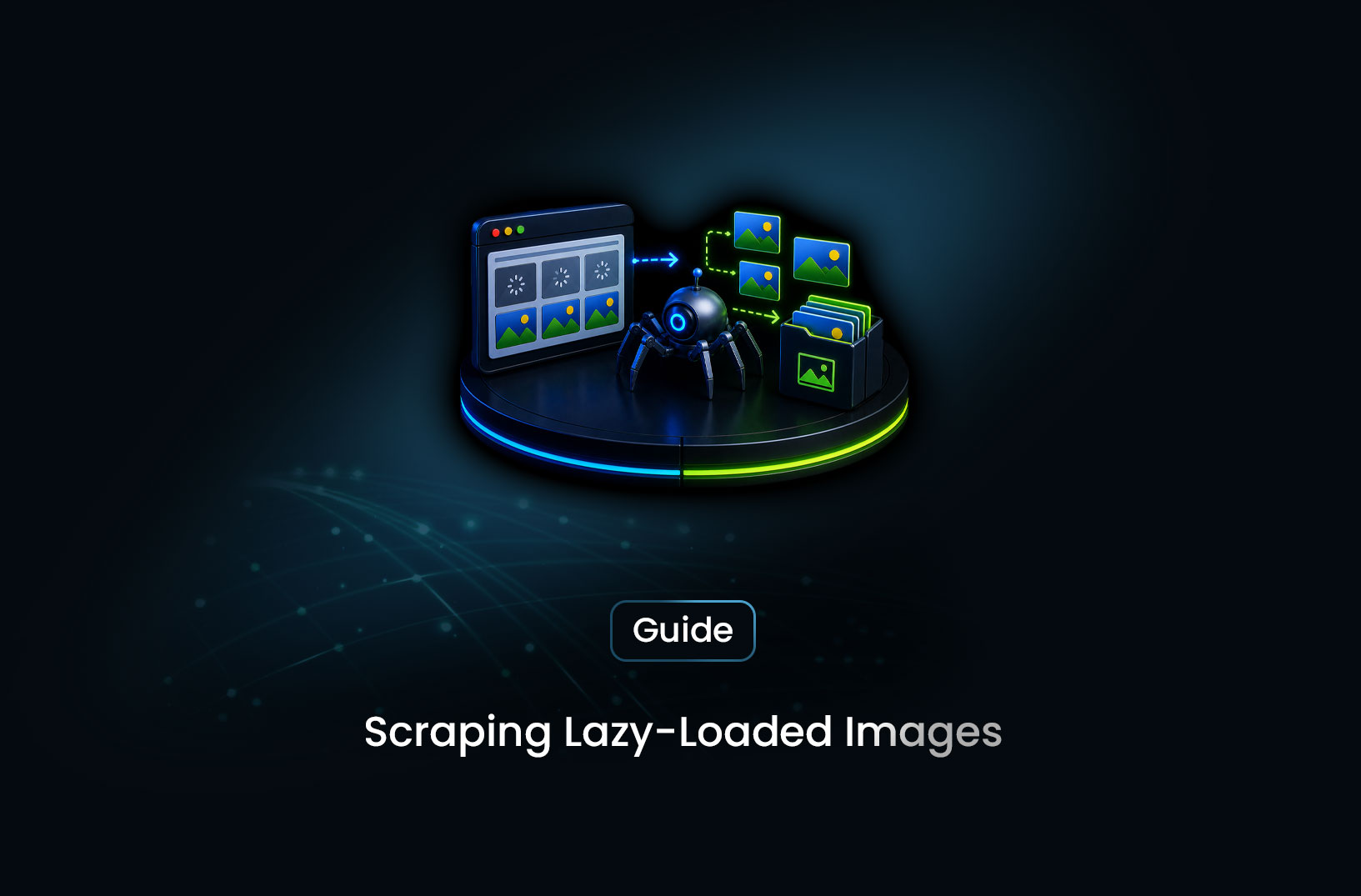
How to Scrape Lazy-Loaded Images From Any Site
Web ScrapingA concise overview of scraping lazy-loaded images using browser automation, scroll-based rendering, and attribute extraction techniques, while handling infinite scroll galleries and anti-bot protections reliably.
You're scraping a product catalog. The HTML is full of <img> tags — but when you check the src attributes, they're either empty, set to a 1x1 placeholder GIF, or populated with something like data-src="https://cdn.example.com/product-image.jpg". You extract all the src values and get a list of useless placeholder URLs. The actual image URLs are somewhere — you can see the images in your browser — but they're not in the initial HTML.
That's lazy loading. And it's on the majority of modern image-heavy websites.
Here's how lazy loading works and how to bypass it: images load when they enter the viewport, not when the page first renders. Your scraper needs to simulate scrolling so every image enters the viewport, triggering the browser to swap placeholder values for real image URLs — then extract the src values after that swap has happened. For sites where you need to collect the actual image files, you download them programmatically after extraction. Let's walk through the full process.
What is Lazy Loading and Why Does It Break Scrapers?
Lazy loading is a performance optimization where images (and other media) only load when they're close to or within the user's visible viewport. Instead of downloading all images when the page first loads — which would be slow and bandwidth-heavy — the browser waits until you scroll near each image, then fetches it on demand.
In HTML, lazy-loaded images typically look like one of these patterns:
<!-- Pattern 1: data-src attribute (most common) -->
<img src="placeholder.gif" data-src="https://cdn.example.com/real-image.jpg" alt="Product">

<!-- Pattern 2: Blank src, data-src populated -->
<img src="" data-src="https://cdn.example.com/real-image.jpg" loading="lazy">

<!-- Pattern 3: Native lazy loading attribute (modern browsers) -->
<img src="https://cdn.example.com/real-image.jpg" loading="lazy" alt="Product">

<!-- Pattern 4: Background image in data attribute -->
<div data-background="https://cdn.example.com/hero-image.jpg" class="hero"></div>

<!-- Pattern 5: srcset with lazy loading -->
<img data-srcset="image-400.jpg 400w, image-800.jpg 800w" data-src="image-400.jpg" loading="lazy">
A plain requests call or a Playwright scraper that doesn't scroll fetches the page exactly as it loads initially — with placeholder values in src. The JavaScript that swaps data-src → src when images enter the viewport never runs, because there's no viewport to scroll through and no scroll event to trigger the swap.
Why requests always fails here: requests doesn't execute JavaScript at all. Even if you get the full HTML, data-src stays data-src forever. You need a real browser.
Why Playwright without scrolling fails: Playwright renders the page, but if you extract immediately after page.goto(), only the images in the initial viewport have loaded. Everything below the fold still has placeholder values.
Step-by-Step Guide: Scraping Lazy-Loaded Images
Step 1: Identify the Lazy-Loading Pattern on Your Target
Before writing any scraping code, inspect the page to understand exactly how your target implements lazy loading. This determines which extraction approach works best.
import requests
from bs4 import BeautifulSoup

def diagnose_lazy_loading(url: str) -> dict:
    """
    Fetch the initial HTML (without JavaScript execution) and
    analyze the image loading patterns present.
    """
    response = requests.get(
        url,
        headers={"User-Agent": "Mozilla/5.0 (Windows NT 10.0; Win64; x64) AppleWebKit/537.36"},
        timeout=15,
    )
    soup = BeautifulSoup(response.text, "html.parser")
    images = soup.find_all("img")

    patterns = {
        "total_images": len(images),
        "has_data_src": 0,
        "has_loading_lazy": 0,
        "has_real_src": 0,
        "has_empty_src": 0,
        "data_background_elements": 0,
    }

    for img in images:
        if img.get("data-src"):
            patterns["has_data_src"] += 1
        if img.get("loading") == "lazy":
            patterns["has_loading_lazy"] += 1
        src = img.get("src", "")
        if src and not src.startswith("data:"):  # Real URL, not base64
            patterns["has_real_src"] += 1
        if not src or src == "":
            patterns["has_empty_src"] += 1

    # Check for background image lazy loading
    patterns["data_background_elements"] = len(
        soup.find_all(attrs={"data-background": True})
        + soup.find_all(attrs={"data-bg": True})
    )

    return patterns

result = diagnose_lazy_loading("https://your-target-site.com/products")
print(result)
# Example output:
# {'total_images': 48, 'has_data_src': 45, 'has_loading_lazy': 3,
#  'has_real_src': 3, 'has_empty_src': 42, 'data_background_elements': 6}
This diagnostic tells you immediately what you're dealing with:
- High
has_data_srccount → scroll-to-trigger approach needed - High
has_loading_lazy→ native lazy loading, need browser + scroll - Many
data_background_elements→ CSS background extraction needed separately
Step 2: Trigger Lazy Loading by Scrolling With Playwright
The core technique: scroll down the page gradually, pausing after each scroll increment to let the browser fire image load events. After reaching the bottom, extract image URLs from the now-populated src attributes.
from playwright.async_api import async_playwright
import asyncio
import os

async def scrape_lazy_images_with_scroll(url: str) -> list[str]:
    """
    Scroll through a page to trigger lazy image loading,
    then extract all image URLs after they've populated.
    """
    async with async_playwright() as p:
        browser = await p.chromium.launch(headless=True)
        context = await browser.new_context(
            user_agent="Mozilla/5.0 (Windows NT 10.0; Win64; x64) AppleWebKit/537.36 (KHTML, like Gecko) Chrome/124.0.0.0 Safari/537.36",
            viewport={"width": 1440, "height": 900},
        )
        page = await context.new_page()

        # Remove webdriver flag before any page JS runs
        await page.add_init_script(
            "Object.defineProperty(navigator, 'webdriver', { get: () => undefined });"
        )

        print(f"Loading page: {url}")
        await page.goto(url, wait_until="domcontentloaded")

        # Get total page height
        page_height = await page.evaluate("document.body.scrollHeight")
        viewport_height = 900  # Must match context viewport height
        scroll_position = 0
        scroll_step = 400      # Pixels per scroll increment

        print(f"Page height: {page_height}px — beginning scroll")

        while scroll_position < page_height:
            # Scroll down by one step
            await page.evaluate(f"window.scrollTo(0, {scroll_position})")
            scroll_position += scroll_step

            # Wait for images in the new viewport area to load
            # 600ms gives IntersectionObserver time to fire and images time to load
            await asyncio.sleep(0.6)

            # Re-check page height — infinite scroll pages grow as you scroll
            new_height = await page.evaluate("document.body.scrollHeight")
            if new_height > page_height:
                page_height = new_height
                print(f"Page expanded to {page_height}px")

        # Brief wait after reaching bottom to let final images settle
        await asyncio.sleep(1.5)

        # Extract all image URLs — src should now be populated
        image_urls = await page.eval_on_selector_all(
            "img",
            """imgs => imgs
                .map(img => img.src || img.getAttribute("data-src") || "")
                .filter(src =>
                    src.length > 0
                    && !src.startsWith("data:")     // Skip base64 placeholders
                    && !src.includes("placeholder") // Skip placeholder URLs
                    && !src.includes("blank.gif")   // Skip blank GIFs
                )
            """
        )

        print(f"Extracted {len(image_urls)} image URLs")
        await browser.close()
        return list(set(image_urls))  # Deduplicate

image_urls = asyncio.run(scrape_lazy_images_with_scroll("https://example.com/gallery"))
print(image_urls[:5])
The 600ms pause between scroll steps is the key timing decision. Too short and images in the newly visible area haven't had time to load. Too long and the overall scrape takes forever. 400–600ms works well for most sites; increase to 1000ms for sites on slower CDNs or with heavy JavaScript rendering.
Step 3: Handle data-src and data-srcset Variants
Some lazy loading implementations don't automatically swap data-src into src even after scrolling — they use custom JavaScript libraries (LazyLoad.js, lozad.js, custom IntersectionObserver implementations) that update the attribute names differently.
async def extract_all_image_url_variants(page) -> list[str]:
    """
    Extract image URLs from all common lazy-loading attribute patterns.
    Handles src, data-src, data-srcset, data-lazy, data-original, and background images.
    """
    image_urls = await page.evaluate("""
        () => {
            const urls = new Set();

            // Standard img tags — all possible URL-containing attributes
            document.querySelectorAll("img").forEach(img => {
                const attrs = [
                    "src", "data-src", "data-lazy", "data-original",
                    "data-lazy-src", "data-echo", "data-image"
                ];
                attrs.forEach(attr => {
                    const val = img.getAttribute(attr);
                    if (val && val.startsWith("http") && !val.includes("placeholder")) {
                        urls.add(val);
                    }
                });

                // Handle srcset and data-srcset
                const srcset = img.getAttribute("srcset") || img.getAttribute("data-srcset");
                if (srcset) {
                    srcset.split(",").forEach(entry => {
                        const src = entry.trim().split(" ")[0];
                        if (src.startsWith("http")) urls.add(src);
                    });
                }
            });

            // Background images in inline styles
            document.querySelectorAll("[style*='background']").forEach(el => {
                const match = el.style.backgroundImage.match(/url\\(['"]?(.+?)['"]?\\)/);
                if (match && match[1].startsWith("http")) urls.add(match[1]);
            });

            // data-background and data-bg attributes (used by some frameworks)
            document.querySelectorAll("[data-background], [data-bg]").forEach(el => {
                const bg = el.getAttribute("data-background") || el.getAttribute("data-bg");
                if (bg && bg.startsWith("http")) urls.add(bg);
            });

            return Array.from(urls);
        }
    """)
    return image_urls
Calling this function after the scroll loop catches image URLs regardless of which attribute pattern the site uses.
Step 4: Handle Infinite Scroll Galleries
Some galleries don't have a fixed page height — they load more images as you continue scrolling, potentially indefinitely. You need a loop that scrolls, collects images, detects when no new images appeared, and stops.
async def scrape_infinite_scroll_images(
    url: str,
    max_scrolls: int = 30,
    new_image_timeout: int = 3,
) -> list[str]:
    """
    Handle galleries with infinite scroll — keeps scrolling until
    no new images load for `new_image_timeout` scroll attempts.
    """
    async with async_playwright() as p:
        browser = await p.chromium.launch(headless=True)
        context = await browser.new_context(
            user_agent="Mozilla/5.0 (Windows NT 10.0; Win64; x64) AppleWebKit/537.36 (KHTML, like Gecko) Chrome/124.0.0.0 Safari/537.36",
            viewport={"width": 1440, "height": 900},
        )
        page = await context.new_page()
        await page.goto(url, wait_until="domcontentloaded")
        await asyncio.sleep(2.0)  # Let initial content settle

        all_image_urls: set[str] = set()
        consecutive_no_new = 0

        for scroll_num in range(max_scrolls):
            # Collect current image URLs before scrolling
            pre_scroll_count = len(all_image_urls)

            current_urls = await extract_all_image_url_variants(page)
            all_image_urls.update(current_urls)

            new_this_scroll = len(all_image_urls) - pre_scroll_count
            print(f"Scroll {scroll_num + 1}: +{new_this_scroll} new images ({len(all_image_urls)} total)")

            # Scroll to bottom
            await page.evaluate("window.scrollTo(0, document.body.scrollHeight)")
            await asyncio.sleep(1.2)  # Wait for new images to load

            if new_this_scroll == 0:
                consecutive_no_new += 1
                if consecutive_no_new >= new_image_timeout:
                    print(f"No new images for {new_image_timeout} consecutive scrolls — stopping")
                    break
            else:
                consecutive_no_new = 0  # Reset counter when new images appear

        await browser.close()
        print(f"Total unique images found: {len(all_image_urls)}")
        return list(all_image_urls)

urls = asyncio.run(scrape_infinite_scroll_images(
    "https://example.com/gallery",
    max_scrolls=50,
    new_image_timeout=3,
))
The consecutive_no_new counter is the right stopping condition — not just "no new images this scroll" (which could be a slow load), but "no new images for 3 consecutive scrolls" (which means we've genuinely hit the end).
Step 5: Download the Images
After collecting image URLs, download the actual files:
import requests
import os
import hashlib
from pathlib import Path
from urllib.parse import urlparse
import time
import random

def download_images(
    image_urls: list[str],
    output_dir: str = "downloaded_images",
    proxies: dict = None,
) -> dict:
    """
    Download images from a list of URLs with deduplication and error handling.
    Returns a summary of download results.
    """
    Path(output_dir).mkdir(parents=True, exist_ok=True)

    results = {"success": 0, "failed": 0, "skipped": 0}
    headers = {
        "User-Agent": "Mozilla/5.0 (Windows NT 10.0; Win64; x64) AppleWebKit/537.36 (KHTML, like Gecko) Chrome/124.0.0.0 Safari/537.36",
        "Accept": "image/webp,image/apng,image/svg+xml,image/*,*/*;q=0.8",
    }

    for url in image_urls:
        try:
            # Generate filename from URL hash (avoids filename collisions)
            url_hash = hashlib.md5(url.encode()).hexdigest()[:12]
            parsed = urlparse(url)
            extension = Path(parsed.path).suffix or ".jpg"
            filename = f"{url_hash}{extension}"
            filepath = Path(output_dir) / filename

            # Skip if already downloaded
            if filepath.exists():
                results["skipped"] += 1
                continue

            response = requests.get(
                url,
                headers=headers,
                proxies=proxies,
                timeout=20,
                stream=True,  # Stream to handle large image files
            )

            if response.status_code == 200:
                content_type = response.headers.get("content-type", "")
                if "image" not in content_type:
                    print(f"Skipping non-image response from {url}: {content_type}")
                    results["skipped"] += 1
                    continue

                with open(filepath, "wb") as f:
                    for chunk in response.iter_content(chunk_size=8192):
                        f.write(chunk)

                file_size_kb = filepath.stat().st_size / 1024
                print(f"Downloaded: {filename} ({file_size_kb:.1f} KB)")
                results["success"] += 1

            else:
                print(f"Failed {url}: HTTP {response.status_code}")
                results["failed"] += 1

            # Polite delay between downloads
            time.sleep(random.uniform(0.3, 0.8))

        except Exception as e:
            print(f"Error downloading {url}: {e}")
            results["failed"] += 1

    print(f"\nDownload complete: {results['success']} success, "
          f"{results['failed']} failed, {results['skipped']} skipped")
    return results

# Full pipeline: scrape URLs then download files
image_urls = asyncio.run(scrape_lazy_images_with_scroll("https://example.com/gallery"))
download_results = download_images(image_urls, output_dir="gallery_images")
The stream=True flag is important for large images — it prevents loading the entire file into memory before writing to disk, which matters when downloading hundreds of high-resolution product images.
Step 6: Use MrScraper's fetch_html for Managed Infrastructure
For sites where your target pages are also protected by anti-bot systems — where you can't just run local Playwright without getting blocked — MrScraper's fetch_html returns fully rendered HTML from a stealth browser with residential proxies, then you parse the image URLs from it:
import asyncio
import os
from bs4 import BeautifulSoup
from mrscraper import MrScraper
from mrscraper.exceptions import AuthenticationError, APIError, NetworkError

async def scrape_images_via_mrscraper(url: str) -> list[str]:
    """
    Use MrScraper's stealth browser to fetch fully rendered HTML,
    then extract image URLs from all lazy-loading attribute patterns.
    Note: fetch_html returns the rendered page — JavaScript has run,
    but scroll-triggered lazy loading may not have fired.
    Parse data-src and data-lazy attributes as well as src.
    """
    client = MrScraper(token=os.getenv("MRSCRAPER_API_TOKEN"))

    try:
        result = await client.fetch_html(
            url,
            geo_code="US",
            timeout=120,
            block_resources=False,  # Keep False — we need image URLs in the HTML
        )
        html = result["data"]

        # Parse image URLs from all lazy-loading attribute patterns
        soup = BeautifulSoup(html, "html.parser")
        image_urls = set()

        for img in soup.find_all("img"):
            for attr in ["src", "data-src", "data-lazy", "data-original", "data-lazy-src"]:
                val = img.get(attr, "")
                if val and val.startswith("http") and "placeholder" not in val:
                    image_urls.add(val)

            # Handle srcset
            for attr in ["srcset", "data-srcset"]:
                srcset = img.get(attr, "")
                if srcset:
                    for entry in srcset.split(","):
                        src = entry.strip().split(" ")[0]
                        if src.startswith("http"):
                            image_urls.add(src)

        # Also check data-background elements
        for el in soup.find_all(attrs={"data-background": True}):
            bg = el.get("data-background", "")
            if bg.startswith("http"):
                image_urls.add(bg)

        print(f"Extracted {len(image_urls)} image URLs via MrScraper fetch_html")
        return list(image_urls)

    except AuthenticationError:
        print("Invalid API token")
    except APIError as e:
        print(f"API error {e.status_code}: {e}")
    except NetworkError as e:
        print(f"Network error: {e}")

    return []

image_urls = asyncio.run(scrape_images_via_mrscraper("https://protected-site.com/gallery"))
download_images(image_urls, output_dir="gallery_images")
Common Challenges and Limitations
Some lazy-loading JavaScript doesn't fire without real scroll events. Some implementations use IntersectionObserver in ways that require genuine scroll events — not just window.scrollTo(). If evaluate("window.scrollTo(...)") doesn't trigger image loads, try page.mouse.wheel(0, 500) instead, which fires a real wheel scroll event that all IntersectionObserver implementations respond to.
# Alternative scroll method using real mouse wheel events
await page.mouse.wheel(0, 500)   # Scroll down 500px using wheel event
await asyncio.sleep(0.6)
CDN-served images require Referer headers. Many image CDNs reject direct download requests that don't include the correct Referer header (the page URL where the image appeared). If your image downloads return 403, add "Referer": page_url to your download request headers.
data-src in the initial HTML is already enough. For sites using Pattern 1 (placeholder src + real URL in data-src), you often don't need to scroll at all — the data-src attributes are already populated in the initial HTML. Check your diagnostic output first: if has_data_src is high, try parsing data-src directly before building the scroll pipeline.
# If data-src is in the initial HTML, no scroll needed:
from bs4 import BeautifulSoup
import requests

response = requests.get(url, headers={"User-Agent": "Mozilla/5.0 ..."})
soup = BeautifulSoup(response.text, "html.parser")
urls = [img["data-src"] for img in soup.find_all("img", attrs={"data-src": True})]
print(f"Got {len(urls)} URLs directly from data-src — no scroll needed")
Image URLs may be relative. Some sites use relative URLs in data-src like /images/product.jpg. Always resolve these to absolute URLs before downloading:
from urllib.parse import urljoin

base_url = "https://example.com"
relative_src = "/images/product-123.jpg"
absolute_url = urljoin(base_url, relative_src)
# Result: "https://example.com/images/product-123.jpg"
WebP and modern formats need explicit handling. Many CDNs serve WebP to supported browsers. Your download loop should handle .webp files alongside .jpg and .png. The extension detection in the download function above handles this automatically via Path(parsed.path).suffix.
Conclusion
Lazy-loaded images require a real browser that scrolls — but the approach varies by implementation. Start with the diagnostic function to understand the lazy-loading pattern your target uses. If data-src is populated in the initial HTML, you may not need to scroll at all. If images only load after scrolling, the gradual scroll loop with 600ms pauses handles the vast majority of implementations.
For infinite scroll galleries, the consecutive_no_new stopping condition prevents runaway loops. For sites where local Playwright gets blocked, MrScraper's fetch_html provides rendered HTML from a stealth browser with residential proxies — parse data-src and all attribute variants from the returned HTML.
Once you have the URLs, the download function handles deduplication, streaming for large files, and Referer header requirements. End to end, this is a complete pipeline for any lazy-loading implementation you'll encounter.
What We Learned
- Lazy loading stores real image URLs in
data-src,data-lazy,data-original, and similar attributes — not insrc, which holds a placeholder until the image enters the viewport; always check these attributes before building a scroll pipeline - The
diagnose_lazy_loading()function identifies which pattern your target uses in seconds — many sites put the real URL indata-srcin the initial HTML, making scrolling unnecessary - Scroll with
window.scrollTo()in 400px increments with 600ms pauses between each step, letting the browser's IntersectionObserver fire and images load before moving to the next viewport position - Infinite scroll galleries need a
consecutive_no_newstopping condition — not just "no new images this scroll" but "no new images for N consecutive scrolls," which correctly handles slow-loading batches - Download images with
stream=Trueto avoid loading large files into memory, and include aRefererheader matching the source page URL to prevent CDN 403 rejections - MrScraper's
fetch_htmlreturns rendered HTML from a stealth browser — parse alldata-srcvariants from the returned HTML for protected sites where local Playwright gets blocked before it can scroll
FAQ
Why do I get 403 errors when downloading images I can see in the browser? The image CDN is checking the
Refererheader. Browsers automatically send the page URL as the referer when loading images; your download script doesn't. Add"Referer": "https://the-page-url.com"to your download request headers and the 403 will resolve.What if the images still show placeholder URLs after scrolling? Try
page.mouse.wheel(0, 500)instead ofwindow.scrollTo()— some IntersectionObserver implementations require a genuine mouse wheel event, not just a programmatic scroll position change. Also increase your pause between scroll steps to 1000–1200ms for sites with slower image CDNs.Can I get all image URLs without scrolling at all? Sometimes. Check the network tab in DevTools for XHR/Fetch requests that return image URL lists — some galleries load image metadata from an API endpoint rather than embedding URLs in HTML. If you find such an endpoint, calling it directly with
requestsis faster and more reliable than any scroll approach.How do I handle srcset and get the highest-resolution image? Parse the
srcsetordata-srcsetattribute, split by comma, extract all URL + width descriptor pairs, and select the URL with the highest width value:pythondef get_highest_res_from_srcset(srcset: str) -> str: """Extract the highest-resolution URL from a srcset attribute.""" entries = [] for entry in srcset.split(","): parts = entry.strip().split(" ") if len(parts) == 2: url, descriptor = parts width = int(descriptor.replace("w", "")) if "w" in descriptor else 0 entries.append((width, url)) return max(entries, key=lambda x: x[0])[1] if entries else ""Does MrScraper's
fetch_htmlscroll through the page automatically? Not automatically —fetch_htmlreturns the HTML as rendered in the initial viewport. For scroll-triggered lazy loading, parsedata-srcand all attribute variants from the returned HTML rather than relying on scroll-triggeredsrcpopulation. For most sites, the real URLs are present indata-srceven without scrolling.
Summarize this post
Open it in your assistant of choice with the prompt ready to send.
Take a Taste of Easy Scraping!

Find more insights here

The Ultimate Web Crawlers List: 15 Tools for Every Data Need
Compare the best web crawlers for 2026. Learn the difference between open-source, managed APIs, and…
Web Scraping MCP Server: Giving AI Agents Direct Access to Live Web Data
Learn how a Web Scraping MCP Server gives AI agents live web access while reducing token costs by 87…

Scaling E-commerce Competitive Intelligence with Automated Data Harvesting
Scale e-commerce data harvesting with residential proxies and AI. Learn how modern data extraction s…