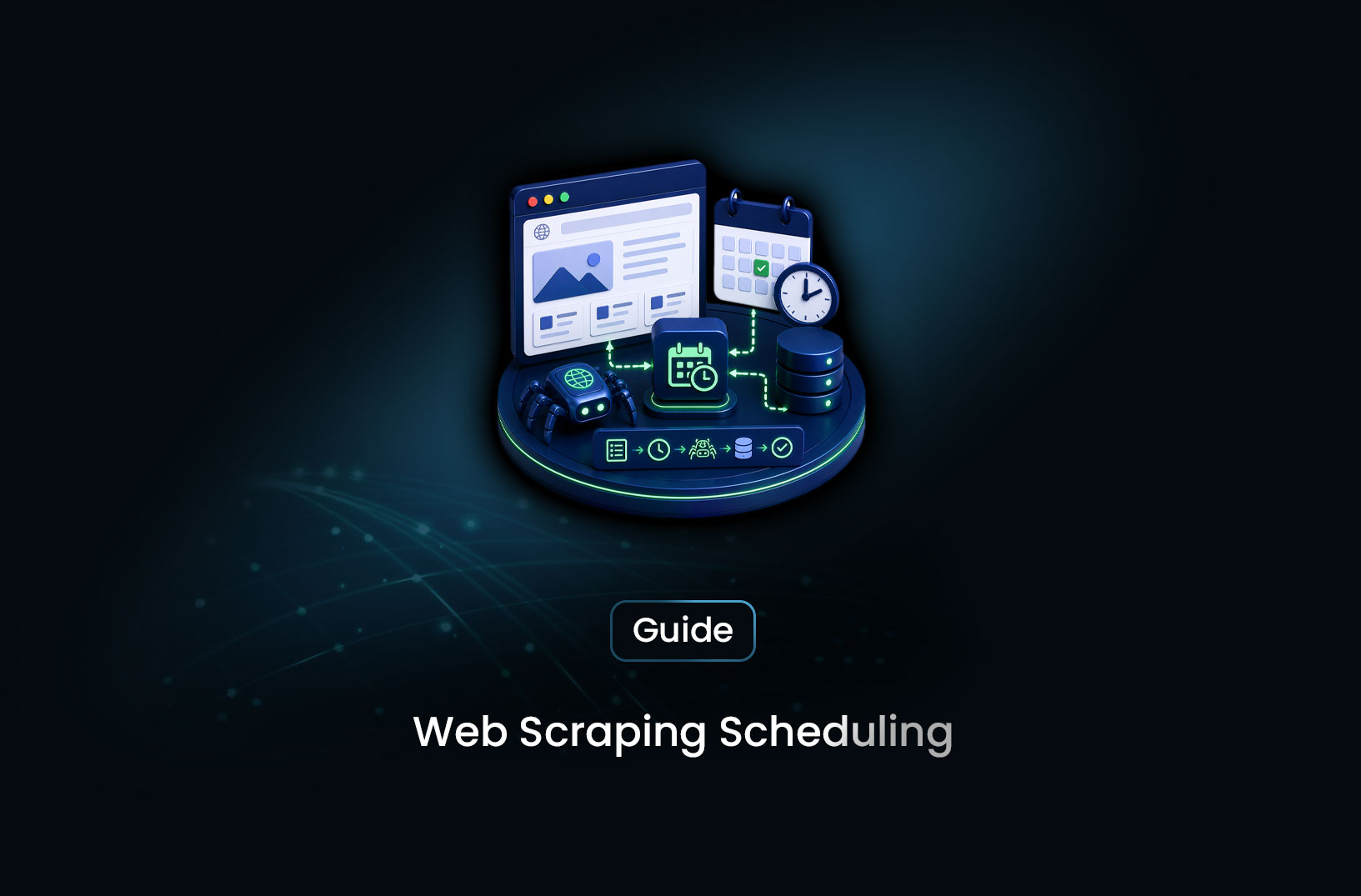
How to Schedule Automated Web Scraping Jobs
Web ScrapingLearn how to schedule automated web scraping jobs using cron, APScheduler, cloud schedulers, and no-code tools — with complete setup guides and best practices.
A scraper that runs once isn't much more useful than a manual copy-paste. The value of web scraping — for price monitoring, competitive intelligence, news tracking, lead generation, market research — comes from data that updates automatically, on a cadence that matches how fast the underlying information changes. One-time extractions answer a question. Scheduled extractions run a program.
Scheduling automated web scraping jobs means configuring your scraping pipeline to run automatically at defined intervals — every hour, every day, every week — without manual intervention. From a Linux cron job running a Python script to a cloud scheduler triggering a serverless function to a no-code workflow platform automating the whole thing, there are solutions at every level of technical complexity. This guide covers the full range: how job scheduling works, which tool fits which situation, and how to build and maintain scheduled scraping jobs that run reliably over time.
Table of Contents
- What Is Scheduled Web Scraping?
- How Automated Scraping Schedules Work
- Step-by-Step Guide: Scheduling Your Scraping Job
- Best Tools for Scheduling Web Scraping Jobs
- Free vs. Paid Scheduling Solutions
- Key Features to Look For in a Scraping Scheduler
- When Should You Schedule Web Scraping Jobs?
- Common Challenges and Limitations
- Conclusion
- What We Learned
- FAQ
What Is Scheduled Web Scraping?
Scheduled web scraping is the automated execution of a scraping pipeline at defined time intervals without requiring manual initiation. Instead of running your scraper when you remember to, a scheduler triggers it at 6am every morning, every four hours, every Monday at 9am, or whenever your data freshness requirement demands.
The scheduler is the layer between your scraping code and the clock — it keeps track of when jobs should run, triggers execution at the right time, handles basic failure detection, and provides visibility into whether jobs have run successfully. The scraping code itself doesn't change; what changes is that it runs automatically rather than on demand.
Scheduled scraping enables the use cases that give web scraping its business value. A competitor price monitor that only pulls data when you manually run it isn't useful for making pricing decisions. A news tracker that updates whenever someone thinks to run it misses the story. A job board aggregator that collects listings on a fixed daily schedule has data that's reliably one day old, not sometimes four days old because you were busy. The schedule turns a tool into an infrastructure component.
How Automated Scraping Schedules Work
Every scheduling system shares the same conceptual model: a trigger (time-based, event-based, or both) fires when a condition is met, which causes a job definition to execute, which runs your scraping code, which produces an output that gets stored or delivered somewhere.
Time-based triggers are the most common. Cron expressions describe recurring time patterns in five fields (minute, hour, day of month, month, day of week): 0 6 * * * means "at 6:00am every day." */15 * * * * means "every 15 minutes." 0 9 * * 1 means "at 9:00am every Monday." These expressions are supported by cron (Linux), APScheduler, Celery Beat, and most cloud scheduling services — they're the universal language of recurring job scheduling.
Job isolation and failure handling are what separate production scheduling from a cron job that sometimes works. A robust scheduler tracks whether each job execution completed successfully, flags failures, doesn't overlap a running job with a new trigger (if the last scrape took longer than the interval), retries on transient failures, and sends notifications when jobs fail. Without these properties, a schedule that appears to run is actually silently failing some fraction of the time.
State persistence is what makes a scheduled job recoverable. If your scheduler restarts, does it know which jobs were running, which have been scheduled for the next run, and what the last successful execution time was? Persistent schedulers store this state in a database; in-memory schedulers lose it on restart. For production scheduled scraping, persistent state is necessary.
Step-by-Step Guide: Scheduling Your Scraping Job
Step 1: Choose the Right Scheduling Approach for Your Environment
Before writing any scheduling code, identify your deployment context:
- Simple recurring Python scraper on a Linux server → cron is sufficient and zero-dependency
- Python scraping code with more complex scheduling logic (multiple jobs, failure handling) → APScheduler
- Distributed scraping workers across multiple servers → Celery Beat with Redis
- Cloud-native deployment (AWS Lambda, GCP Cloud Functions) → AWS EventBridge or Google Cloud Scheduler
- Non-technical team member configuring the schedule → n8n, Zapier, or a managed scraping platform
Step 2: Set Up a Cron Job (Simplest Approach)
On any Linux server, cron is always available and requires no additional dependencies. Add a crontab entry to run your scraping script on a schedule:
# Open the crontab editor
crontab -e

# Add a line to run your scraper script
# Format: minute hour day_of_month month day_of_week command
# Example: run at 6am and 6pm every day
0 6,18 * * * /usr/bin/python3 /home/user/scraper/run_scraper.py >> /home/user/scraper/logs/cron.log 2>&1
Key cron practices: always use absolute paths (cron runs with a minimal environment that may not include your virtualenv or PATH), redirect both stdout and stderr to a log file (>> logfile 2>&1), and add a MAILTO="" line at the top of your crontab to prevent email notifications going to the root user.
A minimal scraper script that cron can call:
#!/usr/bin/env python3
"""run_scraper.py — called by cron to execute the scheduled scraping job."""

import sys
import logging
from datetime import datetime
from pathlib import Path

# Set up logging with timestamps
log_dir = Path(__file__).parent / "logs"
log_dir.mkdir(exist_ok=True)

logging.basicConfig(
    level=logging.INFO,
    format="%(asctime)s %(levelname)s %(message)s",
    handlers=[
        logging.FileHandler(log_dir / "scraper.log"),
        logging.StreamHandler(sys.stdout),
    ]
)
logger = logging.getLogger(__name__)

def main():
    logger.info(f"Scraping job started at {datetime.now().isoformat()}")
    try:
        # Import and run your scraping logic here
        from scraper import run_scrape
        result = run_scrape()
        logger.info(f"Scraping job completed: {result['pages_scraped']} pages")
        return 0
    except Exception as e:
        logger.error(f"Scraping job failed: {e}", exc_info=True)
        return 1

if __name__ == "__main__":
    sys.exit(main())
Step 3: Set Up APScheduler for In-Process Scheduling
For scraping scripts that need multiple schedules, failure callbacks, or dynamic job management, APScheduler provides scheduling within a Python process without requiring cron or a separate scheduler service:
from apscheduler.schedulers.blocking import BlockingScheduler
from apscheduler.events import EVENT_JOB_EXECUTED, EVENT_JOB_ERROR
import logging
from datetime import datetime

logger = logging.getLogger(__name__)
scheduler = BlockingScheduler(timezone="UTC")

def scrape_product_prices():
    """Collect current prices from configured product pages."""
    from scraper import run_price_scrape
    logger.info("Price scraping job started")
    result = run_price_scrape()
    logger.info(f"Price scraping completed: {result['records']} records")

def scrape_competitor_content():
    """Check competitor websites for new content."""
    from scraper import run_content_scrape
    logger.info("Content monitoring job started")
    run_content_scrape()

def job_listener(event):
    """Log job execution results and alert on failures."""
    if event.exception:
        logger.error(f"Job {event.job_id} FAILED: {event.exception}")
        # Add Slack/email alert here
    else:
        logger.info(f"Job {event.job_id} completed successfully")

scheduler.add_listener(job_listener, EVENT_JOB_EXECUTED | EVENT_JOB_ERROR)

# Add jobs with different schedules
scheduler.add_job(
    scrape_product_prices,
    trigger="cron",
    hour="*/4",         # Every 4 hours
    id="price_scraper",
    max_instances=1,    # Prevent overlapping runs
    coalesce=True,      # Skip missed runs if job was down
    misfire_grace_time=60  # Allow 60s late start before marking as missed
)

scheduler.add_job(
    scrape_competitor_content,
    trigger="cron",
    hour=7,             # Every day at 7am UTC
    id="content_monitor",
    max_instances=1,
)

if __name__ == "__main__":
    logger.info("Starting scheduler...")
    scheduler.start()
The max_instances=1 parameter prevents overlapping runs — if a scraping job takes longer than the schedule interval, the next trigger is skipped rather than starting a concurrent run that could conflict. coalesce=True handles missed runs by executing the job once rather than catching up all missed executions.
Step 4: Deploy the Scheduler as a Persistent Service
A scheduler that stops when your SSH session ends isn't a production scheduler. Deploy it as a persistent background service using systemd:
# /etc/systemd/system/scraper-scheduler.service
[Unit]
Description=Web Scraping Scheduler
After=network.target

[Service]
Type=simple
User=scraper
WorkingDirectory=/home/scraper/app
ExecStart=/home/scraper/app/venv/bin/python /home/scraper/app/scheduler.py
Restart=always
RestartSec=10
StandardOutput=journal
StandardError=journal

[Install]
WantedBy=multi-user.target
Enable and start the service:
sudo systemctl enable scraper-scheduler
sudo systemctl start scraper-scheduler
sudo systemctl status scraper-scheduler

# Check live logs
sudo journalctl -u scraper-scheduler -f
Restart=always ensures the scheduler restarts automatically if it crashes. APScheduler's job state persists in its configured job store (SQLite by default for the BlockingScheduler) — jobs are restored on restart.
Step 5: Add Output Delivery and Monitoring
Scheduled scraping jobs need two outputs: the scraped data delivered somewhere useful, and operational status you can check without reading logs manually.
For data delivery, export to your storage destination at the end of each job run:
def scrape_and_export():
    """Run scraping job and export results to configured destinations."""
    from scraper import run_scrape
    from exporters import export_to_csv, export_to_database, post_to_webhook

    records = run_scrape()

    # Export to multiple destinations
    export_to_csv(records, f"output_{datetime.now().strftime('%Y%m%d_%H%M')}.csv")
    export_to_database(records)  # For dashboard/API access

    # Post summary to Slack
    post_to_webhook(
        f"✅ Scraping job complete: {len(records)} records collected at "
        f"{datetime.now().strftime('%H:%M UTC')}"
    )
For operational monitoring, the simplest reliable approach is a heartbeat log entry in your database at the end of each successful job — queryable with a cron health check or a simple Grafana panel showing last successful run time per job.
Best Tools for Scheduling Web Scraping Jobs
Linux cron — zero dependencies, always available on any Linux server. Best for simple recurring scripts with no complex scheduling logic or failure handling requirements. The crontab syntax is well-documented at https://crontab.guru (an interactive cron expression builder).
APScheduler — Python-native scheduling with multiple trigger types (cron, interval, one-shot), job stores for persistence, and listener hooks for failure alerting. The right choice for Python scraping scripts that need in-process scheduling with failure handling.
Celery Beat — the scheduling extension for Celery, suitable for distributed scraping operations where multiple workers need coordinated scheduling. Adds complexity relative to APScheduler; appropriate when you're already using Celery for task queuing.
AWS EventBridge / Google Cloud Scheduler — managed cloud scheduler services that trigger Lambda functions, Cloud Run jobs, or HTTP endpoints on a cron schedule. No server to maintain; the scheduler is managed cloud infrastructure. Best for serverless or cloud-native scraping deployments.
MrScraper — for teams that want scheduled scraping without managing the scheduling infrastructure at all, MrScraper supports scheduling scraping jobs through its platform — set a URL, define a frequency, and data collection runs automatically. The scraping, rendering, bot bypass, and scheduling are all managed together. More at https://mrscraper.com.
n8n / Zapier — visual workflow automation platforms that include scheduled triggers connected to scraping nodes or webhook-based scraping API calls. Best for non-technical teams that need scheduled scraping as part of a broader automation workflow without writing code.
Free vs. Paid Scheduling Solutions
Linux cron and APScheduler are free — they run on any server you're already paying for. Their cost is the server itself and the engineering time to build the job failure handling, monitoring, and output delivery that production scheduling requires.
Cloud schedulers (AWS EventBridge, Google Cloud Scheduler) are inexpensive per schedule — typically a few dollars per month for hundreds of scheduled runs — but they require cloud infrastructure for the actual scraping execution (Lambda functions, Cloud Run containers), which adds both cost and operational complexity.
Managed scraping platforms that include scheduling (MrScraper, Apify with scheduled actors) bundle scraping and scheduling cost into per-page or subscription pricing. For non-technical teams or teams that don't want to maintain scheduling infrastructure, this bundled model is often more economical when the full engineering cost of self-hosted scheduling is accounted for.
No-code automation platforms (n8n self-hosted is free; Zapier and the n8n cloud version charge based on task count) are appropriate when scheduling is one component of a larger workflow that includes non-scraping steps.
Key Features to Look For in a Scraping Scheduler
- Overlap prevention: Two runs of the same job must not start simultaneously — the scheduler needs to either skip the new trigger or queue it.
- Failure detection and alerting: Know when a job fails — not from a log you'll check tomorrow, but from an alert that reaches you immediately.
- Missed run handling: What happens when the scheduler is down during a scheduled trigger? Catch-up execution (run once on restart) or skip (mark as missed) are both valid; know which your scheduler does.
- Job state persistence: The schedule and job history should survive scheduler restarts without requiring manual reconfiguration.
- Configurable retry on failure: Transient failures (network timeouts, temporary site unavailability) should trigger automatic retry; permanent failures should not.
- Visibility into job history: When did each job last run? How long did it take? Did it succeed? These questions should be answerable without grepping logs.
When Should You Schedule Web Scraping Jobs?
Schedule when:
- Your data freshness requirement is faster than you can manually trigger scraping — daily, hourly, or continuous monitoring use cases
- Multiple people or systems depend on the scraped data — scheduled delivery makes data available on a predictable cadence
- Your scraping targets update on a known pattern — news sites publish on schedules, ecommerce sites run daily pricing updates, job boards refresh weekly
- You're running a business process that depends on external web data — competitive pricing, lead generation, market monitoring
One-time or on-demand extraction is better when:
- You need data once for a specific research question
- The underlying data doesn't change frequently enough to warrant recurring collection
- You're still validating whether a data source is useful before committing to ongoing collection infrastructure
Common Challenges and Limitations
Silent failures are the most dangerous failure mode. A scheduled job that exits without error but produces no data — because the target site changed its layout, because the proxy returned an empty page, because a dependency is unavailable — looks like a success to the scheduler. Build result validation into your job logic: check that the number of records returned is within expected bounds, that required fields are populated, and that the output is actually written to its destination. A job that "succeeded" with zero records should be treated as a failure.
Clock drift and timezone confusion corrupt schedules. Cron and most schedulers run in the server's local timezone unless explicitly configured otherwise. When servers are in different timezones, or when daylight saving time transitions occur, scheduled times shift in ways that can cause double-runs, missed runs, or offset delivery times. Use UTC consistently for all scheduling — configure both your scheduler and your server's cron to UTC and convert to local time only for display.
Long-running jobs overlap with their next trigger. If a scraping job takes 75 minutes but is scheduled to run every 60 minutes, consecutive runs overlap — the second job starts while the first is still running, potentially causing database write conflicts, double-processing of URLs, or resource exhaustion. The APScheduler max_instances=1 parameter and Celery's CELERY_TASK_ACKS_LATE setting prevent this — always configure overlap prevention before deploying recurring jobs.
Dependencies fail silently between runs. A scheduled scraper depends on external systems: the proxy provider API, the target website, the database it writes to, the S3 bucket it exports to. Any of these can be unavailable when the job triggers. Build explicit dependency health checks at job start — verify database connectivity, proxy endpoint reachability, and any critical external APIs before starting the scraping run. Fail fast and clearly when dependencies are unavailable rather than running a partial job that produces incomplete data.
Conclusion
Scheduled web scraping transforms a tool into infrastructure. The data collection cadence is no longer an afterthought or a manual task — it's a defined, observable system that runs whether or not you're paying attention to it. The scheduling layer is what gives your scraping pipeline its business value over time.
The right scheduling solution matches your operational environment and technical comfort: cron for simple recurring scripts on a server you already have, APScheduler for Python-native scheduling with failure handling, cloud schedulers for serverless deployments, and managed platforms for teams that want scheduling bundled with the scraping infrastructure itself. Whichever layer you choose, the operational requirements are the same: overlap prevention, failure detection, persistent state, and result validation that catches silent failures before they compound.
What We Learned
- Scheduling turns a one-time tool into continuous infrastructure: The value of web scraping over time comes from data that updates automatically — a scraper with no schedule is a manual process with extra steps.
- Silent failures are more dangerous than obvious crashes: A job that exits successfully but produces no data is invisible to the scheduler — build result validation that catches zero-record runs as failures.
- Overlap prevention is non-negotiable: Two concurrent runs of the same job cause write conflicts and resource exhaustion —
max_instances=1or equivalent is required for any job whose duration might exceed its interval. - UTC eliminates timezone bugs: Clock drift and DST transitions corrupt scheduled times — configure all schedulers and servers to UTC and convert for display only.
- The right scheduler matches your deployment context: Cron for simple scripts, APScheduler for Python in-process scheduling, Celery Beat for distributed workers, cloud schedulers for serverless, managed platforms for zero-infrastructure scheduling.
- Dependency health checks at job start prevent incomplete runs: Verify database connectivity, proxy availability, and external APIs before starting the scraping work — fail fast when dependencies are unavailable.
FAQ
What is the easiest way to schedule a web scraping job?
For a Python scraping script on a Linux server, cron is the simplest option — no additional dependencies, available on any Linux system, and configured with a single line in the crontab. Add
0 6 * * * /path/to/python /path/to/scraper.py >> /path/to/logs/scraper.log 2>&1to run your scraper at 6am daily. For more complex scheduling requirements (multiple jobs, failure handling, dynamic management), APScheduler provides these capabilities within a Python process.What is a cron job and how does it work for web scraping?
A cron job is a recurring scheduled task managed by the Linux cron daemon. You define a schedule using a five-field expression (minute, hour, day of month, month, day of week) and a command to execute. When the system clock matches the schedule, cron runs the command. For web scraping, this means your Python scraper script runs automatically at the configured time — daily, hourly, weekly, or any other pattern cron can express.
How do I prevent a scraping job from running twice at the same time?
Configure your scheduler to limit each job to one concurrent instance. In APScheduler, use
max_instances=1in theadd_job()call. In Celery, configure tasks with@app.task(bind=True)and use distributed locking (Redis lock or database advisory lock) to prevent concurrent execution. In cron, use a lock file: the job checks for the lock file at start, creates it if absent, and deletes it at completion — if the lock file exists, the job exits immediately.What happens if a scheduled scraping job fails?
Without explicit failure handling, the scheduler moves on to the next trigger time as if nothing happened. For production scraping jobs, configure: a failure listener that sends an immediate alert (Slack webhook, email), an automatic retry for transient failures (network timeouts) with backoff, and a dead-letter log for permanent failures (site unavailable, selector broken). APScheduler's
EVENT_JOB_ERRORlistener and Celery'son_failuretask callback both provide hooks for this handling.Can I schedule web scraping jobs without writing code?
Yes. No-code workflow automation platforms like n8n and Zapier include scheduled triggers and HTTP request nodes that can call a scraping API on a schedule. Managed scraping platforms including MrScraper also include scheduling as a built-in feature — configure a URL, set a frequency, and the platform handles both the scheduling and the scraping without requiring you to write or deploy any code.
Summarize this post
Open it in your assistant of choice with the prompt ready to send.
Take a Taste of Easy Scraping!

Find more insights here

Return Verbatim Evidence Highlights in Web Research Answers
Build an evidence step that picks supporting passages, checks every quote against the source page, a…

Build an AI Agent That Finds Contradictions Across Website Pages
Build a workflow that pulls pricing, plan and policy claims from your own website, flags pages that…
Benchmark Heading-Aware and Semantic Chunking for Web Documentation
Run a fair test of heading-aware and semantic chunking on the same documentation pages, with a retri…