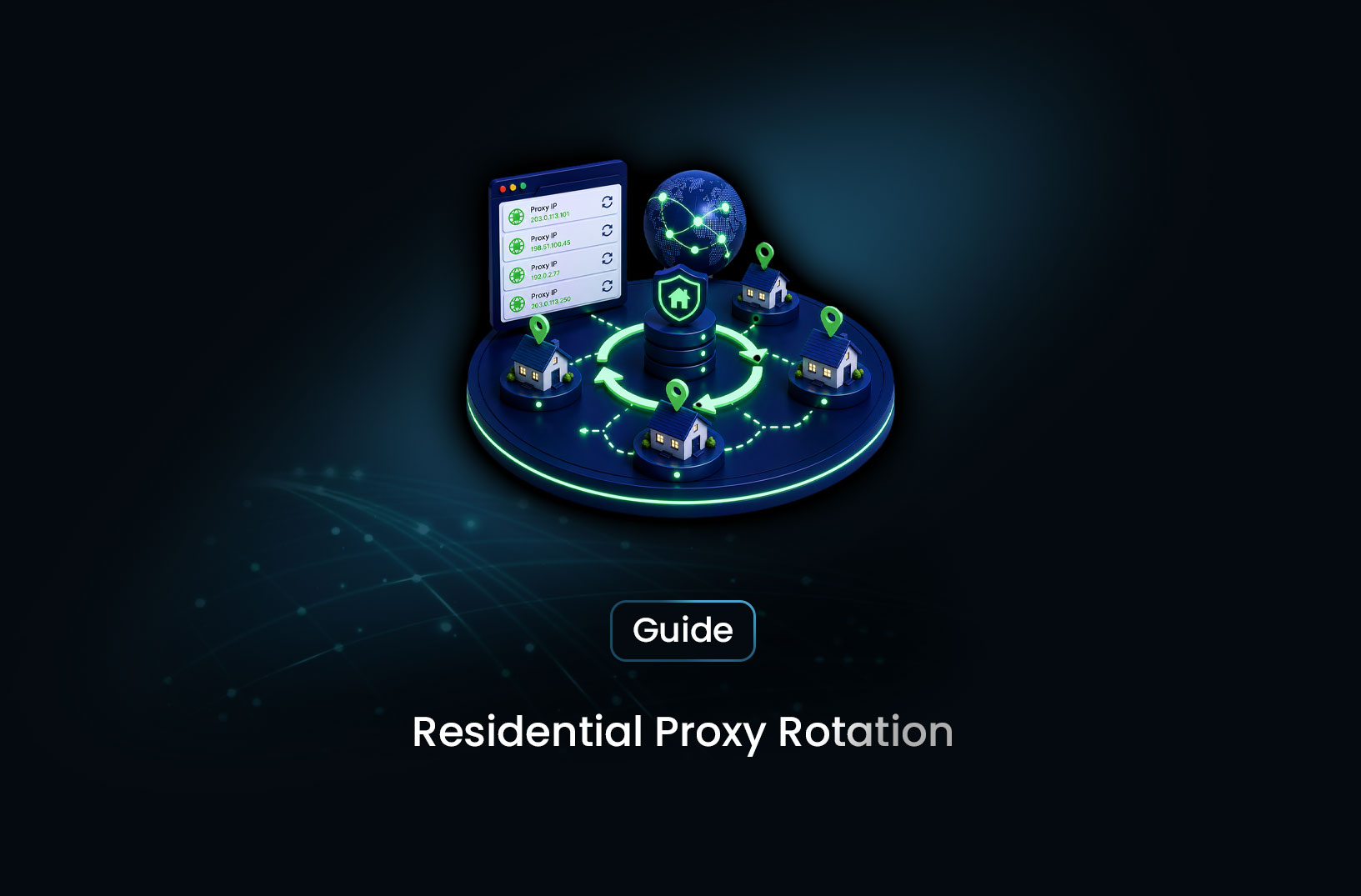
Residential Proxy Rotation for Python Scrapers
ProxiesLearn how to add residential proxy rotation to your Python scraper — working code for requests and Playwright, pool management, and error handling.
Your scraper runs fine for the first few hundred requests, then starts returning 403s or empty pages. You check your code — nothing changed. You check the target site — it's still up. What happened is that your IP accumulated enough request history to trip the target's rate limiting or bot detection. The site didn't block your scraper. It blocked your IP address.
Residential proxy rotation in Python is the technique of routing each scraping request through a different residential IP address, distributing your request volume across a pool of IPs so no single address accumulates a suspicious volume of traffic against any target. Rather than fixing blocked requests after they happen, proxy rotation prevents the concentration that causes blocking in the first place. This guide covers everything you need to implement it: how rotation works at the code level, working Python implementations for both requests and Playwright, how to handle proxy failures, and how to choose your proxy infrastructure.
Table of Contents
- What Is Residential Proxy Rotation in Python?
- How Proxy Rotation Works in Python Scrapers
- Step-by-Step Guide: Implementing Proxy Rotation in Python
- Best Tools and Providers for Python Proxy Rotation
- Free vs. Paid Proxy Rotation Options
- Key Features to Look For in a Proxy Rotation Setup
- When Do You Need Residential Proxy Rotation?
- Common Challenges and Limitations
- Conclusion
- What We Learned
- FAQ
What Is Residential Proxy Rotation in Python?
Residential proxy rotation in Python is the practice of automatically switching the IP address used for each request (or each session) in a web scraper, routing traffic through residential ISP-assigned IPs rather than data-center infrastructure, so no single IP accumulates enough request history to trigger rate limiting or blocking.
"Residential" is the key modifier. Data-center IPs — the default IP of any cloud VM or VPS — are identified and flagged by IP reputation databases before any other detection signal is evaluated. Residential IPs are assigned by ISPs to real household connections, which appear in IP reputation databases as legitimate user traffic. A scraper routing through residential IPs passes the most common first-line detection check automatically.
"Rotation" is what prevents accumulation. Even clean residential IPs will eventually accumulate suspicious patterns if the same IP hits the same domain thousands of times. Rotation distributes those requests across many IPs — if your pool has 10,000 residential IPs and you make 10,000 requests, each IP makes roughly one request per day against any target, which is indistinguishable from a genuine user.
In Python, proxy rotation is implemented by passing different proxy configurations to requests per request, or by creating fresh browser contexts in Playwright with different proxy settings per context.
How Proxy Rotation Works in Python Scrapers
The mechanics are different for requests-based scraping (HTTP client) versus Playwright-based scraping (browser automation), but the conceptual model is the same.
For requests: The requests library accepts a proxies parameter on each HTTP call. You pass a dictionary specifying the proxy endpoint for http and https traffic. By changing that dictionary between calls — either by picking from a pool of proxy addresses or by using a provider endpoint that handles rotation server-side — you change which IP the server sees as the request source.
For Playwright: Browser contexts accept a proxy configuration at context creation time. Since context creation is lightweight, you create a new context (with a new proxy configuration) for each logical scraping session rather than reusing a single context across all requests.
Provider-side vs. client-side rotation: The two main implementation patterns are managing a pool of proxy addresses in your code (client-side rotation, where you select which proxy to use) versus using a single rotating proxy endpoint that the provider manages (provider-side rotation, where the endpoint automatically assigns a fresh residential IP for each connection). Provider-side rotation is simpler to implement and is what most residential proxy services offer through their gateway endpoints.
Step-by-Step Guide: Implementing Proxy Rotation in Python
Step 1: Set Up Your Proxy Configuration
Most residential proxy providers give you a gateway endpoint and credentials. The connection format is typically:
http://username:password@gateway.provider.com:port
For providers that support country or session targeting through username parameters, the format extends to something like:
http://username-country-us-session-12345:password@gateway.provider.com:port
Store credentials in environment variables, not hardcoded in your script:
import os

PROXY_HOST = os.environ.get("PROXY_HOST", "gateway.provider.com")
PROXY_PORT = os.environ.get("PROXY_PORT", "10000")
PROXY_USER = os.environ.get("PROXY_USER", "your-username")
PROXY_PASS = os.environ.get("PROXY_PASS", "your-password")

def get_proxy_url(country: str = "us", session_id: int | None = None) -> str:
    """
    Build a proxy connection URL with optional country and session targeting.
    Session ID controls whether you get a sticky IP or a fresh one.
    Adjust the username format to match your specific provider's syntax.
    """
    user = PROXY_USER
    if country:
        user += f"-country-{country}"
    if session_id is not None:
        user += f"-session-{session_id}"
    return f"http://{user}:{PROXY_PASS}@{PROXY_HOST}:{PROXY_PORT}"
Step 2: Add Per-Request Proxy Rotation to Your requests Scraper
For HTTP-based scraping without a browser, pass a fresh proxy configuration to each requests.get() or requests.post() call:
import requests
import random
import time

def make_proxy_config(country: str = "us") -> dict[str, str]:
    """
    Build a requests-compatible proxy dictionary.
    Using a random session ID gets a fresh IP from the provider's pool.
    """
    proxy_url = get_proxy_url(country=country, session_id=random.randint(1, 100_000))
    return {"http": proxy_url, "https": proxy_url}

HEADERS = {
    "User-Agent": (
        "Mozilla/5.0 (Windows NT 10.0; Win64; x64) "
        "AppleWebKit/537.36 (KHTML, like Gecko) "
        "Chrome/124.0.0.0 Safari/537.36"
    ),
    "Accept-Language": "en-US,en;q=0.9",
}

def fetch_with_rotation(url: str, country: str = "us",
                         retries: int = 3) -> requests.Response | None:
    """
    Fetch a URL through a fresh rotating residential proxy.
    Retries with a new proxy on connection failures.
    """
    for attempt in range(retries):
        proxies = make_proxy_config(country)
        try:
            response = requests.get(
                url,
                proxies=proxies,
                headers=HEADERS,
                timeout=15
            )
            if response.status_code == 200:
                return response
            elif response.status_code in (429, 403):
                print(f"Blocked on attempt {attempt + 1} — rotating proxy")
                time.sleep(2 ** attempt)  # Brief backoff before retry
        except requests.ProxyError as e:
            print(f"Proxy connection failed on attempt {attempt + 1}: {e}")
        except requests.Timeout:
            print(f"Timeout on attempt {attempt + 1}")

    print(f"All {retries} attempts failed for: {url}")
    return None
Each call to fetch_with_rotation() uses a different random session ID, which tells the provider's gateway to assign a fresh residential IP from its pool. From the target site's perspective, each request originates from a different household connection.
Step 3: Implement Session-Persistent Rotation for Multi-Step Workflows
For workflows that require multiple requests as part of the same logical session — a login sequence, a multi-page search, a checkout flow — you want each logical session to use the same IP throughout, while different sessions use different IPs. This is "sticky session" rotation:
import requests

def create_sticky_session(country: str = "us") -> tuple[requests.Session, str]:
    """
    Create a requests Session configured with a fixed residential proxy IP.
    The session ID fixes the same IP for all requests in this session.
    All requests made through this session object will use the same proxy.
    """
    session_id = random.randint(1, 999_999)
    proxy_url = get_proxy_url(country=country, session_id=session_id)
    proxies = {"http": proxy_url, "https": proxy_url}

    session = requests.Session()
    session.proxies = proxies
    session.headers.update(HEADERS)

    return session, proxy_url

# Usage: each logical workflow gets its own sticky session
session_a, _ = create_sticky_session(country="us")
response_1 = session_a.get("https://example.com/login")
response_2 = session_a.get("https://example.com/dashboard")  # Same IP as response_1

session_b, _ = create_sticky_session(country="us")
response_3 = session_b.get("https://example.com/login")  # Different IP from session_a
Step 4: Add Proxy Rotation to Playwright
For JavaScript-rendered pages, configure proxy rotation at the browser context level:
from playwright.sync_api import sync_playwright
import random

def scrape_with_playwright_rotation(urls: list[str], country: str = "us") -> list[dict]:
    """
    Scrape a list of URLs using Playwright with per-URL proxy rotation.
    Each URL gets a fresh browser context with a new residential IP.
    """
    results = []

    with sync_playwright() as pw:
        browser = pw.chromium.launch(
            headless=True,
            args=["--disable-blink-features=AutomationControlled"]
        )

        for url in urls:
            # Fresh context with a new proxy for each URL
            proxy_url = get_proxy_url(
                country=country,
                session_id=random.randint(1, 999_999)
            )
            context = browser.new_context(
                proxy={"server": f"http://{PROXY_HOST}:{PROXY_PORT}",
                       "username": f"{PROXY_USER}-country-{country}-session-{random.randint(1, 999_999)}",
                       "password": PROXY_PASS},
                user_agent=(
                    "Mozilla/5.0 (Windows NT 10.0; Win64; x64) "
                    "AppleWebKit/537.36 (KHTML, like Gecko) "
                    "Chrome/124.0.0.0 Safari/537.36"
                ),
                locale="en-US",
                timezone_id="America/New_York",
            )
            page = context.new_page()

            try:
                page.goto(url, wait_until="networkidle", timeout=30_000)
                content = page.content()
                results.append({"url": url, "html": content})
            except Exception as e:
                print(f"Failed to load {url}: {e}")
                results.append({"url": url, "html": None, "error": str(e)})
            finally:
                context.close()  # Always close to release resources

        browser.close()

    return results
Creating and closing a new context per URL is the correct Playwright pattern for per-request proxy rotation. Contexts are lightweight — the browser process stays open, while context creation is fast and reliably picks up the new proxy configuration.
Step 5: Monitor Your Success Rate
Track how often proxied requests succeed versus fail — a declining success rate signals that your proxy pool or configuration needs attention:
from collections import defaultdict

class RotationHealthMonitor:
    """Track proxy rotation success rates per target domain."""
    def __init__(self):
        self.success = defaultdict(int)
        self.failure = defaultdict(int)

    def record(self, domain: str, success: bool):
        if success:
            self.success[domain] += 1
        else:
            self.failure[domain] += 1

    def success_rate(self, domain: str) -> float:
        total = self.success[domain] + self.failure[domain]
        return self.success[domain] / total if total else 0.0

    def report(self):
        for domain in set(list(self.success.keys()) + list(self.failure.keys())):
            rate = self.success_rate(domain)
            total = self.success[domain] + self.failure[domain]
            print(f"{domain}: {rate:.0%} success rate ({total} requests)")
A success rate below 80% on a specific domain signals either a proxy pool quality problem (the IPs are flagged for that target) or a configuration issue (fingerprint, timing) that proxy rotation alone can't solve.
Best Tools and Providers for Python Proxy Rotation
Smartproxy — mid-market residential proxy provider with a Python-compatible gateway and strong documentation specifically for Python scraping integration. Well-suited for teams who want a clear, documented API without enterprise pricing. Documentation at https://smartproxy.com.
Oxylabs — larger residential network with a Python SDK and HTTP gateway that supports country, city, and ASN targeting. Good fit for operations requiring precise geographic targeting in Python workflows. Documentation at https://oxylabs.io.
MrScraper — for teams who want proxy rotation and browser rendering managed as a single API call rather than configured manually, MrScraper's Scraping Browser handles residential IP rotation, fingerprint management, and CAPTCHA bypass at the infrastructure level. You send a URL and receive rendered content — the proxy configuration layer is abstracted away entirely. Particularly useful when your scraping targets require both residential IP routing and JavaScript rendering simultaneously. Documentation at https://docs.mrscraper.com.
Free vs. Paid Proxy Rotation Options
Free proxy lists are not a viable replacement for residential proxy services in any production scraping context. Publicly available proxy lists are overwhelmingly data-center addresses, already present on blocklists, shared across thousands of simultaneous users, and unreliable for anything beyond casual browsing. The time spent debugging free proxy failures typically exceeds any cost savings within the first few days of use.
Paid residential proxy services start accessible for individual developers (entry-level plans with a few GB/month are available from most providers) and scale through enterprise tiers. The per-GB cost is real but typically justified by the improvement in extraction success rates — a residential proxy plan that costs $50/month and enables 95% success rates against your target is more valuable than a free setup that achieves 5%.
Key Features to Look For in a Proxy Rotation Setup
- Per-request IP rotation with a single gateway endpoint: The provider handles pool management; you send to one endpoint and get a fresh IP each time — simpler than managing a list of proxy addresses in your code.
- Country and city-level targeting: For geo-sensitive data collection, your proxy IP location must match the data you want to see.
- Sticky session support: Fixed-IP sessions for multi-step workflows alongside per-request rotation for volume scraping — both should be configurable through the same gateway.
- HTTP and HTTPS protocol support: Confirm your provider's gateway handles both, since Python's
requestslibrary routes both separately through proxy configs. - Bandwidth-based billing with rollover: Proxy bandwidth costs scale with usage — understanding the billing model and whether unused bandwidth rolls over prevents unexpected invoices.
- Transparent success rate data: Some providers publish success rate benchmarks by target category — useful for evaluating fit before committing.
When Do You Need Residential Proxy Rotation?
Use residential proxy rotation when:
- You're scraping targets with meaningful anti-bot investment (any major ecommerce, social, financial, or competitive intelligence target)
- Your request volume to any single domain exceeds what a single IP can sustain before detection
- You need geo-accurate data that varies by the visitor's apparent location
- You've already been blocked using data-center IPs or VPN connections
Plain HTTP without proxies may be sufficient when:
- Your target sites have no meaningful bot protection and serve content to any requester
- You're scraping across many different domains at low volume per domain, so no single IP accumulates suspicious patterns against any target
- You're in early testing and haven't yet encountered blocking — add proxy rotation before you hit blocks, not after
Common Challenges and Limitations
Provider-side rotation uses different session ID syntax by provider. The username parameter format for country and session targeting varies between Smartproxy, Oxylabs, Bright Data, and other providers. Always check your specific provider's documentation for the exact format — the pattern in this guide (-country-us-session-12345) is illustrative, and using the wrong format silently falls back to default behavior without errors.
Rotating proxies don't fix browser fingerprint detection. Residential IP routing addresses the IP reputation layer — it doesn't address browser fingerprinting checks like navigator.webdriver, canvas fingerprints, or plugin lists. For targets with both IP-level and fingerprint-level detection (which describes most major commercial targets), proxy rotation combined with proper Playwright stealth configuration is necessary. Rotation alone isn't enough.
High rotation rates consume bandwidth faster than expected. Browser-rendered pages load images, CSS, JavaScript, and analytics scripts alongside the HTML — a Playwright request to a modern product page may consume 2–4MB of proxy bandwidth, not just the few KB of HTML you wanted. Block unnecessary assets in Playwright to reduce bandwidth consumption: page.route("**/*.{png,jpg,jpeg,gif,webp,woff2}", lambda route: route.abort()).
Failed proxy connections need explicit handling. Residential proxy pool IPs go offline — a device powers down, a household's connection drops, the session expires. Your code must handle requests.ProxyError and Playwright navigation timeouts explicitly, with retry logic that switches to a fresh proxy configuration rather than retrying through the same failed connection.
Conclusion
Adding residential proxy rotation to a Python scraper is the difference between a tool that works for the first few hundred requests and one that sustains collection reliably across thousands. The implementation is straightforward — pass a different proxy configuration per request for requests-based scraping, create a fresh browser context per URL for Playwright — and the pattern applies consistently once you have working credentials from a residential proxy provider.
The code in this guide covers the full implementation: provider-side rotation through a gateway endpoint, sticky sessions for multi-step workflows, Playwright context rotation for JavaScript-rendered targets, and a health monitor to catch configuration drift. Pick the pattern that matches your scraping stack and add monitoring from the start — watching your success rate per domain is what tells you when something needs attention before it becomes a production data gap.
What We Learned
- Provider-side rotation through a gateway endpoint is simpler than managing an IP pool in code: Send to one endpoint with a random session ID; the provider handles pool management and IP assignment.
requestsand Playwright need different rotation implementations:requeststakes aproxiesdict per call; Playwright takes a proxy config per browser context — same concept, different syntax.- Sticky sessions and per-request rotation serve different use cases: Fixed-IP sessions for multi-step workflows that need session continuity; per-request rotation for high-volume scraping where IP distribution matters.
- Proxy rotation alone doesn't solve fingerprint detection: For targets that check browser properties beyond IP, Playwright stealth configuration must accompany proxy rotation.
- Bandwidth consumption in browser-based scraping is higher than expected: Block non-essential assets in Playwright to prevent proxy bandwidth costs from multiplying on JavaScript-heavy pages.
- Success rate monitoring is the operational health metric: Tracking successful extractions as a percentage of total proxied requests per domain tells you when proxy quality or configuration needs attention.
FAQ
How do I add proxy rotation to a Python web scraper?
Pass a different proxy configuration to each request in your scraper. With the
requestslibrary, include aproxiesdictionary with"http"and"https"keys pointing to your residential proxy endpoint on eachrequests.get()orrequests.post()call — changing the session ID parameter in the proxy URL gets a fresh IP from your provider's pool. For Playwright, create a new browser context with a new proxy configuration for each URL you want to scrape.What is the difference between rotating and sticky proxy sessions?
A rotating session uses a fresh IP from the proxy pool for each individual request — no two requests share the same IP. A sticky session maintains the same IP across multiple requests for the duration of a logical workflow, then rotates to a new IP for the next workflow. Use rotating sessions for high-volume scraping where distributing requests across many IPs prevents accumulation. Use sticky sessions for multi-step workflows (login, navigate, extract) where the server tracks session identity across requests.
Why are residential proxies better than data-center proxies for scraping?
Residential proxies use IP addresses assigned by ISPs to real household connections, which appear as legitimate user traffic in IP reputation databases. Data-center proxies use IPs from hosting infrastructure that's comprehensively documented and flagged by bot detection systems before any other signal is evaluated. Most commercial scraping targets with anti-bot investment block data-center IPs immediately; residential IPs pass this initial reputation check.
How do I handle proxy errors in Python?
Catch
requests.ProxyErrorfor connection-level failures (the proxy server itself is unreachable),requests.Timeoutfor requests that take too long, and HTTP status codes 429 and 403 for rate-limiting and access denial responses. For each of these, retry with a fresh proxy configuration (new session ID) rather than retrying through the same failed proxy. Limit retries to two or three attempts per URL to avoid burning bandwidth in infinite retry loops.Does proxy rotation work with Playwright in Python?
Yes. Configure proxy rotation in Playwright by passing a proxy configuration dictionary to
browser.new_context()rather than to the browser launch call — this lets each browser context use a different proxy while sharing the same underlying browser process. Create a new context with a new proxy configuration for each URL or each logical session, and close the context after use to release resources. The--disable-blink-features=AutomationControlledlaunch flag should also be set to remove the automation signal that fingerprinting scripts check.
Summarize this post
Open it in your assistant of choice with the prompt ready to send.
Take a Taste of Easy Scraping!

Find more insights here

The Ultimate Web Crawlers List: 15 Tools for Every Data Need
Compare the best web crawlers for 2026. Learn the difference between open-source, managed APIs, and…
Web Scraping MCP Server: Giving AI Agents Direct Access to Live Web Data
Learn how a Web Scraping MCP Server gives AI agents live web access while reducing token costs by 87…

Scaling E-commerce Competitive Intelligence with Automated Data Harvesting
Scale e-commerce data harvesting with residential proxies and AI. Learn how modern data extraction s…