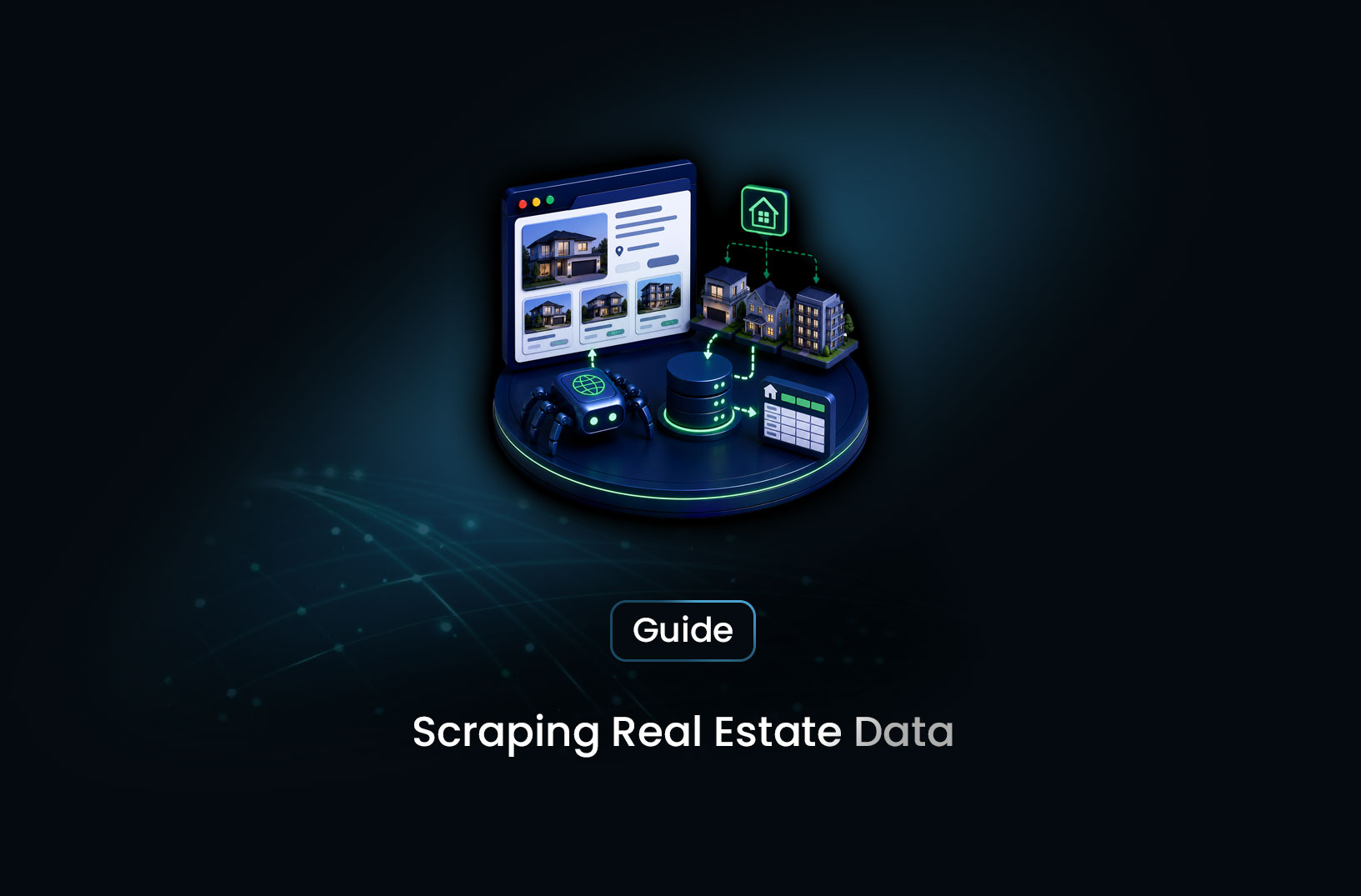
Collect Real Estate Data With a Web Scraping API
Web ScrapingLearn how to collect real estate data at scale using a web scraping API — property listings, pricing trends, market analysis, and pipeline architecture.
Housing market analysis, investment opportunity identification, automated valuation modeling, and competitive market research all run on the same underlying requirement: current, comprehensive property data. Public listing portals — Zillow, Realtor.com, Redfin, Trulia — aggregate this data and display it for consumers. What they don't provide is a pipeline that lets data analysts and proptech developers pull it programmatically, at scale, updated on the frequency that market-driven analysis requires.
A real estate data scraping API bridges that gap: it handles the JavaScript rendering, geo-sensitive delivery, and bot-protection complexity of major property portals, and returns structured property data your analytics stack can actually consume. This guide covers the full technical approach — what data exists and where, how to build a collection pipeline that handles the specific challenges of real estate portals, what tools are worth using, and the operational considerations specific to this data category.
Table of Contents
- What Real Estate Data Is Available Through Scraping?
- How Real Estate Portals Serve and Protect Their Data
- Step-by-Step Guide: Building a Real Estate Data Pipeline
- Best Tools for Real Estate Data Collection
- Free vs. Paid: What Each Tier Provides
- Key Features Your Real Estate Scraping Stack Needs
- When Should You Collect Real Estate Data With a Scraping API?
- Common Challenges and Limitations
- Conclusion
- What We Learned
- FAQ
What Real Estate Data Is Available Through Scraping?
Real estate portals publicly display a rich set of structured data that forms the basis of property market analysis. The key data categories available from active listing pages:
Active listing data — property address, listed price, bedrooms and bathrooms, square footage, lot size, property type (single-family, condo, multi-family, commercial), listing date, listing agent, days on market, and open house schedules.
Price and market data — current list price, price history (reductions and increases), estimated value (Zillow Zestimate and equivalents on other portals), original list price vs. current, price per square foot.
Property details and features — year built, HOA fees, parking, HVAC type, appliances included, garage count, pool, basement, renovations, school district assignment, walk score, and neighborhood ratings.
Sold transaction data — historical sale prices with dates, enabling price trend analysis and comparable sales (comps) research for valuation.
Geographic and neighborhood context — latitude and longitude coordinates, census tract data, proximity to amenities, zoning classification, flood zone designation, and tax assessment history.
Across the major portals, this data is publicly displayed to attract buyers and renters — it's the same information a human user sees browsing listings. What scraping enables is collecting it systematically across many properties, markets, and time periods, rather than one listing at a time.
According to the National Association of Realtors' research, the majority of home buyers begin their property search online — which is why major portals maintain comprehensive, actively updated databases of this information as a core business function.
How Real Estate Portals Serve and Protect Their Data
Understanding the technical delivery model of major real estate portals determines which scraping approaches will work and which won't.
JavaScript-rendered listing data. Major real estate portals (Zillow, Redfin, Realtor.com) are built on React or similar JavaScript frameworks. The server delivers a page shell; the listing details, prices, images, and property data are populated by JavaScript executing in the browser after page load, drawing from internal APIs. A plain HTTP request to a Zillow property URL returns navigation structure without property data. Only a browser that executes JavaScript sees the actual listing.
Geo-targeted search results. Real estate portals serve location-sensitive search results. A search for "homes for sale in Austin, TX" from a San Francisco IP may return different results than the same search from an Austin IP — geographic origin affects how the portal interprets and filters results. For accurate local market data collection, requests need to appear to originate from the target market.
Bot-detection measures. Major property portals deploy Cloudflare and custom bot-detection systems. Real estate data is commercially valuable, and portals actively protect against automated bulk collection. Data-center IPs are identified and challenged; request rate patterns are monitored; browser fingerprinting detects headless automation.
Terms of Service restrictions. Zillow, Realtor.com, and most major portals explicitly prohibit automated scraping in their Terms of Service. This is a contractual constraint distinct from the legal question of whether collecting publicly displayed property data is permissible under applicable law. Before building a production pipeline against specific portals, reviewing their ToS and evaluating official data access options is appropriate due diligence for commercial applications.
Step-by-Step Guide: Building a Real Estate Data Pipeline
Step 1: Define Your Data Requirements and Geographic Scope
Before building, define precisely what your pipeline needs to produce. Different use cases require different data depths:
- Investment analysis: current price, price history, days on market, comparable recent sales, property details (beds, baths, sqft, year built)
- Market trend monitoring: median list price, inventory count, days-on-market distribution, price reduction frequency — aggregated at ZIP code or city level
- Automated valuation: all property detail fields, plus geographic coordinates for distance-based comp selection
- Lead generation (real estate professionals): listing agent contact information, new listings in target price ranges, listing date
Define your geographic scope — specific ZIP codes, cities, or metro areas — before building the URL discovery layer. Real estate search is inherently geographic, and your collection scope determines your URL patterns.
Step 2: Build the Search Results Discovery Layer
Real estate portals structure their search URLs around geographic parameters. Start by building the search result URLs for your target markets, then extract individual listing URLs from the search results:
from urllib.parse import urlencode
import requests
from bs4 import BeautifulSoup

def build_zillow_search_url(city: str, state: str, page: int = 1) -> str:
    """
    Build a Zillow search URL for a geographic area.
    URL parameter format — verify against current Zillow search URLs
    before relying on this in production.
    """
    location = f"{city.replace(' ', '-')}-{state}".lower()
    # Zillow uses path-based pagination: /2_p/ for page 2, etc.
    page_suffix = f"/{page}_p/" if page > 1 else "/"
    return f"https://www.zillow.com/{location}/{page_suffix}"

def extract_listing_urls_from_search(rendered_html: str,
                                      portal_domain: str) -> list[str]:
    """
    Extract individual listing URLs from a rendered search results page.
    Adjust selector to match current portal DOM structure.
    """
    soup = BeautifulSoup(rendered_html, "html.parser")
    listing_links = soup.select(
        "a[href*='/homedetails/'], a[href*='/homes/'], a[data-test='property-card-link']"
    )
    urls = []
    for link in listing_links:
        href = link.get("href", "")
        if href.startswith("/"):
            href = f"https://www.{portal_domain}.com{href}"
        if href and href not in urls:
            urls.append(href)
    return urls
Paginate through search results until no new listings are returned, collecting all listing URLs for your target geography before beginning detailed extraction.
Step 3: Extract Structured Listing Data
With listing URLs collected, extract the detailed property data from each listing page via a scraping API:
import re
from datetime import datetime

def extract_listing_data(listing_url: str, rendered_html: str) -> dict | None:
    """
    Extract structured property data from a rendered listing page.
    Selectors and extraction patterns must be verified and adjusted
    to match the specific portal's current DOM structure.
    """
    soup = BeautifulSoup(rendered_html, "html.parser")

    def safe_text(selector: str) -> str | None:
        el = soup.select_one(selector)
        return el.get_text(strip=True) if el else None

    def parse_price(price_text: str | None) -> float | None:
        if not price_text:
            return None
        cleaned = re.sub(r"[^\d.]", "", price_text.replace(",", ""))
        try:
            return float(cleaned)
        except ValueError:
            return None

    def parse_int(text: str | None) -> int | None:
        if not text:
            return None
        match = re.search(r"\d+", text)
        return int(match.group()) if match else None

    # These selectors are illustrative — verify against current portal DOM
    price_text = safe_text("[data-testid='price'], .price, span[class*='Price']")
    beds_text = safe_text("[data-testid='bed-bath-item']:first-child, span[class*='beds']")
    baths_text = safe_text("[data-testid='bed-bath-item']:nth-child(2), span[class*='baths']")
    sqft_text = safe_text("[data-testid='square-feet'], span[class*='sqft']")
    address_text = safe_text("h1[class*='address'], [data-testid='address']")

    return {
        "url": listing_url,
        "address": address_text,
        "list_price": parse_price(price_text),
        "bedrooms": parse_int(beds_text),
        "bathrooms": parse_int(baths_text),
        "sqft": parse_int(sqft_text),
        "collected_at": datetime.utcnow().isoformat(),
    }
Step 4: Store With Geographic Indexing for Market Analysis
Real estate data analysis is inherently geographic — query patterns will include "all listings under $500K in ZIP code 78701" and "median price per sqft by neighborhood." Design your schema accordingly:
import sqlite3

def init_real_estate_db(db_path: str = "real_estate.db") -> sqlite3.Connection:
    conn = sqlite3.connect(db_path)
    conn.execute("""
        CREATE TABLE IF NOT EXISTS listings (
            id          INTEGER PRIMARY KEY AUTOINCREMENT,
            url         TEXT UNIQUE NOT NULL,
            address     TEXT,
            city        TEXT,
            state       TEXT,
            zip_code    TEXT,
            list_price  REAL,
            bedrooms    INTEGER,
            bathrooms   REAL,
            sqft        INTEGER,
            price_sqft  REAL GENERATED ALWAYS AS
                        (CASE WHEN sqft > 0 THEN list_price / sqft END) VIRTUAL,
            source      TEXT,
            status      TEXT DEFAULT 'active',
            first_seen  TIMESTAMP DEFAULT CURRENT_TIMESTAMP,
            last_updated TIMESTAMP DEFAULT CURRENT_TIMESTAMP
        )
    """)
    # Index for geographic + price filtering
    conn.execute("""
        CREATE INDEX IF NOT EXISTS idx_zip_price
        ON listings (zip_code, list_price)
    """)
    conn.commit()
    return conn
The price_sqft generated column allows direct querying of price-per-square-foot without a separate calculation in every query. The first_seen and last_updated timestamps enable tracking when listings entered the market and when data was refreshed — essential for days-on-market and inventory analysis.
Step 5: Schedule Updates and Track Price Changes
Real estate data has two distinct freshness requirements: new listings appear continuously, and existing listing prices change. Design your update schedule around both:
from apscheduler.schedulers.blocking import BlockingScheduler
import sqlite3

def update_existing_listings(conn: sqlite3.Connection, scraping_func):
    """Re-scrape active listings to capture price changes."""
    active_listings = conn.execute("""
        SELECT url FROM listings
        WHERE status = 'active'
          AND last_updated < datetime('now', '-1 day')
        ORDER BY last_updated ASC
        LIMIT 500
    """).fetchall()

    for (url,) in active_listings:
        updated_data = scraping_func(url)
        if updated_data and updated_data.get("list_price"):
            conn.execute("""
                UPDATE listings
                SET list_price = ?, last_updated = datetime('now')
                WHERE url = ?
            """, (updated_data["list_price"], url))
    conn.commit()

scheduler = BlockingScheduler()
# New listing discovery: daily
scheduler.add_job(lambda: print("Run discovery..."), "cron", hour=5)
# Price updates on active listings: daily, offset from discovery
scheduler.add_job(lambda: print("Run updates..."), "cron", hour=8)
scheduler.start()
For markets with high listing velocity — active metros like Austin, Phoenix, or Seattle — run discovery twice daily. For stable markets, daily discovery is sufficient. Price updates on active listings are important for any investment or valuation use case.
Best Tools for Real Estate Data Collection
1. MrScraper
For real estate portals that combine JavaScript rendering, Cloudflare protection, and geo-sensitive delivery — which describes Zillow, Redfin, and Realtor.com — MrScraper's Scraping Browser handles all three layers through one API. You send a property listing URL or search result URL and receive rendered HTML ready for structured extraction. The AI extraction layer can identify property data fields semantically, reducing the per-portal selector maintenance that traditional scraping requires. Documentation at https://docs.mrscraper.com.
Best for: Proptech teams scraping major portal listing pages with bot protection, where maintaining a self-hosted Playwright stack with residential proxy integration is a significant operational burden.
2. Playwright + Residential Proxies (Self-Hosted)
Self-managed Playwright paired with a residential proxy network gives full control over browser configuration, geo-targeting, and session management. The approach in this guide's code examples follows this pattern. Higher setup complexity but maximum control over extraction logic and no per-page managed API cost. Best for teams with browser automation engineering capability who want to own the full stack.
Best for: Development teams with Playwright experience who need fine-grained control and have volume high enough to justify self-managed browser infrastructure.
3. Apify Real Estate Actors
Apify's marketplace includes pre-built actors specifically for real estate platforms — Zillow scrapers, Redfin extractors, and similar pre-configured scrapers maintained by the community. For teams that need a working starting point faster than building from scratch, pre-built actors reduce time-to-data significantly. Reliability and maintenance vary by actor.
Best for: Teams that need data from a specific portal quickly and are comfortable with a community-maintained solution.
4. Official Real Estate Data APIs
Before building custom scraping infrastructure, evaluate official data access channels. Zillow's Bridge Interactive platform provides structured MLS data access for qualified real estate professionals and licensed brokers. The ATTOM Data Solutions API provides licensed property data including assessments, mortgages, and transaction history without scraping. These licensed sources are compliant alternatives for use cases that qualify.
Best for: Licensed real estate professionals and companies whose use case qualifies for MLS data access or commercial property data licensing.
Free vs. Paid: What Each Tier Provides
Self-hosted browser automation (Playwright) has no tool licensing cost. Infrastructure costs — servers, residential proxy bandwidth — scale with volume. For small-scale real estate research (a few hundred listings per week), the self-managed stack is cost-effective for technically capable teams.
Managed scraping APIs have per-page pricing that bundles proxy, rendering, and anti-bot bypass into one cost. For proptech startups and data teams where engineering time is more constrained than budget, the managed approach typically delivers data faster and with less ongoing maintenance.
Licensed property data APIs (ATTOM, CoreLogic, and similar) have subscription pricing that can range from hundreds to thousands of dollars monthly. They deliver structured, validated data with regulatory compliance built in — appropriate for applications where data quality guarantees and compliance documentation matter.
The practical decision: if your use case qualifies for an official data product, use it — the compliance certainty and data quality are worth the licensing cost. If you need custom collection from specific portals at specific frequencies, evaluate whether a managed scraping API or a self-managed stack better fits your team's capability and volume requirements.
Key Features Your Real Estate Scraping Stack Needs
- Full JavaScript rendering: Non-negotiable for major portals. Property data, pricing, and listing details simply don't exist in the initial HTML response — they're loaded dynamically.
- Geo-targeted request routing: For accurate local market data, requests should appear to originate from the target market. US residential proxy pools with city-level targeting support accurate local results.
- Geographic data extraction: Latitude and longitude coordinates for spatial analysis, ZIP code and neighborhood classification, school district assignment — these fields require extraction logic beyond basic listing data.
- Deduplication by listing ID: The same property appears across multiple portals and may have multiple URL formats on the same portal. Deduplicate by MLS ID or property address + ZIP to avoid duplicate records.
- Price change tracking: Store price history per listing rather than overwriting current price. A listing's price journey is often as analytically valuable as its current price.
- Pagination handling: Search results paginate across dozens of pages for active markets. Your URL discovery layer must follow pagination to collect complete market coverage.
When Should You Collect Real Estate Data With a Scraping API?
Appropriate use cases include:
- Building a proptech product that needs housing market data — AVM (automated valuation models), deal analysis tools, investment screening platforms
- Market research for real estate investment — identifying undervalued markets, tracking price trends in specific neighborhoods, monitoring inventory levels
- Academic and policy research using public housing market data
- Competitive intelligence for real estate portals or agents — tracking how other platforms are pricing similar inventory
Consider official data sources when:
- Your application requires MLS data that's only available to licensed brokers through official channels
- Your use case qualifies for a commercial data license from ATTOM, CoreLogic, or similar providers — licensed data is more reliable and compliant than scraped data for regulated applications
- You're building a consumer-facing product that will redistribute listing data — this creates licensing obligations that warrant proper data partnership agreements rather than scraping
Common Challenges and Limitations
Terms of Service restrictions on major portals. Zillow's Terms of Service prohibit automated scraping of their platform. This is a contractual constraint that's separate from the question of whether collecting publicly visible listing data is legally permissible — but it creates real risk: IP bans, account termination, and potential legal action for commercial operations at scale. For any commercial real estate data application, evaluate licensed data alternatives and consult legal counsel before deploying large-scale scraping against portals with explicit ToS prohibitions.
Listing data completeness varies significantly by portal. Not all portals have all listings. MLS data is distributed across regional MLSs and not uniformly aggregated by any single portal. For comprehensive market coverage, multi-portal collection is necessary — but each portal has its own structure, anti-bot measures, and ToS considerations.
Geo-targeting accuracy is critical for market data. A ZIP-code-level market analysis that pulls data from requests routed through IPs outside the target market may receive filtered or inconsistent results. Verify that your geo-targeted proxy routing is producing results that match the target market by comparing extracted data against known listings in that ZIP code.
MLS and listing ID deduplication requires matching logic. The same property listing may appear on Zillow, Redfin, and Realtor.com simultaneously, each with different URL structures but identical property data. Without deduplication based on address normalization or MLS ID matching, your database accumulates duplicate records that distort inventory counts and price analysis. Building a matching layer that normalizes addresses and identifies duplicate records across portals is essential for multi-portal collection.
Sold data is less consistently available than active listing data. Portal display of recent sale prices varies — some portals display detailed transaction history, others show only current list price. For sold comparable data, county assessor and recorder databases (accessible through many county government websites as public records) are a more reliable source than portal scraping for historical transaction prices.
Conclusion
Real estate data at scale is one of the most valuable and most demanding web scraping use cases — valuable because current, comprehensive property data is the foundation of every proptech application and investment analysis workflow, demanding because the major portals have invested significantly in JavaScript rendering, geo-sensitive delivery, and bot detection that make naive HTTP scraping ineffective.
The right approach combines a rendering-capable scraping API for the portal access layer, residential proxy routing for geo-accurate results, careful schema design with geographic indexing and price history tracking, and scheduled updates that match the listing velocity of your target markets. The compliance layer — evaluating official data sources for use cases that qualify, reviewing portal ToS for commercial applications, and consulting legal counsel for regulated proptech applications — belongs at the design stage, not after the pipeline is already running.
The data is publicly displayed for everyone who opens a browser. The question is whether your collection infrastructure is designed carefully enough to make that public data useful at the scale and frequency your application actually requires.
What We Learned
- Real estate listing data is JavaScript-rendered on all major portals: Plain HTTP requests return empty page shells — a browser rendering layer is required to access actual property data on Zillow, Redfin, and Realtor.com.
- Two distinct discovery patterns serve different needs: Search results pagination collects all listings in a market; individual listing URLs extracted from results enable detailed property extraction — both layers are necessary.
- Geographic data and price history are as valuable as current listing data: Latitude/longitude for spatial analysis and price change tracking for market trend analysis should be first-class fields in your schema, not afterthoughts.
- Multi-portal collection requires deduplication logic: The same listing appears on multiple portals simultaneously — address normalization and MLS ID matching are necessary to avoid duplicate records that distort market analysis.
- Official data sources are the compliant alternative for commercial applications: Licensed property data APIs and MLS access for qualified professionals provide more reliable, compliant data access than scraping portals with explicit ToS restrictions.
- Sold transaction data is better sourced from public records than portals: County assessor and recorder databases provide more consistent historical sale price data than portal scraping for comparable sales analysis.
FAQ
What real estate data can I collect with a scraping API?
Publicly displayed property listing data: address, list price, bedrooms, bathrooms, square footage, lot size, year built, days on market, price history, listing agent, property features, and geographic coordinates. Major portals (Zillow, Redfin, Realtor.com) display this data publicly to attract buyers. Scraping enables systematic collection across many properties and markets for analysis, rather than manual one-at-a-time browsing.
Is scraping Zillow or Realtor.com legal?
Collecting publicly visible property listing data through automated means is generally treated as legal under US case law regarding publicly accessible information. However, both Zillow and Realtor.com have Terms of Service that explicitly prohibit automated scraping. This creates a contractual risk — IP bans, account termination, and potential legal action for commercial applications — separate from the legal question. For commercial proptech applications at scale, consult legal counsel and evaluate licensed data alternatives before building against portals with explicit scraping prohibitions.
Why can't I use requests and BeautifulSoup to scrape Zillow?
Major real estate portals render their listing data via JavaScript that executes after the initial page load. The raw HTML response from a
requests.get()call contains page structure but no property data — the prices, beds, baths, and listing details are populated by JavaScript making API calls to the portal's backend. A browser rendering layer (Playwright, Puppeteer, or a managed browser API) is required to execute the JavaScript and produce the rendered page that contains actual listing data.How do I avoid collecting the same listing from multiple portals?
Normalize property addresses (standardize abbreviations, remove unit designators, lowercase) and match by address plus ZIP code across portals. Some portals display MLS listing IDs — when available, MLS ID is a more reliable deduplication key than address matching. Build a deduplication check before inserting records that queries for existing records with matching address + ZIP, and skip or update rather than inserting duplicates.
What's the best source for historical sold price data?
County assessor and recorder offices maintain public records of property transactions including sale prices and dates, and many counties publish this data through their own websites or data portals. This is a more consistent and reliable source for sold comparable data than portal scraping, because portal display of historical transactions varies and some portals only show current list prices. State-level property record aggregators and licensed data providers like ATTOM also provide structured access to historical transaction data.
Summarize this post
Open it in your assistant of choice with the prompt ready to send.
Take a Taste of Easy Scraping!

Find more insights here

HTML to Markdown: Converting Scraped Web Pages for LLM Training
Learn how to convert html to markdown for LLM training. Reduce token usage by 90% and improve RAG ac…
What is Scraping? A Complete Beginner's Guide for 2026
Learn what a web scraper is in 2026 and how AI-powered tools are replacing brittle CSS scripts for r…

The Ultimate Web Crawlers List: 15 Tools for Every Data Need
Compare the best web crawlers for 2026. Learn the difference between open-source, managed APIs, and…