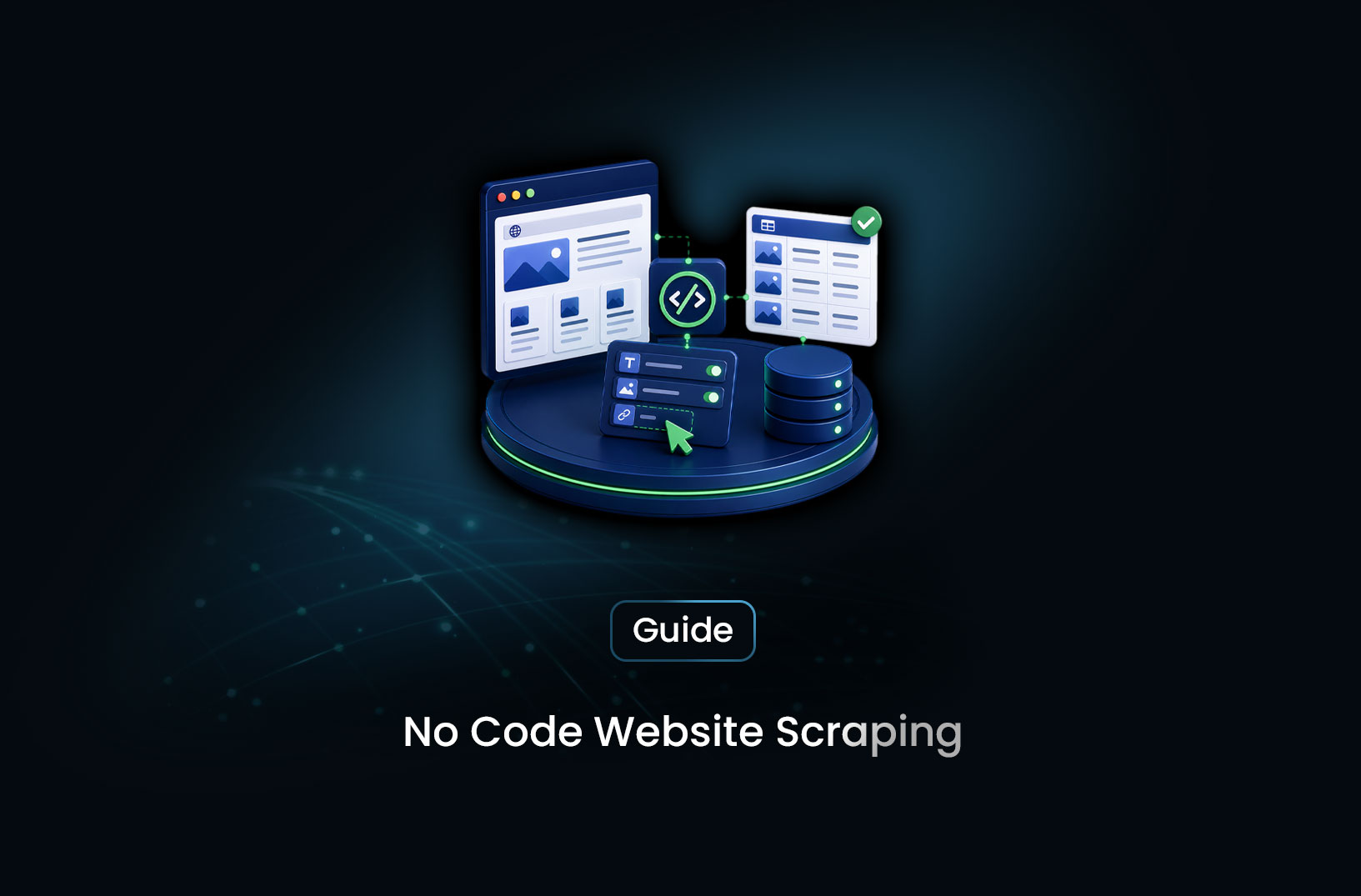
How to Scrape Websites Without Writing Code
Web ScrapingNo-code web scraping lets anyone extract website data without programming. Discover the best no-code scraping tools, how they work, and which to choose.
You've found yourself staring at a table of competitor prices, a directory of business listings, or a list of product reviews — and you need that data in a spreadsheet. You know there's a way to get it automatically. You've heard the word "scraping." But you're not a developer, you don't know Python, and you're not about to learn programming to pull data off a website.
Here's the good news: you don't have to. No-code web scraping has matured to the point where non-technical users — marketers, researchers, business analysts, operations teams — can extract data from websites using visual tools that require nothing more than point, click, and export. No terminal, no syntax errors, no Stack Overflow. In this guide, we'll cover exactly which tools make this possible, how they work, what you can realistically extract without coding, and where the limits of no-code scraping lie — so you can get the data you need without spending a day learning to code first.
By the end, you'll know which tool fits your situation, how to set up your first no-code scrape, and when it makes sense to move beyond no-code tools if your needs grow.
Table of Contents
- What Is No-Code Web Scraping?
- How No-Code Web Scraping Works
- Best No-Code Web Scraping Tools
- Free vs. Paid No-Code Scrapers: What's the Difference?
- Key Features to Look For in a No-Code Scraping Tool
- When Should You Use No-Code Web Scraping?
- Common Challenges and Limitations
- Conclusion
- What We Learned
- FAQ
What Is No-Code Web Scraping?
No-code web scraping is the process of extracting data from websites using visual tools that don't require writing any programming code. Instead of building a scraper in Python or JavaScript, you use a graphical interface — clicking on the data you want, configuring settings through menus and dropdowns — and the tool handles all the technical work underneath.
The data being extracted is the same as what you'd get from a programmatic scraper: product names, prices, URLs, phone numbers, review counts, article headlines, job listings, or any other text and numbers visible on a public web page. The difference is entirely in how you tell the tool what to extract — point and click rather than write and run.
This matters for a specific group of people who have always been effectively locked out of web scraping: the non-developers. A marketing manager who needs competitor pricing data every Monday. A researcher building a dataset from public records. A business owner monitoring their industry's job listings. An operations analyst who needs a supplier directory extracted before a deadline. These use cases are real, frequent, and time-sensitive — and until no-code scraping tools matured, they all required either hiring a developer or learning enough programming to get by.
According to Gartner's research on the no-code/low-code market, no-code tools have expanded the pool of people who can build and automate digital workflows — and web scraping is one of the most practical applications of that expansion for business users who work with data.
How No-Code Web Scraping Works
Before picking a tool, it's worth understanding the basic mechanics — because knowing what's happening under the hood helps you troubleshoot when things don't work exactly as expected.
All web scrapers — coded or no-code — do the same fundamental thing: load a web page, find the data on it, and extract it. The difference with no-code tools is in how the "find the data" step is configured.
In a visual scraper, you point at elements on the page rather than writing a selector to describe them. When you click on a product price in Octoparse, for example, the tool identifies which HTML element you clicked on and creates a rule to extract all similar elements across the page. When you click a second price, the tool recognizes the pattern — "the user wants all elements that look like this" — and selects the rest automatically. This pattern recognition is the core of the visual scraping experience.
Pagination — moving through multiple pages of results — is usually configured by pointing the tool at the "Next Page" button and telling it to keep going. Multi-page scraping is what separates a useful tool from a toy: if you can only scrape one page at a time, you're barely faster than copying and pasting manually.
The extracted data gets exported when you're done — typically as a CSV or Excel file that opens directly in a spreadsheet, or exported to Google Sheets, Airtable, or another connected destination.
What no-code tools handle automatically — and what would require significant programming knowledge to build yourself — includes things like: managing the HTTP requests to load each page, parsing the raw HTML to find your selected elements, handling pagination loops, and formatting the output into clean rows and columns.
Best No-Code Web Scraping Tools
1. Octoparse
Octoparse is one of the most capable visual scraping tools available, with a desktop application for Windows and Mac and a cloud-based option for running scrapers automatically on a schedule. The interface walks you through building a scraper step by step: you open a browser pane, navigate to your target page, click on the data you want, and Octoparse builds an extraction workflow from your selections.
It handles pagination, infinite scroll, login-required pages, and dropdown interactions — which makes it suitable for more complex targets than browser extensions can handle. The learning curve is steeper than a one-click extension, but you get significantly more control over what and how you extract. Free tier available; paid plans for cloud execution and scheduled runs. Documentation at https://www.octoparse.com.
Best for: Non-technical users who need more control than a browser extension provides, and who don't mind a thirty-minute learning investment for a more capable tool.
2. Browse.ai
Browse.ai takes a "record and replay" approach: you install the Chrome extension, click Record, perform the actions you want the scraper to replicate (navigate to a page, click through filters, scroll to results), and Browse.ai captures that workflow and turns it into an automated scraper it can run on a schedule. No configuration of selectors or extraction schemas — you just demonstrate the action.
The AI layer identifies the data you're interacting with and builds the extraction automatically. It's the closest thing in the no-code space to simply showing someone what you want rather than specifying it technically. Browse.ai also supports monitoring — it can alert you when data on a page changes, which is useful for price monitoring, inventory tracking, and competitor watching without building a dedicated pipeline. Current details at https://www.browse.ai.
Best for: Users who want to automate research and monitoring tasks with minimal setup — marketers, operations teams, and business users who need data on a schedule without any scraper configuration.
3. WebScraper.io (Chrome Extension)
WebScraper.io is a Chrome extension that uses a sitemap-based configuration — you define a structure of pages and the elements to extract from each level — without writing any code. It's more structured than Instant Data Scraper's auto-detection approach but less involved than Octoparse's full workflow builder.
The free version stores data locally in your browser; the cloud-based paid version runs scrapers without you needing to be present and exports directly to cloud storage. For users who need something between "one-click detection" and "full visual automation builder," WebScraper.io occupies a useful middle ground. Documentation at https://webscraper.io/documentation.
Best for: Users comfortable spending fifteen to thirty minutes on initial configuration in exchange for reliable, repeatable extraction across multiple pages and sites.
4. Instant Data Scraper
Instant Data Scraper is a free Chrome extension with zero configuration — you install it, navigate to any page with tabular data, click the extension icon, and it automatically detects and offers to export whatever table or list structure it finds. One click, data exported. It's genuinely the fastest path from "I need this data" to "I have this data in a CSV" that exists.
The limitations are real but clearly scoped: it relies on automatic detection (which fails on complex or non-standard layouts), it doesn't handle JavaScript-only content that loads after interactions, and it's entirely manual — no scheduling, no automation. For one-time extractions from clean, well-structured pages, nothing is faster. For anything recurring or complex, it's the wrong tool.
Best for: One-time data pulls from simple, publicly accessible pages where speed matters more than reliability or automation.
5. Apify (No-Code Actors)
Apify is a more powerful platform that bridges no-code and developer tooling. Its Actor marketplace contains pre-built scrapers for specific sites and use cases — Amazon product data, Google Maps business listings, LinkedIn profiles, Instagram posts, and hundreds of others — that non-technical users can run with just a few configuration inputs: enter a search term, select output fields, click Run.
You're not building a scraper; you're using one someone else already built and tested. The trade-off is that you're limited to the targets that have existing actors — custom targets require building your own actor or finding a developer to do it. For common research and business intelligence targets, the pre-built ecosystem is extensive. Documentation and free tier at https://docs.apify.com.
Best for: Business users who need data from popular platforms (social media, e-commerce, business directories) and don't need custom extraction logic.
Free vs. Paid No-Code Scrapers: What's the Difference?
All five tools above have a free tier. Understanding what free actually covers — and where it stops — helps you plan before hitting an unexpected wall.
Free tiers typically give you manual extraction capability, limited data volume per month (number of rows or pages scraped), and local storage of results. Instant Data Scraper is entirely free with no caps. WebScraper.io's free extension works locally with no volume limits but requires you to be present. Browse.ai and Octoparse free tiers restrict the number of automated runs and often limit scheduling features.
Paid tiers unlock the capabilities that make no-code scraping genuinely powerful for business use: scheduled runs that execute automatically without you being present, cloud-based execution (your laptop doesn't need to be open), higher data volumes, faster scraping speeds, and direct export to cloud destinations like Google Sheets, Airtable, or databases.
The honest framing: free no-code scraping is excellent for learning, evaluating, and occasional manual data pulls. If you need the same data every day or week without manual involvement, you're looking at a paid tier. The price of not automating is your own time — which often costs more than the tool.
One honest boundary worth knowing: all no-code tools are limited by what a browser can access. Sites with aggressive bot protection (Cloudflare challenges, CAPTCHAs, browser fingerprinting) will block no-code browser-based tools just as readily as they block manual browsers acting suspiciously. For targets that actively fight automated access, the jump from a no-code browser tool to a managed scraping API with anti-bot infrastructure becomes necessary regardless of your technical level. This is where platforms like MrScraper become relevant — not because of coding complexity, but because the problem has shifted from "how do I extract this data?" to "how do I access this page at all?" More at https://mrscraper.com.
Key Features to Look For in a No-Code Scraping Tool
When evaluating any no-code scraper — whether from this list or elsewhere — these are the criteria that actually predict whether the tool will work for your specific use case:
- Ease of first use: How long does it take to extract your first row of data? The faster the first result, the lower the learning curve and the more quickly you can evaluate fit.
- Pagination handling: Can it automatically move through multiple pages of results? A tool that only scrapes one page at a time is severely limited for any realistic dataset.
- Scheduling and automation: Can it run automatically on a schedule without you initiating each run? This is what separates a research tool from a business workflow tool.
- Output formats and export destinations: Does it export to the file formats or platforms your downstream workflow needs — CSV, Excel, Google Sheets, Airtable, Zapier? Having to manually reformat output after every run adds friction that compounds over time.
- JavaScript handling: Can it extract data from pages that load dynamically, or only from static HTML? Many modern pages require JavaScript to render their content — tools that don't support this return empty or incomplete data.
- Target compatibility: Test the tool against your actual target sites before committing. No-code tools vary significantly in how well they handle real-world page structures vs. clean, simple pages.
- Support and documentation: When something doesn't work, how easy is it to find help? Good documentation and responsive support matter more for non-technical users than for developers who can dig into code.
When Should You Use No-Code Web Scraping?
Use a no-code scraping tool when:
- You need to extract data from a publicly accessible, well-structured website and don't have — or don't want to invest in — programming skills
- The extraction is for research, competitive analysis, lead generation, pricing intelligence, or business monitoring rather than a high-volume automated data pipeline
- Your target sites are standard, unprotected pages — news sites, public directories, e-commerce product pages without heavy bot protection
- You need the data occasionally or on a predictable schedule (daily, weekly) and a paid scheduling tier is within budget
- Speed to first result matters more than maximum flexibility — you need the data this week, not after a development cycle
Consider a different approach when:
- Your target sites use Cloudflare, require CAPTCHA solving, or actively block automated browser traffic — no-code browser tools can't bypass these
- You need real-time or very high-frequency extraction (multiple times per hour) that would require enterprise-tier pricing on no-code platforms
- Your extraction requirements are highly custom — unusual page structures, multi-step authenticated workflows, or complex conditional logic that visual builders don't support
- The data needs to flow directly into a production system (database, API, application) rather than a spreadsheet — API-first tools are more appropriate for that architecture
Common Challenges and Limitations
Auto-detection fails on non-standard page structures. Tools that rely on automatic pattern recognition work well on clean, conventionally structured pages. Pages with nested data, mixed content types, or non-standard HTML layouts confuse auto-detection and produce incomplete or incorrect results. The workaround is using a tool with manual element selection (like Octoparse or WebScraper.io) rather than auto-detection (like Instant Data Scraper) for complex targets.
Bot protection blocks browser-based tools. No-code scraping tools that run inside a browser — which is most of them — are visible to the same anti-bot systems that block manual browser automation. Cloudflare challenges, IP-based rate limiting, and CAPTCHA systems will block a no-code scraper just as they'd block a coding-based one. The difference is that a developer can configure proxy rotation and CAPTCHA solving; a no-code tool typically can't. Heavily protected targets require infrastructure beyond what any no-code browser tool provides.
Scheduled runs can break when target sites change. You set up a weekly scraper, it runs perfectly for a month, then a site update changes the page layout and your extraction starts returning empty cells or the wrong data — silently. Visual scrapers based on specific element selection are brittle to layout changes, and no-code tools don't typically include automated monitoring for extraction health. Building a habit of spot-checking scheduled output catches these breakages before they compound.
Free tiers cap you just when usage starts mattering. Almost every no-code tool limits the most valuable features — scheduling, cloud execution, volume — behind paid plans. The free tier is sufficient for evaluation but insufficient for production use. Factor in paid plan costs when comparing tools rather than comparing only on free tier access, because the free tier is rarely what you'll be using long-term.
Volume limits and speed make high-frequency use expensive. No-code tools bill by pages scraped, rows extracted, or credits consumed. For a monthly competitive pricing audit, this is negligible. For daily monitoring across hundreds of products, the cost-per-page math changes significantly. Before committing to a tool for a high-volume use case, calculate your expected monthly usage against the tool's pricing structure — the math sometimes surprises people.
Conclusion
No-code web scraping has genuinely leveled the playing field for data access. The tools available in 2026 let a marketer, researcher, or business user extract website data that would have required a developer to access even five years ago — and for a meaningful range of use cases, they do it well. For publicly accessible, well-structured pages, periodic extraction, and non-sensitive business intelligence, the no-code path is completely viable and often faster than commissioning custom development.
The limits are real but clearly defined: bot protection, JavaScript rendering complexity, very high volume, and direct system integration are the scenarios where no-code tools run out of road. Knowing where those boundaries are — and what the step-up options look like when you reach them — means you won't build critical workflows on a foundation that can't hold them.
Start with the tool that matches your volume and technical comfort. Test it against your actual targets. And treat your first successful export — data that was trapped on a website now living in a spreadsheet — as the proof of concept it is, not the final system.
What We Learned
- No-code web scraping is genuinely capable for the right use cases: Publicly accessible, well-structured pages with moderate volume and no aggressive bot protection are fully within reach of visual, no-code tools.
- The tool match matters more than the category: A Chrome extension is right for one-time pulls; a visual workflow builder is right for complex multi-page extraction; a pre-built actor platform is right for popular sites with existing scrapers.
- Scheduling and automation are the real value of paid tiers: Free tiers prove capability; paid tiers deliver value through automation — recurring runs that produce data without your involvement.
- Bot protection is the hard wall for browser-based no-code tools: When a target actively fights automated access, the problem shifts from data extraction to page access — and that requires infrastructure beyond what no-code browser tools provide.
- Test against your actual target before committing: Demos and feature lists don't tell you whether a tool handles your specific page. Five minutes of real testing against your real target is worth more than any comparison article.
- No-code and developer tools solve different problems: No-code is the right starting point for non-technical users; knowing when you've genuinely outgrown it — rather than fighting the tool's limits indefinitely — saves time and frustration.
FAQ
What is no-code web scraping?
No-code web scraping is extracting data from websites using visual tools that don't require writing any programming code. Instead of coding a scraper in Python or another language, you use a graphical interface to point at the data you want, configure basic settings through menus, and export the results to a spreadsheet. The same underlying extraction happens as in a coded scraper — the interface is just designed for users without programming skills.
What are the best free no-code web scraping tools?
Instant Data Scraper is the simplest free option for one-time extractions from standard pages — no setup, no account required. WebScraper.io's Chrome extension is free and handles more complex multi-page extraction. Octoparse, Browse.ai, and Apify all have free tiers that include limited scraping runs. The best free tool depends on your target pages, how much configuration you're willing to do, and whether you need any automation features.
Can I scrape websites without coding using a Chrome extension?
Yes — several Chrome extensions support no-code web scraping. Instant Data Scraper and WebScraper.io are the most widely used. Extensions run inside your browser and can access pages that are visible in your browser session, including JavaScript-rendered content. The main limitation of browser extensions is that they require your browser to be open during scraping and can't easily bypass bot-protection measures on sites that actively resist automated access.
What types of data can I extract with no-code scraping tools?
Any text or numbers visible on a public web page — product names and prices, business names and addresses, contact information, article headlines and publication dates, job listings, review counts and ratings, stock information, real estate listings, sports scores, and more. No-code tools can extract anything that appears as readable text or numbers in a web browser. They typically cannot extract data locked behind logins you're not authorized to access, or content that requires solving CAPTCHAs to view.
Are no-code web scraping tools legal?
Scraping publicly accessible data with no-code tools is generally legal in most jurisdictions for personal, research, and non-commercial purposes, and widely accepted for business intelligence purposes on public data. The legal landscape varies by country and by how the scraped data is used. Always review the target website's Terms of Service before scraping — some sites explicitly prohibit automated access, and scraping personal data (names, emails, contact information) triggers data protection regulations like GDPR. When in doubt about commercial use cases, consult legal counsel.
When should I upgrade from a no-code tool to a paid scraping API?
Consider upgrading when your target sites use aggressive bot protection that blocks your no-code tool, when you need very high-volume extraction that exceeds the economics of per-page no-code pricing, when you need data delivered directly into a system rather than a spreadsheet, or when no-code scheduling features are too limited for your frequency requirements. A managed scraping API handles anti-bot infrastructure, JavaScript rendering, and high-volume extraction at levels that browser-based no-code tools can't reach — it's not a complexity upgrade so much as a capability upgrade for specific scenarios.
Summarize this post
Open it in your assistant of choice with the prompt ready to send.
Take a Taste of Easy Scraping!

Find more insights here
What is Scraping? A Complete Beginner's Guide for 2026
Learn what a web scraper is in 2026 and how AI-powered tools are replacing brittle CSS scripts for r…

The Ultimate Web Crawlers List: 15 Tools for Every Data Need
Compare the best web crawlers for 2026. Learn the difference between open-source, managed APIs, and…
Web Scraping MCP Server: Giving AI Agents Direct Access to Live Web Data
Learn how a Web Scraping MCP Server gives AI agents live web access while reducing token costs by 87…