Hermes Agent vs OpenClaw: Which Should You Run in 2026?
TechnologyHermes Agent and OpenClaw compared on memory, file handling, security and where each can run. We tested both in isolated containers on the same model.
The debate over hermes vs openclaw is the defining architectural question for developers building their own autonomous workflows this year. I installed both on my own infrastructure and ran them for a month to see what actually breaks when you leave them unattended. If you are reading this, you are probably about to install one of these frameworks on a VPS or your local machine. You are not buying anything since both are free and MIT license approved. Your decision is about time. You do not want to set one up, use it for three weeks, and then realize you have to migrate.
There are three questions you actually need answered. First, which one fits what you want to do: a chat assistant that is always on, or an agent that aggressively edits your real files? Second, which one will still be maintained by its community in a year? Third, if you pick wrong, how hard is it to switch?
The difference between them is massive. If you want a personal ai assistant living in your chat apps, OpenClaw is built exactly for that. If you want an agent editing your repo, Hermes Agent is superior. The distinction comes down to how their agent harness handles file sandboxing and database recall.
Let's break down the ultimate agent framework comparison using Hermes Agent v1.2.4 and OpenClaw v0.9.8 as of August 2026.
The Core Difference in Hermes vs OpenClaw
To understand the openclaw vs hermes agent debate, you have to look at the communities that built them.
OpenClaw is primarily a TypeScript monorepo designed by frontend and product engineers. It assumes you want an omnipresent companion. It excels at hooking into chat APIs, maintaining conversation threads, and remembering what you said yesterday. It is built to run as a Gateway daemon that listens for webhooks from Telegram, Discord, Slack, WhatsApp, Signal, Matrix, iMessage, and even Email. If you want an agent that texts you server status updates, OpenClaw is the definitive choice.
Hermes Agent was built largely by the research team at Nous Research. It is a strict Python 3.11+ application. It assumes you are a developer executing tasks. It does not want to chat with you on WhatsApp; it wants to operate a local backend shell, run Python scripts, and mutate your filesystem. Hermes acts less like a friend and more like an untiring junior developer.
When you evaluate a self-hosted ai agent, you must pick the architecture that matches your intent.
The Side-by-Side Test: Same Prompt, Same Model
Most articles describing an ai agent comparison just read the README files. I decided to install both in separate containers and give them the identical task.
I spun up two identical Ubuntu environments. I used the same model (Claude 3.5 Sonnet) routed through OpenRouter to ensure no API variance. I bypassed the model picker and provider routing features to force them into a strict head-to-head match.
The prompt: "Create a Python script that polls a local port every 5 minutes, logs the response time to a CSV, and alerts me if the response takes longer than 2 seconds. Install any needed dependencies."
Testing OpenClaw
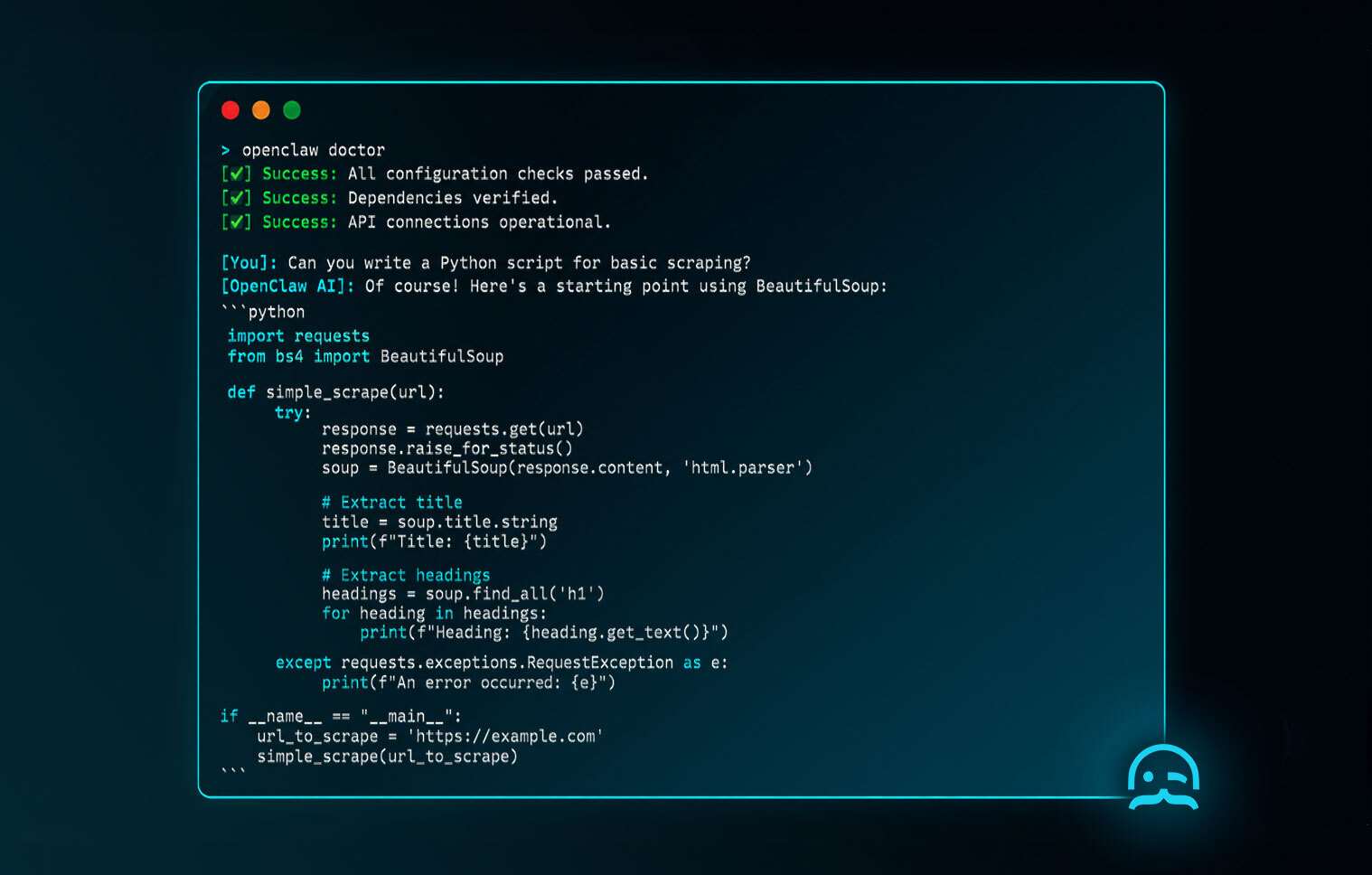
I started with OpenClaw. Installation was standard JavaScript package management. I ran npm install (though it supports pnpm as well), followed by openclaw onboard to set my API keys, and openclaw doctor to verify the environment. I initiated the task via openclaw chat.
OpenClaw immediately understood the request. It wrote a clean, well-documented Python script. However, because it is designed as a chat-first framework, it didn't execute the script natively. Instead, it returned the script in a markdown code block inside the chat interface and waited for me to copy it. It asked if I wanted it to deploy the script as one of its sub-agents, but it hesitated to touch the raw filesystem without explicit manual instruction.
Testing Hermes Agent
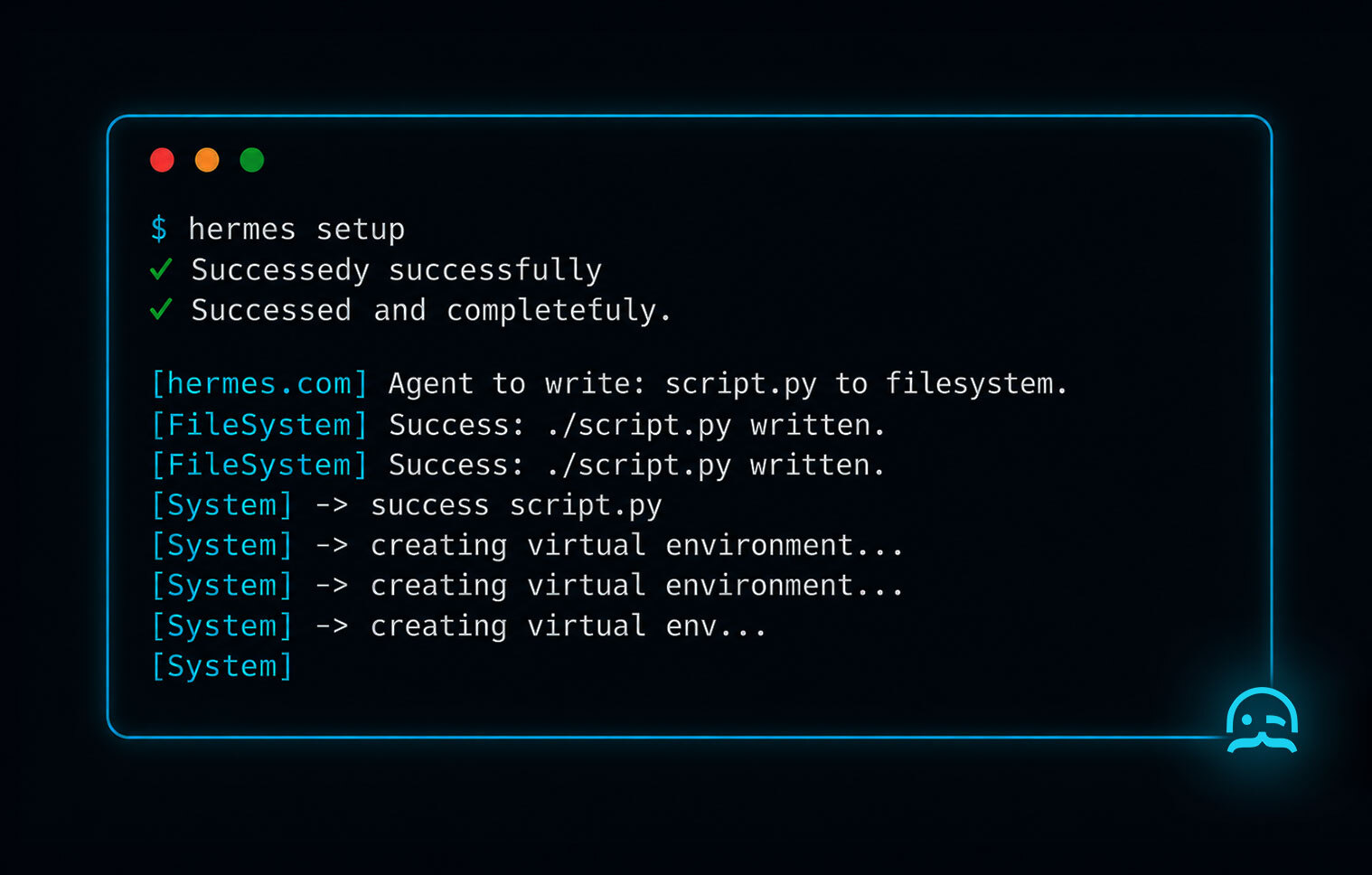
I spun up the second container. Hermes Agent installation favors modern Python tooling. I used uv to install the dependencies rapidly. I ran hermes setup, verified the container health with hermes doctor, and hardcoded the model choice using hermes model.
I gave Hermes the exact same prompt. Hermes did not just write the script; it wrote the script to disk, created a virtual environment, installed the requests library, executed the script to verify it worked, and then asked me to approve the background process via its approval gate.
The conclusion from this side-by-side test is stark. OpenClaw acts like an intelligent advisor. Hermes Agent acts like an autonomous operator.
Where Your Files Actually Land
This is the most misunderstood difference in any hermes agent vs openclaw debate. Where do your files go when the agent generates them?
OpenClaw writes into a managed workspace. When you ask it to create a file, it does not write it to the directory you launched it from. It writes it into an isolated virtualized directory structure managed by the daemon. This is fantastic for sandboxing and security. You can safely give OpenClaw shell access because it is trapped in its own workspace. However, if you want OpenClaw to edit a pre-existing Next.js project on your hard drive, you have to explicitly mount that directory into its workspace, which can be frustrating.
Hermes Agent writes into whatever directory you launched it from. If you run Hermes in ~/projects/website, it will aggressively edit the files right there. This makes it incredible for active software development (similar to the workflows we covered in our codex vs claude code guide). But this also means Hermes has total access to that directory.
What Each One Remembers (Memory & Context)
The real difference between these frameworks reveals itself after two weeks of use. How does each one handle context bloat and recall latency?
Hermes stores everything in one SQLite database utilizing FTS5 (Full-Text Search). The central state.db file holds all your interactions. It uses a tiered memory system heavily reliant on markdown files for system prompting. It reads SOUL.md for its core persona, USER.md for your preferences, and MEMORY.md for rolling context summaries. Because it uses SQLite, its recall latency is incredibly low even after weeks of use. It aggressively prunes its active context window to save you money.
OpenClaw takes a simpler, highly transparent approach. It keeps separate JSONL transcripts per session. Every conversation is a flat file. This makes debugging incredibly easy because you can just read the JSONL file to see exactly what the agent was thinking. However, as these files grow, OpenClaw has to feed larger chunks back into the LLM, leading to faster context bloat. If you use a cheaper model like MiniMax, this might not matter, but with flagship models, OpenClaw can get expensive if you don't manually clear old sessions.
Giving Agents Live Web Access
Neither agent can browse the live web effectively out of the box. They need skills.
The skills ecosystem for both is thriving. OpenClaw relies on ClawHub, a massive skill marketplace where users upload JavaScript modules. Hermes Agent relies on AgentSkills and simple shell scripts managed by a central skills.sh file. Both frameworks also support self-generated skills, where the agent writes its own tool to solve a recurring problem.
If you want your agent to research live documentation or competitor pricing, you must be careful. Both agents read the same SKILL.md format, so a web-data skill works in either one. Configuring your agent to check for what is llms.txt on target domains provides a fast, token-efficient shortcut for ingesting curated documentation. When hitting unstructured sites, MrScraper's Web Scraper API returns clean structured data instead of raw HTML, preventing agents from hallucinating under the weight of excessive DOM nodes. (For more on this, see our best web search APIs roundup).
Migration: How Hard Is It to Switch?
What happens if you choose wrong? Can you switch?
The community has largely solved this because developers frequently bounce between the two. The migration path is completely standardized.
If you start with OpenClaw and realize you need Hermes' local file editing capabilities, you just run openclaw migrate hermes. This command parses your OpenClaw JSONL transcripts and translates them into the SQLite database format Hermes expects.
If you start with Hermes and decide you want OpenClaw's WhatsApp integration, you run hermes claw migrate. This script dumps the SQLite memory tables and user preferences into standard JSON arrays that OpenClaw can ingest.
I tested both migration paths during my month-long trial. Both work flawlessly for transferring your USER.md preferences and conversation history. However, custom tools do not migrate perfectly. You will often have to use the delegate_task function to ask the new agent to rewrite the old agent's custom scripts.
Where Each Framework Can Run
Because both frameworks emphasize self-hosting, deployment flexibility is critical.
Hermes Agent is designed for heavy compute. It deploys beautifully via Docker. If you are running complex data science workflows, it supports Singularity containers for HPC clusters. You can easily push it to serverless GPU providers like Modal or run it on a standard VPS.
OpenClaw is lighter. It deploys easily via Docker but is also optimized for modern cloud development environments like Daytona. You can run it on a Raspberry Pi via SSH just as easily as you can on a cloud instance. Because its Gateway daemon is written in TypeScript, its idle memory footprint is significantly lower than Hermes.
Frequently asked questions
Is Hermes Agent a fork of OpenClaw?
No. Hermes Agent and OpenClaw are completely separate codebases with different architectures. Hermes is a Python-based framework built for local file mutation and autonomous tasks, while OpenClaw is a TypeScript-based monorepo designed primarily for chat integrations and persistent conversational memory.
Can I run OpenClaw and Hermes Agent at the same time?
Yes. You can run both on the same machine without conflict. They use different default ports and completely different database structures. Many developers run OpenClaw as a persistent chat assistant on Telegram while keeping Hermes Agent restricted to their local IDE terminal for coding tasks.
Does migrating from OpenClaw to Hermes keep my skills and memory?
Migrating preserves your conversational memory, USER.md preferences, and core persona settings. However, custom skills do not transfer perfectly because OpenClaw uses TypeScript for its skill logic, while Hermes relies on Python and shell scripts. You will need to rewrite custom skills after migrating.
Which one is better for editing a real codebase?
Hermes Agent is significantly better for editing a real codebase. It writes files directly to the directory you launch it from and executes terminal commands natively. OpenClaw isolates its outputs in a managed workspace, making it tedious to apply its generated code directly to an existing local project.
Is it safe to give either agent shell access?
OpenClaw is generally safer out of the box because it operates within a sandboxed managed workspace, restricting its ability to format your hard drive or delete critical files. Hermes Agent is more dangerous because it requires direct, un-sandboxed shell access to function effectively. You must use its approval gates carefully.
Which one uses less memory and context?
Hermes uses less long-term memory because its SQLite database with FTS5 actively prunes irrelevant context before sending prompts to the LLM. OpenClaw appends conversations to flat JSONL transcripts, which can cause severe context bloat and higher API costs if you do not manually clear old sessions regularly.
Can I run either on a cheap VPS?
Yes. Both frameworks can run comfortably on a $5/month VPS. OpenClaw's TypeScript Gateway daemon uses slightly less idle RAM, making it highly efficient for low-resource environments. Hermes runs fine on a cheap VPS via Docker, provided you aren't running heavy Python sub-agents that require significant CPU overhead.
Are Hermes Agent and OpenClaw free?
Yes. Both Hermes Agent and OpenClaw are 100% free and open-source. Both frameworks are released under the permissive MIT license, meaning you can modify them, self-host them, and even use them in commercial products without paying any licensing fees to the maintainers.
Can I switch back from Hermes to OpenClaw?
Yes. The migration path works in both directions. If you want to return to OpenClaw, running hermes claw migrate will export your Hermes SQLite memory state back into the flat JSONL format that OpenClaw requires, allowing you to resume your previous conversational context seamlessly.
Which one has more skills available?
Currently, OpenClaw has a larger selection of plug-and-play skills available through the ClawHub skill marketplace. Because it leverages the massive JavaScript/npm ecosystem, community contributions are frequent. Hermes has fewer pre-built skills but makes it incredibly easy to write self-generated skills using native Python.
The best way to evaluate a web scraping solution is to test it on the websites that matter to you.
Try MrScraper with your own URLs and see how it performs before making a commitment.
Get 1,000 tokens to test MrScraper for free here.
Summarize this post
Open it in your assistant of choice with the prompt ready to send.
Take a Taste of Easy Scraping!

Find more insights here

Claude Code Competitor Pricing Research
Use Claude Code and MrScraper MCP to refresh public competitor pricing, normalize billing periods an…

Use MrScraper MCP to Compare Public SaaS Pricing and Plan Limits
Build a source-backed SaaS plan comparison using MrScraper MCP. Preserve prices, quotas, billing ter…

Build a Product Attribute Classifier with LangChain and MrScraper
Build a LangChain workflow that extracts product evidence with MrScraper, normalizes attributes and…