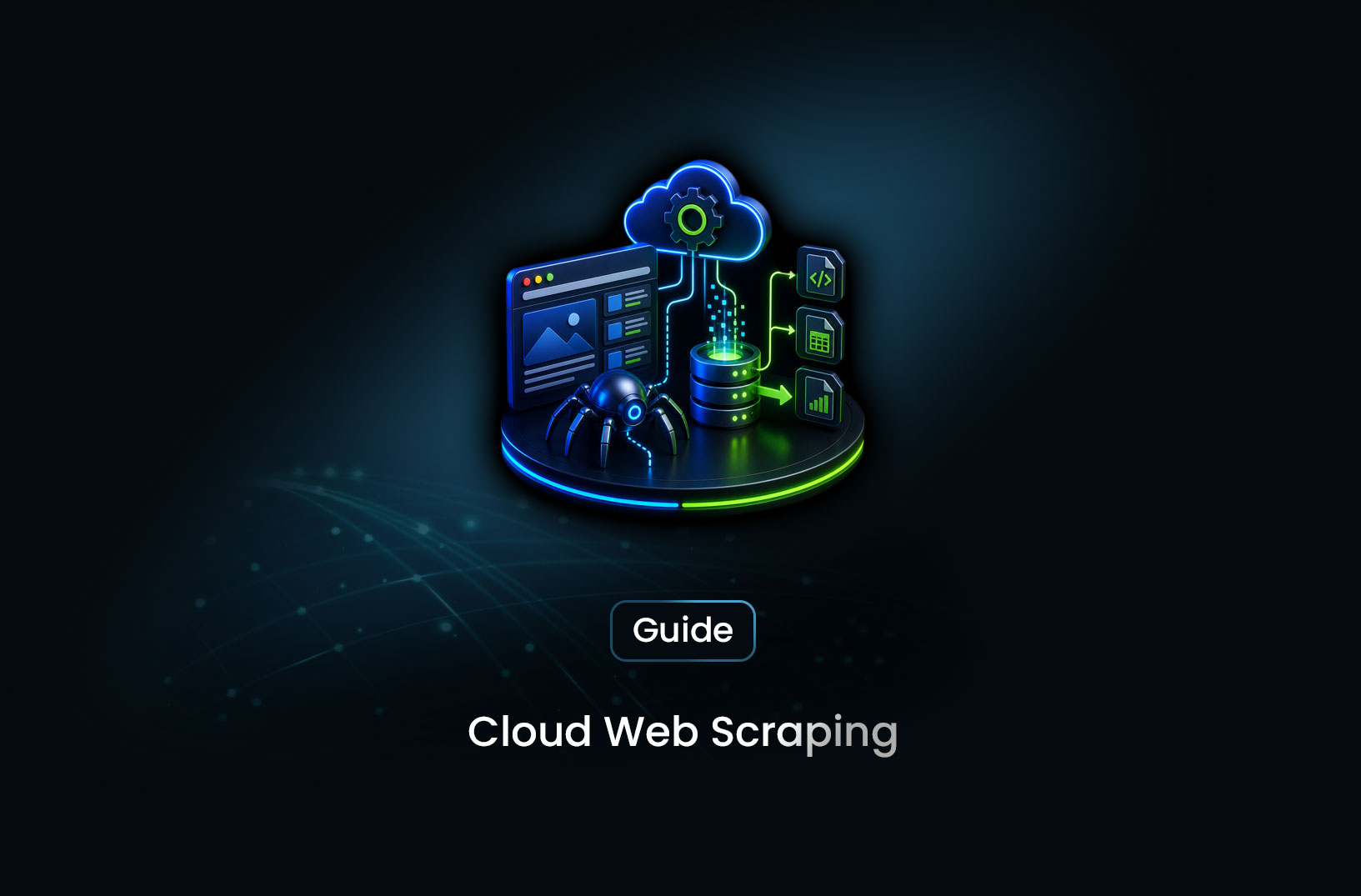
How to Scrape the Web From the Cloud With Zero Local Setup
Web ScrapingLearn how cloud web scraping works, the best tools available in 2026, and how to launch scalable scrapers without installing anything locally. A practical guide.
There's a particular kind of frustration that comes with setting up a local scraper — managing Python environments, installing browser binaries, configuring proxies, and leaving your laptop running overnight hoping nothing crashes. It works, technically. But it's messy, fragile, and doesn't scale.
Cloud web scraping is the cleaner alternative. Instead of running scrapers on your own machine, you run them on remote infrastructure — serverless functions, cloud containers, or managed scraping platforms — that stay online around the clock, scale automatically, and require zero local setup to maintain. Your code lives in the cloud, your results land wherever you point them, and your laptop stays closed.
In this guide, we'll walk through how cloud web scraping works, the main approaches to consider, the best tools available right now, and how to get your first cloud scraper running — whether you're comfortable deploying to AWS or you'd rather skip the infrastructure entirely.
Table of Contents
- What Is Cloud Web Scraping?
- How It Works
- Step-by-Step: Getting Started With Cloud Web Scraping
- Best Cloud Web Scraping Tools
- Free vs. Paid: What to Expect
- Key Features to Look For
- When Should You Use Cloud Web Scraping?
- Common Challenges and Limitations
- Conclusion
- What We Learned
- FAQ
What Is Cloud Web Scraping?
Cloud web scraping means running your scrapers on remote cloud infrastructure rather than on a local machine. Instead of keeping a computer online 24/7, you deploy your scraping code to a cloud platform and let it run there — on a schedule, on demand, or in response to an API trigger.
There are three main ways to approach it:
Serverless functions — services like AWS Lambda or Google Cloud Functions let you deploy a scraping function that spins up when triggered and shuts down when done. You pay only for execution time, not idle time. This works well for lightweight scrapers hitting static pages or public APIs.
Cloud containers — platforms like Google Cloud Run or AWS ECS let you package a scraper — including a full Chromium browser — inside a Docker container and run it in the cloud. More setup involved, but you get a complete browser environment without managing servers.
Managed scraping platforms — hosted services where you send a request with a target URL and get back structured data. No deployment, no infrastructure, no browser configuration. You're paying for convenience, and for most use cases, it's worth it.
Each approach sits at a different point on the control-vs-convenience spectrum. The right choice depends on what you're scraping and how much engineering you want to handle yourself.
How It Works
The architecture behind cloud scraping follows a consistent pattern regardless of which platform you use:
- Trigger — something kicks off the scraper. A scheduled cron job, an API call, a webhook, or a manual run.
- Execute — your scraper runs in the cloud, fetching pages, rendering JavaScript if needed, and parsing content.
- Store — results are written to cloud storage (S3, Google Cloud Storage), a database, or returned directly via API response.
- Scale — if you need to scrape 10,000 URLs instead of 10, the platform spins up additional instances in parallel. No manual intervention required.
What makes this genuinely powerful is the decoupling. Your scraping logic lives separately from the machine running it. You can update code, change schedules, or scale load without touching any hardware. As the AWS Lambda documentation explains at https://docs.aws.amazon.com/lambda/latest/dg/welcome.html, serverless functions handle scaling automatically — from a handful of requests to thousands — with no configuration needed on your end.
The one area where cloud scraping gets complicated is JavaScript-heavy websites. Headless browsers in serverless environments need careful setup, which is exactly why managed browser automation cloud services have become popular for dynamic content.
Step-by-Step: Getting Started With Cloud Web Scraping
Step 1: Choose Your Approach
Before writing any code, decide which model fits your use case:
- Static pages, public APIs, JSON endpoints → Serverless function (Lambda, Cloud Functions)
- JavaScript-heavy pages, SPAs, login-gated content → Cloud container with Playwright/Puppeteer, or a managed browser automation cloud platform
- Minimal code, fast results → Managed scraping API
If you're working with dynamic, JavaScript-rendered pages, the approach changes significantly.
Step 2: Write and Package Your Scraper
For a serverless scraper on AWS Lambda using Python, a minimal handler looks like this:
import json
import requests
from bs4 import BeautifulSoup

def lambda_handler(event, context):
    url = event.get("url", "https://example.com")
    headers = {"User-Agent": "Mozilla/5.0 (compatible; Scraper/1.0)"}
    response = requests.get(url, headers=headers, timeout=10)
    soup = BeautifulSoup(response.text, "html.parser")
    title = soup.find("h1").get_text(strip=True) if soup.find("h1") else "No h1 found"
    return {
        "statusCode": 200,
        "body": json.dumps({"url": url, "title": title})
    }
This is the core pattern — a function receives a URL, fetches the page, parses it, and returns structured data. You'll package this with a requirements.txt listing requests and beautifulsoup4, then deploy as a zip file or via a Lambda layer.
Step 3: Configure Triggers and Scheduling
AWS Lambda supports EventBridge rules for cron-based scheduling — something like rate(1 hour) to run your scraper every hour without any manual involvement. For processing a batch of URLs, Lambda integrates cleanly with SQS: enqueue your target URLs as messages, and Lambda processes them in parallel, scaling automatically with the queue depth.
Step 4: Handle Output and Storage
For small jobs, returning data directly from the Lambda response is fine. For anything at scale, write results to S3 (one JSON file per scraped URL works well) or to a managed database. Keeping compute and storage separate makes it easy to replay, reprocess, or export your data without touching the scraping logic.
Best Cloud Web Scraping Tools
There's no single right answer here. The best tool depends on your technical comfort and the complexity of your target sites.
1. AWS Lambda + Python or Node.js
The most flexible DIY option for serverless scraping. Lambda handles scaling automatically; you handle packaging, deployment, and trigger configuration. Cost-effective at high volume for simple HTTP-based scraping, but headless browser setup inside Lambda adds meaningful friction.
2. Google Cloud Run
Cloud Run lets you containerize a full Playwright or Puppeteer environment and deploy it to Google's infrastructure. According to the Playwright documentation at https://playwright.dev/docs/docker, Playwright's official Docker image bundles all necessary browser dependencies — making Cloud Run a natural fit for browser automation cloud workloads where you need real JavaScript rendering without managing servers.
3. Browserless
Browserless is a hosted Chrome service that exposes a Puppeteer-compatible API. You point your existing scraping code at a Browserless endpoint instead of a local browser binary, and it handles the browser infrastructure entirely. Low friction, well-documented, and a good middle ground between DIY and fully managed.
4. Apify
Apify is a full cloud scraping platform built around reusable "Actors" — pre-packaged scrapers you can deploy, schedule, and chain together. It abstracts away most infrastructure complexity and offers a genuinely useful free tier for getting started quickly.
5. MrScraper
For teams running into anti-bot protection, CAPTCHAs, or JavaScript-heavy target sites, this is where things can get complicated fast — and where MrScraper is worth a look. It handles browser automation in the cloud along with CAPTCHA solving and anti-bot bypass, so instead of spending days tuning fingerprinting behavior, you send a request and get back clean data. A practical fit when your targets actively resist scraping.
Free vs. Paid: What to Expect
The DIY cloud route is genuinely low-cost. AWS Lambda's free tier covers one million requests and 400,000 GB-seconds of compute per month — more than enough for a real low-volume scraping operation at no cost. Google Cloud Functions follows a similar model. Costs only become significant at high volume, and even then, they typically run low compared to maintaining dedicated servers.
Managed scraping APIs work differently. Free tiers exist but are usually capped at a few hundred requests per month. Beyond that, you're on a per-request or monthly plan — which reflects the fact that the service is handling proxy rotation, browser rendering, and CAPTCHA handling on your behalf.
The practical trade-off: DIY serverless costs less per request but takes real engineering time to build and maintain. Managed platforms cost more per request but save that time significantly. For indie developers running light workloads, start with Lambda's free tier. For teams where engineering time is the constraint, a managed web scraping API often pays for itself quickly.
Key Features to Look For
When evaluating cloud scraping tools or platforms, these are the criteria that actually move the needle:
- Headless browser support: Can it render JavaScript? Most modern sites require a real browser, not just HTTP requests.
- Auto-scaling: Will it handle 10 URLs as reliably as 10,000 without manual configuration changes?
- Scheduling and triggers: Can scrapers run on a cron schedule, on demand, or in response to events and webhooks?
- Proxy and IP rotation: Does the platform manage IP rotation for you, or do you need to source and manage your own proxy pool?
- Anti-bot and CAPTCHA handling: Does it deal with bot-detection layers automatically, or do you have to solve that problem yourself?
- Output flexibility: Can results be returned as JSON, pushed to a webhook, or written directly to cloud storage?
- Predictable pricing: Can you estimate monthly costs confidently, or will a scraping volume spike produce an unexpected bill?
When Should You Use Cloud Web Scraping?
Cloud scraping is the right choice when:
- You need scrapers to run on a schedule without keeping a local machine online
- You're scraping at a volume that would overwhelm a single machine or local connection
- You're working in a team and need a shared, reproducible, maintainable scraping environment
- Your target sites require IP rotation or residential proxies to avoid blocks
It's probably overkill when:
- You're doing a one-time data pull from a small, simple site — a local script handles that fine
- Your data is available through a public API — no scraping infrastructure needed at all
- Budget is very tight and a cron job on a $5 VPS meets your actual requirements
The core question is sustainability. Cloud scraping shines for anything you need running reliably over time, at scale, without your personal attention.
Common Challenges and Limitations
Cloud scraping solves a lot of problems. But it introduces a few of its own worth knowing before you commit to an approach.
Cloud IPs get recognized and blocked When requests come from well-known cloud provider IP ranges — AWS, GCP, Azure — many websites detect and block them immediately. Bot-detection systems maintain lists of data center IP blocks, and your scraper will hit these walls fast on protected sites. The fix is proxy rotation using residential or rotating datacenter proxies, but managing a proxy pool is its own engineering project.
Headless browsers in serverless are finicky Running a full Chromium browser inside an AWS Lambda function is technically possible, but binary size limits, cold start latency, and execution timeouts all become real constraints. In practice, containerized approaches (Cloud Run, ECS) or managed browser automation cloud services handle this more reliably for complex scraping scenarios.
Fingerprinting goes beyond IP addresses Modern bot-detection systems — Cloudflare, Akamai, and similar — don't just check your IP. They analyze browser behavior, TLS fingerprints, canvas rendering, mouse movement patterns, and dozens of other signals. A naively configured headless browser fails these checks even with a clean IP. This is where managed platforms like MrScraper add real value — their infrastructure is designed around bypassing these defenses systematically, so you don't have to build that capability yourself.
Output management at scale Running hundreds of parallel scrapers simultaneously means writing a lot of results at once. Without a clear storage strategy, output becomes disorganized fast. Plan your data pipeline — per-URL files in S3, a queue-based aggregation layer, or a structured database — before you scale up.
Conclusion
Cloud web scraping takes the friction out of running scrapers seriously — no local environment to maintain, no machine to babysit, and the ability to scale load without changing your architecture. Whether you go the DIY route with Lambda and Python or reach for a managed platform, the infrastructure layer is largely handled for you.
Start with the simplest approach that fits your actual problem. Static pages with predictable structure? A serverless function gets you running in an afternoon. Bot-protected, JavaScript-heavy targets at scale? A managed cloud scraping service saves you weeks of configuration work. Match the tool to the problem, get data moving, and optimize from there.
What We Learned
- Cloud web scraping = remote execution: Your scraper runs on cloud infrastructure, not your local machine — which means zero local setup, no babysitting, and automatic scaling on demand.
- Three approaches, three trade-offs: Serverless functions for simple HTTP scraping, cloud containers for full browser rendering, managed platforms for zero-infrastructure convenience.
- Cloud IPs are a known vulnerability: AWS, GCP, and Azure IP ranges are flagged by most bot-detection systems. Proxy rotation isn't optional at scale — it's a necessity.
- Headless browsers in serverless are harder than they look: Cold starts, binary size limits, and execution timeouts make Lambda a poor fit for Playwright or Puppeteer. Containers and managed services handle this more reliably.
- Free tiers are genuinely useful: AWS Lambda's free tier covers one million requests per month — enough to run a real scraping operation at low volume without spending anything.
- Managed platforms trade money for time: DIY is cheaper per request; managed APIs save significant engineering hours. For most teams, that time saving justifies the cost quickly.
FAQ
What is cloud web scraping and how is it different from local scraping?
Cloud web scraping means running your scrapers on remote cloud infrastructure — serverless functions, containers, or managed platforms — rather than on your own machine. The core difference is operational: local scraping depends on your machine staying online and configured correctly, while cloud scraping runs independently, scales automatically, and doesn't require your involvement once deployed.
What is the best cloud web scraping tool for beginners?
For beginners who want to skip infrastructure entirely, a managed scraping platform like Apify or a web scraping API is the fastest starting point — you interact with a simple API rather than deploying any code. For developers comfortable with basic cloud services, AWS Lambda with Python is a well-documented and cost-effective entry point for serverless scraping.
Can cloud web scraping handle JavaScript-heavy websites?
Yes, but it requires more than a basic serverless function. JavaScript-heavy sites need a full headless browser (Playwright or Puppeteer) to render properly. In the cloud, this works best inside Docker containers on platforms like Google Cloud Run, or via a managed browser automation cloud service that handles the browser layer for you. Trying to run a full browser inside a Lambda function is possible but adds significant complexity.
How much does cloud web scraping cost?
For low-volume work using AWS Lambda or Google Cloud Functions, the free tier covers most needs — one million requests per month at no cost. At higher volumes, costs scale with usage but typically remain low compared to dedicated servers. Managed scraping platforms charge per request or on a monthly plan, with free tiers that cover initial exploration before billing begins.
How do I avoid getting blocked when running cloud scrapers?
Cloud provider IP ranges are well-known to bot-detection systems and frequently blocked outright. To reduce detection, route requests through residential or rotating datacenter proxies, set realistic User-Agent headers, introduce delays between requests, and configure any headless browser to minimize obvious automation signals. Managed scraping platforms handle most of this automatically, which is a significant part of their value.
What is serverless scraping?
Serverless scraping uses cloud functions — like AWS Lambda or Google Cloud Functions — to run scraping code on demand without provisioning or managing any servers. You write a function, deploy it, and trigger it via a schedule or API call. The function executes, returns or stores results, and shuts down. You pay only for actual execution time, making it highly cost-effective for sporadic or scheduled scraping workloads.
Summarize this post
Open it in your assistant of choice with the prompt ready to send.
Take a Taste of Easy Scraping!

Find more insights here
Use Prompt Caching for Repeated Analysis of Web Documents
Use your LLM provider's prompt caching when you analyze many extracted web pages. Keep stable prompt…
Measure and Reduce LLM Token Use in Web Data Applications
Measure how many LLM tokens HTML, Markdown and field-only JSON use for the same pages, check answer…
Build a Knowledge Graph From Web Pages With Source Provenance
Turn permitted web pages into an evidence-backed knowledge graph. Define entities and relationships,…