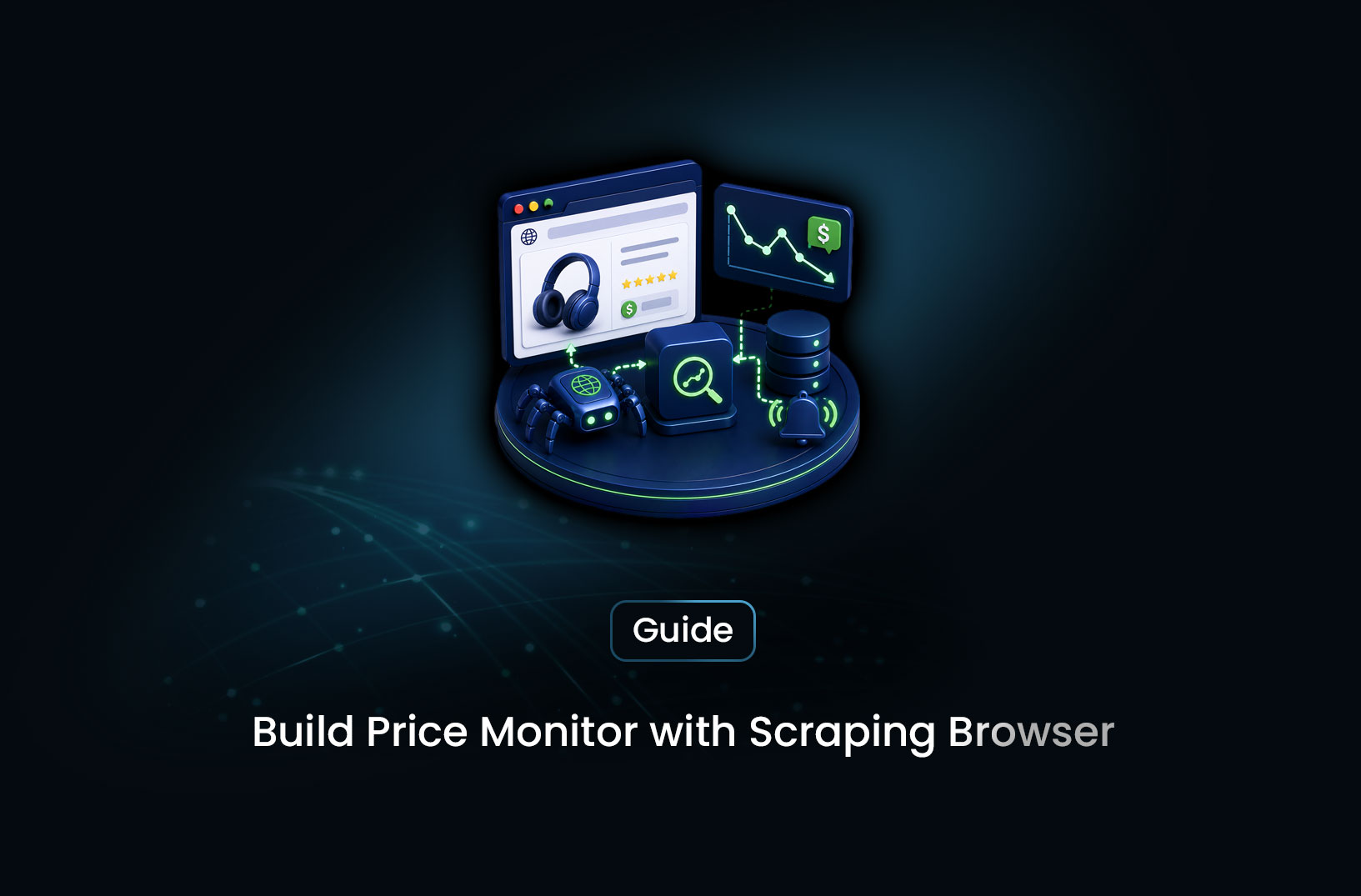
Build a Price Monitor With a Scraping Browser
Web ScrapingLearn how to build a price monitor using a scraping browser — step-by-step guide with Python code for JavaScript-rendered pages, price alerts, and scheduling.
A plain HTTP request won't give you the price. Most ecommerce product pages — Amazon, Best Buy, Target, Shopify stores — load their prices, stock status, and promotional badges through JavaScript that executes after the initial HTML is delivered. Your requests.get() returns an empty placeholder where the price should be, not the number you need. That's where a scraping browser enters the picture.
Building a price monitor with a scraping browser means using a real browser environment — headless Chromium, a managed browser API, or similar — to render product pages exactly as a customer would see them, extract the current price, compare it against your target threshold, and send an alert when conditions are met. This guide walks through the complete build: the architecture, the code, and the specific choices that make a price monitor reliable rather than fragile. Whether you're tracking a handful of products for personal deal hunting or building a competitive pricing pipeline across hundreds of SKUs, the same foundational approach applies.
Table of Contents
- What Is a Scraping Browser Price Monitor?
- How a Browser-Based Price Monitor Works
- Step-by-Step Guide: Building Your Price Monitor
- Best Tools for Browser-Based Price Monitoring
- Free vs. Paid: Choosing Your Scraping Browser Approach
- Key Features Your Price Monitor Needs
- When Should You Build a Scraping Browser Price Monitor?
- Common Challenges and Limitations
- Conclusion
- What We Learned
- FAQ
What Is a Scraping Browser Price Monitor?
A scraping browser price monitor is an automated system that uses a real browser environment to periodically load product pages, extract current prices, and trigger alerts when prices cross a defined threshold — as opposed to a plain HTTP scraper that only retrieves server-rendered HTML.
The "scraping browser" component is what makes this work on modern ecommerce. A scraping browser is a controlled headless browser (Playwright, Puppeteer, or a managed browser API) that loads a page and executes its JavaScript — calculating prices, loading availability data from backend APIs, applying user-location-based regional pricing, rendering promotional badges — before any data extraction happens. The price you see in the browser is the price the scraping browser sees. The price in the raw HTML response before JavaScript runs is often a placeholder or missing entirely.
The monitoring layer sits on top: once you have the rendered price, compare it against a target (your purchase threshold, the competitor's price, the historical baseline), store the reading in a time-series database, and send an alert through whatever channel fits your workflow when the condition is met.
How a Browser-Based Price Monitor Works
The pipeline runs through four sequential stages on every monitoring cycle.
Stage 1 — Browser rendering. The scraping browser navigates to the product URL. The browser loads the HTML, fetches JavaScript bundles, executes them, waits for async price-loading API calls to resolve, and builds the final rendered DOM. This typically takes 3–10 seconds per page depending on the site's JavaScript complexity and your network conditions. The result is the page as a customer would see it.
Stage 2 — Price extraction. Once rendered, the browser locates the price element in the DOM and reads its text content. This is where CSS selector knowledge matters — you need to identify which element contains the price on your specific target page. The extracted text ("$249.99" or "$1,249.00") gets cleaned: currency symbols stripped, commas removed, converted to a float.
Stage 3 — Comparison and storage. The cleaned price is compared against your threshold or the previously recorded price. Every reading is stored in a database with a timestamp regardless of whether an alert fires — this builds the price history that makes trend analysis possible.
Stage 4 — Alert dispatch. If the price meets the alert condition (below threshold, dropped since last reading, or changed at all), a notification is sent to your configured channel: a Slack webhook message, an email, an SMS, or a custom API call. The alert includes the product name, current price, previous price, and a link to the product page.
Step-by-Step Guide: Building Your Price Monitor
Step 1: Set Up Your Dependencies
For the DIY approach using Playwright and Python:
pip install playwright apscheduler requests
playwright install chromium
For teams using a managed scraping API instead of self-hosted Playwright, you only need requests and your provider's API key — no browser installation required.
Step 2: Build the Price Extraction Function
Here's a working Playwright-based price extractor. The selector (span.price-value in the example) must be updated to match your actual target page — use browser DevTools to identify the right element:
from playwright.sync_api import sync_playwright
import re

def extract_price_playwright(url: str, price_selector: str) -> float | None:
    """
    Render a product page in a headless browser and extract the current price.
    Requires: playwright install chromium
    """
    with sync_playwright() as pw:
        browser = pw.chromium.launch(headless=True)
        context = browser.new_context(
            user_agent=(
                "Mozilla/5.0 (Windows NT 10.0; Win64; x64) "
                "AppleWebKit/537.36 (KHTML, like Gecko) "
                "Chrome/124.0.0.0 Safari/537.36"
            )
        )
        page = context.new_page()

        # Block images and fonts to reduce page load time
        page.route(
            "**/*.{png,jpg,jpeg,gif,webp,woff,woff2,ttf}",
            lambda route: route.abort()
        )

        try:
            page.goto(url, wait_until="networkidle", timeout=20_000)
            # Wait specifically for the price element to appear
            page.wait_for_selector(price_selector, timeout=10_000)
            price_text = page.inner_text(price_selector)
        except Exception as e:
            print(f"Extraction failed for {url}: {e}")
            return None
        finally:
            browser.close()

    # Strip everything except digits and decimal point
    clean = re.sub(r"[^\d.]", "", price_text)
    try:
        return float(clean)
    except ValueError:
        print(f"Could not parse price from text: {price_text!r}")
        return None
For teams using a managed scraping API (which handles browser rendering server-side), the function simplifies significantly:
import requests
import re

def extract_price_api(url: str, price_selector: str,
                      api_endpoint: str, api_key: str) -> float | None:
    """Extract price via a managed scraping API with server-side rendering."""
    response = requests.post(
        api_endpoint,
        headers={"Authorization": f"Bearer {api_key}"},
        json={"url": url, "render_js": True, "selector": price_selector},
        timeout=30
    )
    if response.status_code != 200:
        print(f"API error {response.status_code}")
        return None

    data = response.json()
    price_text = data.get("text", "")
    clean = re.sub(r"[^\d.]", "", price_text)
    try:
        return float(clean)
    except ValueError:
        return None
Step 3: Set Up Price Storage and History
Every price reading should be stored, not just the ones that trigger alerts. The history is what makes trend analysis and threshold calibration possible:
import sqlite3
from datetime import datetime

def init_db(db_path: str = "price_monitor.db") -> sqlite3.Connection:
    conn = sqlite3.connect(db_path)
    conn.execute("""
        CREATE TABLE IF NOT EXISTS price_readings (
            id          INTEGER PRIMARY KEY AUTOINCREMENT,
            product     TEXT NOT NULL,
            url         TEXT NOT NULL,
            price       REAL,
            selector    TEXT NOT NULL,
            checked_at  TIMESTAMP DEFAULT CURRENT_TIMESTAMP
        )
    """)
    conn.execute("""
        CREATE INDEX IF NOT EXISTS idx_product_date
        ON price_readings (product, checked_at)
    """)
    conn.commit()
    return conn

def save_reading(conn: sqlite3.Connection, product: str,
                 url: str, price: float | None, selector: str):
    conn.execute(
        "INSERT INTO price_readings (product, url, price, selector) VALUES (?, ?, ?, ?)",
        (product, url, price, selector)
    )
    conn.commit()

def get_previous_price(conn: sqlite3.Connection, product: str) -> float | None:
    """Return the most recent price recorded before the current run."""
    row = conn.execute("""
        SELECT price FROM price_readings
        WHERE product = ? AND price IS NOT NULL
        ORDER BY checked_at DESC LIMIT 1 OFFSET 1
    """, (product,)).fetchone()
    return row[0] if row else None
Step 4: Build the Alert System
A Slack webhook alert is the fastest implementation for team-visible notifications — one POST request, no email infrastructure required:
import requests as http_requests

SLACK_WEBHOOK_URL = "https://hooks.slack.com/services/YOUR/WEBHOOK/URL"
PRICE_ALERT_THRESHOLD = 299.99  # Alert when price drops below this

def send_slack_alert(product: str, current_price: float,
                     previous_price: float | None, url: str):
    """Send a price drop notification to Slack."""
    change_text = ""
    if previous_price:
        change = previous_price - current_price
        change_text = f" (was ${previous_price:.2f}, dropped ${change:.2f})"

    message = (
        f"💰 *Price Alert: {product}*\n"
        f"Current price: *${current_price:.2f}*{change_text}\n"
        f"<{url}|View product>"
    )
    http_requests.post(SLACK_WEBHOOK_URL, json={"text": message}, timeout=10)

def check_and_alert(conn: sqlite3.Connection, product: str,
                    url: str, selector: str,
                    extractor_func, threshold: float = PRICE_ALERT_THRESHOLD):
    """Run one price check cycle: extract, store, compare, alert."""
    current_price = extractor_func(url, selector)
    if current_price is None:
        print(f"⚠️  Could not extract price for {product}")
        return

    previous_price = get_previous_price(conn, product)
    save_reading(conn, product, url, current_price, selector)
    print(f"{product}: ${current_price:.2f}")

    if current_price <= threshold:
        print(f"🔔 ALERT: {product} at ${current_price:.2f} — below threshold!")
        send_slack_alert(product, current_price, previous_price, url)
    elif previous_price and current_price < previous_price:
        print(f"📉 Price dropped for {product}")
        send_slack_alert(product, current_price, previous_price, url)
Step 5: Schedule and Run Continuously
Wrap everything in a scheduler that runs your full product list at your configured interval:
from apscheduler.schedulers.blocking import BlockingScheduler

PRODUCTS = [
    {
        "name": "Sony WH-1000XM5 Headphones",
        "url": "https://www.example-retailer.com/product/sony-wh1000xm5",
        "selector": "span.price-value",
        "threshold": 279.99,
    },
    # Add more products here
]

def run_price_checks():
    conn = init_db()
    print(f"\n--- Price check run: {datetime.now().strftime('%Y-%m-%d %H:%M')} ---")
    for product in PRODUCTS:
        check_and_alert(
            conn,
            product["name"],
            product["url"],
            product["selector"],
            extract_price_playwright,
            product["threshold"]
        )
    conn.close()

if __name__ == "__main__":
    run_price_checks()  # Run immediately on start
    scheduler = BlockingScheduler()
    scheduler.add_job(run_price_checks, "interval", hours=4)
    scheduler.start()
Every four hours, the monitor checks all configured products, stores the reading, and alerts if any threshold is crossed or price has dropped since the last check.
Best Tools for Browser-Based Price Monitoring
Playwright — the strongest open-source option for self-hosted browser automation. Full JavaScript execution, network interception to block unnecessary assets, and reliable wait_for_selector logic make it the right choice for developers building their own infrastructure. Free, but requires managing browser processes, scaling, and detection resistance yourself.
MrScraper — for teams that don't want to manage browser infrastructure, MrScraper's Scraping Browser handles JavaScript rendering, anti-bot bypass, and CAPTCHA handling as a managed API. You replace the Playwright extractor function with an API call and get the same rendered content without running browsers locally. Particularly useful for monitoring targets with active bot protection that self-hosted Playwright struggles with. Documentation and pricing at https://mrscraper.com.
Puppeteer — the Node.js alternative to Playwright for JavaScript-heavy backend teams. Chromium-only, slightly older API design than Playwright, but well-maintained and effective for price monitoring workflows built in Node.js.
Free vs. Paid: Choosing Your Scraping Browser Approach
Self-hosted Playwright is entirely free — no licensing, no per-request cost. You pay in server costs (running a VPS or container to host the browser process), engineering time (setting up the infrastructure, handling browser crashes, managing updates), and ongoing maintenance (keeping detection-resistance current as target sites update their bot-protection).
Managed scraping APIs charge per request or per GB of data processed. For a personal price monitor checking ten products four times per day, the cost is negligible — a few dollars per month at most. For a commercial competitive pricing operation tracking thousands of SKUs daily, cost modeling against your provider's pricing structure is worthwhile before committing.
The practical decision: start with Playwright if you're comfortable running Python scripts on a server, can handle the setup, and your target sites don't have aggressive bot protection. Move to a managed API when: your targets start blocking your Playwright requests, you need to scale beyond what a single server can handle, or you don't want to maintain browser infrastructure as a background operational concern.
Key Features Your Price Monitor Needs
- JavaScript rendering: Non-negotiable for modern ecommerce — without it, you don't get the price.
- Configurable check frequency: Different products warrant different monitoring cadences. Flash-sale items need hourly checks; stable pricing needs daily.
- Threshold-based AND change-based alerts: Alert when price drops below a target AND when price drops from the previous reading — two different useful signals.
- Price history storage: Point-in-time readings are less useful than trends. Always store every reading with a timestamp.
- Alert channel flexibility: Slack, email, SMS, webhook — your alert is only useful if it reaches you in time to act.
- Failure handling and logging: When extraction fails (page layout changed, bot-detection triggered, network timeout), log it clearly rather than silently skipping. Silent failures mean stale data.
When Should You Build a Scraping Browser Price Monitor?
Build one when:
- You're tracking products on JavaScript-heavy ecommerce sites where plain HTTP scraping returns empty prices
- You need alerts faster than any manual check cadence can reliably deliver — especially for limited-quantity items at sale prices
- You're doing competitive pricing intelligence and need your own data pipeline rather than relying on a third-party tool's dashboard
- Your target products span multiple retailers with different page structures that a browser renders uniformly
Simpler tools may be enough when:
- You're tracking one or two products for personal use on a site that supports offline alerts or has a browser extension tool available
- The target sites are static, server-rendered pages where
requestsandBeautifulSoupreturn accurate prices without a browser - You need monitoring today without a weekend of setup — a browser extension like Honey covers basic use cases immediately
Common Challenges and Limitations
Price selectors break when sites update their templates. The CSS selector pointing to the price element is the most fragile part of this system. A site redesign, an A/B test variant, or a front-end framework update can change the class names or element structure that your selector targets. Build in alert logic for extraction failures — if extract_price_playwright() returns None for the same product three consecutive times, something has changed and needs human review.
Headless browser detection on high-value targets. Sites with active bot-protection (Cloudflare, PerimeterX) detect headless Chromium through browser fingerprint signals. Your price extractor may work perfectly on an unprotected Shopify store and fail entirely on a well-defended retailer. Adding stealth plugin configuration, rotating user-agent strings, and adding realistic mouse movements can help; switching to a managed scraping API that maintains detection resistance as a service resolves it more reliably.
Flash sales expire before the monitor runs. A monitor that checks every four hours will miss a two-hour flash sale that drops and recovers before the next scheduled run. For truly time-sensitive deals, hourly or sub-hourly monitoring is necessary — which multiplies browser resource usage and API costs proportionally. Evaluate whether the value of catching shorter-duration deals justifies the monitoring cost.
Multi-variant product pages require interaction. A product page that shows the base model's price by default but requires clicking a configuration option (size, color, storage tier) to see the specific variant's price needs browser interaction before extraction — not just navigation and wait. page.click() on the variant selector, followed by page.wait_for_selector() for the price to update, handles this but adds latency and complexity per monitored product.
Conclusion
A scraping browser price monitor gives you what manual checking and static HTTP scrapers can't: reliable, real-time price data from JavaScript-rendered ecommerce pages, stored as a time series, with automated alerts that reach you before the deal expires. The architecture is consistent whether you build with Playwright locally or use a managed scraping API — browser rendering, price extraction, threshold comparison, storage, alerting, and scheduling. The code patterns in this guide cover the full pipeline from first product to running scheduler.
The practical starting point: pick one product on a site you care about, identify its price selector in DevTools, run the extractor against it, and confirm you're getting the right price. Everything else — multiple products, scheduling, alerts — is layered on top of that first working extraction. Start simple and extend.
What We Learned
- A scraping browser is required for modern ecommerce price monitoring: JavaScript-rendered prices don't exist in the raw HTML response — browser rendering is what makes the price accessible.
- The extractor and the monitor are separate concerns: The extraction function returns a price or None; the monitoring layer handles comparison, storage, and alerts. Keeping them separate makes each easier to test and maintain.
- Store every reading, not just alerts: Price history enables trend analysis, threshold calibration, and detection of slow price changes that threshold-only monitoring misses.
- Both threshold and change alerts serve different needs: "Notify me when below $300" catches known target prices; "notify me when the price drops from last reading" catches unexpected sales you didn't anticipate.
- Silent extraction failures are the most dangerous failure mode: A monitor that stops working and doesn't tell you is worse than one that alerts on every failure — build explicit failure detection into your monitoring run.
- Managed scraping APIs remove browser infrastructure ownership: Self-hosted Playwright is free but requires maintenance; managed APIs cost money but offload detection-resistance, scaling, and browser lifecycle management.
FAQ
What is a scraping browser and why is it needed for price monitoring?
A scraping browser is a controlled headless browser (Playwright, Puppeteer, or a managed browser API) that loads web pages and executes their JavaScript before extracting data. It's needed for price monitoring because most ecommerce product pages deliver prices through JavaScript that runs after the initial HTML is loaded — a plain HTTP request returns an empty placeholder where the price should be. A scraping browser sees the same rendered price a customer would.
How do I find the right CSS selector for the price on a product page?
Open the product page in Chrome or Firefox, right-click the price element, and select "Inspect." The browser developer tools highlight the HTML element containing the price. Look at its class names, ID, and surrounding structure to identify a selector that reliably targets it — something like
span.price-currentordiv[data-testid="product-price"]. Test your selector in the browser console withdocument.querySelector('your-selector').innerTextto confirm it returns the price text.How often should I check prices with a scraping browser?
Frequency depends on how time-sensitive the deals you're monitoring are. For standard sale cycles (daily or multi-day sales), four-hour checks balance coverage with resource usage well. For limited-quantity flash deals that may last only an hour or two, hourly monitoring is necessary. For stable pricing where you're watching for eventual drops rather than flash deals, daily or twice-daily checks are sufficient. Each monitoring cycle consumes server resources and/or API credits, so match frequency to the actual deal velocity of your target products.
Can I use this to monitor prices on heavily protected sites like Amazon?
Playwright in default headless mode is frequently detected by sophisticated anti-bot systems on sites like Amazon. Adding realistic user-agent strings, disabling headless detection signals, and using stealth plugins improves reliability but doesn't guarantee consistent access. A managed scraping API that maintains updated anti-bot bypass infrastructure — like MrScraper's Scraping Browser — is significantly more reliable for protected targets over extended monitoring periods.
How do I deploy this price monitor so it runs continuously without my laptop?
Deploy the Python script to a cloud server — a small VPS from DigitalOcean, Linode, or Hetzner running Ubuntu is the simplest approach. Run the script using
screenortmuxfor persistence, or configure it as a systemd service for automatic restart on server reboot. If you use a managed scraping API instead of self-hosted Playwright, the server requirements are minimal — any small VPS can run the Python scheduler without hosting browser instances.
Summarize this post
Open it in your assistant of choice with the prompt ready to send.
Take a Taste of Easy Scraping!

Find more insights here

Build a Source-Led Deep Research Workflow With MrScraper
Build a deep research workflow that turns a question into a source plan, collects evidence from appr…
Choose an Agent Framework for a Web Data Application
Compare LangGraph, the OpenAI Agents SDK, Google ADK, CrewAI, Mastra and the Claude Agent SDK on too…

Design AI Research Loops That Stop, Recover and Produce Evidence
Learn how to build an AI research loop with clear states, firm stop conditions, safe retries after f…