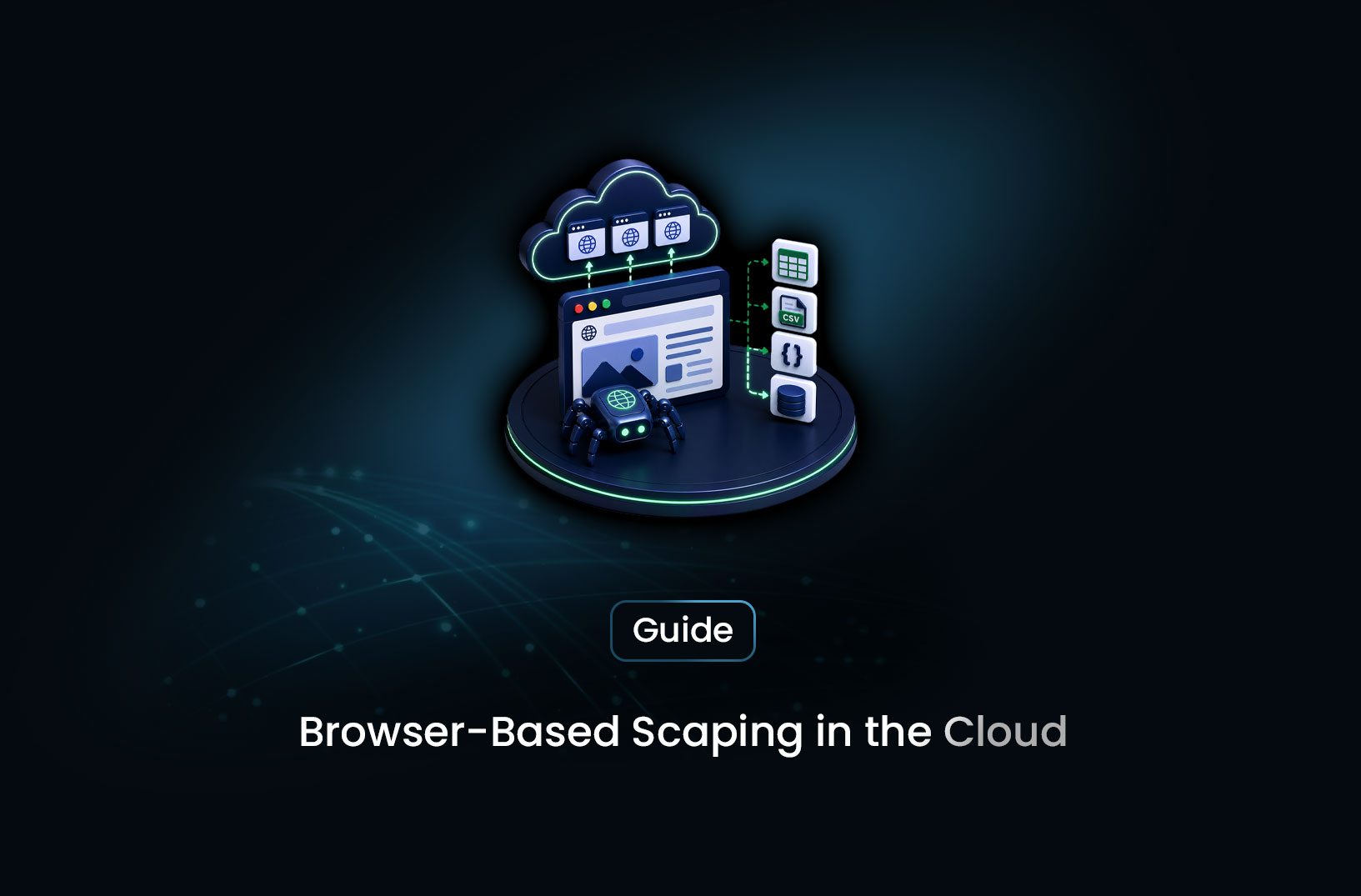
How to Run Browser Scraping in the Cloud
Web ScrapingRun browser-based scraping in the cloud without managing a server — comparing serverless functions, managed browser APIs, CI/CD triggers, and hosted containers.
The standard advice for running a Playwright scraper continuously is "put it on a VPS." Spin up a Linux machine, install Chromium, configure systemd, manage SSH access, watch memory usage, patch it when security updates drop. That's a lot of infrastructure to own for what might be a few scraping jobs you want to run on a schedule.
Browser-based scraping in the cloud without a server means running your headless browser scraping workflows on cloud infrastructure that you don't have to provision, maintain, or scale manually — whether that's a serverless function that spins up on demand, a managed browser API where someone else runs the Chromium fleet, a container platform that handles the runtime without a dedicated machine, or a CI/CD pipeline that does the scraping as part of a workflow. Each approach has different trade-offs in cost, latency, complexity, and capability. This guide covers all of them with enough technical specificity to make the right choice for your use case.
Table of Contents
- What Is Browser-Based Scraping in the Cloud?
- How Cloud Browser Scraping Works
- Step-by-Step Guide: Your Cloud Browser Scraping Options
- Best Tools for Cloud Browser Scraping
- Free vs. Paid: What Each Tier Gets You
- Key Features to Look For
- When Should You Use Cloud Browser Scraping?
- Common Challenges and Limitations
- Conclusion
- What We Learned
- FAQ
What Is Browser-Based Scraping in the Cloud?
Browser-based scraping in the cloud is the practice of running headless browser automation — Playwright, Puppeteer, Chromium-based scraping — on cloud infrastructure rather than on a local machine or a dedicated server you manage yourself.
The "without a server" framing is the key distinction. A traditional scraping setup requires a machine that's always running: a VPS, a bare-metal server, or a container host that you provision, configure, monitor, and maintain. Cloud-based alternatives route around this by using on-demand compute resources (serverless functions), managed browser infrastructure (APIs that run the browsers for you), lightweight container platforms that scale to zero, or scheduled pipeline runners like CI/CD systems.
The appeal is operational simplicity. A developer who wants to run a product scraper daily doesn't necessarily want to become a Linux sysadmin to do it. And an indie hacker shipping a data product doesn't want to pay for a $40/month VPS that sits idle 23 hours a day for a 60-second daily scrape. Cloud-native approaches match cost and complexity to actual usage.
How Cloud Browser Scraping Works
Every browser-based scraping approach — regardless of where it runs — requires the same underlying components: a browser engine (Chromium, Firefox, or WebKit), the automation library that controls it (Playwright, Puppeteer), and some compute environment to execute both.
The difference between running this on a server you own versus on cloud infrastructure is in how that compute environment is provisioned and who manages it.
On a self-managed server: You install dependencies, the machine runs 24/7, you pay for all idle time, and you're responsible for everything from OS patches to memory leak restarts.
On serverless infrastructure (Lambda, Cloud Run, Cloud Functions): Your function is packaged with its dependencies (including a Chromium binary), deployed to a cloud provider, and invoked only when needed. You pay per invocation and execution duration, not for idle time. The cloud provider handles the underlying hardware.
On a managed browser API: You send an HTTP request to a service that runs the browser for you. You don't install, configure, or maintain anything — you just get back the rendered content or extracted data. The browser fleet, proxy routing, and scaling are someone else's problem.
On a container platform (Railway, Fly.io, Render): You package your scraper in a Docker container that the platform runs on demand or on a schedule. Less zero-configuration than managed APIs, but more control than serverless — and none of the persistent server management overhead.
Step-by-Step Guide: Your Cloud Browser Scraping Options
Option 1: Playwright on AWS Lambda (Serverless)
Lambda supports Python and Node.js out of the box, but Chromium is too large for the standard Lambda deployment package limit. The practical solution is a Lambda layer or Docker container image that bundles a Lambda-compatible Chromium binary.
The playwright-aws-lambda approach (for Node.js) or the chromium Python package from the lambdas project provide pre-compiled Chromium binaries that fit Lambda's constraints. Here's the general pattern in Python:
import json
import asyncio
from playwright.async_api import async_playwright

# Lambda handler — invoked per-trigger, not a persistent process
def lambda_handler(event, context):
    url = event.get("url", "https://example.com")
    result = asyncio.get_event_loop().run_until_complete(scrape_page(url))
    return {"statusCode": 200, "body": json.dumps(result)}

async def scrape_page(url: str) -> dict:
    async with async_playwright() as pw:
        # Use chromium_path pointing to the Lambda layer binary
        browser = await pw.chromium.launch(
            headless=True,
            args=["--no-sandbox", "--disable-dev-shm-usage"]
            # In Lambda: chromium binary path is set via environment variable
        )
        page = await browser.new_page()
        await page.goto(url, wait_until="networkidle")
        title = await page.title()
        content = await page.content()
        await browser.close()
        return {"title": title, "content_length": len(content)}
Lambda cold starts are the main operational challenge — a Chromium binary adds 1–3 seconds of cold start latency on the first invocation after the function has been idle. For latency-sensitive applications this is significant; for scheduled scraping that runs once an hour, it's acceptable.
Lambda has a 15-minute maximum execution duration. Most page scrapes complete well under this, but multi-page crawling jobs that take longer need to be structured as multiple Lambda invocations linked through an event queue (SQS or EventBridge).
Option 2: Google Cloud Run (Containerized Browser)
Cloud Run runs Docker containers on demand, scaling to zero when idle (you pay nothing during idle periods) and scaling up when triggered. Unlike Lambda, Cloud Run containers have more generous memory and CPU configurations, which matters for Chromium — browsers are memory-hungry.
Package your Playwright scraper in a Docker container:
FROM mcr.microsoft.com/playwright/python:v1.44.0-jammy

WORKDIR /app
COPY requirements.txt .
RUN pip install -r requirements.txt
COPY scraper.py .

# Cloud Run requires the container to serve HTTP on the PORT env variable
CMD ["python", "scraper.py"]
Cloud Run is triggered by HTTP requests — deploy it and call the endpoint from a Cloud Scheduler job for recurring scraping, or from any other service that needs on-demand scraping. The container scales from zero automatically, so you only pay for the compute time your scraping actually uses.
The advantage over Lambda: no Chromium binary size constraints, more available memory (up to 32GB on Cloud Run), and a more straightforward developer experience for containerized applications.
Option 3: GitHub Actions (CI/CD-Triggered Scraping)
GitHub Actions provides free compute minutes (2,000 per month on free plans) on Ubuntu runners that can install and run Chromium without any special configuration. For scraping jobs that run at predictable low frequency — once a day, a few times a week — a scheduled GitHub Actions workflow is effectively free managed cloud compute.
# .github/workflows/scraper.yml
name: Daily Price Scraper

on:
  schedule:
    - cron: "0 6 * * *"  # 6am UTC daily
  workflow_dispatch:      # Allow manual triggers

jobs:
  scrape:
    runs-on: ubuntu-latest
    steps:
      - uses: actions/checkout@v4

      - name: Set up Python
        uses: actions/setup-python@v5
        with:
          python-version: "3.11"

      - name: Install dependencies
        run: |
          pip install playwright
          playwright install chromium
          playwright install-deps chromium

      - name: Run scraper
        run: python scraper.py

      - name: Upload results
        uses: actions/upload-artifact@v4
        with:
          name: scraping-results
          path: output/*.csv
GitHub Actions runners have Chromium available and run on Ubuntu VMs with adequate resources for browser automation. The 6-hour job timeout covers most scraping scenarios. Free tier minutes are more than enough for daily scraping jobs — 2,000 minutes per month, and a typical browser scraping job runs in 2–5 minutes.
The limitation: GitHub Actions is for scheduled or event-triggered jobs, not always-on services. For on-demand scraping triggered by user actions, it's not the right architecture.
Option 4: Managed Browser API (Zero Infrastructure)
The zero-infrastructure option is to not run a browser at all on your side — instead, call a managed scraping API that runs the browser, renders the page, and returns you the content or extracted data. You write an HTTP request; the managed service does the browser work.
This is the approach with the lowest operational overhead: no Lambda layers, no Docker containers, no GitHub Actions YAML. Just an API key and a POST request.
Best Tools for Cloud Browser Scraping
1. MrScraper
MrScraper's Scraping Browser is the clearest example of the managed API approach — you send a request with a URL, and MrScraper handles the browser instantiation, JavaScript rendering, anti-bot bypass, and content delivery. No browser infrastructure to deploy or maintain anywhere. For teams that want to remove browser operations from their engineering surface area entirely, this is the cleanest path. The AI extraction layer adds the ability to define what you want extracted semantically rather than through selectors. Full documentation at https://docs.mrscraper.com.
Best for: Teams that want cloud browser scraping with zero infrastructure ownership, including bot-protected and JavaScript-heavy targets.
2. Browserless.io
Browserless provides a hosted Chrome-as-a-service API — you connect to it using the standard Playwright or Puppeteer API, but the browser runs in Browserless's cloud rather than on your machine. Existing Playwright code works with minimal changes (replace chromium.launch() with a WebSocket connection to Browserless's endpoint). Documentation at https://docs.browserless.io.
Best for: Developers with existing Playwright code who want to move browser execution to the cloud without rewriting their automation logic.
3. AWS Lambda + Chromium Layer
For teams already invested in AWS infrastructure, Lambda provides the serverless compute layer and scales to zero between invocations. Pre-packaged Chromium layers for Lambda are available from the community (search AWS Lambda Layers for Chromium) or can be built with tools like playwright-aws-lambda for Node.js.
Best for: AWS-native teams who want serverless browser execution within their existing cloud account with pay-per-invocation billing.
4. Google Cloud Run
The most flexible containerized option — write a standard Playwright scraper, package it with the official Microsoft Playwright Docker image, deploy to Cloud Run, and trigger via Cloud Scheduler or HTTP. Scales to zero between runs.
Best for: Teams comfortable with Docker who want more memory and flexibility than Lambda provides, without the persistent server overhead.
Free vs. Paid: What Each Tier Gets You
GitHub Actions is the most accessible free option — 2,000 minutes/month of Ubuntu compute that handles Playwright without any special configuration. The constraint is scheduling: it's designed for CI/CD workflows, not real-time on-demand scraping.
AWS Lambda and Cloud Run have free tiers (Lambda: 1 million free invocations/month; Cloud Run: 2 million free requests/month) that cover light scraping workloads. Beyond the free tier, you pay per invocation and compute time — costs scale with actual usage rather than a flat monthly fee.
Managed browser APIs like MrScraper have free tiers for evaluation and paid tiers for production volume. The per-page or subscription pricing includes the browser infrastructure cost, the anti-bot bypass infrastructure, and the operational overhead that serverless functions and containers require you to build yourself. Whether managed APIs are more or less expensive than self-managed cloud infrastructure depends heavily on the fully-loaded engineering cost of building and maintaining the alternative.
The practical calculation: for low-frequency scheduled scraping (daily or weekly), GitHub Actions or a small Cloud Run deployment is cheapest. For variable on-demand scraping at moderate volume, Lambda or Cloud Run pay-per-use models match cost to usage efficiently. For teams where engineering time is the scarce resource, managed APIs have a real cost advantage even at price points above equivalent raw compute.
Key Features to Look For
- Cold start latency: Serverless functions have cold start delays on first invocation after idle. For scheduled scraping, this is acceptable; for synchronous user-triggered scraping, it affects user experience.
- Memory allocation: Chromium needs at least 512MB, and heavy pages need 1GB or more. Confirm your chosen platform allows sufficient memory configuration.
- Execution time limit: Lambda caps at 15 minutes; Cloud Run at 60 minutes; GitHub Actions at 6 hours. Multi-page crawling jobs that exceed these limits need to be structured as chained invocations.
- Anti-bot bypass: Serverless functions and containers run from data-center IPs, which are flagged by bot-detection systems. For bot-protected targets, you need either residential proxy routing alongside your cloud function, or a managed API with built-in bypass.
- Browser version management: Playwright and Chromium version compatibility requires ongoing maintenance. Managed APIs handle browser updates; self-managed deployments require explicit version pinning and update processes.
- Concurrency and parallelism: How does the platform scale across many concurrent scraping requests? Lambda and Cloud Run scale automatically; self-managed containers require manual concurrency configuration.
When Should You Use Cloud Browser Scraping?
Cloud-based browser scraping makes sense when:
- You want the capability of a headless browser without the operational cost of always-on infrastructure
- Your scraping runs on a schedule or in response to events rather than continuously
- You're an indie developer or small team that wants to avoid Linux server administration
- You need to scale scraping capacity up and down with demand without over-provisioning
A self-managed server may be better when:
- Your scraping is continuous — the process runs all day, and scale-to-zero economics don't help
- You need persistent state between scraping runs that requires local storage
- Your volume is high enough that the per-invocation cost of serverless exceeds a flat monthly VPS cost
- You need complete control over the environment, browser version, and network configuration
Common Challenges and Limitations
Chromium in serverless environments has known gotchas. The standard Playwright installation doesn't work directly on Lambda because the binary is too large and the sandboxing requirements differ from a standard Linux environment. You need either a pre-packaged Lambda-compatible Chromium layer or a Docker container image built from the official Playwright base images. Getting this configuration right the first time requires following the specific documentation for your platform — general Playwright documentation doesn't cover the Lambda-specific setup.
Data-center IP origins affect bot detection. Cloud functions run from AWS, GCP, or Azure IP ranges — all of which are in data-center ASN ranges that bot-detection systems flag automatically. For scraping targets with Cloudflare or other bot management, simply running Playwright on Lambda doesn't solve the detection problem. You need residential proxy routing alongside the cloud execution, or a managed API that already handles this layer.
Cold start latency disrupts synchronous user experiences. If you're building a product where a user triggers a scrape and waits for the result, Lambda cold starts of 2–5 seconds (including Chromium initialization) are noticeable. Pre-warming functions, moving to provisioned concurrency (which costs more), or switching to a always-warm managed API are the workarounds.
Browser memory limits cause silent failures. Pages with heavy JavaScript, large media assets, or complex rendering can exhaust a function's memory allocation without throwing a clear error — the function just times out or exits with OOM. Monitor memory usage during development and provision more than your typical page requires. Playwright's --disable-dev-shm-usage flag helps in constrained environments by using /tmp instead of the shared memory device.
Conclusion
Running browser-based scraping in the cloud without a server is genuinely achievable through several paths, each with a different trade-off between control, cost, and operational overhead. GitHub Actions and Lambda are the most accessible entry points for developers who want serverless browser execution without a managed API. Cloud Run is the most flexible containerized option. Managed browser APIs like MrScraper remove the entire infrastructure concern at the cost of ceding control over the underlying execution environment.
The right choice is less about which option is objectively best and more about where your bottleneck actually is. If it's engineering time, managed APIs are worth their cost. If it's per-page pricing at volume, self-managed cloud functions are more economical. If it's simplicity and you're not sure yet, GitHub Actions for scheduled scraping is hard to beat as a starting point.
What We Learned
- "Without a server" means several different things: Serverless functions (Lambda, Cloud Run), managed browser APIs, CI/CD-triggered runners, and lightweight container platforms all avoid traditional always-on server ownership — with different trade-offs.
- GitHub Actions is the most accessible free option: 2,000 minutes/month of Ubuntu compute handles Playwright without special configuration — sufficient for daily or weekly scheduled scraping with zero infrastructure cost.
- Cloud functions still need residential proxies for bot-protected targets: Running Playwright on Lambda doesn't solve detection — the function still exits from a data-center IP. Anti-bot bypass requires either proxy routing on top, or a managed API with it built in.
- Chromium in Lambda requires specific configuration: Standard Playwright installation doesn't work on Lambda — use a pre-packaged Lambda Chromium layer or a Docker image built from the official Playwright base images.
- Cold start latency is the serverless browser's main UX trade-off: Acceptable for scheduled scraping; problematic for synchronous user-triggered scraping where response time matters.
- Managed APIs trade cost per page for zero infrastructure overhead: Whether that trade-off is favorable depends on your volume and the real cost of engineering time for self-managed alternatives.
FAQ
How do I run Playwright in the cloud without a server?
The main options are: AWS Lambda with a Lambda-compatible Chromium layer or Docker container, Google Cloud Run with a Playwright Docker image, GitHub Actions for scheduled runs, or a managed browser API like MrScraper that runs the browser entirely on the provider's infrastructure. Each removes the need for a dedicated always-on server, trading different combinations of cost, latency, and setup complexity.
Can I run a headless browser on AWS Lambda?
Yes, but it requires using a Lambda-compatible Chromium binary rather than the standard Playwright installation. The standard Playwright installation downloads a Chromium binary that's too large for Lambda's deployment package limit and includes system dependencies that Lambda's environment doesn't have. Use a pre-packaged Lambda layer for Chromium or build your function as a Docker container image using the official Playwright base image, which handles all dependencies correctly.
What is the cheapest way to run browser scraping in the cloud?
For low-frequency scheduled scraping, GitHub Actions' free tier (2,000 minutes/month) is effectively zero cost and handles Playwright without special configuration. For on-demand scraping, AWS Lambda's free tier (1 million invocations/month) and Google Cloud Run's free tier cover light workloads. Beyond the free tier, pay-per-invocation models match cost to actual usage, making them more economical than a flat-rate VPS for jobs that don't run continuously.
Why do my cloud-based scrapers still get blocked even with Playwright?
Cloud functions run from data-center IP ranges (AWS, GCP, Azure) that bot-detection systems flag by IP type before evaluating any other signal. Running Playwright on Lambda doesn't change the IP origin of your requests — the bot detection system still sees a cloud infrastructure IP. To scrape bot-protected targets from cloud functions, add residential proxy routing to your requests, or use a managed scraping API that already routes through residential IPs and handles anti-bot bypass as part of the service.
What's the difference between a managed browser API and running Playwright on Lambda?
A managed browser API (MrScraper, Browserless) runs the browser on the provider's infrastructure — you send an HTTP request and get back content or extracted data, with no browser installation or configuration on your side. Running Playwright on Lambda means you package a Chromium binary and your automation code together and deploy them to Lambda; you control the browser configuration but own the deployment and maintenance. The managed API approach has less flexibility but zero infrastructure management; the Lambda approach has more control but more setup and ongoing maintenance.
Summarize this post
Open it in your assistant of choice with the prompt ready to send.
Take a Taste of Easy Scraping!

Find more insights here

The Ultimate Web Crawlers List: 15 Tools for Every Data Need
Compare the best web crawlers for 2026. Learn the difference between open-source, managed APIs, and…
Web Scraping MCP Server: Giving AI Agents Direct Access to Live Web Data
Learn how a Web Scraping MCP Server gives AI agents live web access while reducing token costs by 87…
Scaling E-commerce Competitive Intelligence with Automated Data Harvesting
Scale e-commerce data harvesting with residential proxies and AI. Learn how modern data extraction s…