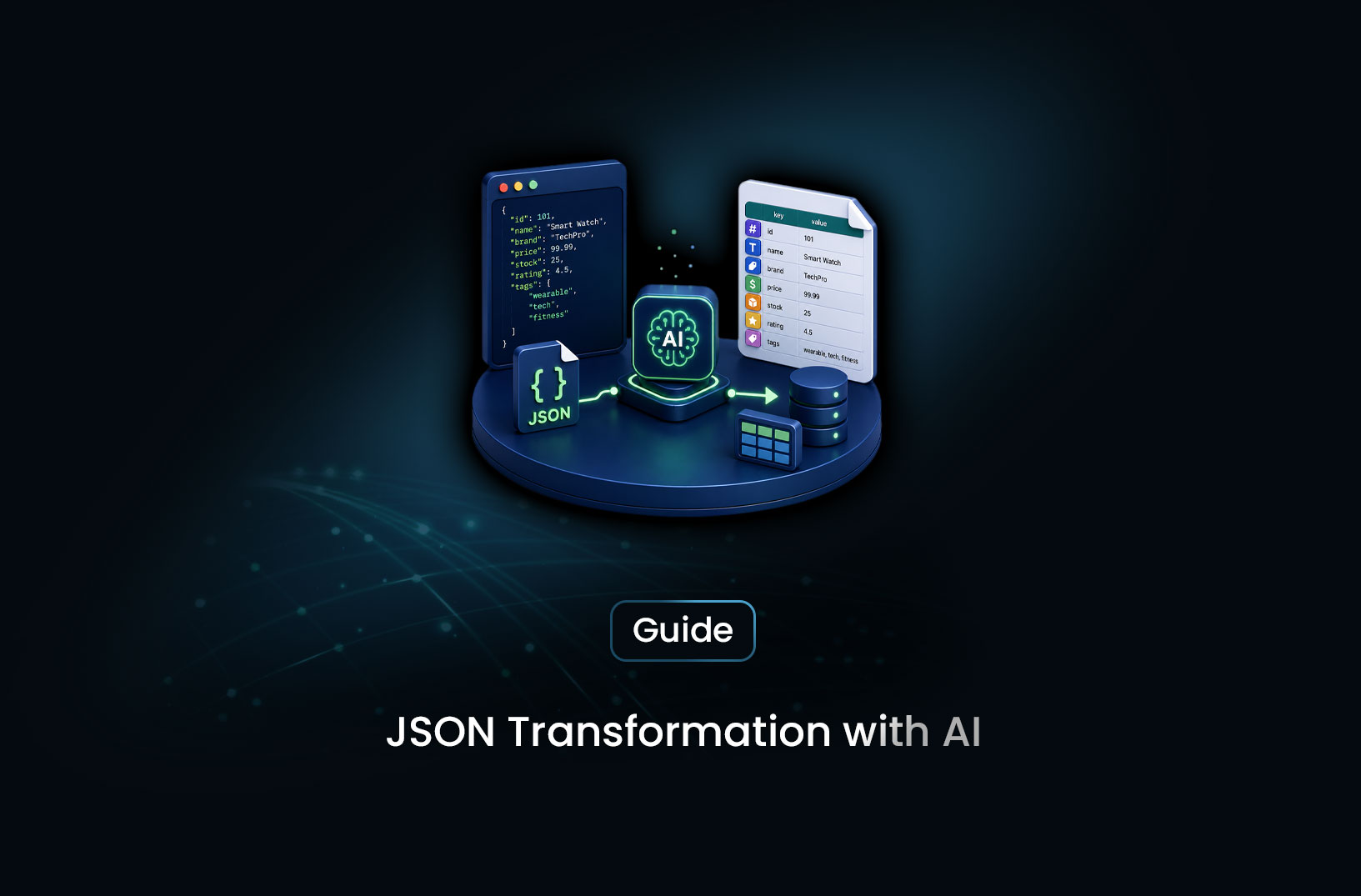
How to Get Clean JSON Output From AI Scraping
AI & Machine LearningLearn how to get clean, structured JSON output from web scraping with AI — schema-driven prompts, LLM extraction, validation, and the best tools in 2026.
Traditional scraping gives you raw HTML — and then you spend as long cleaning, parsing, and normalizing that HTML as you spent extracting it. You strip tags, convert currency strings to floats, reconcile inconsistent date formats, handle missing fields, and wonder why data engineering feels like archaeology. There's a cleaner path.
AI web scraping JSON output is the practice of using large language models to extract data from web pages and return it as clean, typed, structured JSON in a single step — no intermediate HTML parsing, no custom normalizers per site, no fragile selector chains. The LLM reads the page content semantically and maps it directly to a JSON schema you define: {"price": 29.99, "availability": "in_stock", "rating": 4.2}. What you get out is what you specified going in. This guide walks through the complete process: defining your output schema, prompting the model for reliable structured extraction, validating the output, and choosing the right tools for production use.
Table of Contents
- What Is AI Web Scraping JSON Output?
- How LLM-Based JSON Extraction Works
- Step-by-Step Guide: Getting Clean JSON From AI Scraping
- Best Tools for Structured JSON Scraping Output
- Free vs. Paid: What You Get at Each Level
- Key Features to Look For
- When Should You Use AI JSON Extraction?
- Common Challenges and Limitations
- Conclusion
- What We Learned
- FAQ
What Is AI Web Scraping JSON Output?
AI web scraping JSON output is structured data extraction where a language model reads rendered web page content and returns clean, schema-conforming JSON directly — replacing the traditional pipeline of HTML fetching → CSS selector parsing → string cleaning → type coercion → normalization.
The key shift is that the LLM does the interpretation. A price displayed as "$1,299.00" on a page is returned as 1299.00 in your JSON because you told the model the field should be a number. A product tagged as "Only 3 left!" is returned as "low_stock" in an availability field because you defined what availability values should look like. The semantic understanding that would otherwise live in your cleaning code lives in the model and the schema prompt instead.
This makes AI JSON output particularly valuable for scraping across multiple sites — the same schema prompt works against different retailers' product pages without per-site customization, because the model recognizes price as price regardless of which template wraps it.
How LLM-Based JSON Extraction Works
The pipeline behind AI JSON output has three components that work in sequence.
Content preparation. The rendered page (after JavaScript execution, if needed) is converted from raw HTML to clean text or markdown. This reduces a 50KB HTML page to 2–4KB of content by stripping scripts, styles, navigation, and ads — leaving the semantic content the model needs to extract from. Less noise in means better extraction out and significantly lower token cost per page.
Schema-constrained LLM call. The cleaned content is sent to the language model with a prompt that describes the target fields, their types, and their expected format — plus an explicit instruction to return only valid JSON. Modern LLM APIs support structured output modes (function calling, JSON mode, or response schemas) that constrain the model's output to valid JSON at the API level rather than relying on prompt engineering alone. This constraint is the difference between "usually returns valid JSON" and "always returns parseable JSON."
Validation and storage. The returned JSON is parsed and validated against your schema before being written to storage. Type checking, range validation, and required-field presence catch the cases where the model misidentifies a field or returns a value outside expected bounds. Only validated records enter your database or downstream pipeline.
According to Pydantic's documentation, using a data validation library to define and enforce your JSON output schema — rather than writing manual validation logic — provides both a clear schema definition and automatic error messages when the model's output doesn't conform. Pydantic is the standard choice for this in Python LLM extraction pipelines.
Step-by-Step Guide: Getting Clean JSON From AI Scraping
Step 1: Define Your Output Schema With Pydantic
Before writing any extraction code, define the exact structure and types you want back. Pydantic models serve double duty: they define your schema and validate the LLM's output:
from pydantic import BaseModel, Field
from typing import Optional

class ProductExtraction(BaseModel):
    """Schema for product page extraction."""
    product_name: str = Field(description="Full product title as shown on page")
    price: float = Field(description="Current selling price in USD, numeric only")
    original_price: Optional[float] = Field(
        default=None,
        description="Original price before discount, or null if no discount shown"
    )
    availability: str = Field(
        description="One of: in_stock, out_of_stock, low_stock, preorder"
    )
    rating: Optional[float] = Field(
        default=None,
        description="Average star rating 0.0–5.0, or null if not shown"
    )
    review_count: Optional[int] = Field(
        default=None,
        description="Total number of reviews, integer, or null if not shown"
    )
The Field(description=...) annotations become part of your extraction prompt — the model reads them as instructions for each field. Explicit descriptions for constrained fields (availability enum, price as numeric) significantly improve extraction accuracy compared to field names alone.
Step 2: Fetch and Prepare the Page Content
Fetch the rendered page and convert it to clean text. For JavaScript-rendered pages, use a scraping API or Playwright to get the fully rendered HTML before cleaning:
import trafilatura
import requests

def fetch_and_clean(url: str, scraping_api_endpoint: str, api_key: str) -> str:
    """Fetch a rendered page via scraping API and convert to clean text."""
    response = requests.post(
        scraping_api_endpoint,
        headers={"Authorization": f"Bearer {api_key}"},
        json={"url": url, "render_js": True}
    )
    response.raise_for_status()
    html = response.json().get("html", "")

    # Convert HTML to clean text, stripping navigation, ads, scripts
    clean_text = trafilatura.extract(html, include_tables=True) or ""
    return clean_text
Step 3: Build the Schema-Driven Extraction Prompt
Convert your Pydantic schema to a prompt string that the LLM uses as extraction instructions:
import json

def build_extraction_prompt(schema_model: type, page_content: str) -> str:
    """Build an extraction prompt from a Pydantic model and page content."""
    # Generate JSON schema from the Pydantic model
    schema = schema_model.model_json_schema()

    prompt = f"""Extract the following fields from the web page content below.
Return ONLY valid JSON conforming to this schema. Use null for optional fields that are not present.
Do not include explanations, markdown formatting, or any text outside the JSON object.

Schema:
{json.dumps(schema, indent=2)}

Page content:
{page_content}"""

    return prompt
Step 4: Call the LLM and Parse the Output
Send the prompt to your LLM with JSON output mode enabled, then parse and validate with Pydantic:
def extract_with_llm(prompt: str, llm_client) -> dict:
    """
    Call the LLM with JSON output mode.
    Replace `llm_client.complete()` with your specific LLM client's call.
    Most providers (Anthropic, OpenAI, Gemini) support a JSON/structured output mode.
    """
    response = llm_client.complete(
        prompt=prompt,
        output_format="json"  # Enable JSON mode — parameter name varies by provider
    )
    raw_json = response.text.strip()

    # Parse and remove any accidental markdown code fences
    clean_json = raw_json.replace("```json", "").replace("```", "").strip()
    return json.loads(clean_json)

def extract_product(url: str, scraping_api_endpoint: str,
                    api_key: str, llm_client) -> ProductExtraction | None:
    """Full pipeline: fetch → clean → prompt → extract → validate."""
    page_content = fetch_and_clean(url, scraping_api_endpoint, api_key)
    if not page_content:
        return None

    prompt = build_extraction_prompt(ProductExtraction, page_content)
    raw_data = extract_with_llm(prompt, llm_client)

    try:
        return ProductExtraction(**raw_data)  # Validates types and required fields
    except Exception as e:
        print(f"Validation failed for {url}: {e}")
        return None
Pydantic raises a ValidationError with field-level detail if the LLM's output doesn't conform — giving you actionable information about which fields failed and why, not just a generic parse error.
Step 5: Store Validated Records and Monitor Quality
Write only validated records to your database, and track extraction quality over time:
import sqlite3
from datetime import datetime

def store_product(conn: sqlite3.Connection, product: ProductExtraction, url: str):
    """Store a validated product extraction to the database."""
    conn.execute("""
        INSERT OR REPLACE INTO products
            (url, product_name, price, original_price, availability,
             rating, review_count, extracted_at)
        VALUES (?, ?, ?, ?, ?, ?, ?, ?)
    """, (
        url, product.product_name, product.price, product.original_price,
        product.availability, product.rating, product.review_count,
        datetime.utcnow().isoformat()
    ))
    conn.commit()
Track your validation pass rate (validated records ÷ total extraction attempts) per site over time. A declining pass rate on a specific domain signals a layout change, a new content structure, or prompt drift that needs attention.
Best Tools for Structured JSON Scraping Output
1. MrScraper
MrScraper's AI extraction layer returns structured data from any page through a single API call — you describe the fields you want (or provide a schema), and the response is clean JSON covering those fields. The Scraping Browser handles JavaScript rendering and bot bypass before extraction runs, so the model receives full page content even on bot-protected targets. This removes the need to manage fetching, rendering, and extraction as separate components. Documentation and SDKs at https://docs.mrscraper.com.
Best for: Teams that want a single managed API from URL-in to structured JSON-out, including bot-protected and JavaScript-rendered targets.
2. Firecrawl
Firecrawl converts pages to clean markdown optimized for LLM consumption, with an extract endpoint that accepts a schema and returns structured JSON. Its strength is clean content preparation — the markdown output is designed for high extraction accuracy with minimal token waste. Documentation at https://docs.firecrawl.dev.
Best for: Teams building LLM extraction pipelines who want reliable HTML-to-markdown preprocessing as infrastructure, with structured extraction on top.
3. Custom LLM Pipeline (OpenAI / Anthropic + Playwright)
For teams that want full control: Playwright for rendering, trafilatura for content cleaning, and any LLM API with structured output mode for extraction. This approach requires the most engineering but gives maximum flexibility over every layer of the pipeline. Best paired with Pydantic for schema definition and validation.
Best for: Teams with dedicated engineering capacity who need custom extraction logic, specific model choices, or integration requirements that managed platforms don't support.
Free vs. Paid: What You Get at Each Level
Free options cover evaluation and small-scale use: LLM provider free credits, Firecrawl's free tier with limited monthly pages, and MrScraper's trial access. These are sufficient to validate your schema design, test extraction quality against real target pages, and confirm the approach before committing to paid infrastructure.
Paid tiers unlock volume, reliability, and the production-grade features that matter at scale: higher concurrent requests, residential proxy routing for bot-protected targets, priority API queues, webhook delivery for async extraction jobs, and support responsiveness when something breaks. The per-page cost of AI extraction is real — LLM inference is more expensive than selector evaluation — but the engineering cost of building and maintaining per-site selector schemas quickly exceeds it for any operation running against diverse or frequently-changing targets.
Key Features to Look For
- Structured output mode (JSON mode) at the API level: Prompt-only JSON instructions produce inconsistent output; API-level JSON constraints produce reliably parseable responses every time.
- Schema definition flexibility: Can you define field types, descriptions, and optional vs. required status? The richer the schema definition, the more accurately the model maps page content to your intended structure.
- Pydantic or equivalent validation support: Native integration with a validation library means errors surface as field-level messages, not silent bad data.
- HTML-to-markdown preprocessing: Cleaning HTML before sending to the LLM reduces token cost and improves extraction accuracy — confirm whether the tool or pipeline does this automatically.
- JavaScript rendering for dynamic pages: AI extraction quality is only as good as the content it receives — required for modern product, article, and SPA pages.
- Null handling and optional fields: Extraction that returns
nullfor absent optional fields is far more database-friendly than extraction that omits them or returns empty strings inconsistently.
When Should You Use AI JSON Extraction?
Use it when:
- You're extracting from multiple sites with different page structures and maintaining per-site schemas is impractical
- Target pages update their layouts regularly and selector-based extraction requires frequent maintenance
- The output needs to be immediately usable in a typed system (database, API, application) without a cleaning pass
- Your extraction requirements span semi-structured fields like product descriptions, review text, or specifications that selectors can't cleanly isolate
Consider traditional selectors when:
- You're extracting from one or two stable, well-structured pages where a selector schema is easy to write and maintain
- Per-page extraction volume is very high and LLM inference cost doesn't fit your economics at that scale
- The data is in a rigidly consistent format (an API response rendered as HTML) where the selector is trivially reliable and the LLM adds no accuracy benefit
Common Challenges and Limitations
JSON mode doesn't guarantee schema conformance, only parseable JSON. Even with LLM API-level JSON constraints enabled, the model may return valid JSON that doesn't conform to your schema — fields with wrong types, values outside expected enums, or required fields returned as null. Pydantic validation catches these cases; without it, bad data flows silently into your database.
Optional fields vs. absent fields need explicit handling in prompts. An LLM that doesn't receive explicit null instructions may omit optional fields from the JSON entirely rather than including them as null — which breaks downstream code that expects the key to exist. Add explicit instructions: "If a field is not present on the page, include it as null rather than omitting it."
Long pages exceed context limits. After HTML-to-markdown conversion, most product and article pages fit comfortably within current model context limits. Data-heavy pages — large comparison tables, search results with hundreds of items, extremely long specifications — may require chunking. Design your pipeline to check content length and apply chunking when needed rather than discovering the limit at runtime on an important extraction job.
Per-page cost requires monitoring at scale. LLM inference costs per page are typically a fraction of a cent at standard tier pricing — which is fine for thousands of pages and significant for millions. Monitor your per-page cost against extraction volume early in production and design cost-tier architecture (LLM for complex or changing pages, selectors for stable high-volume targets) if costs become a material operational concern.
Conclusion
Getting clean JSON output from web scraping with AI reduces the data engineering surface area that traditional scraping produces. Instead of raw HTML going in and cleaning code going out, a schema definition goes in and validated, typed JSON comes out. The pipeline is shorter, the output is more reliable, and the maintenance overhead of per-site selector schemas disappears.
The implementation is well-defined: define your schema with Pydantic, fetch and clean the page content, prompt the LLM with the schema and JSON output mode enabled, validate the result with Pydantic, store only validated records, and monitor extraction quality over time. Each step has a clear pattern — the code in this guide covers all of them. The remaining investment is in choosing the right tool for your volume and target type, and in writing schema definitions that are specific enough to produce consistent output.
What We Learned
- Schema definition is the most important investment: Clear field descriptions, explicit type constraints, and null handling instructions in your Pydantic model directly determine extraction quality — time spent on schema design pays back in consistency across thousands of pages.
- JSON mode at the API level beats prompt-only JSON instructions: Provider-level JSON constraints ensure parseable output every time; prompt-only instructions produce intermittent failures that silently corrupt pipelines.
- HTML-to-markdown preprocessing is a required efficiency step: Converting before the LLM call reduces per-page token cost by 10x or more and improves extraction accuracy by removing noise the model would otherwise have to filter.
- Pydantic validation is the safety layer between LLM output and storage: Without schema validation, type mismatches and out-of-range values enter your database without triggering any error — Pydantic surfaces them as actionable field-level messages before they reach storage.
- Null handling requires explicit prompt instructions: Models omit optional fields rather than returning
nullwithout explicit guidance — include "return null for absent optional fields" in every extraction prompt. - Track validation pass rate as your primary extraction quality metric: A declining pass rate on a specific target is the earliest signal that something has changed — the model, the site, or the prompt — before it becomes a data quality incident.
FAQ
What is AI web scraping JSON output?
AI web scraping JSON output is structured data extraction where a large language model reads web page content and returns clean, typed JSON conforming to a schema you define — replacing the traditional pipeline of HTML parsing, CSS selectors, and string cleaning. You specify the fields and their types; the model extracts them semantically from any page structure and returns them in the format you specified.
How do I get JSON from web scraping with an LLM?
The standard process: convert the rendered HTML to clean markdown using a library like
trafilatura, define your target fields as a Pydantic model, build a prompt that includes the schema description and the cleaned page content, call your LLM API with JSON output mode enabled, and validate the response with Pydantic before storage. The code examples in this guide cover each step with working Python patterns.Why is my LLM returning invalid JSON?
The most common causes: the prompt didn't explicitly instruct JSON-only output (the model added explanatory text around the JSON), JSON output mode wasn't enabled at the API level (not all calls default to JSON mode even when the API supports it), the page content was too long for the context window, or the model encountered genuinely ambiguous content and returned a malformed response. Fix in order: enable API-level JSON mode, add explicit "return only valid JSON, no other text" instructions to your prompt, add a code-fence stripping step before
json.loads(), and check content length before sending.Is AI JSON extraction more accurate than CSS selectors for web scraping?
On stable, well-structured pages with consistent HTML, a well-maintained CSS selector is typically more precise than LLM extraction for specific fields. AI extraction's advantage is resilience and generalization: it works across sites with different structures, adapts when layouts change without reconfiguration, and handles semi-structured fields (descriptions, specifications, review text) that selectors can't cleanly isolate. For multi-site extraction over time, AI extraction's lower maintenance cost typically outweighs the marginal precision advantage of current selectors.
What's the best way to validate LLM JSON extraction output?
Use Pydantic to define your schema as a typed model and pass the LLM's parsed JSON to the model constructor:
ProductExtraction(**parsed_json). Pydantic raises aValidationErrorwith field-level detail if any field fails type checking, range constraints, or required-field presence. This is more maintainable than manual validation logic and produces structured error information that logs usefully for monitoring. Only store records that pass validation without errors.
Summarize this post
Open it in your assistant of choice with the prompt ready to send.
Take a Taste of Easy Scraping!

Find more insights here

Build a Source-Led Deep Research Workflow With MrScraper
Build a deep research workflow that turns a question into a source plan, collects evidence from appr…
Choose an Agent Framework for a Web Data Application
Compare LangGraph, the OpenAI Agents SDK, Google ADK, CrewAI, Mastra and the Claude Agent SDK on too…
Design AI Research Loops That Stop, Recover and Produce Evidence
Learn how to build an AI research loop with clear states, firm stop conditions, safe retries after f…