
XPath Contains Text: Syntax, Examples, and Use Cases
Web ScrapingLearn how XPath contains text works, including its syntax, practical examples, use cases, and limitations for scraping and test automation.
XPath contains text with contains() matches elements whose text includes a specified substring, making it useful for locating partially known content in HTML or XML during scraping and test automation.
Introduction to XPath
XPath, or XML Path Language, is a powerful tool. It helps you navigate and query elements in XML or HTML documents. It’s widely used in web scraping and test automation to locate specific elements on a web page. One useful XPath feature is the contains() function. It helps you find elements using partial text matches. This is a practical approach when content is dynamic or partially known.
What Does contains() in XPath Do?
The contains() function is a flexible way to locate elements without specifying the exact text, making it ideal for targeting elements containing variable or dynamic content. Instead of a full text match, contains() allows you to use a portion of the text, especially useful when dealing with elements that may have changing content or appended text.
Basic Syntax of XPath Contains Text
To use contains() in XPath, here’s the general syntax:
//tagname[contains(text(), 'partial_text')]
In this syntax:
tagnameis the HTML tag of the element you want to locate (e.g., button, div, span).- 'partial_text' represents the part of the text you want to match within the element.
Practical Examples
Use xpath contains text to select elements whose text or attribute includes a required substring. To find a button labeled either “Submit Form” or “Submit Now,” match the shared text:
//button[contains(text(), 'Submit')]
This selects button elements whose direct text contains “Submit.” For partial text in a specific attribute, use:
//div[contains(@class, 'example')]
This selects div elements whose class attribute includes “example,” rather than requiring an exact class value. Combine contains() conditions with and to narrow a result:
//a[contains(@href, 'page') and contains(text(), 'Click')]
This selects anchor elements with an href containing “page” and text containing “Click.” The same pattern supports XPath in Selenium and other XML or HTML parsing workflows.
Why Use contains() in XPath?
The contains() function in XPath offers a unique advantage: it enables matching with flexibility. Here are some reasons to use contains():
- Dynamic Text: Perfect for sites where text may vary slightly across elements.
- Efficiency: Reduces the need for complex, absolute paths.
- Versatility: Useful in applications like web scraping and automated testing where content changes often.
Use Cases of XPath Contains Text
- Web Scraping: Scraping scripts can use
contains()to reliably target elements with frequently updated text. - Automated Testing: Test scripts benefit from
contains()by locating elements with slight text variations, making tests more adaptable. - Content Verification: Validating the presence of partial text within elements without relying on exact matches.
Limitations and Considerations
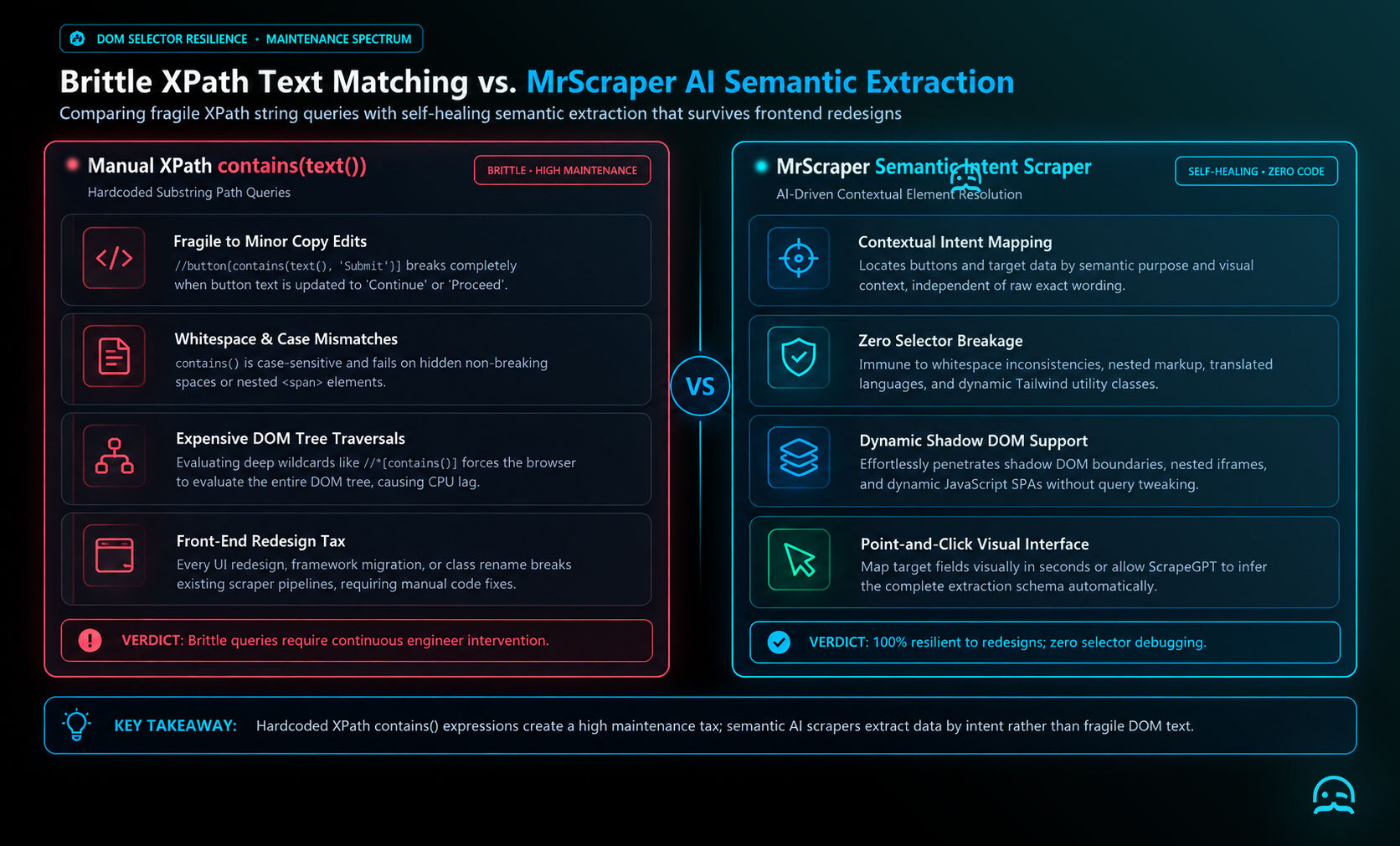
XPath contains text matching with contains() is powerful, but it has limitations.
- Broad matching can select more elements than intended when the partial text is common, so choose a distinctive text fragment.
- Performance can also suffer when contains() is used extensively across large documents.
Conclusion
XPath’s contains() function simplifies selecting elements by partial text, offering flexibility across web scraping, automated testing, and other data extraction needs. Whether dealing with dynamic content or targeting multiple elements with shared attributes, contains() is a vital part of the XPath toolkit.
What We Learned
- XPath’s
contains()function locates elements using partial text rather than requiring an exact match. - It is useful when text changes or includes appended content, including in web scraping and automated testing.
- The function can match part of visible text or part of an attribute. It can also work with other conditions.
- Because partial matches can be broad and extensive use may affect performance on large documents, queries require care.
Move from XPath Examples to Extraction Workflows
Use the quickstart resources to apply XPath contains text techniques in a practical data extraction workflow.

Summarize this post
Open it in your assistant of choice with the prompt ready to send.
Take a Taste of Easy Scraping!

Find more insights here

The Ultimate Web Crawlers List: 15 Tools for Every Data Need
Compare the best web crawlers for 2026. Learn the difference between open-source, managed APIs, and…

Web Scraping MCP Server: Giving AI Agents Direct Access to Live Web Data
Learn how a Web Scraping MCP Server gives AI agents live web access while reducing token costs by 87…

Scaling E-commerce Competitive Intelligence with Automated Data Harvesting
Scale e-commerce data harvesting with residential proxies and AI. Learn how modern data extraction s…