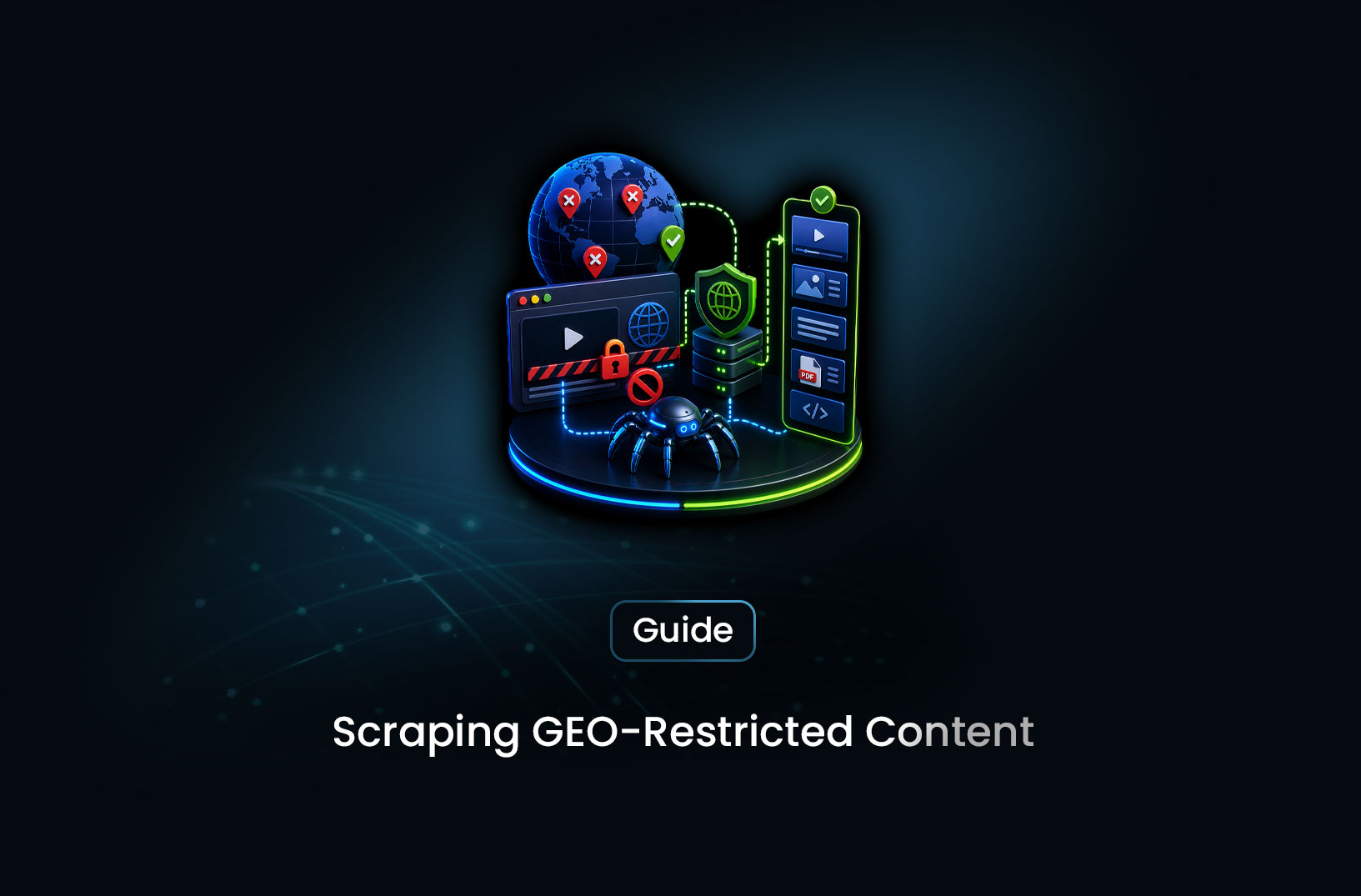
Scrape Geo-Restricted Content With Proxies
Web ScrapingLearn how to scrape geo-restricted content using residential proxies — step-by-step guide covering setup, proxy rotation, tools, and avoiding blocks.
You've built a scraper, pointed it at a target site, and it works perfectly — until you discover that the pricing, product listings, or content you're actually after only shows up for users in a specific country. Your IP says you're in Frankfurt. The data you need is served to users in São Paulo or Seoul. You're locked out before you even start.
Scraping geo-restricted content means extracting data from websites that serve different content — or block access entirely — based on the geographic location of the visitor's IP address. Residential proxies solve this by routing your scraper's requests through real IP addresses assigned to real devices in the locations you need, making your traffic indistinguishable from a local user browsing normally. This is the standard approach for location-based scraping, and when set up correctly, it's both reliable and scalable. In this guide, you'll learn exactly how geo-targeted scraping works, how to configure residential proxies for location-specific data extraction, and the practical steps to do it without getting blocked.
By the end, you'll have a clear, working mental model of the full process — from understanding why geo-restrictions exist to running your first location-targeted scrape.
Table of Contents
- What Is Geo-Restricted Content?
- How Geo-Targeted Scraping Works
- Step-by-Step Guide: How to Scrape Geo-Restricted Content
- Best Tools for Location-Based Scraping
- Free vs. Paid Residential Proxies: What's the Real Difference?
- Key Features to Look For in a Residential Proxy Solution
- When Should You Scrape Geo-Restricted Content?
- Common Challenges and Limitations
- Conclusion
- What We Learned
- FAQ
What Is Geo-Restricted Content?
Geo-restricted content is any web content that is displayed, modified, or blocked based on the detected geographic location of the requesting IP address. When your browser or scraper hits a website, the server reads your IP address and maps it to a country, region, or city using a geolocation database. Based on that lookup, the server decides what to show you — or whether to show you anything at all.
This happens for several reasons. E-commerce platforms display regional pricing, currency, and product availability tailored to specific markets. Streaming platforms enforce content licensing agreements that only permit certain titles in certain territories. News sites serve localized editorial content or display region-specific advertising. Government and financial data portals restrict access to users within their jurisdiction. Some sites simply block traffic from IP ranges associated with data centers or foreign regions to limit automated access.
The practical result for scrapers: the data you need often doesn't exist at a universal URL. The same product page returns $49.99 for a US IP and €54.90 for a German IP. The same search results page returns entirely different listings depending on where the server thinks the request originated. If your scraper is running from a data-center IP in a jurisdiction different from your target market, you're either getting the wrong data or getting blocked before you receive any data at all.
Understanding this is the foundation of geo-targeted scraping. The challenge isn't just making an HTTP request — it's making that request appear to originate from a specific location in a way the target server finds credible.
According to Cloudflare's infrastructure documentation, IP geolocation is a standard signal used in both content delivery decisions and bot-detection logic — which is why the type and quality of the proxy IP you use matters as much as where it's located.
How Geo-Targeted Scraping Works
Here's the core concept: when you route your scraper's requests through a residential proxy in the target location, the destination server sees a real residential IP from that geography — not your actual IP, not a data-center address, not a VPN endpoint. As far as the server is concerned, the request is coming from a legitimate local user.
Residential proxies are IP addresses assigned by internet service providers (ISPs) to real physical devices — home computers, phones, routers — in real locations around the world. Proxy providers build networks of these IPs (typically through partnerships or opt-in programs) and allow you to route your traffic through them. Because the IPs are associated with real residential connections, they pass geolocation checks and are dramatically harder for anti-bot systems to flag than data-center IPs, which are trivially easy to identify and block.
The request flow in a geo-targeted scrape looks like this. Your scraper sends a request to your proxy provider, specifying the target URL and the desired exit location — country, region, or city. The proxy provider routes that request through a residential IP in the specified location. The destination server receives the request as if it originated from a local device, performs its geolocation lookup, and returns the location-appropriate content. That response travels back through the proxy to your scraper, which processes and extracts the data it needs.
Proxy rotation adds another layer of reliability. Rather than reusing the same residential IP for every request — which creates patterns that even moderately sophisticated anti-bot systems can detect — a rotation strategy cycles through many different IPs across a request session. This makes your traffic look like a stream of independent individual users visiting the site, not a single automated agent making repeated calls.
The combination of real residential IPs, accurate geolocation routing, and intelligent proxy rotation is what makes bypass geo restrictions work reliably at scale — rather than just occasionally, when the target site happens not to be looking.
Step-by-Step Guide: How to Scrape Geo-Restricted Content
Step 1: Identify What You Need and Where It Lives
Before touching any proxy configuration, get precise about your target. Which country — or countries — serve the content you need? Is the geo-restriction enforced at the IP level (content changes based on location), at the account level (requires a local account to access), or at both? Is the target page static HTML or dynamically rendered via JavaScript?
These questions determine everything downstream: the type of proxy you need, the tools required to render the page, and how complex your scraper logic will be. A static page delivering regionalized pricing from a US-based IP is a completely different engineering problem from a JavaScript-heavy SPA that requires a full browser environment and a residential IP in a specific city to load the correct content.
Step 2: Choose and Configure a Residential Proxy Provider
You'll need access to a residential proxy network that covers your target geography. Reputable providers — Oxylabs, Bright Data, and Smartproxy are among the most widely used, with documentation and SDKs that are well-maintained — offer location targeting down to country, state/region, and in some cases city level.
When setting up proxy authentication and routing, most providers support one of two models: gateway-based routing, where you point your requests to a single endpoint and pass location parameters in the authentication string or request headers; or rotating endpoint pools, where the provider assigns you a pool of IPs from the specified region and handles rotation transparently. Both work — the gateway model tends to be simpler to configure for most scraping workflows.
A minimal Python example using requests with proxy routing looks like this:
import requests

# Your proxy provider's gateway endpoint with authentication
# Location targeting is typically passed as a parameter in the username string
proxies = {
    "http": "http://username-country-US:password@proxy.provider.com:port",
    "https": "http://username-country-US:password@proxy.provider.com:port",
}

response = requests.get(
    "https://target-site.com/product-page",
    proxies=proxies,
    timeout=15
)

print(response.text)
The exact format of the username string and the proxy endpoint varies by provider — always use your provider's documented connection string format rather than adapting examples from other sources.
Step 3: Verify Your Location Targeting Is Working
Before running against your real target, verify that the proxy routing is putting you in the right location. A simple check: route a request through your configured proxy to a geolocation verification service like https://ipinfo.io/json and confirm the returned country and city match your intended target location. This takes sixty seconds and saves you hours of debugging a scraper that's confidently collecting the wrong regional data.
Step 4: Handle JavaScript Rendering if Required
If your target serves geo-restricted content through a JavaScript-rendered page — meaning the location-specific content loads dynamically in the browser after initial page load, not in the server's HTML response — a simple requests call won't capture it, even with the proxy configured correctly. The proxy gets you the right location, but you need a browser environment to render the page content that location unlocks.
This is where tools like Playwright become necessary. Playwright supports proxy configuration at the browser context level, allowing you to specify a residential proxy endpoint so that the entire browser session — all network requests, including the JavaScript resource calls — routes through the geo-targeted IP.
For teams that don't want to manage browser infrastructure and proxy integration separately, managed platforms that combine both under one service are worth considering — more on that in the tools section below.
Step 5: Implement Proxy Rotation and Rate Control
A static residential IP, used repeatedly, will eventually trigger detection — even residential IPs look suspicious when the same address makes 500 requests to the same site in an hour. Implement rotation so that each request, or each session, exits through a different IP in your target region.
Most proxy providers handle rotation automatically if you use their rotating endpoint. If you're managing a pool of IPs yourself, rotate on a per-request basis for high-volume scraping, or per-session for workflows that require consistent session state across a sequence of pages. Pair rotation with sensible rate limiting — delays between requests that approximate human browsing patterns — to avoid volume-based detection regardless of how many IPs you're cycling through.
Best Tools for Location-Based Scraping
No single tool covers every scenario. Here's what the space looks like in 2026:
1. Oxylabs and Bright Data (Residential Proxy Networks)
The two largest enterprise residential proxy providers. Both offer broad geographic coverage, city-level targeting, and rotating proxy pools. Well-documented APIs and SDKs make integration relatively straightforward for developers. Pricing is usage-based and transparent at smaller tiers, though costs scale quickly at high volume. Best for teams that want maximum control over their proxy configuration and don't mind managing the scraping infrastructure themselves.
2. Playwright with Proxy Integration
For JavaScript-heavy geo-restricted targets, Playwright is the go-to open-source browser automation tool. It supports proxy configuration at the browser context level and handles complex rendering scenarios — dynamic content loading, infinite scroll, multi-step navigation — that simple HTTP scrapers can't touch. The trade-off is operational complexity: managing browser instances, handling retries, and integrating proxy rotation all require custom engineering. Documentation at https://playwright.dev/docs/network.
3. MrScraper
For teams that want geo-targeted scraping without managing proxy networks and browser infrastructure separately, MrScraper combines both layers under one managed API. Its Scraping Browser handles JavaScript rendering and anti-bot bypass natively, while the platform's infrastructure supports location-targeted requests — so you're not wiring together a proxy provider, a browser automation library, and a CAPTCHA solver as three separate moving parts. This is particularly useful for teams running against bot-protected, geo-restricted targets where the anti-bot layer and the geo-layer both need to work simultaneously. More at https://mrscraper.com.
4. Scrapy with Rotating Proxy Middleware
For high-volume, production-grade scraping of static geo-restricted pages, Scrapy with rotating proxy middleware is a powerful combination. The scrapy-rotating-proxies or scrapy-proxy-pool middleware handles IP rotation automatically, and Scrapy's built-in request queueing, retry logic, and output pipelines make it practical for large-scale operations. Steeper learning curve than simpler tools, but well-suited to teams building persistent scraping infrastructure. Documentation at https://docs.scrapy.org.
Free vs. Paid Residential Proxies: What's the Real Difference?
The short version: free residential proxies and paid residential proxies are not interchangeable, and treating them as such will cost you more time than the money you're trying to save.
Free proxies — the lists you'll find on public proxy aggregator sites — have fundamental problems beyond just performance. They're shared across countless users simultaneously, meaning the IPs are heavily abused and already on most major blocklists before you ever use them. They offer no location targeting guarantees, no reliability SLAs, and no support when they fail. And they fail constantly. For geo-targeted scraping, where you need a specific location and reliable uptime, free proxies are functionally useless.
Paid residential proxies from reputable providers give you verified residential IP pools with actual geographic coverage, rotation infrastructure, authentication, and usage-based pricing that scales with your needs. The cost is real — residential IPs are more expensive than data-center IPs because they're harder to source — but the success rate difference between a paid residential proxy and a free one on a real, monitored target site is not marginal. It's the difference between data and blocked requests.
The practical threshold: if you're doing exploratory scraping or testing a small one-off extraction, a low-tier paid plan from a reputable provider is worth it. If you're running production data pipelines that depend on location-accurate data, the cost of unreliable proxies in debugging time and bad data far exceeds any savings.
Key Features to Look For in a Residential Proxy Solution
When evaluating proxy providers or platforms for geo-targeted scraping, these are the criteria that actually matter:
- Geographic coverage depth: Country-level targeting is table stakes. For most serious use cases, you need state/region-level and ideally city-level targeting — especially for hyperlocal data like real estate listings or local search results.
- IP pool size and freshness: Larger pools mean less IP reuse, which means less detection. Pools that cycle in fresh IPs regularly perform better long-term than static pools that accumulate blocklist history over time.
- Rotation control: Automatic per-request rotation, session-sticky IPs for multi-step workflows, or manual rotation control — different scraping workflows need different rotation models. Confirm your provider supports the model your use case requires.
- JavaScript rendering support: If your targets are dynamic, you need either a browser-automation integration or a managed platform that bundles browser rendering with proxy routing.
- Success rate and uptime SLA: Request success rates and proxy availability are the metrics that actually predict production reliability. Ask providers for these numbers directly — reputable ones will share them.
- Transparent usage-based pricing: Residential proxy costs are typically billed per GB of traffic consumed. Understand your expected traffic volume before committing, and model the cost against your actual usage pattern.
When Should You Scrape Geo-Restricted Content?
Use geo-targeted scraping when:
- You need regional pricing, availability, or product data from e-commerce platforms that serve different catalogs or prices by location — competitive pricing intelligence and market research are the most common legitimate use cases
- You're monitoring localized search engine results pages (SERPs) to track rankings in specific countries or cities
- You're collecting regional news, regulatory data, or government information that's only accessible to domestic IP addresses
- You're testing how your own web application or ad campaigns appear to users in specific geographic markets
- You're aggregating travel pricing, accommodation rates, or flight data that varies significantly by the user's apparent location
Avoid it or proceed carefully when:
- The geo-restriction is enforcing legal content licensing (streaming platform content restrictions, for example) — bypassing these may create legal exposure
- The target site's Terms of Service explicitly prohibit automated access regardless of location
- You're collecting personal data of individuals in specific jurisdictions — regional data protection laws (GDPR in Europe, PIPL in China, LGPD in Brazil) apply based on where the data subjects are located, regardless of where your scraper runs
Common Challenges and Limitations
Inconsistent geolocation detection by different providers. Not all IP-to-location databases agree, and not all websites use the same geolocation service to evaluate incoming requests. A proxy IP that a provider claims is located in Germany might resolve as the Netherlands in a different geolocation database. The fix: always verify your apparent location against the specific target site using Step 3's verification approach, not just a generic IP lookup tool.
Anti-bot systems that look beyond IP geolocation. Geolocation is one signal among many that bot-detection systems evaluate. Browser fingerprint characteristics — timezone, language headers, screen resolution, WebGL signatures — can betray your actual location even if your IP says you're in Brazil. For sophisticated targets, your browser environment needs to match your proxy location: the timezone your browser reports, the Accept-Language headers your requests send, and other ambient signals all need to be consistent with the IP location you're presenting. Managing that coherence manually is complex; managed platforms that handle browser configuration alongside proxy routing do this automatically.
Session consistency across paginated or multi-step workflows. Some location-specific content requires maintaining session state — cookies, authentication tokens, interaction history — across multiple requests. Rotating IPs on every request breaks session continuity. For these workflows, use sticky sessions (same IP pinned for the duration of a logical session) rather than per-request rotation, and confirm your proxy provider supports this model.
Cost at scale. Residential proxy bandwidth is priced by the gigabyte, and it adds up quickly on image-heavy pages or high-volume scraping operations. Optimize your scraper to request only necessary content — disable image loading in browser-based scrapers, avoid fetching assets you don't need — and model your bandwidth consumption against your provider's pricing before scaling up. Unexpected overage bills are a common surprise for teams that don't do this math upfront.
Legal and ethical variation by target region. Data protection and web scraping legality varies significantly by jurisdiction. The EU's GDPR governs the processing of personal data about EU residents regardless of where the scraper runs. Brazil's LGPD, China's PIPL, and California's CCPA impose similar obligations in their respective jurisdictions. Scraping location-specific content doesn't just raise questions about the legality of bypassing access controls — it also raises questions about the data protection laws that apply to the data you're collecting once you have it.
Conclusion
Geo-restricted content is one of the most common real-world obstacles for scraping teams, and residential proxies are the standard, proven solution. The core concept isn't complicated: route your requests through real residential IPs in the target location, rotate through a pool to avoid detection, and make sure your browser environment's other signals are consistent with the location you're presenting. What takes practice is implementing this reliably against real targets that are actively trying to detect and block automated access.
Start with a verified residential proxy provider, confirm your location routing with a simple IP check, and build from there. For targets that combine geo-restriction with JavaScript rendering and anti-bot protection — the hardest category — a managed platform that handles all three layers together will save you significant infrastructure complexity. The data you need is accessible; it just requires the right routing to reach it.
What We Learned
- Geo-restrictions are IP-based by default: Websites determine your location from your IP address — presenting a residential IP from the target region is the most reliable way to bypass geo restrictions and receive location-appropriate content.
- Residential proxies outperform data-center proxies for geo-targeted scraping: Real ISP-assigned IPs pass geolocation checks and are dramatically harder for anti-bot systems to flag than data-center addresses.
- Proxy rotation is essential for sustained scraping: Reusing a single IP, even a residential one, creates detectable patterns — rotating through a pool of IPs in the target region mimics normal distributed user traffic.
- Browser fingerprints must match proxy location: IP geolocation is one detection signal among many; timezone, language headers, and browser characteristics also need to be consistent with the presented location to avoid fingerprint-based detection.
- Free residential proxies are not fit for production use: Publicly available free proxy lists are heavily abused, widely blocklisted, and provide no location targeting guarantees — paying for a reputable provider is the only practical option for reliable geo-targeted scraping.
- Know the legal layer before you scrape: Bypassing geo-restrictions can raise content licensing and terms-of-service questions, while collecting data from specific jurisdictions triggers regional data protection obligations regardless of where your scraper runs.
FAQ
What is geo-restricted content in web scraping?
Geo-restricted content is any web content that changes or becomes inaccessible based on the geographic location of the requesting IP address. Websites use IP geolocation to serve region-specific pricing, product availability, search results, or editorial content — or to block access entirely from certain countries. In web scraping, this means your scraper may receive different data or no data at all depending on the IP address it presents to the target server.
How do residential proxies help bypass geo restrictions?
Residential proxies route your scraper's requests through real IP addresses assigned by ISPs to actual devices in specific geographic locations. When the target server receives your request, it sees a legitimate residential IP from the location you specified — and serves the corresponding location-appropriate content. Because residential IPs look like real user connections rather than data-center traffic, they're significantly harder for bot-detection systems to identify and block compared to standard proxy or VPN endpoints.
What's the difference between residential proxies and data-center proxies for geo-targeted scraping?
Data-center proxies originate from cloud infrastructure providers — their IP ranges are publicly known, routinely listed in blocklists, and immediately identifiable as non-residential by any competent anti-bot system. Residential proxies originate from real ISP-assigned devices in real physical locations, making them appear indistinguishable from ordinary user traffic. For geo-targeted scraping against sites with any meaningful bot protection, residential proxies are the reliable choice; data-center proxies will typically be blocked on contact.
Is scraping geo-restricted content legal?
It depends on the specific content, the site's terms of service, and the jurisdiction involved. Scraping publicly available content that happens to be geo-restricted by IP is generally treated similarly to scraping non-restricted public content in most legal frameworks. However, bypassing geo-restrictions that enforce content licensing agreements — such as streaming platform regional catalogs — may create legal exposure. Regional data protection laws (GDPR, LGPD, PIPL, CCPA) also apply to data collected about residents of specific jurisdictions. Always review the target site's terms and consult legal counsel for commercial use cases involving restricted content.
Can I scrape geo-restricted JavaScript-rendered pages with residential proxies?
Yes, but it requires a browser environment in addition to proxy routing. If the geo-restricted content is built with JavaScript that executes after page load — as many modern SPAs are — a simple HTTP request through a residential proxy will return the page shell, not the rendered content. You need a tool like Playwright configured to route all traffic through your residential proxy, or a managed scraping platform that combines browser rendering with proxy infrastructure. Both the IP location and the browser rendering need to work together to capture the correct content.
How do I know if my proxy is correctly routing to the right location?
Before running against your target, route a test request through your configured proxy to a geolocation API like
https://ipinfo.io/json. The response will show the country, region, city, and ISP associated with the exit IP your proxy is using. Confirm these match your intended target location before proceeding. This thirty-second check prevents hours of debugging a scraper that's confidently collecting data from the wrong geographic context.
Summarize this post
Open it in your assistant of choice with the prompt ready to send.
Take a Taste of Easy Scraping!

Find more insights here
What is Scraping? A Complete Beginner's Guide for 2026
Learn what a web scraper is in 2026 and how AI-powered tools are replacing brittle CSS scripts for r…

The Ultimate Web Crawlers List: 15 Tools for Every Data Need
Compare the best web crawlers for 2026. Learn the difference between open-source, managed APIs, and…
Web Scraping MCP Server: Giving AI Agents Direct Access to Live Web Data
Learn how a Web Scraping MCP Server gives AI agents live web access while reducing token costs by 87…