Guide to Scraping E-commerce Websites : Amazon
Guidescraping data from major platforms like Amazon requires a well-thought-out approach to avoid pitfalls such as bans or legal complications. This guide provides an overview of the process and best practices to follow when scraping Amazon.
 In today's fast-paced digital landscape, e-commerce data has become a goldmine for businesses seeking to stay competitive. From product pricing to reviews and stock availability, scraping e-commerce websites allows you to gather valuable insights in real-time. However, scraping data from major platforms like Amazon requires a well-thought-out approach to avoid pitfalls such as bans or legal complications. This guide provides an overview of the process and best practices to follow when scraping Amazon.
Why Scrape Amazon?
Amazon is one of the largest e-commerce platforms in the world, making it a valuable source of data for market analysis, competitive pricing, product reviews, and trends. With proper scraping techniques, you can:
- Monitor competitor pricing and promotions
- Analyze product reviews and customer feedback
- Track inventory levels and stock changes
- Research product categories and identify trends
- Automate data collection for large datasets
However, scraping Amazon also comes with its challenges, including frequent bot detection mechanisms, anti-scraping policies, and the need for fast, efficient solutions.
Legal and Ethical Considerations
Before diving into the technical side of scraping Amazon, it's important to address legal and ethical concerns. While scraping is a powerful tool, it can run afoul of Amazon's terms of service if not done responsibly.
- Amazon’s Terms of Service: Scraping Amazon without explicit permission can violate their terms of service, which could lead to your IP address being blocked or further legal actions.
- Robots.txt: Always check Amazon's
robots.txtfile to understand which parts of the site can be scraped. This is an important practice to avoid scraping restricted areas. - Ethical Use: Be sure to use the data responsibly, avoiding high-frequency requests that can disrupt Amazon’s servers and impact their users.
How to Scrape Amazon
A Step-by-Step Guide using Library
1. Set Up Your Environment
You'll need Python and the required libraries installed. Begin by setting up a virtual environment and installing the necessary dependencies like BeautifulSoup, Scrapy, or Selenium.
pip install requests beautifulsoup4
2. Define Your Target Pages
Identify the specific product pages, categories, or reviews you want to scrape. For Amazon, product listings usually follow a consistent URL pattern, which makes them easier to target.
url = 'https://www.amazon.com/dp/B08N5WRWNW'
3. Send Requests and Parse Data
Using the requests library, send HTTP requests to the Amazon page. Next, parse the HTML response using BeautifulSoup or another parsing library to extract relevant data, such as product titles, prices, and reviews.
import requests
from bs4 import BeautifulSoup

response = requests.get(url, headers={'User-Agent': 'Mozilla/5.0'})
soup = BeautifulSoup(response.content, 'html.parser')

#Example of extracting product title and price
product_title = soup.find('span', {'id': 'productTitle'}).get_text(strip=True)
price = soup.find('span', {'id': 'priceblock_ourprice'}).get_text(strip=True)

print(product_title, price)
4. Handle Pagination and Dynamic Content Amazon often uses pagination for product listings and dynamic content loaded via JavaScript. You may need to loop through pages or use Selenium to render JavaScript-heavy elements like lazy-loaded images or additional product reviews.
5. Implement Rate Limiting and Proxies To avoid getting blocked, respect Amazon’s rate limits by adding delays between requests. You can also use rotating proxies to mask your IP address and prevent bans.
import time
from random import randint

time.sleep(randint(1, 3))  # Random delay between requests
6. Store and Analyze the Data Once you’ve scraped the data, store it in a structured format such as CSV, JSON, or a database. From there, you can analyze the data for trends, insights, or use it to fuel business decisions.
import csv

with open('amazon_products.csv', mode='w', newline='') as file:
    writer = csv.writer(file)
    writer.writerow(['Product Title', 'Price'])
    writer.writerow([product_title, price])
A Step-by-Step Guide using Mrscraper
While manual scraping can offer deep insights, it often requires technical expertise, time, and effort. If you're looking for a faster, easier way to scrape Amazon or other e-commerce websites, MrScraper is here to save the day. Powered by AI, MrScraper eliminates the need for coding skills, making web scraping accessible to everyone. With AI prompts, even users with no technical background can quickly collect data from Amazon or any other website with just a few clicks.
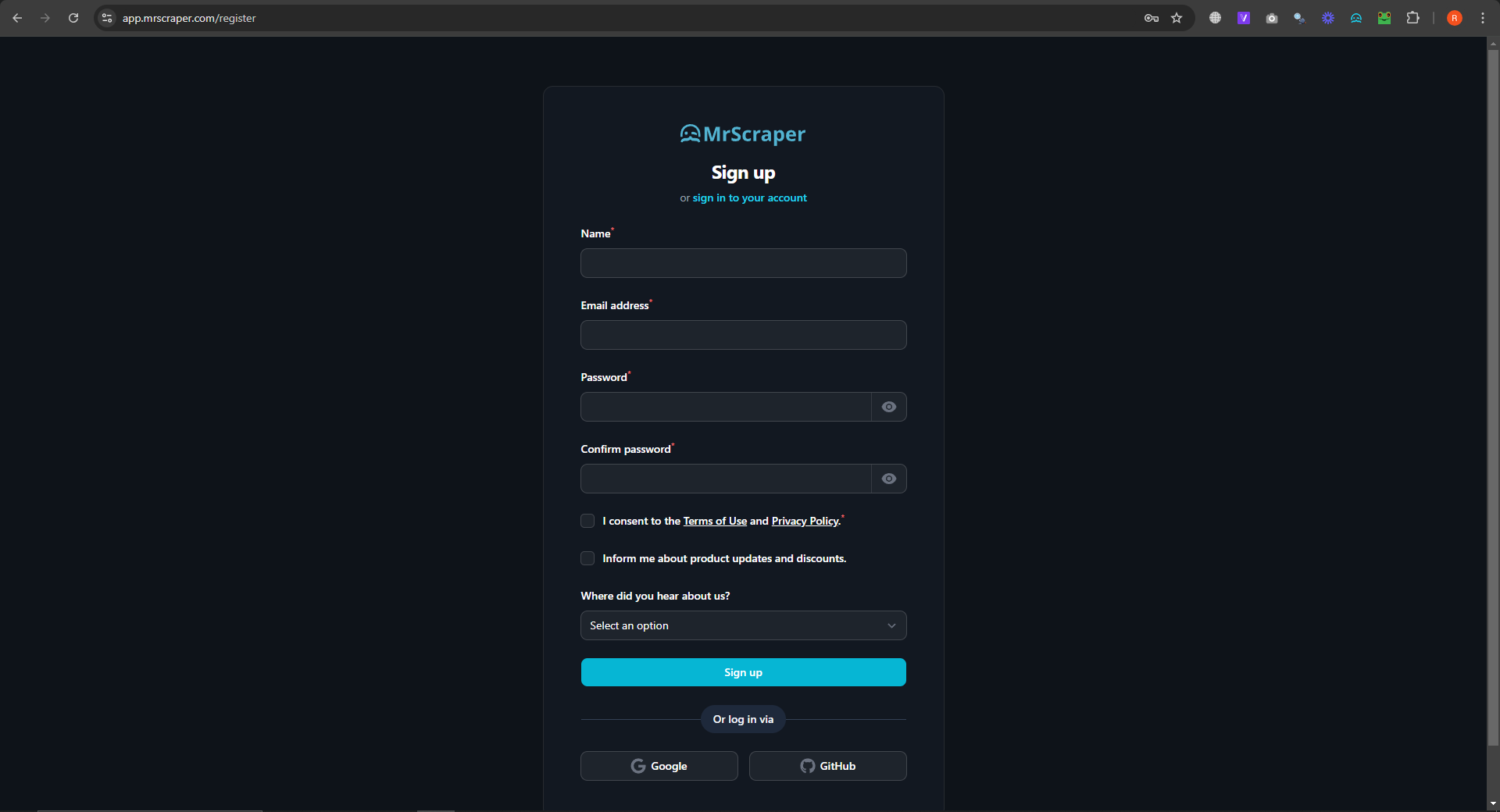
1. Sign Up on MrScraper
Create an account on MrScraper. Signing up is quick and easy, and you’ll gain access to the dashboard where you can begin scraping right away.
2. Choose Your Target Website
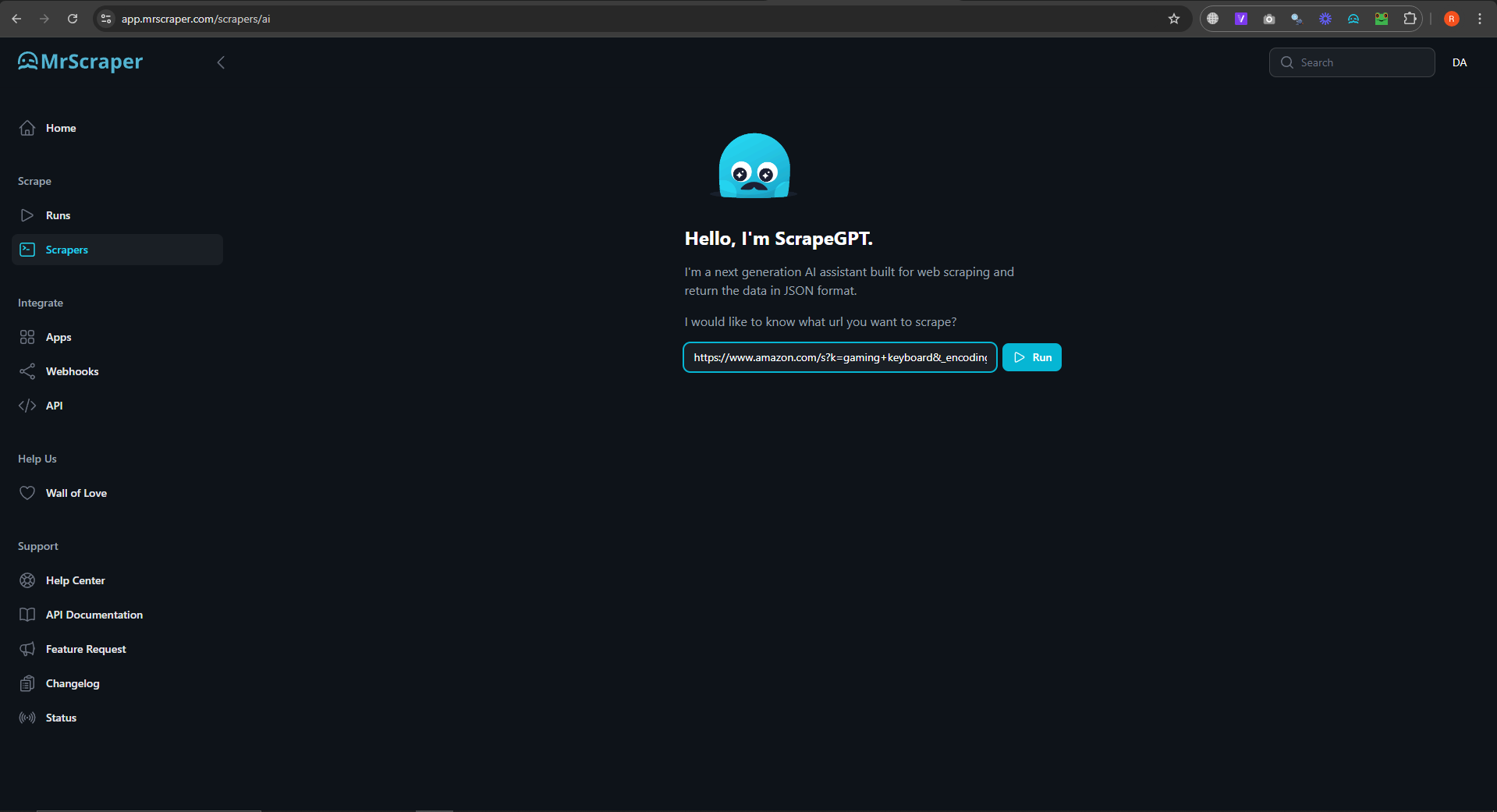
Once you're logged in, enter the URL of the website you want to scrape (e.g., Amazon). MrScraper supports a variety of e-commerce platforms, so just paste the desired link into the prompt field. We use this link “https://www.amazon.com/s?k=gaming+keyboard&_encoding=UTF8&content-id=amzn1.sym.12129333-2117-4490-9c17-6d31baf0582a&pd_rd_r=5b41cf35-69e3-4b5e-8e46-f843ff60763e&pd_rd_w=tJtRD&pd_rd_wg=ZVQiV&pf_rd_p=12129333-2117-4490-9c17-6d31baf0582a&pf_rd_r=KQC5P1R7V07GVGXA7354&ref=pd_hp_d_atf_unk”
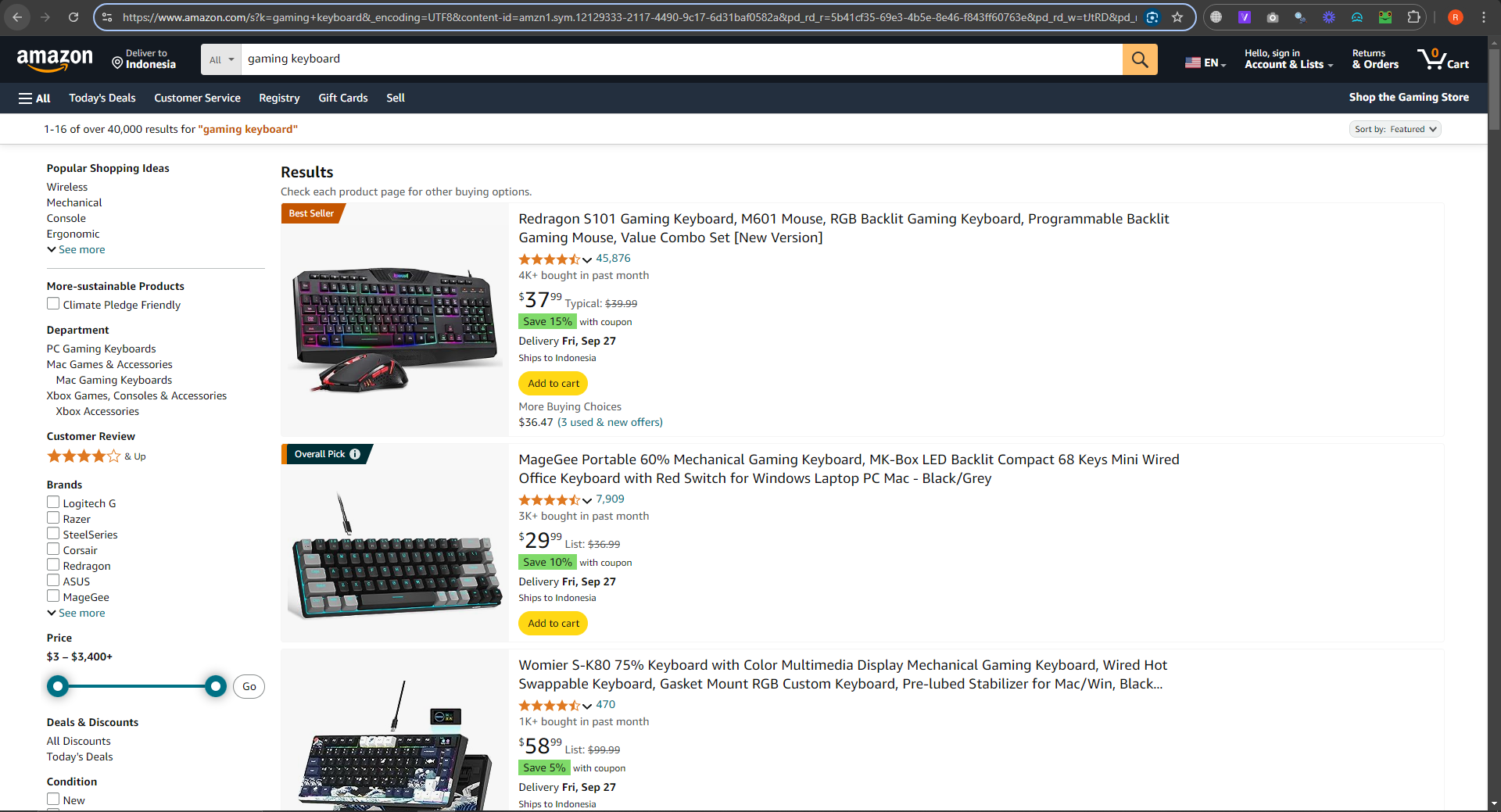 Then put the link in the AI Prompt.
 3. Enter Your AI Prompt
MrScraper uses AI-driven prompts to customize your scraping needs. Simply type what you want to scrape. For example, you can prompt it with, "Scrape product titles, prices, and reviews from this Amazon link."
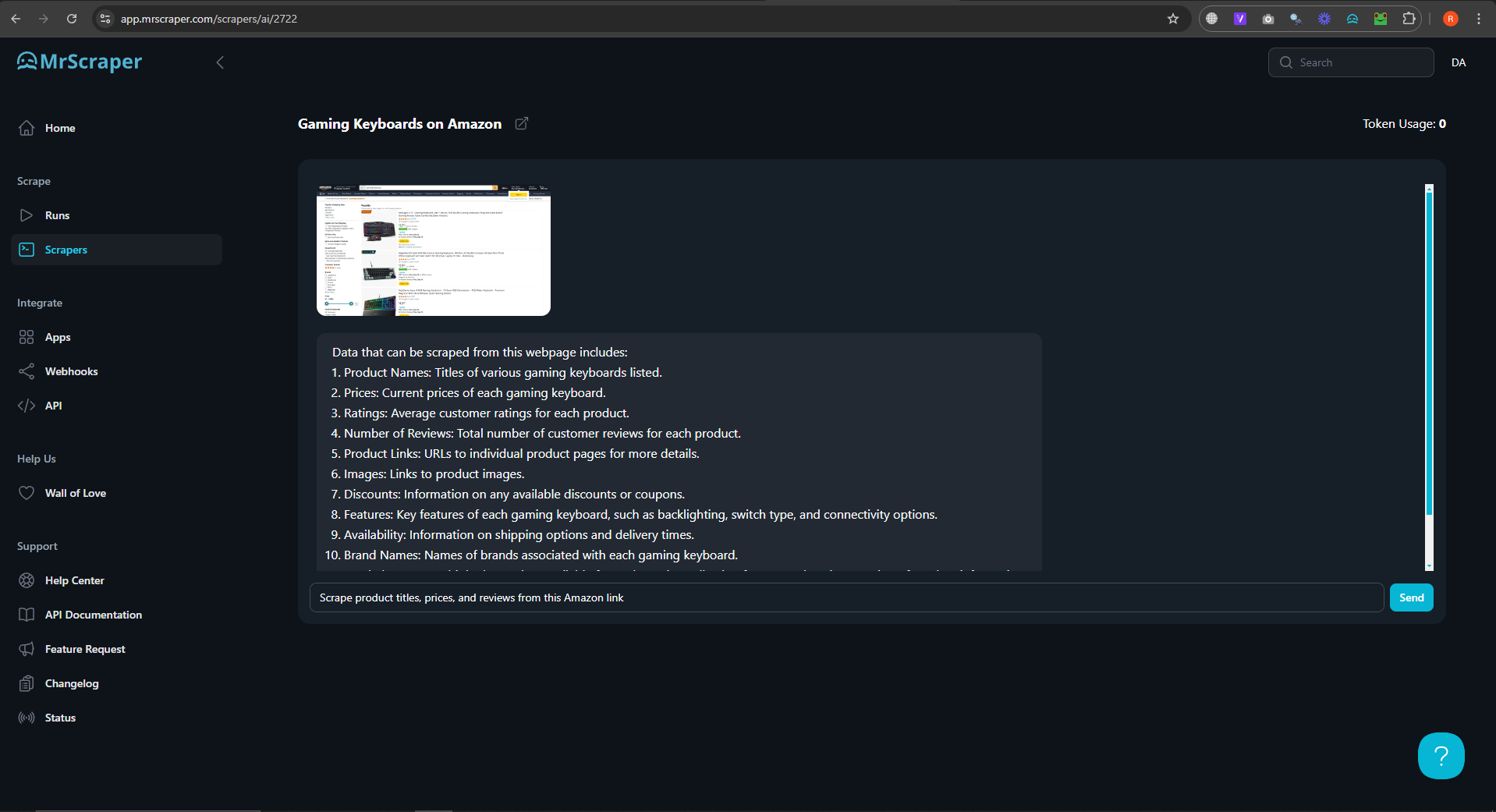
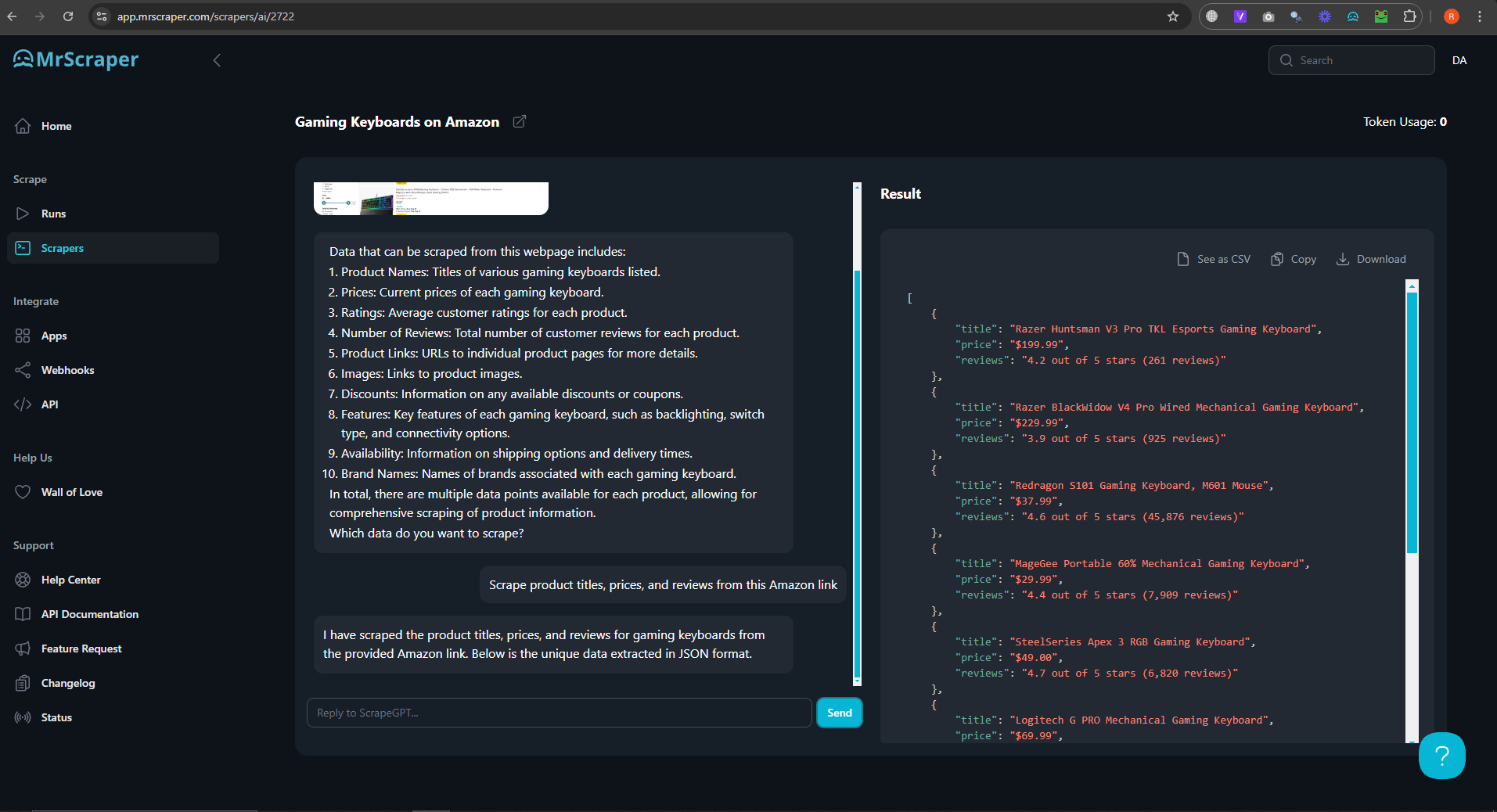
The result of the data looks like this:
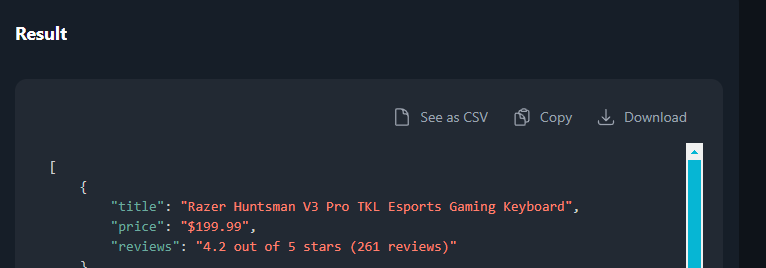
 4. Download Your Data
Once the scraping is complete, MrScraper will provide the data in your chosen format (CSV and JSON). Simply download it to your device and start using it for your research, business decisions, or analysis.
Whether you're a business owner, researcher, or marketer, MrScraper’s intelligent scraping capabilities will save you time and help you gather the data you need without hassle. Let AI do the heavy lifting while you focus on making data-driven decisions.


Find more insights here
How to Scrape Multiple Pages With a Web Scraping API (Step-by-Step Guide)
Learn how to scrape multiple pages with a web scraping API — handling URL, offset, cursor, and JavaS...
How to Add Residential Proxy Rotation to Your Python Scraper (Step-by-Step Guide)
Learn how to add residential proxy rotation to your Python scraper — working code for requests and P...
How to Scrape Real Estate Listings Without Getting Blocked (Step-by-Step Guide)
Learn how to scrape real estate listings without getting blocked — detection avoidance, proxy rotati...
