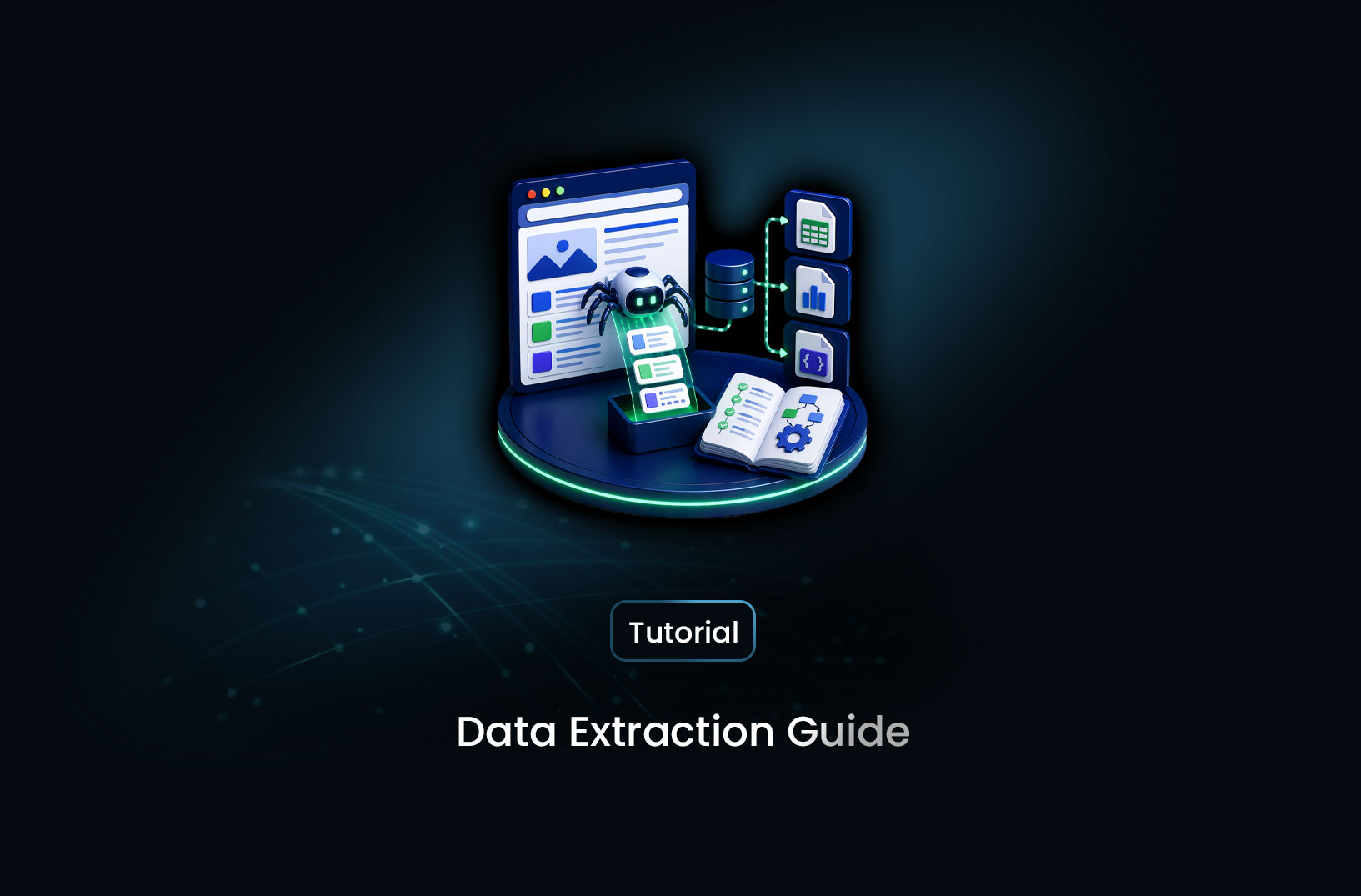
Data Extraction Guide: Tools, Methods, and Best Practices
Web ScrapingA complete guide to data extraction — methods (web scraping, APIs, ETL, OCR), tools for every use case, and best practices for reliable data collection.
Data is only useful when it's accessible. Financial data locked in PDFs, customer records spread across web portals, market intelligence embedded in HTML pages, product catalogs accessible only through undocumented APIs, transactional history buried in legacy systems — all of this information has potential value, but that value is unreachable until the data has been extracted and moved into a format and location where it can actually be worked with.
Data extraction is the process of retrieving information from its source — a website, database, document, API, or application — and converting it into a format suitable for analysis, storage, or downstream processing. The methods range from a single Python function to enterprise ETL pipelines, and the right approach depends entirely on where the data lives, how much of it there is, and how often you need it updated. This guide covers the complete landscape: every major extraction method, the tools that implement each one, and the practices that make extraction pipelines reliable in production.
What Is Data Extraction?
Data extraction is the retrieval of information from a source system — a website, database, file, API, or application — and its conversion into a structured, usable format that can be stored, analyzed, or fed into another system.
The term covers a wide range of technical activities that share a common purpose: getting data out of wherever it currently lives and into wherever it needs to go. A SQL query that pulls customer records from a production database and exports them to a CSV is data extraction. A Python script that scrapes product prices from competitor websites and writes them to a spreadsheet is data extraction. An ETL pipeline that reads from a legacy ERP system, transforms the data, and loads it into a cloud data warehouse is data extraction. A document processing system that reads PDFs and extracts structured fields from forms is data extraction.
The diversity of methods reflects the diversity of where data lives: structured in relational databases, semi-structured in web pages and APIs, unstructured in documents and images, and inaccessible behind application interfaces without dedicated extraction tooling.
The Six Methods of Data Extraction
1. Web Scraping
Web scraping extracts data from web pages by requesting the page's content and parsing the HTML to identify and collect target information. It's the method for data that's publicly visible on websites but not available through a formal API — competitor pricing, job listings, product catalogs, news content, real estate listings, and similar sources.
Modern web scraping divides into two technical approaches: plain HTTP-based scraping (using requests + BeautifulSoup or similar) for static HTML pages, and browser automation-based scraping (using Playwright or Puppeteer) for JavaScript-rendered pages where content loads dynamically after the initial page load.
2. API-Based Extraction
Many data sources — social platforms, financial data providers, government portals, commercial data services — provide formal APIs that return data in structured JSON or XML format. API-based extraction is the most reliable form of automated data collection when available: the data is structured by design, the endpoint is documented and stable, and rate limits and authentication are explicitly specified rather than inferred.
When an API exists for the data you need, use it in preference to scraping — the data quality is higher, the access is more stable, and you're operating within the provider's explicitly supported use.
3. ETL (Extract, Transform, Load)
ETL is the enterprise data integration pattern for moving data between systems at scale. The Extract phase retrieves data from source systems (databases, files, APIs); the Transform phase cleans, normalizes, restructures, or enriches the extracted data; and the Load phase writes the processed data to a target destination (a data warehouse, another database, a reporting system).
ETL is the primary data extraction methodology for enterprise data engineering — feeding data warehouses, powering business intelligence dashboards, and synchronizing data across systems that need to share information.
4. Database Extraction
Database extraction retrieves data from relational or NoSQL databases using query languages (SQL for relational databases, MQL for MongoDB, and similar). This is the oldest and most established form of data extraction — a SELECT statement is literally a data extraction request.
Database extraction is typically used to feed analytics systems, generate reports, power application features, or migrate data between systems. Its limitation is that it requires direct database access and appropriate permissions — you can't extract from a database you don't have credentials for.
5. Document and PDF Extraction
Many valuable data sources are document-based: research papers, financial reports, legal contracts, government records, and scanned forms all contain structured information embedded in formats that aren't directly queryable.
PDF extraction libraries (PDFPlumber, PyMuPDF, pdfminer) extract text and table data from digital PDFs. Optical Character Recognition (OCR) tools (Tesseract, AWS Textract, Google Document AI) convert scanned images and PDFs to searchable text when the document is an image rather than a text-containing file.
6. Screen Scraping
Screen scraping automates interaction with application interfaces — desktop GUI applications, legacy system terminals, and web applications that don't expose APIs — by reading what's displayed on screen rather than accessing underlying data directly. It's typically the method of last resort when no API or database access is available, particularly common for extracting data from legacy enterprise systems that predate the API era.
How to Choose the Right Extraction Method
The right extraction method depends on three variables: where the data lives, what format it's in, and whether programmatic access is available.
| Data Source | Primary Method | Fallback |
|---|---|---|
| Website with static HTML | Web scraping (requests) | Browser automation |
| Website with JavaScript rendering | Browser automation | Managed scraping API |
| REST API with documentation | API extraction | — |
| Relational database | SQL query | Database export |
| PDF with text layer | PDF library extraction | OCR |
| Scanned document (image) | OCR | Manual |
| Legacy desktop application | Screen scraping | Manual |
| Data warehouse | SQL/ETL | — |
The primary rule: always use the most direct and stable access method available. An API beats a scraper beats a browser automation beats screen scraping — each step down this hierarchy adds complexity and fragility. Build toward the most accessible source, and use lower-level methods only when higher-level ones aren't available.
Step-by-Step: Building a Data Extraction Workflow
Step 1: Define What You Need and Where It Comes From
Before writing any extraction code, specify: what fields do you need, from which sources, at what frequency, and in what format? Vague goals produce over-engineered pipelines that collect everything and deliver nothing useful. Specific requirements produce focused, maintainable extraction code.
# Document your extraction requirements explicitly
EXTRACTION_SPEC = {
    "source_type": "web",
    "source_url": "https://example.com/products",
    "target_fields": ["product_name", "price", "availability"],
    "output_format": "csv",
    "update_frequency": "daily",
    "authentication_required": False,
}
Step 2: Acquire the Raw Content
The acquisition step retrieves the source content — an HTTP request, an API call, a database query, or a file read:
import requests
import json

def acquire_from_web(url: str) -> str | None:
    """Fetch raw HTML from a web page."""
    try:
        response = requests.get(
            url,
            headers={"User-Agent": "Mozilla/5.0 (compatible; data-extractor/1.0)"},
            timeout=15
        )
        response.raise_for_status()
        return response.text
    except requests.RequestException as e:
        print(f"Acquisition failed: {e}")
        return None

def acquire_from_api(endpoint: str, api_key: str, params: dict) -> dict | None:
    """Fetch structured data from a REST API."""
    try:
        response = requests.get(
            endpoint,
            headers={"Authorization": f"Bearer {api_key}"},
            params=params,
            timeout=15
        )
        response.raise_for_status()
        return response.json()
    except requests.RequestException as e:
        print(f"API acquisition failed: {e}")
        return None
Step 3: Parse and Extract Target Fields
From the raw content, extract the specific values you need:
from bs4 import BeautifulSoup
import re

def extract_from_html(html: str, field_selectors: dict) -> dict:
    """Extract named fields from HTML using CSS selectors."""
    soup = BeautifulSoup(html, "html.parser")
    result = {}

    for field_name, selector in field_selectors.items():
        element = soup.select_one(selector)
        result[field_name] = element.get_text(strip=True) if element else None

    return result

PRODUCT_SELECTORS = {
    "product_name": "h1.product-title",
    "price": "[data-testid='price']",
    "availability": "[class*='stock-status']",
}
Step 4: Validate and Clean Extracted Data
Raw extracted values rarely arrive in the format your analysis needs:
import re
from datetime import datetime

def validate_and_clean(raw: dict) -> dict | None:
    """Validate extracted fields and convert to appropriate types."""
    cleaned = {}

    # Clean and type-convert price
    if raw.get("price"):
        price_match = re.search(r"[\d,]+(?:\.\d+)?", raw["price"].replace(",", ""))
        cleaned["price"] = float(price_match.group()) if price_match else None
    else:
        cleaned["price"] = None

    # Normalize availability to standard values
    availability_text = (raw.get("availability") or "").lower()
    if any(term in availability_text for term in ["in stock", "available", "add to cart"]):
        cleaned["availability"] = "in_stock"
    elif any(term in availability_text for term in ["out of stock", "unavailable", "sold out"]):
        cleaned["availability"] = "out_of_stock"
    else:
        cleaned["availability"] = "unknown"

    cleaned["product_name"] = (raw.get("product_name") or "").strip() or None
    cleaned["extracted_at"] = datetime.utcnow().isoformat()

    # Require at minimum a product name
    if not cleaned["product_name"]:
        return None

    return cleaned
Step 5: Store and Monitor
Write validated records to your target storage and track extraction quality:
import sqlite3
import json

def store_record(conn: sqlite3.Connection, record: dict, table: str = "extractions"):
    """Store a validated extraction record to SQLite."""
    columns = ", ".join(record.keys())
    placeholders = ", ".join("?" * len(record))
    values = list(record.values())
    conn.execute(f"INSERT INTO {table} ({columns}) VALUES ({placeholders})", values)
    conn.commit()

def run_extraction_pipeline(urls: list[str]) -> dict:
    """Run the full extraction pipeline and return a quality report."""
    stats = {"attempted": 0, "successful": 0, "failed": 0}
    conn = sqlite3.connect("extractions.db")

    for url in urls:
        stats["attempted"] += 1
        html = acquire_from_web(url)
        if not html:
            stats["failed"] += 1
            continue

        raw = extract_from_html(html, PRODUCT_SELECTORS)
        cleaned = validate_and_clean(raw)

        if cleaned:
            store_record(conn, {**cleaned, "source_url": url})
            stats["successful"] += 1
        else:
            stats["failed"] += 1

    conn.close()
    stats["success_rate"] = round(stats["successful"] / max(stats["attempted"], 1) * 100, 1)
    return stats
Best Data Extraction Tools in 2026
1. MrScraper
MrScraper provides managed web data extraction — browser rendering for JavaScript-heavy pages, residential proxy routing, anti-bot bypass, and AI-powered field extraction — through a single API. For teams extracting data from modern websites where the acquisition layer is complex (bot protection, dynamic rendering), MrScraper abstracts that complexity into an API call that returns structured data matching your schema. Documentation at https://docs.mrscraper.com.
Best for: Web data extraction from modern, bot-protected, or JavaScript-rendered targets where managing the acquisition infrastructure independently would require dedicated engineering.
2. Scrapy
Scrapy is Python's dedicated open-source web scraping framework — it handles concurrency, request scheduling, middleware, retry logic, item pipelines, and output formatting as built-in features. For large-scale web data extraction requiring framework-level infrastructure, Scrapy reduces boilerplate significantly compared to building these patterns from scratch. Documentation at https://scrapy.org.
Best for: Developers building production-scale web extraction pipelines who want framework-level infrastructure for request management and output pipelines.
3. Airbyte
Airbyte is an open-source ETL/ELT platform with hundreds of pre-built connectors for databases, SaaS applications, APIs, and files. It handles the Extract and Load phases of data pipeline management through a configuration-driven interface — connecting a Salesforce instance to a Snowflake data warehouse, for example, requires configuration rather than custom code. Documentation at https://airbyte.com.
Best for: Data engineering teams moving data between databases, SaaS tools, and data warehouses through ETL/ELT pipelines — particularly when source systems have existing Airbyte connectors.
4. Pandas + Python (Documents and Structured Files)
For extraction from structured files (CSV, Excel, JSON, Parquet), semi-structured documents, and in-memory data transformation, pandas remains the central Python tool. pd.read_csv(), pd.read_excel(), pd.read_json(), and similar methods handle the extraction from common file formats; pandas' transformation capabilities handle cleaning and restructuring before output.
Best for: Analysts and data engineers working with structured and semi-structured file-based data sources.
5. Tesseract + PyMuPDF (Documents and PDFs)
For document extraction, the combination of PyMuPDF (or PDFPlumber) for text-layer PDFs and Tesseract (via pytesseract) for scanned/image-based documents covers most document extraction requirements. Cloud services like AWS Textract and Google Document AI provide managed alternatives with better accuracy on complex layouts.
Best for: Research teams and data engineers extracting information from PDFs, scanned documents, and forms.
Free vs. Paid: What Each Level Provides
Free and open-source tools cover the complete web extraction, database, file, and document extraction stack at no licensing cost: Scrapy, Beautiful-Soup, requests, Pandas, PDFPlumber, Tesseract, and Airbyte (self-hosted) are all free. The cost is infrastructure (servers, storage) and engineering time to build, integrate, and maintain.
Managed extraction APIs (MrScraper and similar) trade per-page cost for infrastructure abstraction. Pricing covers the browser infrastructure, proxy networks, and anti-bot maintenance that would otherwise require dedicated engineering. Free tiers allow evaluation; paid plans cover production volumes.
Enterprise ETL platforms (Talend, Informatica, Fivetran) have enterprise licensing models with significant cost but include support, compliance certifications, and governance features that open-source alternatives require more effort to implement independently.
Key Features to Look For in a Data Extraction Tool
- Source type coverage: Does the tool handle your specific data sources — web, API, database, document, or legacy application? Most tools specialize rather than generalize.
- JavaScript rendering for web sources: For modern websites, JavaScript execution after page load is where the data lives. Confirm whether the tool's web extraction handles dynamic content.
- Schema and validation support: Can the tool output typed, schema-conforming records, or does it deliver raw text that requires downstream processing?
- Scheduling and automation: Does the tool support recurring extraction on a schedule, or only on-demand?
- Error handling and retry: How does the tool respond to extraction failures — silent empty output, explicit errors, or automatic retry?
- Output destination flexibility: Can data be delivered to your target destination (database, cloud storage, spreadsheet, webhook) directly, or only exported to file?
When Should You Build vs. Buy Extraction Infrastructure?
Build custom extraction when:
- Your data source is unique enough that no existing tool covers it
- You have the engineering capacity and the extraction requirements are stable enough to justify the build investment
- Your volume is high enough that per-page or per-record API pricing exceeds dedicated infrastructure cost
- You need complete control over every extraction layer for compliance or security reasons
Use managed tools and APIs when:
- Extraction source complexity (bot protection, JavaScript rendering, document parsing) would require engineering investment that doesn't align with your team's core focus
- You need to be operational quickly and can't afford weeks of infrastructure development
- The managed tool's coverage and quality meet your requirements at a cost that's lower than building equivalent capability
Common Challenges and Limitations
Source structure changes break extraction logic. A CSS selector that correctly extracts a price today fails if the site's HTML changes its class names tomorrow. Every extraction pipeline degrades without maintenance as source systems evolve. Build monitoring that detects extraction failures — zero records returned, unexpected field values, or result counts outside expected ranges — and treat these signals as alerts requiring attention.
JavaScript rendering adds latency and resource cost. Browser-based extraction is 5–20x slower per page than plain HTTP extraction and consumes significantly more memory and CPU. At scale, these constraints affect pipeline design: concurrency limits, server sizing, and collection cadence all need to account for browser resource requirements.
Legal and ethical constraints apply to every extraction method. Terms of Service, data protection regulations (GDPR, CCPA), copyright, and applicable computer access laws all potentially apply to data extraction depending on source type, data content, and how the data is used. This is most visible in web scraping (explicit ToS prohibitions on many platforms) but applies across all extraction methods — database extraction requires authorization, document extraction involves copyright, and personal data extraction anywhere triggers data protection compliance. Design extraction workflows with legal review in mind from the start.
Data quality requires explicit validation, not assumed accuracy. Extracted data isn't inherently trustworthy — source data may be inconsistent, extraction logic may have edge cases, and fields may be missing or malformed. Every production extraction pipeline needs validation logic that confirms extracted records meet expected quality criteria before downstream consumption.
Conclusion
Data extraction is the upstream discipline on which every data-driven capability depends — analysis, reporting, machine learning, product features, and operational dashboards all require that their input data be extracted from somewhere and delivered in a usable form. The right extraction method and tools depend entirely on where the data lives: web scraping for public web sources, API extraction where programmatic interfaces exist, ETL for database and system integration, PDF and OCR tools for document sources, and screen scraping as the method of last resort for inaccessible legacy systems.
Whatever the source, the pipeline structure is consistent: acquire the raw content, parse and extract target fields, validate and clean the extracted values, store with provenance and timestamps, and monitor quality as an ongoing operational practice. Getting each of these stages right — not just the extraction itself but the validation and monitoring that sustain it — is what separates a fragile script that works once from an extraction pipeline that runs in production.
What We Learned
- Data extraction is the upstream requirement for all data-driven work: Analysis, ML, reporting, and product features all depend on data being extracted from its source and delivered in a format they can use.
- Six distinct methods cover the full source landscape: Web scraping, API extraction, ETL, database queries, document/PDF extraction, and screen scraping each apply to different source types — choosing the most direct method available minimizes fragility.
- Always prefer the most structured access path: APIs over scraping over browser automation over screen scraping — each step down this hierarchy adds complexity and reduces stability.
- Validation is as important as extraction: A pipeline that collects data without validating it silently delivers bad data to downstream consumers — validation logic that confirms field presence, types, and value ranges is required for production pipelines.
- Source changes require active monitoring: Extraction logic degrades as sources evolve. Result-count monitoring and field-value validation surface breakage early — before it compounds into a data quality incident.
- Legal and compliance review belongs at design time: ToS restrictions, data protection regulations, and copyright apply to extraction pipelines from the start — retrofitting compliance after building is significantly harder.
FAQ
What is data extraction?
Data extraction is the process of retrieving information from a source system — a website, database, file, API, or application — and converting it into a usable, structured format for storage, analysis, or further processing. It encompasses web scraping, API-based data collection, ETL database pipelines, document processing, and any other method of getting data out of its original location and into a form where it can be worked with.
What are the main methods of data extraction?
The six main data extraction methods are: web scraping (extracting from web pages by parsing HTML), API-based extraction (collecting structured data through documented API endpoints), ETL (Extract, Transform, Load — moving data between systems at enterprise scale), database extraction (SQL queries and database export), document extraction (pulling data from PDFs, Word files, and scanned documents using PDF libraries or OCR), and screen scraping (reading from application interfaces without direct data access).
What tools are used for data extraction?
Common data extraction tools by category: web scraping — Scrapy, Playwright, BeautifulSoup, MrScraper (managed API); API extraction — Python requests, Postman, custom API clients; ETL — Airbyte, dbt, Apache Spark, Talend, Fivetran; database extraction — SQL clients, pg_dump, database-specific export tools; document extraction — PDFPlumber, PyMuPDF, Tesseract OCR, AWS Textract; and data processing — pandas, Polars.
How is data extraction different from data scraping?
Data scraping specifically refers to automated extraction from web pages — parsing HTML to collect data displayed in browsers. Data extraction is the broader category that includes web scraping but also encompasses extraction from databases, APIs, documents, legacy systems, and any other data source. All web scraping is data extraction; data extraction includes many methods beyond web scraping.
What are the best practices for data extraction?
Key best practices: define target fields and sources before building extraction logic; choose the most stable access method available (prefer APIs over scrapers); validate extracted records against expected field presence, types, and value ranges before storing; include timestamps and source URL provenance in every record; build monitoring that detects when extraction quality degrades (empty results, unexpected values); design for legal and compliance requirements from the start rather than retrofitting.
Summarize this post
Open it in your assistant of choice with the prompt ready to send.
Take a Taste of Easy Scraping!

Find more insights here

Build a Source-Led Deep Research Workflow With MrScraper
Build a deep research workflow that turns a question into a source plan, collects evidence from appr…
Choose an Agent Framework for a Web Data Application
Compare LangGraph, the OpenAI Agents SDK, Google ADK, CrewAI, Mastra and the Claude Agent SDK on too…

Design AI Research Loops That Stop, Recover and Produce Evidence
Learn how to build an AI research loop with clear states, firm stop conditions, safe retries after f…