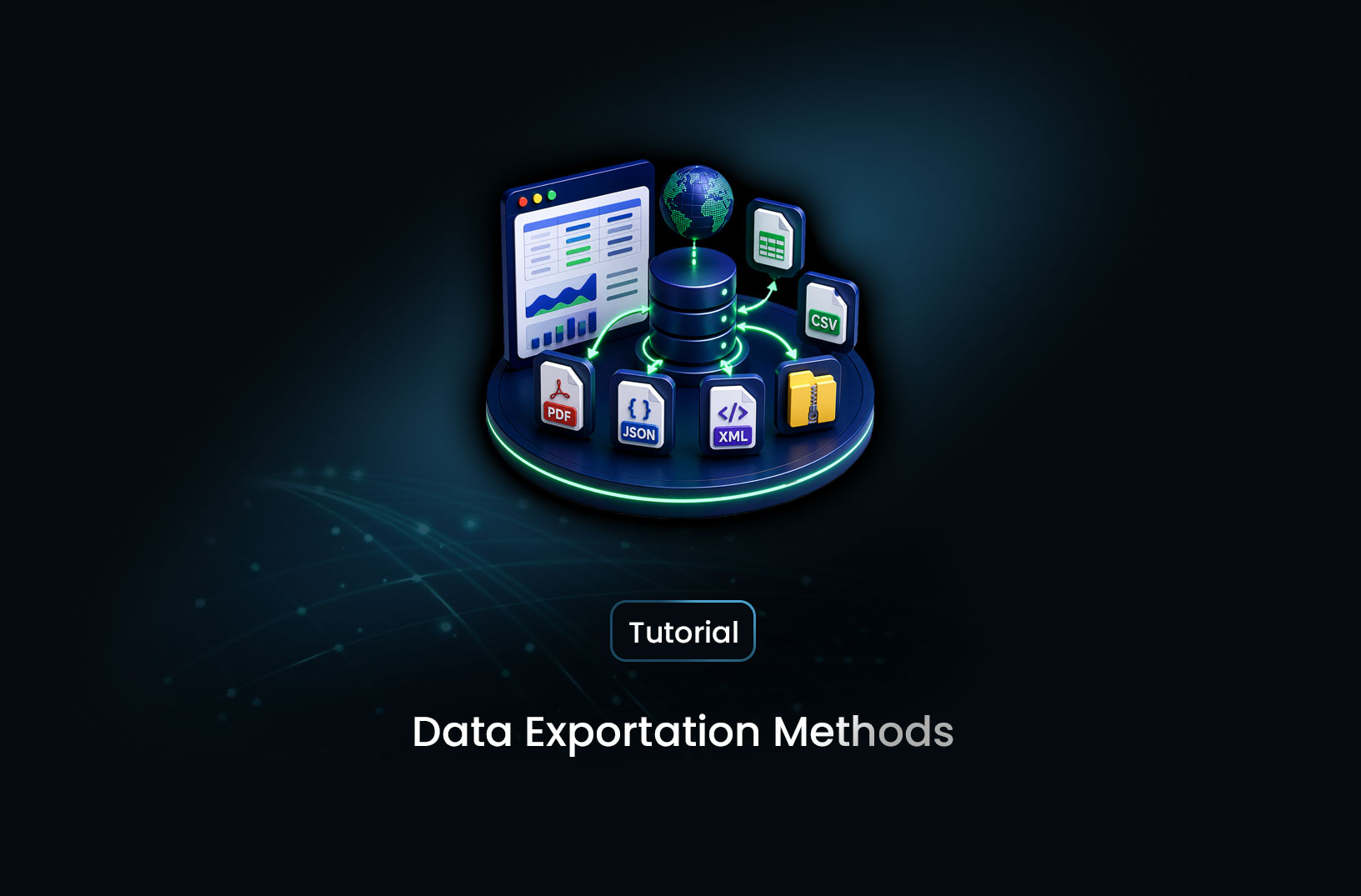
How to Export Scraped Data: CSV, JSON, and APIs
Web ScrapingLearn how to export and store scraped data — CSV, JSON, SQLite, PostgreSQL, S3, and API delivery options with working Python code for each approach.
Data you've scraped isn't useful until it's stored somewhere your downstream workflows can actually reach. The raw extraction result — a Python list of dictionaries sitting in memory — disappears the moment your script ends. What you store, where you store it, and in what format determines whether that data is accessible for analysis, available to other systems, queryable efficiently, or preserved reliably over time.
Exporting and storing scraped data involves choosing among several formats and destinations — each with distinct tradeoffs in simplicity, query capability, integration compatibility, and scale. CSV is universal but flat. JSON preserves structure but isn't directly queryable. SQLite is locally queryable but single-user. PostgreSQL scales to production but requires setup. S3 handles any volume but needs an access layer. This guide covers every major option with working Python code, so you can match your storage choice to your actual use case.
Table of Contents
- Why Storage Format Matters for Scraped Data
- How Each Storage Format Serves Different Use Cases
- Step-by-Step Guide: Implementing Each Storage Option in Python
- Best Tools for Scraped Data Storage and Delivery
- Free vs. Paid: What Each Tier Provides
- Key Features to Evaluate in a Storage Solution
- When Should You Use Each Storage Format?
- Common Challenges and Limitations
- Conclusion
- What We Learned
- FAQ
Why Storage Format Matters for Scraped Data
The storage decision happens after extraction — but it should be designed before extraction begins. The format you choose affects everything downstream: how colleagues access the data, which tools can query it, whether deduplication is practical, and whether you can incrementally update the dataset without reprocessing everything.
A research analyst who wants to open the data in Excel needs CSV. A dashboard that consumes JSON through an internal API needs JSON output. An application that queries "show me all products where price dropped since yesterday" needs a relational database with an indexed timestamp column. A data lake that stores hundreds of millions of records needs cloud object storage. Choosing the right format from the start saves a migration later.
How Each Storage Format Serves Different Use Cases
CSV is the most portable format. Every spreadsheet application, statistical tool, and data platform can open a CSV file without transformation. It's flat, human-readable, and requires no infrastructure. Its limitations: no schema enforcement, no efficient querying, and poor handling of nested structures. Best for one-off exports, sharing data with non-technical users, and feeding data into tools that prefer flat files.
JSON and JSON Lines preserve hierarchical data structures (nested objects, arrays) that CSV can't represent cleanly. Standard JSON stores all records in a single array, making incremental writes tricky for large datasets. JSON Lines (.jsonl) stores one JSON object per line, enabling streaming writes and efficient processing with tools like jq, Spark, or BigQuery. Best for semi-structured data and API-facing applications.
SQLite is a file-based relational database with no server setup — just a file you query with SQL. It supports indexes, foreign keys, and complex queries, making it dramatically more powerful than CSV for datasets you'll query repeatedly. Single-writer limitation prevents concurrent access in production, but for local or single-application storage it's the best step up from CSV. Best for local scraping projects, personal tools, and medium datasets (up to several GB).
PostgreSQL / MySQL is the step up from SQLite for production applications. Multi-user access, network availability, full SQL, robust indexing, transactions, and scaling to billions of records. Requires a running server and connection credentials, but enables your scraped data to be accessed by multiple applications and users simultaneously. Best for production scraping pipelines feeding commercial applications.
Cloud Object Storage (S3, GCS, Azure Blob) stores any file at any scale with no database administration. You write CSV, JSON, or Parquet files directly to a bucket. Queried via Athena, BigQuery, or Spark rather than SQL over a direct connection. Best for large-scale data archiving, data lake architectures, and integration with cloud-native analytics workflows.
Step-by-Step Guide: Implementing Each Storage Option in Python
Option 1: CSV with Python's csv Module
Python's built-in csv module is zero-dependency and correct for writing scraped records:
import csv
from datetime import datetime
from pathlib import Path

def export_to_csv(records: list[dict],
                   output_path: str | None = None) -> str:
    """
    Export scraped records to a timestamped CSV file.
    All records must share the same field structure.
    """
    if not records:
        print("No records to export.")
        return ""

    output_path = output_path or f"scraped_{datetime.now().strftime('%Y%m%d_%H%M%S')}.csv"

    with open(output_path, "w", newline="", encoding="utf-8") as f:
        writer = csv.DictWriter(f, fieldnames=records[0].keys(),
                                 extrasaction="ignore")
        writer.writeheader()
        writer.writerows(records)

    print(f"Exported {len(records)} records → {output_path}")
    return output_path
The newline="" parameter on the open() call is required when using csv.writer or csv.DictWriter to prevent double line endings on Windows. The extrasaction="ignore" parameter silently drops any fields not in the header — useful when individual records have extra keys.
Option 2: JSON and JSON Lines
import json
from datetime import datetime

def export_to_json(records: list[dict],
                    output_path: str | None = None,
                    indent: int = 2) -> str:
    """Export records to a structured JSON file."""
    output_path = output_path or f"scraped_{datetime.now().strftime('%Y%m%d_%H%M%S')}.json"
    with open(output_path, "w", encoding="utf-8") as f:
        json.dump(records, f, indent=indent, ensure_ascii=False, default=str)
    print(f"Exported {len(records)} records → {output_path}")
    return output_path

def append_to_jsonl(record: dict, output_path: str) -> None:
    """
    Append a single record to a JSON Lines file.
    JSONL allows incremental writes without loading the entire file.
    Suitable for streaming/continuous scraping.
    """
    with open(output_path, "a", encoding="utf-8") as f:
        f.write(json.dumps(record, ensure_ascii=False, default=str) + "\n")
JSON Lines (append_to_jsonl) is better than standard JSON for scrapers that run continuously — you can append each record as it's extracted rather than holding everything in memory until the run completes.
Option 3: SQLite for Local Queryable Storage
import sqlite3
from datetime import datetime

def get_or_create_table(conn: sqlite3.Connection,
                          table: str,
                          sample_record: dict) -> None:
    """Create table from a sample record's keys if it doesn't exist."""
    columns = ", ".join(f'"{k}" TEXT' for k in sample_record.keys())
    conn.execute(f'CREATE TABLE IF NOT EXISTS "{table}" '
                 f'(id INTEGER PRIMARY KEY AUTOINCREMENT, {columns}, '
                 f'scraped_at TEXT DEFAULT CURRENT_TIMESTAMP)')
    # Index common query fields
    conn.execute(f'CREATE INDEX IF NOT EXISTS idx_scraped_at '
                 f'ON "{table}" (scraped_at)')
    conn.commit()

def store_to_sqlite(records: list[dict],
                     db_path: str = "scraped.db",
                     table: str = "records") -> int:
    """
    Store records to SQLite with automatic table creation.
    Returns the number of successfully inserted records.
    """
    if not records:
        return 0

    conn = sqlite3.connect(db_path)
    get_or_create_table(conn, table, records[0])

    inserted = 0
    for record in records:
        cols = ", ".join(f'"{k}"' for k in record.keys())
        placeholders = ", ".join("?" * len(record))
        values = [str(v) if v is not None else None for v in record.values()]
        try:
            conn.execute(
                f'INSERT INTO "{table}" ({cols}) VALUES ({placeholders})',
                values
            )
            inserted += 1
        except sqlite3.Error as e:
            print(f"Insert error: {e}")

    conn.commit()
    conn.close()
    return inserted
Option 4: PostgreSQL for Production Database Storage
For production pipelines, store to PostgreSQL via psycopg2. Install with pip install psycopg2-binary:
import psycopg2
import psycopg2.extras
import os

def store_to_postgres(records: list[dict],
                       table: str = "scraped_records") -> int:
    """
    Insert records into a PostgreSQL table using executemany.
    Assumes the table already exists with the correct schema.
    Configure connection via environment variables for security.
    """
    if not records:
        return 0

    conn = psycopg2.connect(
        host=os.environ["PG_HOST"],
        port=os.environ.get("PG_PORT", "5432"),
        dbname=os.environ["PG_DBNAME"],
        user=os.environ["PG_USER"],
        password=os.environ["PG_PASSWORD"],
    )

    columns = list(records[0].keys())
    col_list = ", ".join(f'"{c}"' for c in columns)
    placeholders = ", ".join(f"%({c})s" for c in columns)
    sql = f'INSERT INTO "{table}" ({col_list}) VALUES ({placeholders})'

    try:
        with conn.cursor() as cur:
            psycopg2.extras.execute_batch(cur, sql, records, page_size=500)
        conn.commit()
        inserted = len(records)
    except psycopg2.Error as e:
        conn.rollback()
        print(f"Database error: {e}")
        inserted = 0
    finally:
        conn.close()

    return inserted
psycopg2.extras.execute_batch() sends inserts in batches of 500, which is significantly faster than per-row execute() calls for large record sets.
Option 5: Cloud Storage (AWS S3)
For cloud storage, install pip install boto3:
import boto3
import json
import os
from datetime import datetime

def upload_to_s3(records: list[dict],
                  bucket: str,
                  prefix: str = "scraped/") -> str:
    """
    Upload records as a JSON Lines file to an S3 bucket.
    Credentials are sourced from environment variables or AWS config.
    """
    s3 = boto3.client("s3")
    timestamp = datetime.utcnow().strftime("%Y/%m/%d/%H%M%S")
    key = f"{prefix}{timestamp}.jsonl"

    # Serialize records to JSONL format in memory
    content = "\n".join(
        json.dumps(r, ensure_ascii=False, default=str) for r in records
    )

    s3.put_object(
        Bucket=bucket,
        Key=key,
        Body=content.encode("utf-8"),
        ContentType="application/x-ndjson",
    )

    s3_path = f"s3://{bucket}/{key}"
    print(f"Uploaded {len(records)} records → {s3_path}")
    return s3_path
The default=str parameter in json.dumps() converts non-serializable Python objects (like datetime instances) to strings automatically — essential for scraped data that often includes timestamps.
Option 6: Webhook/API Delivery
For pushing scraped data to downstream systems in real time, send records to an endpoint via HTTP POST:
import requests
import json

def deliver_to_webhook(records: list[dict],
                         webhook_url: str,
                         api_key: str | None = None,
                         batch_size: int = 100) -> int:
    """
    POST scraped records to a webhook endpoint in batches.
    Returns the total number of successfully delivered records.
    """
    headers = {"Content-Type": "application/json"}
    if api_key:
        headers["Authorization"] = f"Bearer {api_key}"

    delivered = 0
    for i in range(0, len(records), batch_size):
        batch = records[i:i + batch_size]
        try:
            response = requests.post(
                webhook_url,
                headers=headers,
                data=json.dumps({"records": batch, "count": len(batch)},
                                default=str),
                timeout=30
            )
            response.raise_for_status()
            delivered += len(batch)
        except requests.RequestException as e:
            print(f"Webhook delivery failed for batch {i//batch_size + 1}: {e}")

    return delivered
Best Tools for Scraped Data Storage and Delivery
Python standard library (csv, json, sqlite3) — zero dependencies, covers CSV, JSON, JSONL, and local database storage. The right starting point for any Python scraping project.
pandas — df.to_csv(), df.to_json(), df.to_sql() cover all flat-file formats plus SQL database writes with schema management. Adds a data cleaning layer before storage. Documentation at https://pandas.pydata.org.
MrScraper — for teams using MrScraper's API for extraction, the API supports structured JSON output delivery directly to a webhook or export endpoint, removing the need to write a separate storage layer for simple use cases. Extracted records arrive schema-conforming and ready for downstream storage. Documentation at https://docs.mrscraper.com.
SQLAlchemy — database abstraction for Python that works with SQLite, PostgreSQL, MySQL, and others through a unified API. Particularly useful when your storage target may change or when you want ORM-level schema management.
Free vs. Paid: What Each Tier Provides
Fully free: All file-based storage (CSV, JSON, JSONL) and SQLite are zero-cost at any scale. PostgreSQL and MySQL are open-source and free to self-host; the cost is server infrastructure, not software.
Low-cost cloud storage: AWS S3 storage costs fractions of a cent per GB per month — for most scraping operations, the storage cost of scraped data is negligible. API call costs (S3 GET/PUT operations) are similarly small. Cloud database options (RDS for PostgreSQL) add managed infrastructure cost.
Managed databases: Hosted PostgreSQL services (Supabase, Neon, Railway) offer free tiers sufficient for small scraping operations and reasonable paid tiers for production volumes.
Key Features to Evaluate in a Storage Solution
- Query capability: Can you efficiently answer "show me records where field X meets condition Y"? CSV requires loading everything first; SQLite and PostgreSQL support indexed queries.
- Incremental writes: Can new scraped records be appended without rewriting existing data? JSONL, SQLite, and PostgreSQL all support appending; standard JSON requires loading and rewriting the full file.
- Deduplication: Can you prevent the same record from being inserted twice? SQLite and PostgreSQL support unique constraints; CSV and JSON require application-level deduplication logic.
- Access by multiple consumers: Can other applications or users query the storage simultaneously? SQLite is single-writer; PostgreSQL supports many concurrent connections.
- Schema enforcement: Does the storage enforce that records have the expected fields and types? Databases enforce schema; file formats don't.
- Export format flexibility: Can data be exported to other formats from the storage layer? SQL databases export to CSV, JSON, and other formats directly.
When Should You Use Each Storage Format?
| Use Case | Recommended Format |
|---|---|
| Share with non-technical users | CSV |
| Input to pandas or Excel analysis | CSV |
| Preserve nested/hierarchical data | JSON |
| Continuous streaming writes | JSON Lines (JSONL) |
| Local querying, one application | SQLite |
| Production application, multi-user | PostgreSQL |
| Very large datasets, data lake | S3 (Parquet or JSONL) |
| Real-time downstream delivery | Webhook/API POST |
| Multiple formats needed | SQLite → export as needed |
Common Challenges and Limitations
Character encoding issues corrupt CSV files. Always specify encoding="utf-8" when writing CSV files and open them in Excel with "From Text/CSV" import rather than double-click, which defaults to system encoding and corrupts non-ASCII characters. For Windows compatibility, encoding="utf-8-sig" adds a BOM marker that Excel uses to recognize UTF-8.
JSON files grow too large to load into memory. A JSON file containing a million records may be hundreds of MB or more — loading it with json.load() requires that much RAM plus overhead. Switch to JSON Lines (JSONL) for datasets above a few tens of thousands of records: each line is parsed independently, enabling streaming processing without loading everything at once.
SQLite write contention breaks concurrent scrapers. SQLite supports only one writer at a time. If you're running multiple scraper workers simultaneously and writing to the same SQLite database, you'll get database is locked errors. The fix: either funnel all writes through a single worker (producer-consumer queue pattern) or switch to PostgreSQL, which handles concurrent writes without locking issues.
Missing fields across records create inconsistent CSV headers. When different records have different field sets — common in scraped data where not every record has every optional field — csv.DictWriter with the first record's keys as headers silently drops fields present in later records. Collect all unique field names across all records before writing the header: fieldnames = sorted(set().union(*[r.keys() for r in records])).
Conclusion
The right storage format for scraped data is the one that matches how the data will be used. CSV for sharing and analysis, JSONL for streaming and nested structures, SQLite for local querying, PostgreSQL for production applications, S3 for scale and cloud integration, and webhooks for real-time delivery. Most scraping projects start with CSV or SQLite and graduate to PostgreSQL when production access patterns require it.
The Python code in this guide is production-ready for all six formats. Implement the format that fits your current use case, design your scraper to produce clean list[dict] records, and swap the storage layer when requirements change — the extraction logic doesn't have to change when the storage destination does.
What We Learned
- CSV is the universal starting point: Zero dependencies, opens in any tool, and sufficient for analysis and sharing — the right default until you need queryability or concurrent access.
- JSON Lines is better than JSON for large or streaming datasets: One record per line enables incremental writes and streaming processing without loading the entire file into memory.
- SQLite gives you SQL without a server: Indexed queries, deduplication via unique constraints, and complex filtering without any setup cost — the right upgrade from CSV for data you'll query repeatedly.
- PostgreSQL is required for production multi-user access: Concurrent connections, proper schema management, and scaling to production data volumes that SQLite can't handle.
- Collect all unique field names before writing CSV headers: Records with different optional fields produce inconsistent CSVs when only the first record's keys are used as the header.
- JSONL solves the "JSON too big for memory" problem: Switch from
json.dump()to per-line appends whenever records exceed tens of thousands — streaming reads and writes scale to any volume.
FAQ
What is the best format to store scraped data?
The best format depends on what you'll do with it. CSV is best for sharing with non-technical users or feeding into analysis tools like Excel or pandas. JSON or JSONL is best for nested data or API-facing storage. SQLite is best for local querying without server setup. PostgreSQL is best for production applications requiring concurrent access. There's no universal best format — match the format to the access pattern.
How do I save scraped data to a CSV file in Python?
Use Python's built-in
csv.DictWriter: open a file withopen("output.csv", "w", newline="", encoding="utf-8"), create acsv.DictWriterwith your field names, callwriter.writeheader(), and thenwriter.writerows(records). Thenewline=""parameter prevents double line endings on Windows. Always specifyencoding="utf-8"to handle non-ASCII characters correctly.Should I store scraped data in a database or a file?
For data you'll query repeatedly, filter, or join with other datasets, a database (SQLite or PostgreSQL) is more efficient than files. For one-time exports, sharing with others, or input to analysis tools, CSV or JSON files are simpler. SQLite gives you database queryability with file simplicity — a good middle ground for personal and small-team projects.
How do I store scraped data in a PostgreSQL database with Python?
Install
psycopg2-binarywith pip, connect withpsycopg2.connect()using your database credentials, and usepsycopg2.extras.execute_batch()to insert records efficiently in batches. Store credentials as environment variables rather than hardcoding them. The table should be created in advance with the appropriate column types and any unique constraints needed for deduplication.How do I prevent duplicate records when storing scraped data?
In a SQL database (SQLite or PostgreSQL), add a unique constraint on the field or combination of fields that uniquely identifies a record — typically the source URL for web scraping. Use
INSERT OR IGNORE(SQLite) orINSERT ... ON CONFLICT DO NOTHING(PostgreSQL) for upsert behavior. In CSV or JSON files, deduplication requires loading all existing records into memory and checking before appending — which is one reason databases are preferable for recurring scraping operations.
Summarize this post
Open it in your assistant of choice with the prompt ready to send.
Take a Taste of Easy Scraping!

Find more insights here
HTML to Markdown: Converting Scraped Web Pages for LLM Training
Learn how to convert html to markdown for LLM training. Reduce token usage by 90% and improve RAG ac…
What is Scraping? A Complete Beginner's Guide for 2026
Learn what a web scraper is in 2026 and how AI-powered tools are replacing brittle CSS scripts for r…

The Ultimate Web Crawlers List: 15 Tools for Every Data Need
Compare the best web crawlers for 2026. Learn the difference between open-source, managed APIs, and…